1.Maven介绍

Maven是一个项目管理和综合工具。Maven提供给开发人员构建一个完整的生命周期框架。 开发团队可以自动完成该项目的基础设施建设,Maven使用标准的目录结构和默认构建生命周期。 Apache的开源项目主要服务于JAVA平台的构建、依赖管理、项目管理。 Project Object Model,项目对象模型。通过xml格式保存的pom.xml文件。该文件用于管理:源代码、配置文件、开发者的信息和角色、问题追踪系统、组织信息、项目授权、项目的url、项目的依赖关系等等。该文件是由开发维护,我们运维人员可以不用去关心。

2.Maven安装

下载Maven安装包

官网:http://maven.apache.org/download.cgi

清华镜像:https://mirrors.tuna.tsinghua.edu.cn/apache/maven/

安装Maven

 1
 2
 3
 4
 5
 6
 7
 8
 9
10
[root@jenkins ~]#cd /usr/local/
[root@jenkins local]#tar xf apache-maven-3.3.9-bin.tar.gz
[root@jenkins local]#ln -s /usr/local/apache-maven-3.3.9/ /usr/local/maven
[root@jenkins local]#/usr/local/maven/bin/mvn -v
Apache Maven 3.3.9 (bb52d8502b132ec0a5a3f4c09453c07478323dc5; 2015-11-11T00:41:47+08:00)
Maven home: /usr/local/maven
Java version: 17.0.11, vendor: Oracle Corporation
Java home: /usr/lib/jvm/jdk-17-oracle-x64
Default locale: en_US, platform encoding: UTF-8
OS name: "linux", version: "3.10.0-1160.el7.x86_64", arch: "amd64", family: "unix"

3.编译部署java项目

1
2
3
4
5
6
7
8
9
[root@jenkins local]#vim /etc/profile
export PATH="/usr/local/apache-maven-3.3.9/bin/:$PATH"
[root@jenkins local]#mvn -v
Apache Maven 3.3.9 (bb52d8502b132ec0a5a3f4c09453c07478323dc5; 2015-11-11T00:41:47+08:00)
Maven home: /usr/local/apache-maven-3.3.9
Java version: 17.0.11, vendor: Oracle Corporation
Java home: /usr/lib/jvm/jdk-17-oracle-x64
Default locale: en_US, platform encoding: UTF-8
OS name: "linux", version: "3.10.0-1160.el7.x86_64", arch: "amd64", family: "unix"

上传一个简单的java项目包 hello-world.tar.gz 进行解压

1
[root@jenkins ~]#tar -xf hello-world.tar.gz

进入目录执行打包命令

1
2
3
4
5
[root@jenkins ~]#cd hello-world-war/
[root@jenkins hello-world-war]#mvn package
[root@jenkins hello-world-war]#cd target/
[root@jenkins target]#ls
hello-world-war-1.0.0  hello-world-war-1.0.0.war  maven-archiver

启动web02,和tomcat服务,将默认页删除

 1
 2
 3
 4
 5
 6
 7
 8
 9
10
[root@web02 ~]#/usr/local/tomcat/bin/startup.sh
Using CATALINA_BASE:   /usr/local/tomcat
Using CATALINA_HOME:   /usr/local/tomcat
Using CATALINA_TMPDIR: /usr/local/tomcat/temp
Using JRE_HOME:        /usr
Using CLASSPATH:       /usr/local/tomcat/bin/bootstrap.jar:/usr/local/tomcat/bin/tomcat-juli.jar
Using CATALINA_OPTS:
Tomcat started.
[root@web02 ~]#cd /usr/local/tomcat/webapps/ROOT
[root@web02 ROOT]#rm -fr *

将编译的hello-world-war-1.0.0.war放到/usr/local/tomcat/webapps/ROOT目录下并解压

1
2
3
[root@jenkins target]#scp hello-world-war-1.0.0.war 11.0.1.8:/usr/local/tomcat/webapps/ROOT/
[root@web02 ROOT]#yum install -y unzip
[root@web02 ROOT]#unzip hello-world-war-1.0.0.war

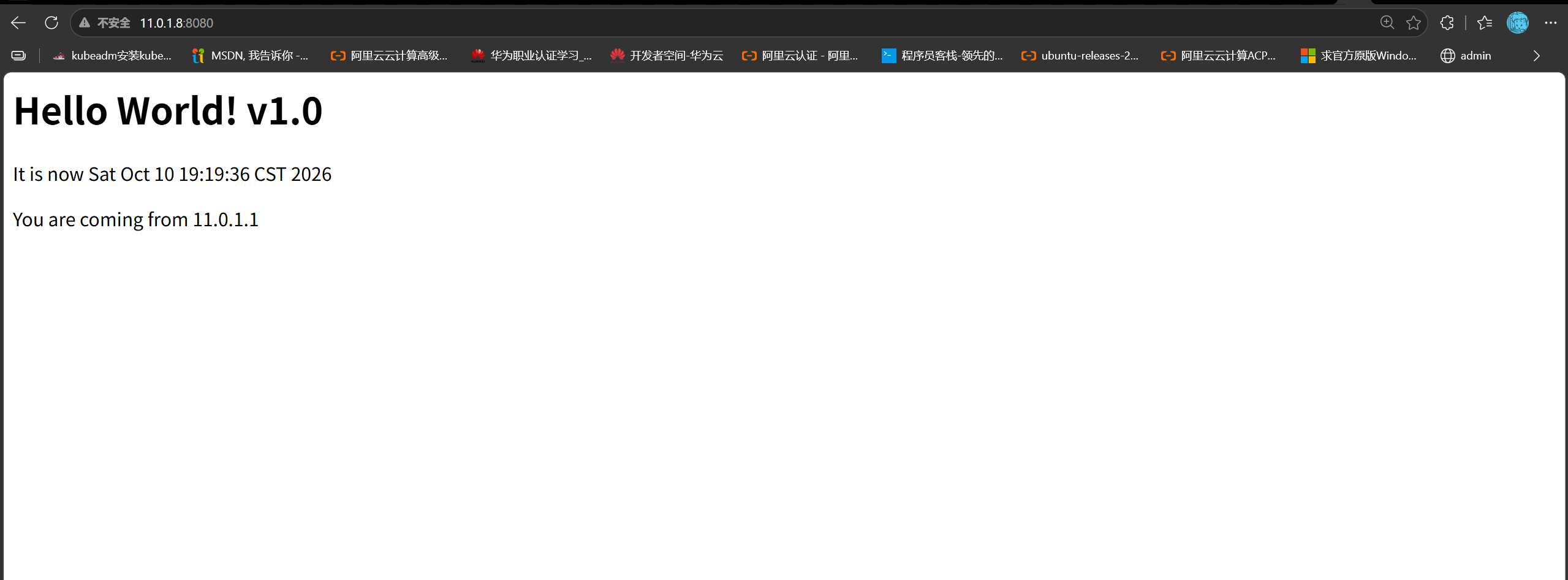
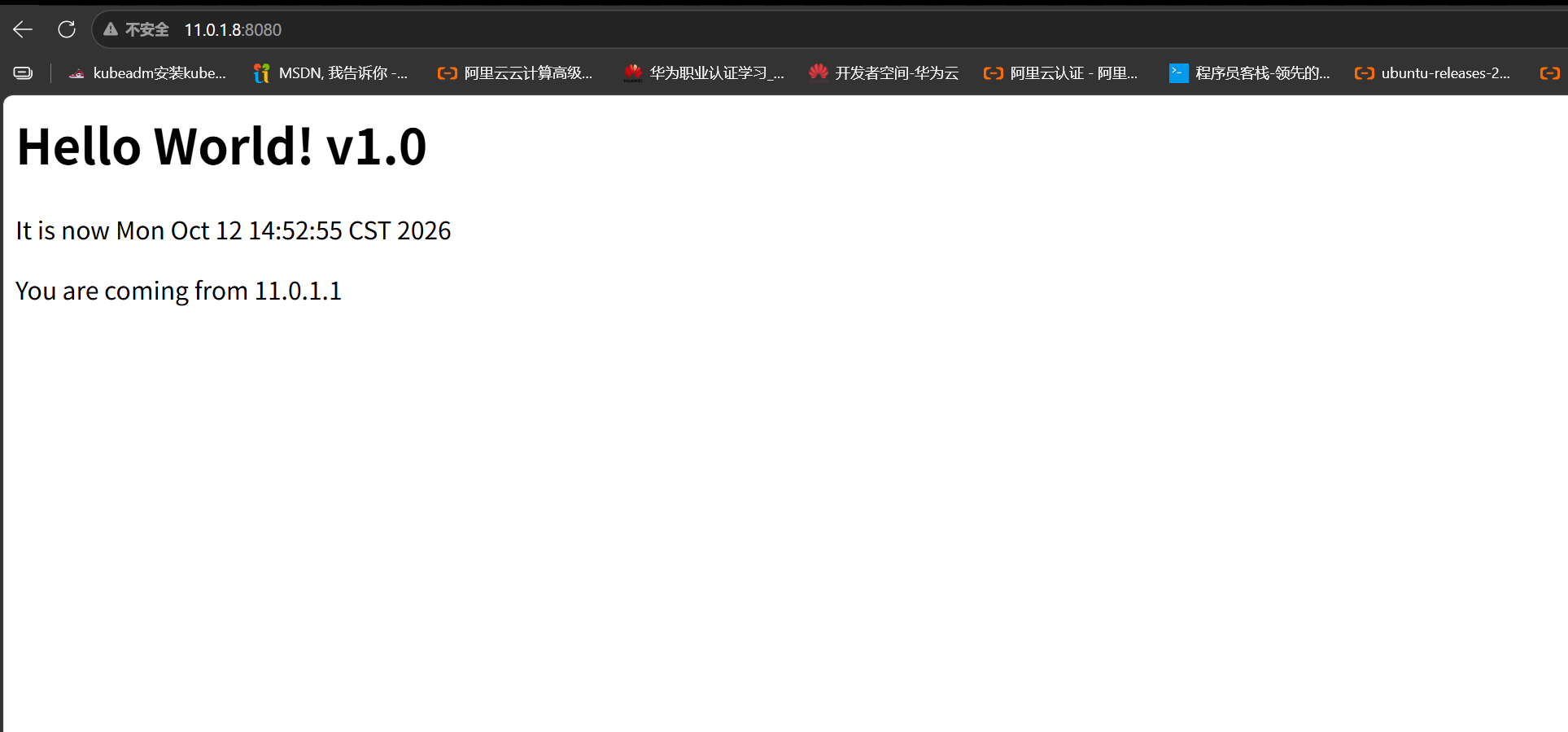
测试没问题

image-20261010193033318

Maven 生命周期与常用命令说明

  • validate(验证):验证项目正确,并且所有必要信息可用。
  • compile(编译):编译项目源码。
  • test(测试):使用合适的单元测试框架测试编译后的源码。
  • package(打包):源码编译之后,使用合适的格式(例如JAR格式)对编译后的源码进行打包。
  • integration-test(集成测试):如果有需要,把包处理并部署到可以运行集成测试的环境中去。
  • verify(验证):进行各种测试来验证包是否有效并且符合质量标准。
  • install(安装):把包安装到本地仓库,使该包可以作为其他本地项目的依赖。
  • deploy(部署):在集成或发布环境中完成,将最终软件包复制到远程存储库,以与其他开发人员和项目共享。

常用操作:

 1
 2
 3
 4
 5
 6
 7
 8
 9
10
11
mvn clean # 清除上次编译的结果
mvn package -Dmaven.test.skip=true # 跳过测试用例
mvn package # 会去maven的中央仓库去下载需要的依赖包和插件到.m2目录下
# 国外仓库慢,可以修改为国内的仓库,比如阿里云
[root@jenkins ~]#vim /usr/local/maven/conf/settings.xml
159     <mirror>
160     <id>nexus-aliyun</id>
161     <mirrorOf>*</mirrorOf>
162     <name>Nexus aliyun</name>
163     <url>http://maven.aliyun.com/nexus/content/groups/public</url>
164     </mirror>

4.推送项目至gitlab仓库

 1
 2
 3
 4
 5
 6
 7
 8
 9
10
11
12
13
14
15
16
17
18
19
20
21
22
23
24
25
26
27
28
29
30
31
32
33
34
35
36
37
38
39
40
41
42
43
44
45
46
47
48
49
50
51
52
53
54
55
# 清除上次编译的结果
[root@jenkins hello-world-war]#mvn clean
[INFO] Scanning for projects...
[INFO]
[INFO] ------------------------------------------------------------------------
[INFO] Building Hello World Web Application Repository 1.0.0
[INFO] ------------------------------------------------------------------------
Downloading: https://repo.maven.apache.org/maven2/org/apache/maven/plugins/maven-clean-plugin/2.5/maven-clean-plugin-2.5.pom
Downloaded: https://repo.maven.apache.org/maven2/org/apache/maven/plugins/maven-clean-plugin/2.5/maven-clean-plugin-2.5.pom (4 KB at 2.4 KB/sec)
Downloading: https://repo.maven.apache.org/maven2/org/apache/maven/plugins/maven-plugins/22/maven-plugins-22.pom
Downloaded: https://repo.maven.apache.org/maven2/org/apache/maven/plugins/maven-plugins/22/maven-plugins-22.pom (13 KB at 28.0 KB/sec)
Downloading: https://repo.maven.apache.org/maven2/org/apache/maven/plugins/maven-clean-plugin/2.5/maven-clean-plugin-2.5.jar
Downloaded: https://repo.maven.apache.org/maven2/org/apache/maven/plugins/maven-clean-plugin/2.5/maven-clean-plugin-2.5.jar (25 KB at 40.6 KB/sec)
[INFO]
[INFO] --- maven-clean-plugin:2.5:clean (default-clean) @ hello-world-war ---
Downloading: https://repo.maven.apache.org/maven2/org/codehaus/plexus/plexus-utils/3.0/plexus-utils-3.0.pom
Downloaded: https://repo.maven.apache.org/maven2/org/codehaus/plexus/plexus-utils/3.0/plexus-utils-3.0.pom (4 KB at 8.5 KB/sec)
Downloading: https://repo.maven.apache.org/maven2/org/sonatype/spice/spice-parent/16/spice-parent-16.pom
Downloaded: https://repo.maven.apache.org/maven2/org/sonatype/spice/spice-parent/16/spice-parent-16.pom (9 KB at 14.0 KB/sec)
Downloading: https://repo.maven.apache.org/maven2/org/codehaus/plexus/plexus-utils/3.0/plexus-utils-3.0.jar
Downloaded: https://repo.maven.apache.org/maven2/org/codehaus/plexus/plexus-utils/3.0/plexus-utils-3.0.jar (221 KB at 212.1 KB/sec)
[INFO] Deleting /root/hello-world-war/target
[INFO] ------------------------------------------------------------------------
[INFO] BUILD SUCCESS
[INFO] ------------------------------------------------------------------------
[INFO] Total time: 5.242 s
[INFO] Finished at: 2026-10-12T12:45:21+08:00
[INFO] Final Memory: 9M/29M
[INFO] ------------------------------------------------------------------------
# 删除本地仓库的默认远程仓库配置
[root@jenkins hello-world-war]#git remote -v
origin  git@10.0.0.200:test/hello-world.git (fetch)
origin  git@10.0.0.200:test/hello-world.git (push)
[root@jenkins hello-world-war]#git remote  remove origin
[root@jenkins hello-world-war]#git remote -v
# 提交代码到本地仓库,保证工作区干净
[root@jenkins hello-world-war]#git status
# On branch master
# Changes not staged for commit:
#   (use "git add <file>..." to update what will be committed)
#   (use "git checkout -- <file>..." to discard changes in working directory)
#
#       modified:   pom.xml
#       modified:   src/main/webapp/index.jsp
#
no changes added to commit (use "git add" and/or "git commit -a")
[root@jenkins hello-world-war]#git add .
[root@jenkins hello-world-war]#git config --global user.email "jenkins@example.com"
[root@jenkins hello-world-war]#git config --global user.name "jenkins"
[root@jenkins hello-world-war]#git commit -m "1"
[master fc309ae] 1
 2 files changed, 3 insertions(+), 3 deletions(-)
[root@jenkins hello-world-war]#git status
# On branch master
nothing to commit, working directory clean

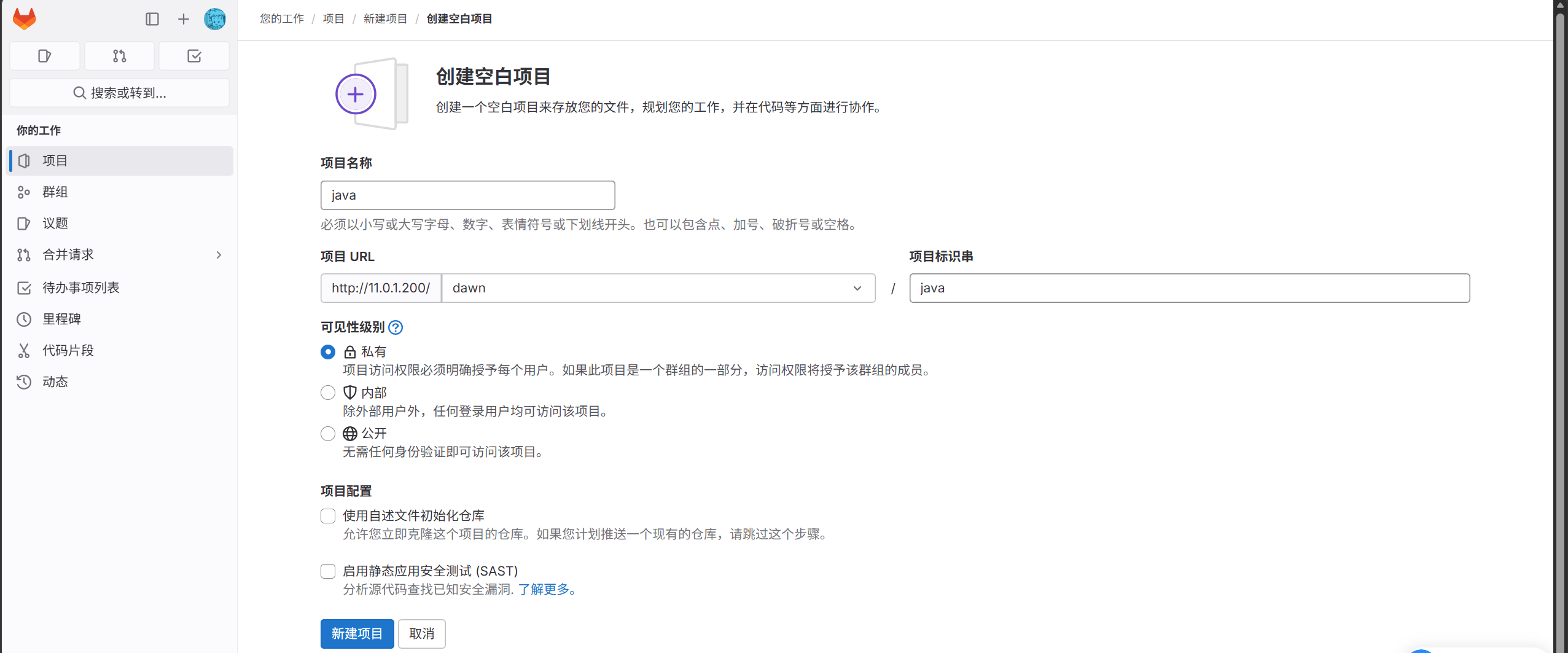
创建新的项目

image-20261012125515512

配置远程仓库并推送

 1
 2
 3
 4
 5
 6
 7
 8
 9
10
11
12
[root@jenkins hello-world-war]#git remote add origin git@11.0.1.200:dawn/java.git
[root@jenkins hello-world-war]#git remote -v
origin  git@11.0.1.200:dawn/java.git (fetch)
origin  git@11.0.1.200:dawn/java.git (push)
[root@jenkins hello-world-war]#git push -u origin master
Counting objects: 44, done.
Compressing objects: 100% (29/29), done.
Writing objects: 100% (44/44), 4.90 KiB | 0 bytes/s, done.
Total 44 (delta 11), reused 0 (delta 0)
To git@11.0.1.200:dawn/java.git
 * [new branch]      master -> master
Branch master set up to track remote branch master from origin.

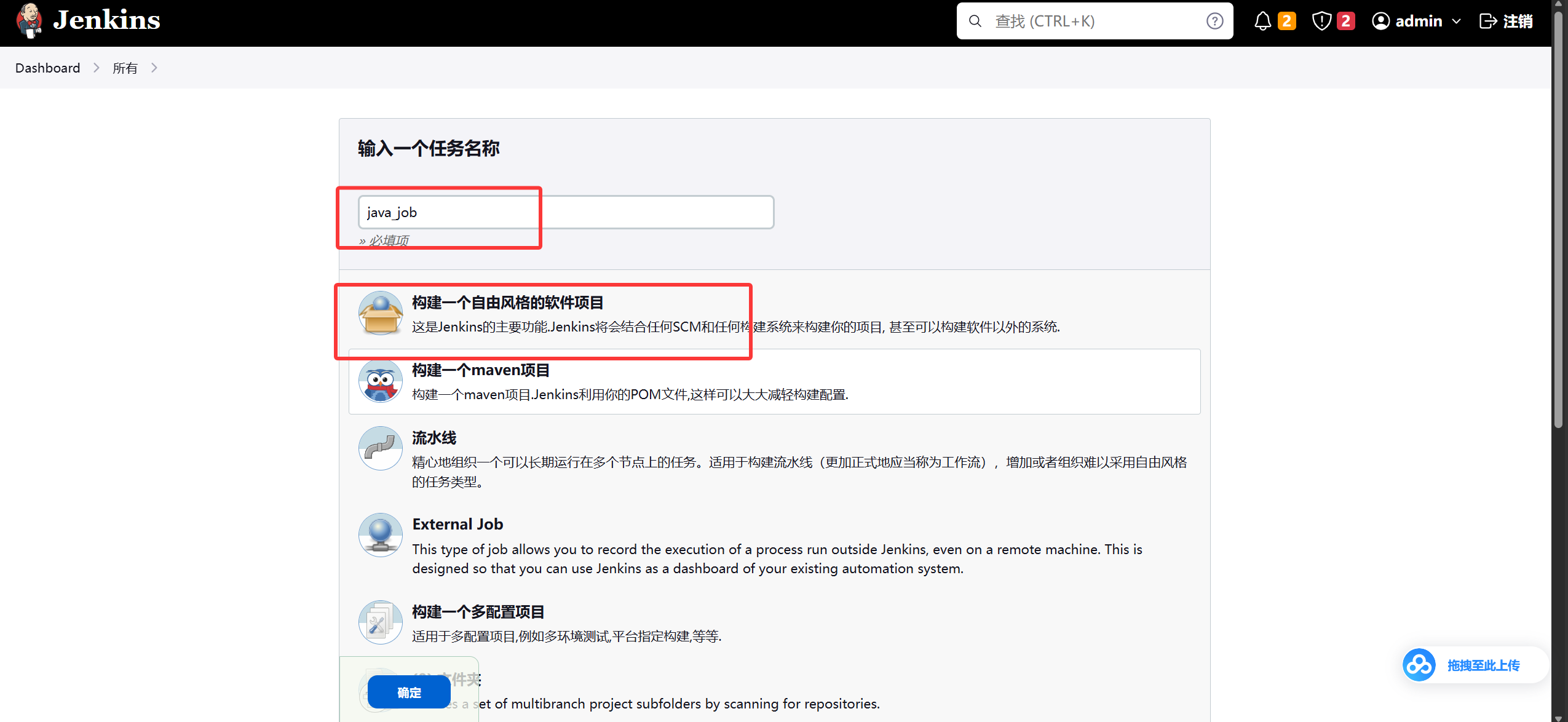
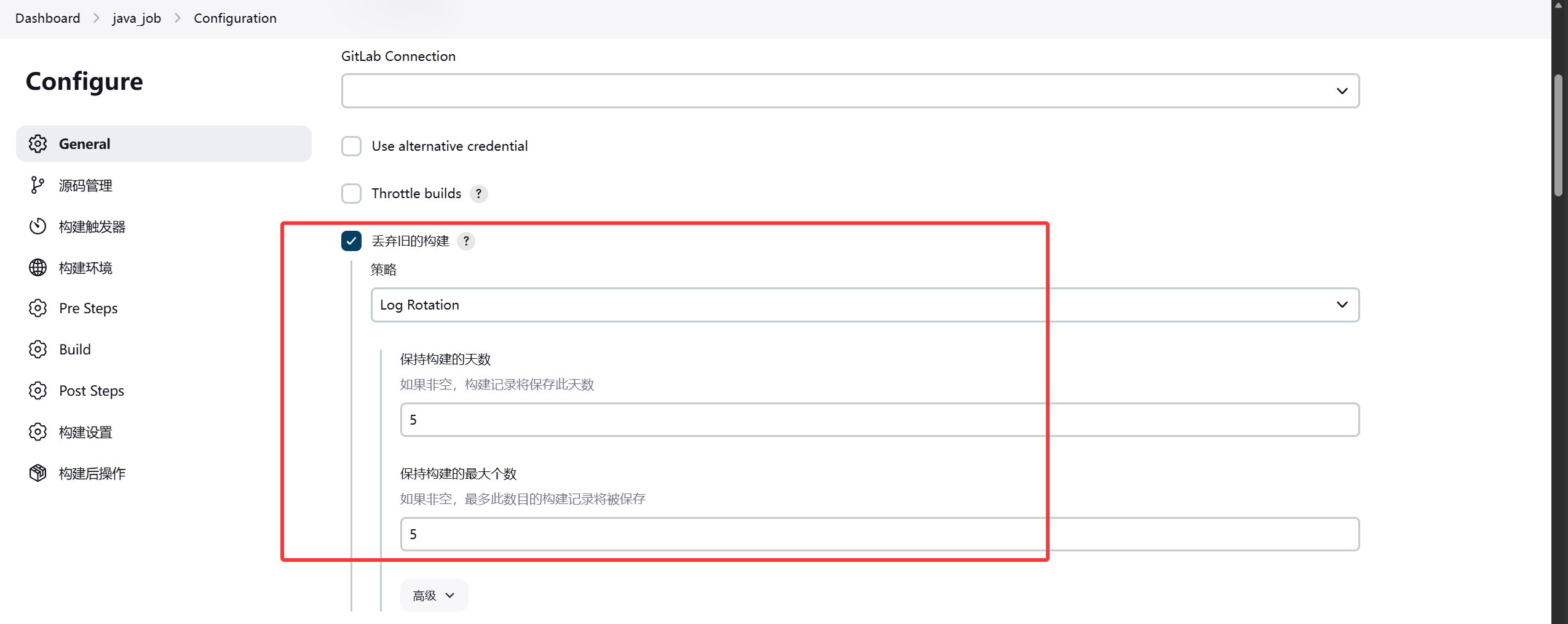
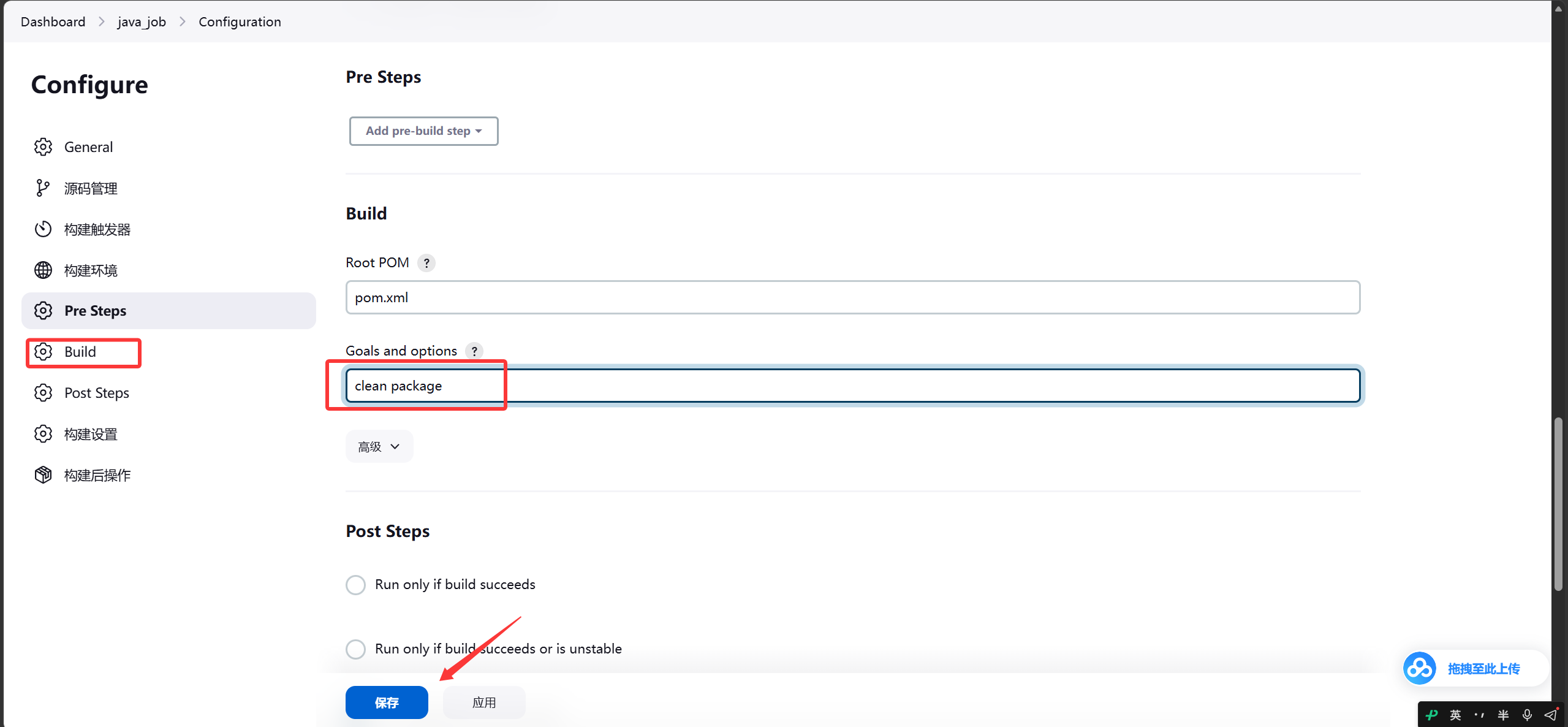
5.jenkins集成Maven

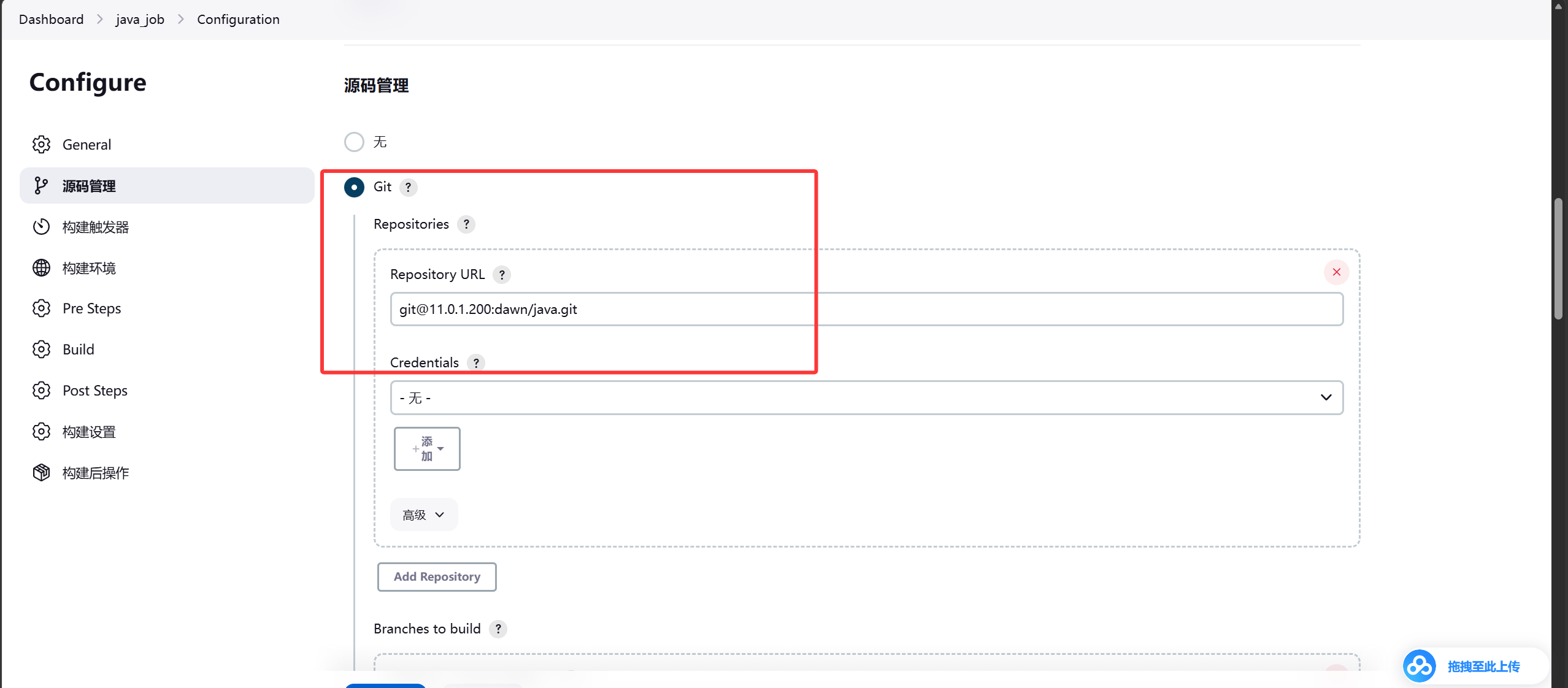
image-20261012131655388

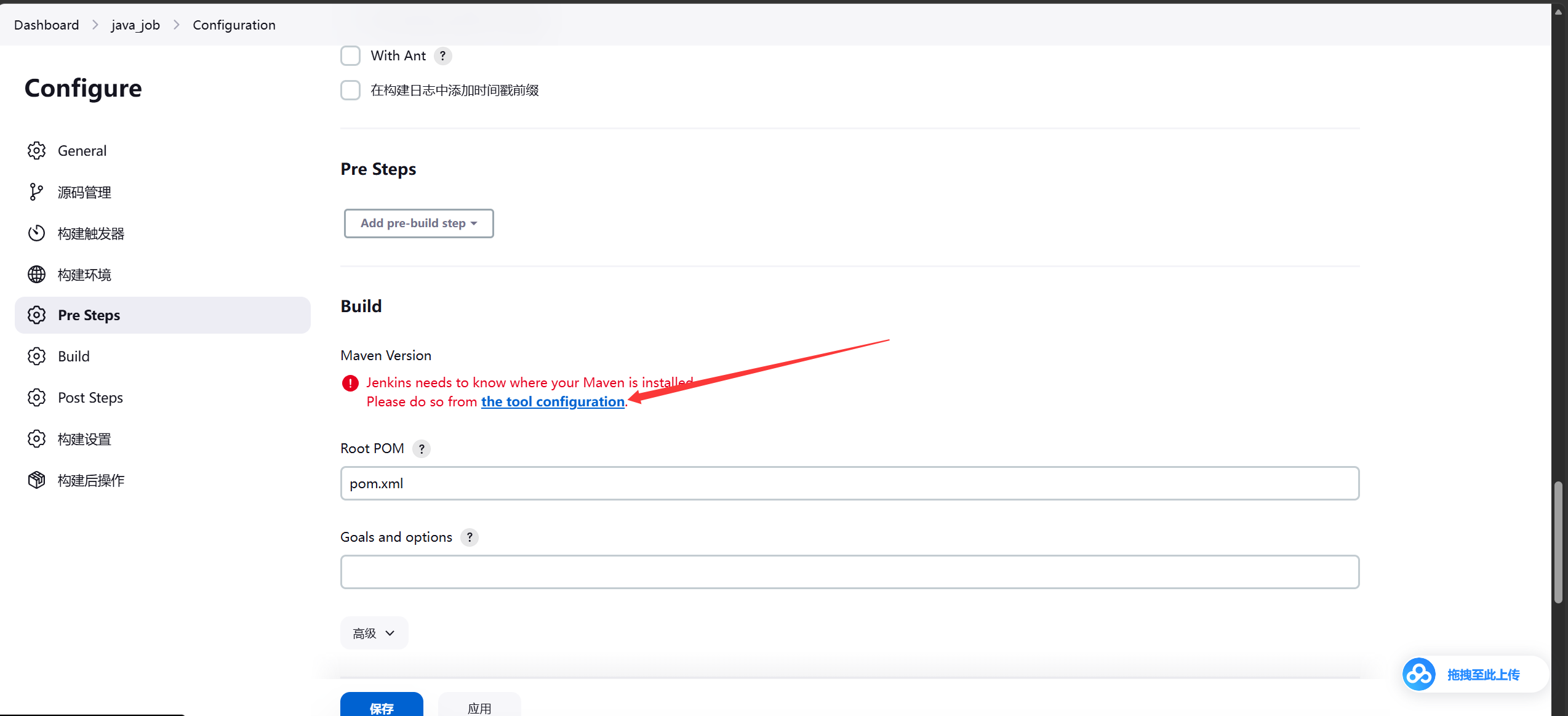
image-20261012132022965

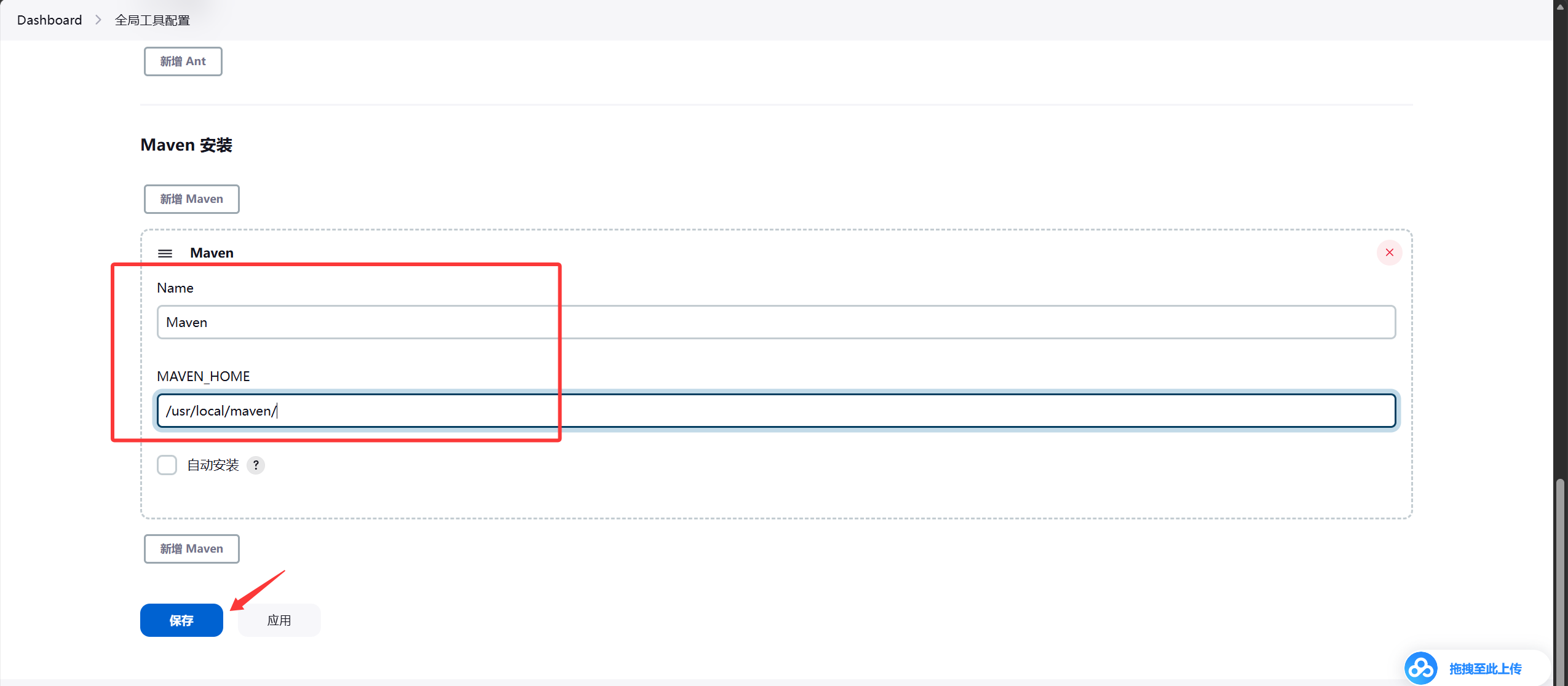
image-20261012132040160

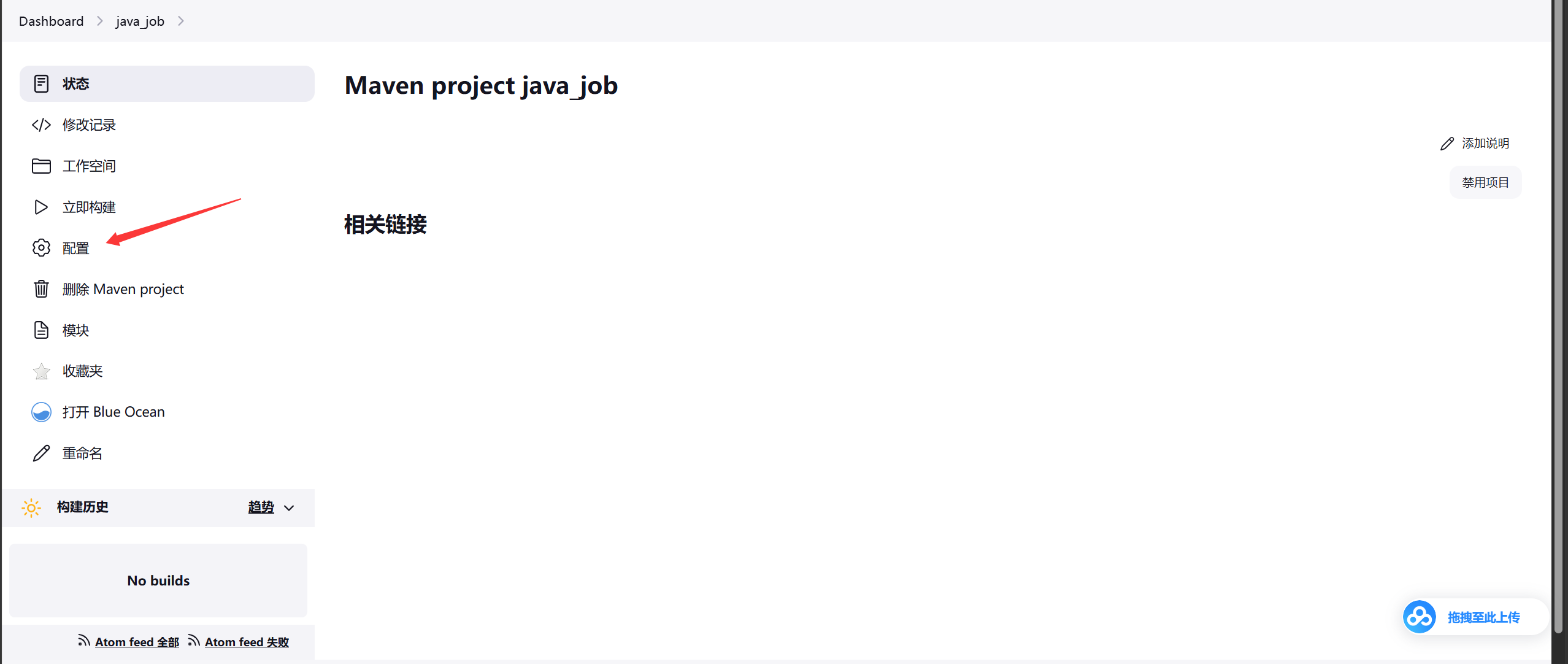
image-20261012132111867

image-20261012132226754

image-20261012132343754

image-20261012132510304

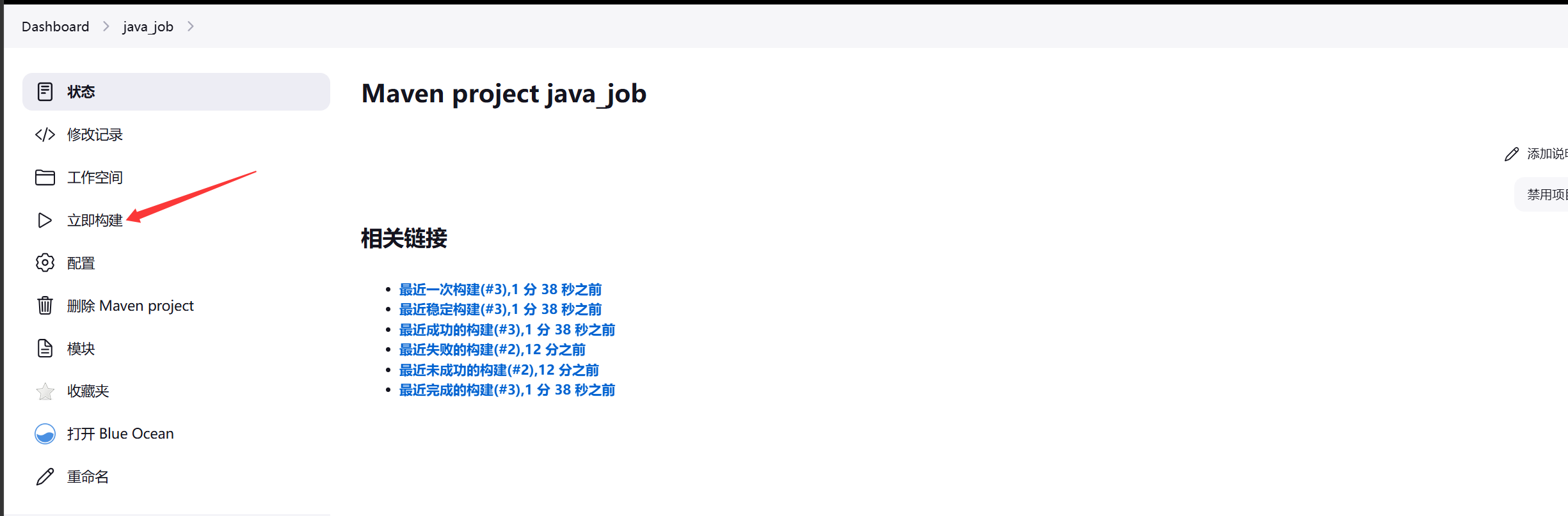
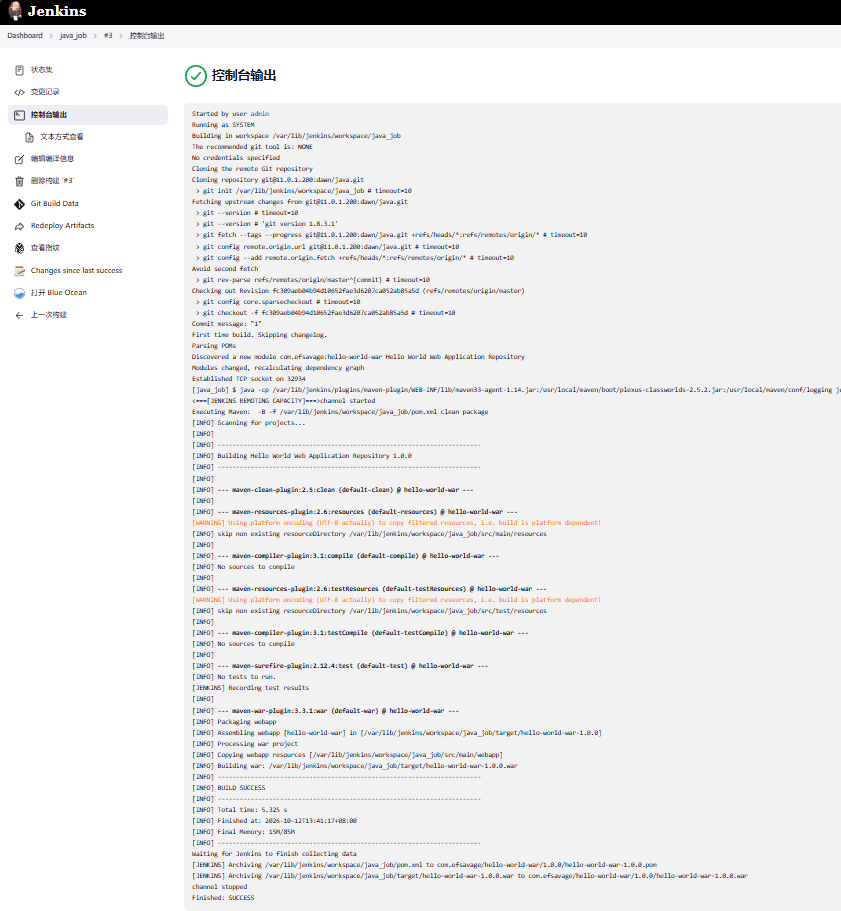
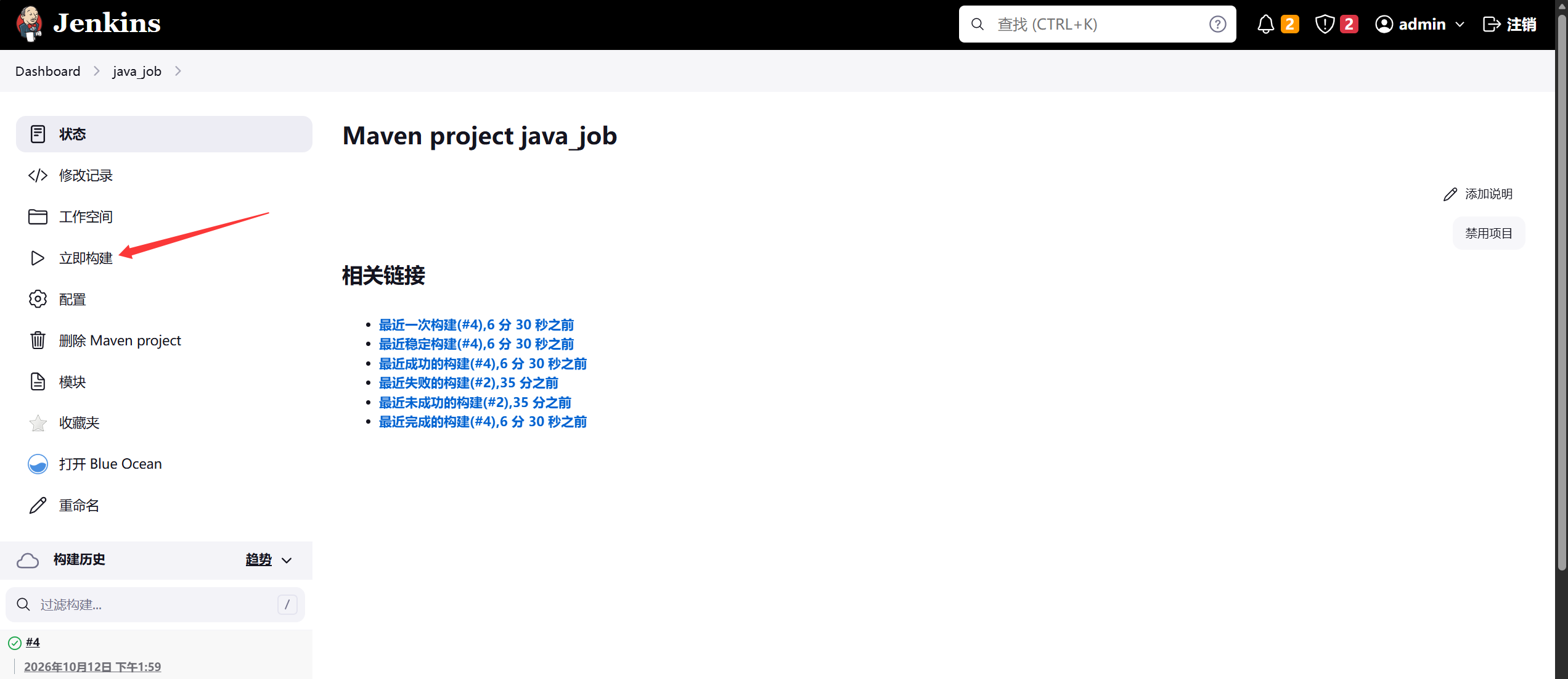
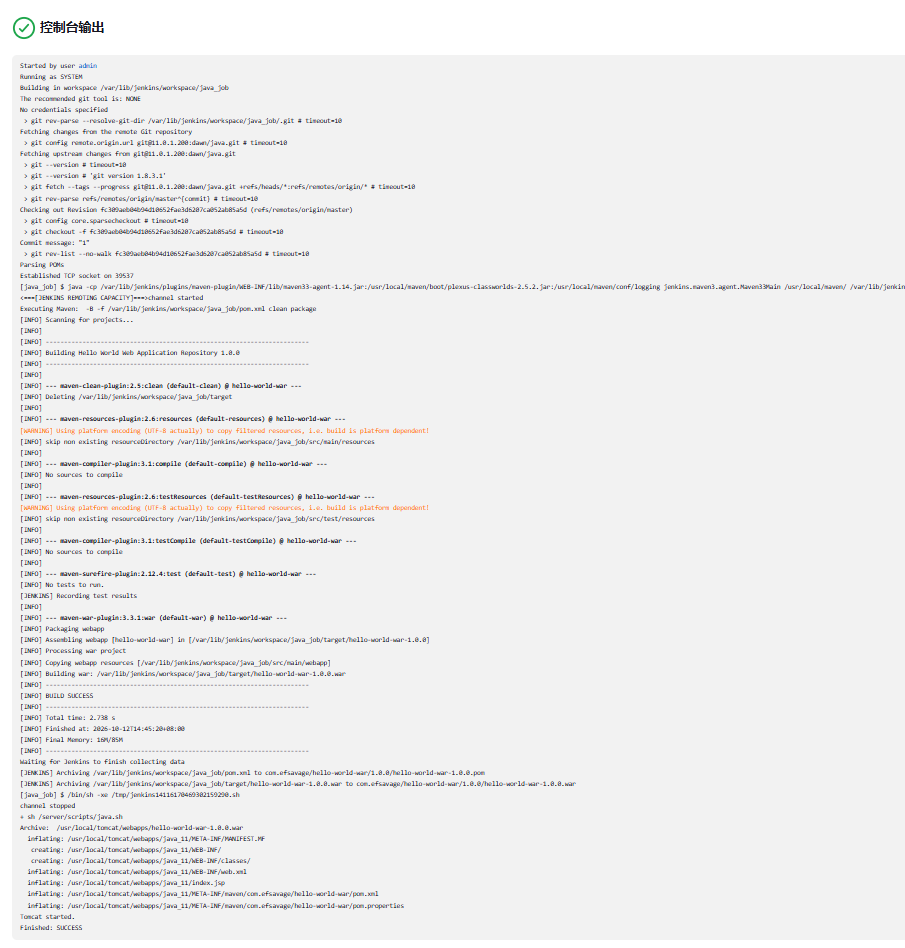
构建测试,编译成功

image-20261012134333073

image-20261012134559405

image-20261012135107193

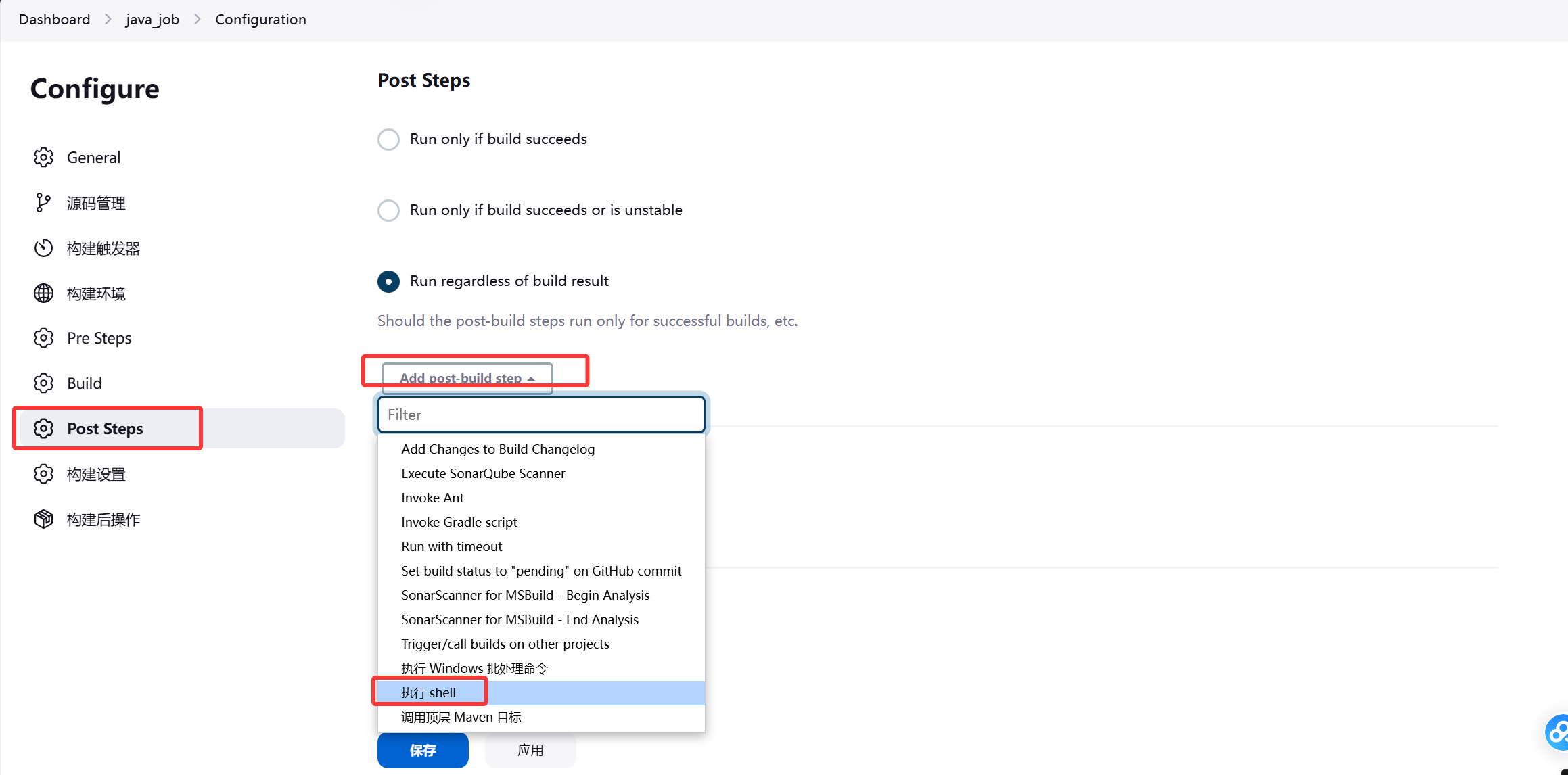
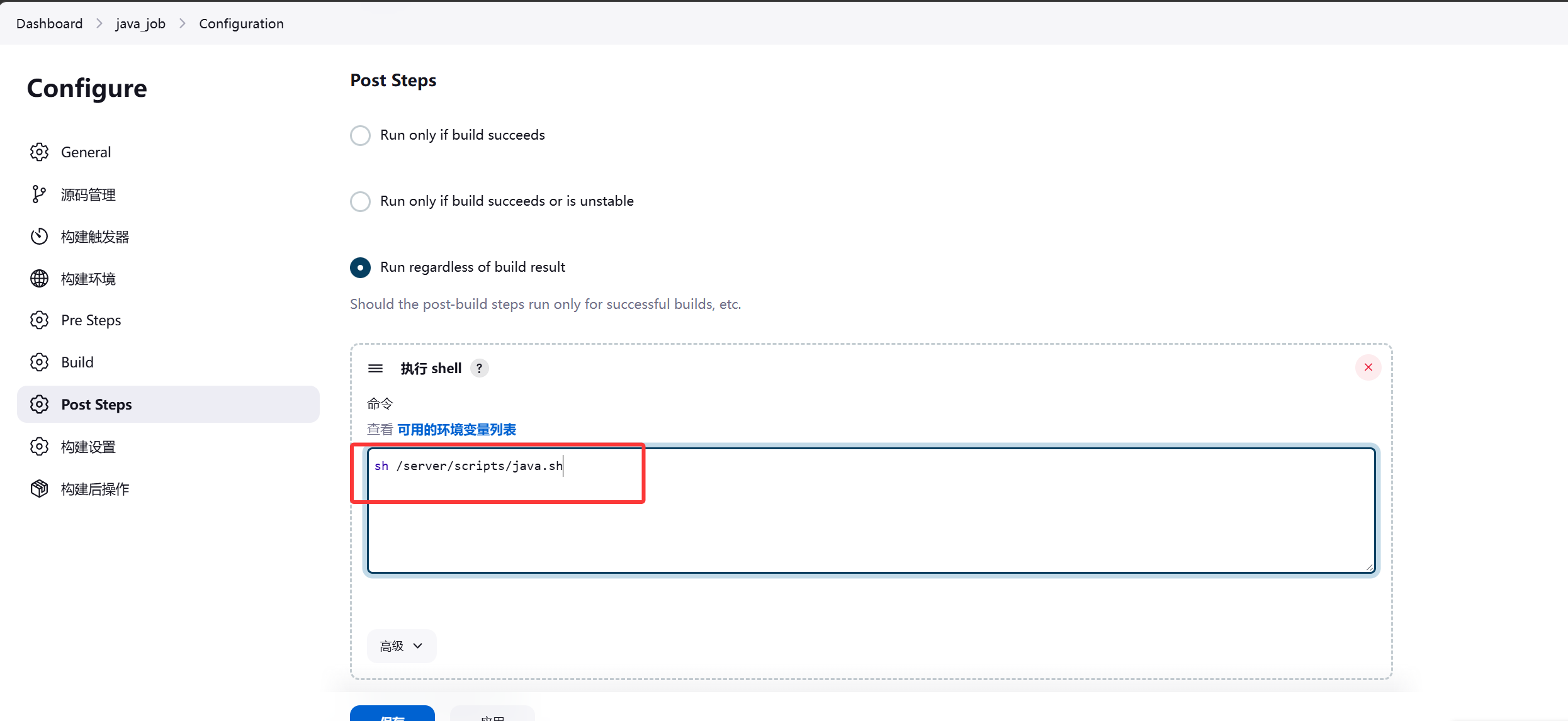
编写配置shell脚本

image-20261012140026888

image-20261012140300987

 1
 2
 3
 4
 5
 6
 7
 8
 9
10
11
12
13
14
15
16
17
18
19
20
21
22
23
24
25
26
27
28
29
30
31
32
33
34
35
36
37
38
39
40
41
42
43
44
45
46
47
48
49
50
51
52
53
[root@jenkins ~]#vim /server/scripts/java.sh
#!/bin/bash
code_dir='/var/lib/jenkins/workspace/java_job/target/*.war'
IP=11.0.1.8
DIR=/usr/local/tomcat/webapps

SCP(){
    scp $code_dir $IP:$DIR
}

# 清理上一次残留的 war 源包与历史 java_* 版本目录
CLEAN(){
    ssh $IP "rm -f $DIR/*.war; rm -rf $DIR/java_*"
}

MK(){
    ssh $IP "mkdir -p $DIR/java_$BUILD_ID"
}

XF(){
    ssh $IP "unzip -o $DIR/*.war -d $DIR/java_$BUILD_ID"
}

# 解压完成后删除 webapps 下的 war 源包,避免 Tomcat 自动部署出多余上下文
DELWAR(){
    ssh $IP "rm -f $DIR/*.war"
}

RM(){
    ssh $IP "rm -rf $DIR/ROOT"
}

LN(){
    ssh $IP "ln -sfn $DIR/java_$BUILD_ID $DIR/ROOT"
}

# 重启 Tomcat 使新 ROOT 生效
RESTART(){
    ssh $IP "/usr/local/tomcat/bin/shutdown.sh; sleep 3; /usr/local/tomcat/bin/startup.sh"
}

main(){
    CLEAN
    SCP
    MK
    XF
    DELWAR
    RM
    LN
    RESTART
}

main

jenkins对web02做免密

1
[root@jenkins ~]#ssh-copy-id root@11.0.1.8

将web02的/usr/local/tomcat/webapps/ROOT/清空,方便查看后面的构建测试效果

1
2
3
4
[root@web02 ~]#cd /usr/local/tomcat/webapps/ROOT/
[root@web02 ROOT]#ls
hello-world-war-1.0.0.war  index.jsp  META-INF  WEB-INF
[root@web02 ROOT]#rm -fr *

image-20261012140650926

构建测试成功

image-20261012145243005

image-20261012145258723

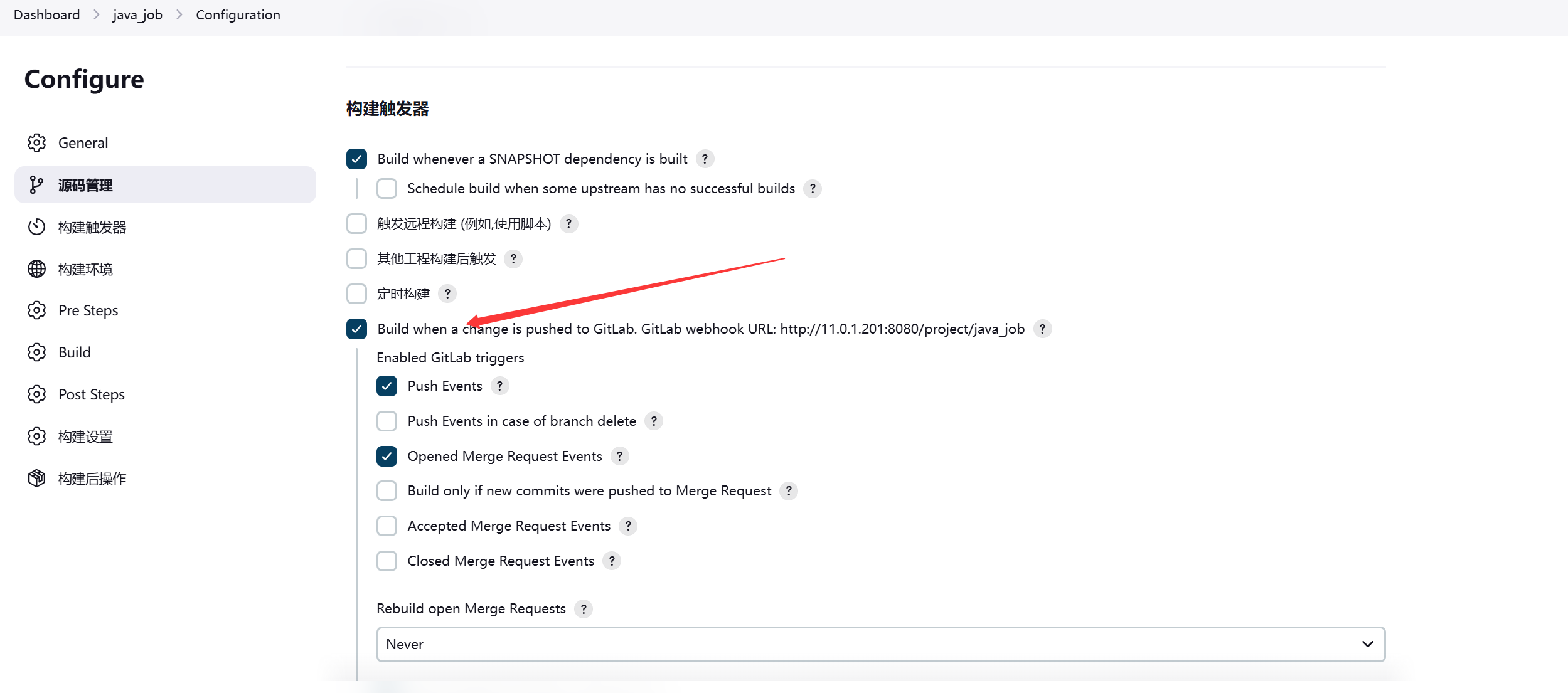
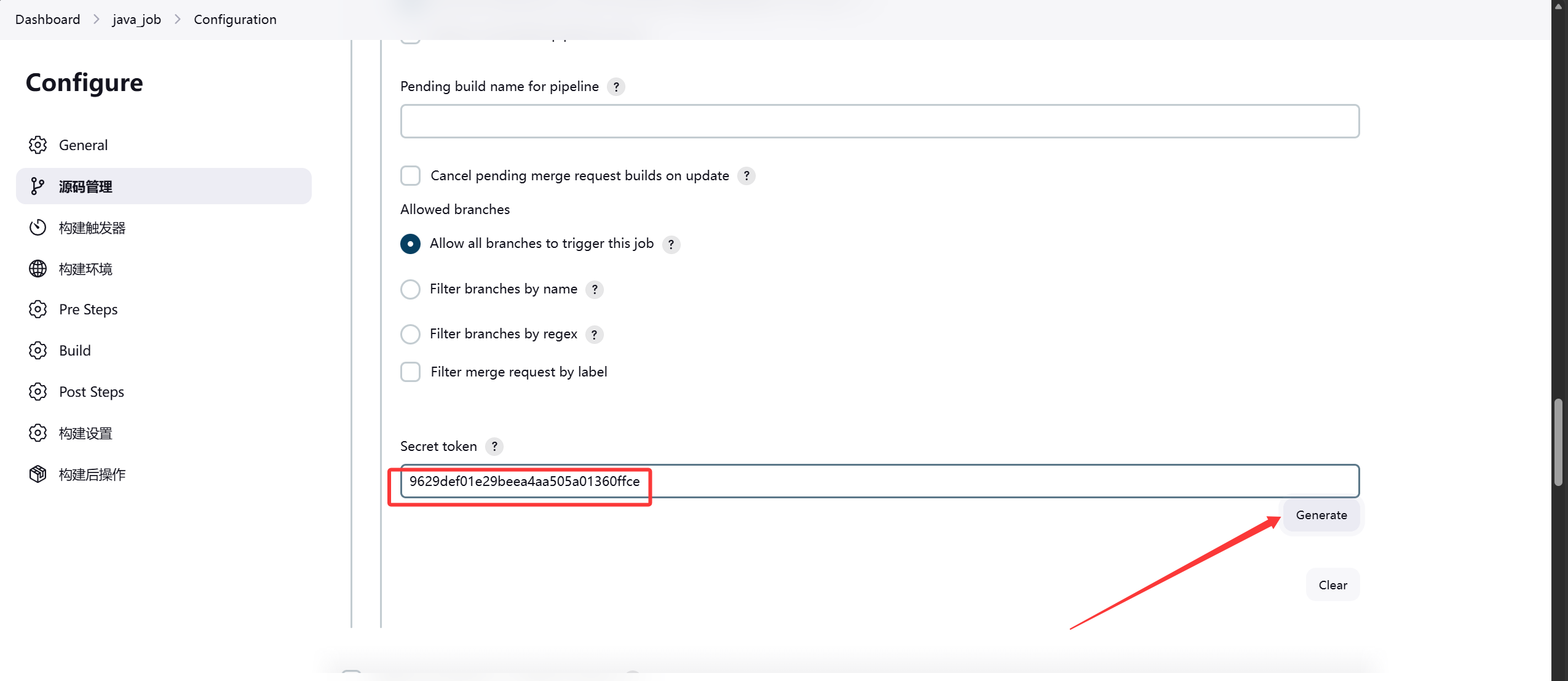
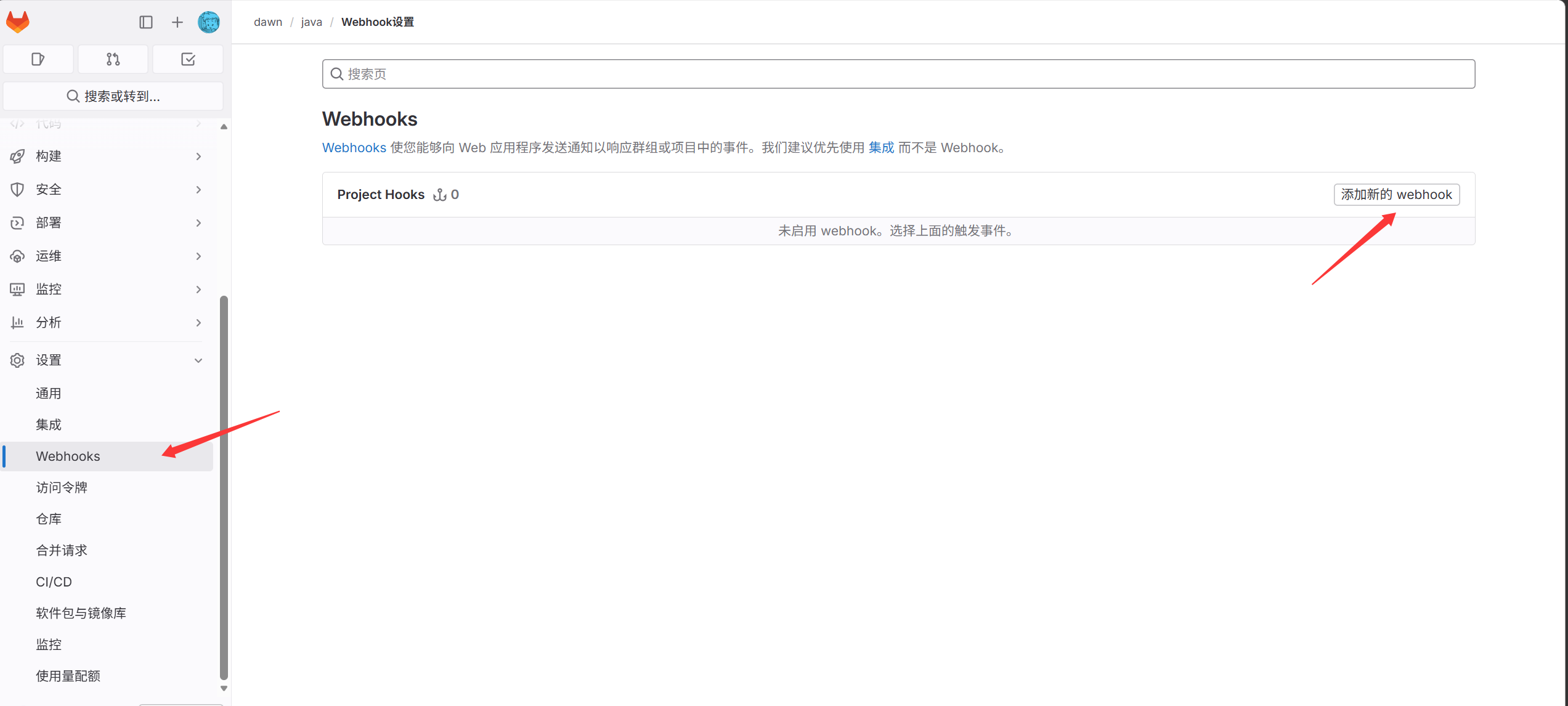
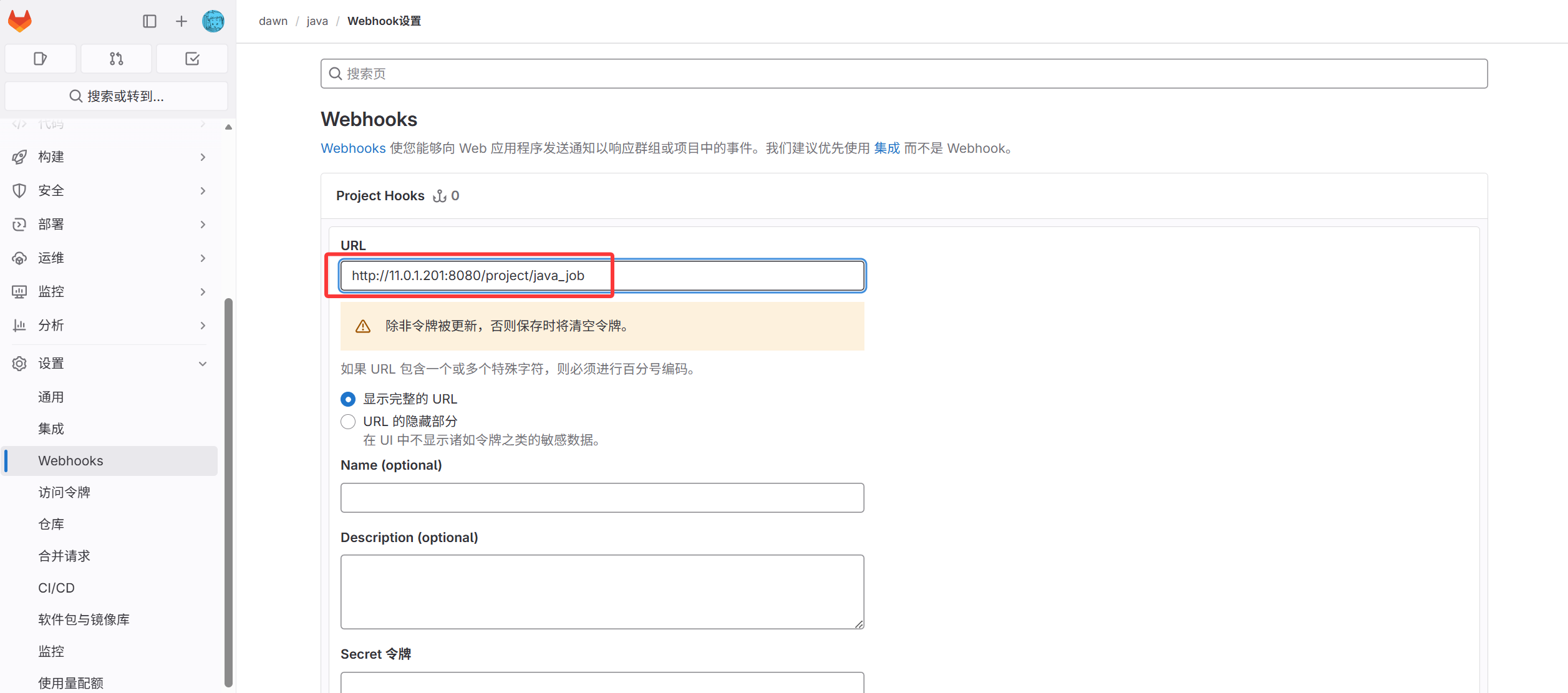
6. 配置web-hook

开启触发器

image-20261012150330097

生成token并保存

image-20261012150901145

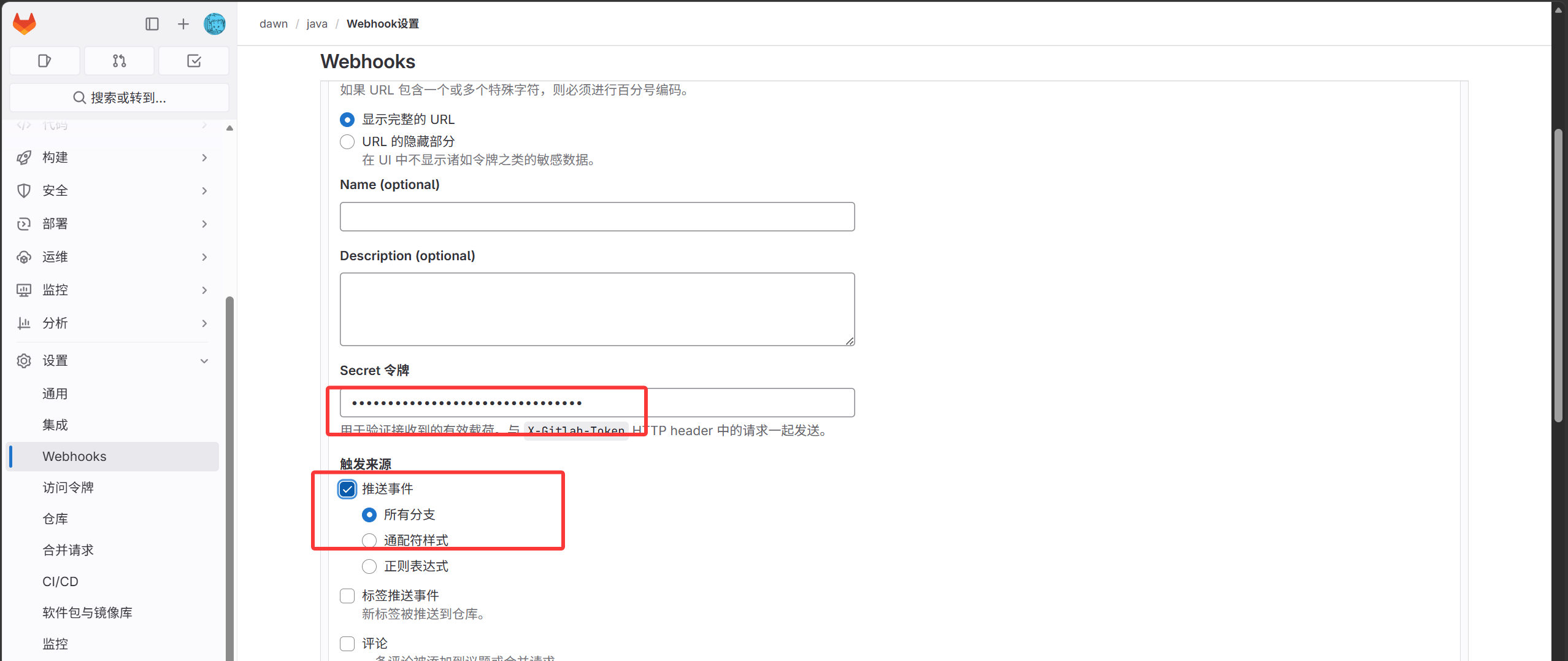
复制Token配置到Gitlab

image-20261012150639270

image-20261012150954215

image-20261012151055277

image-20261012151151664

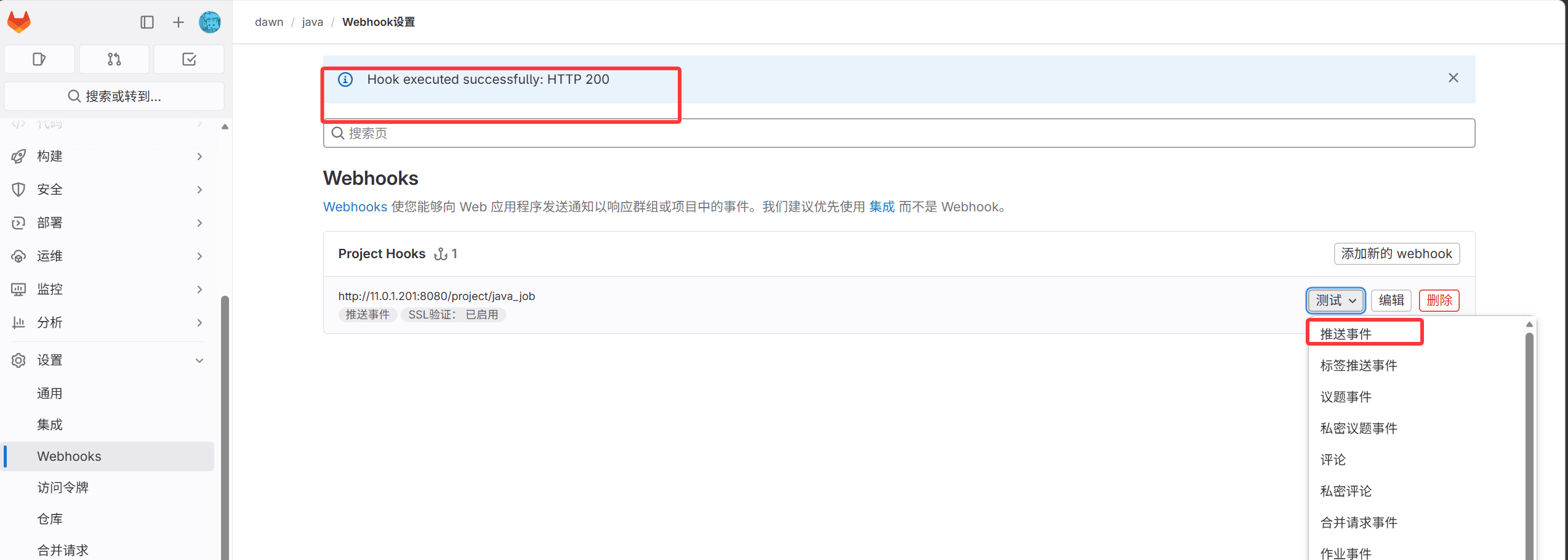
配置完成

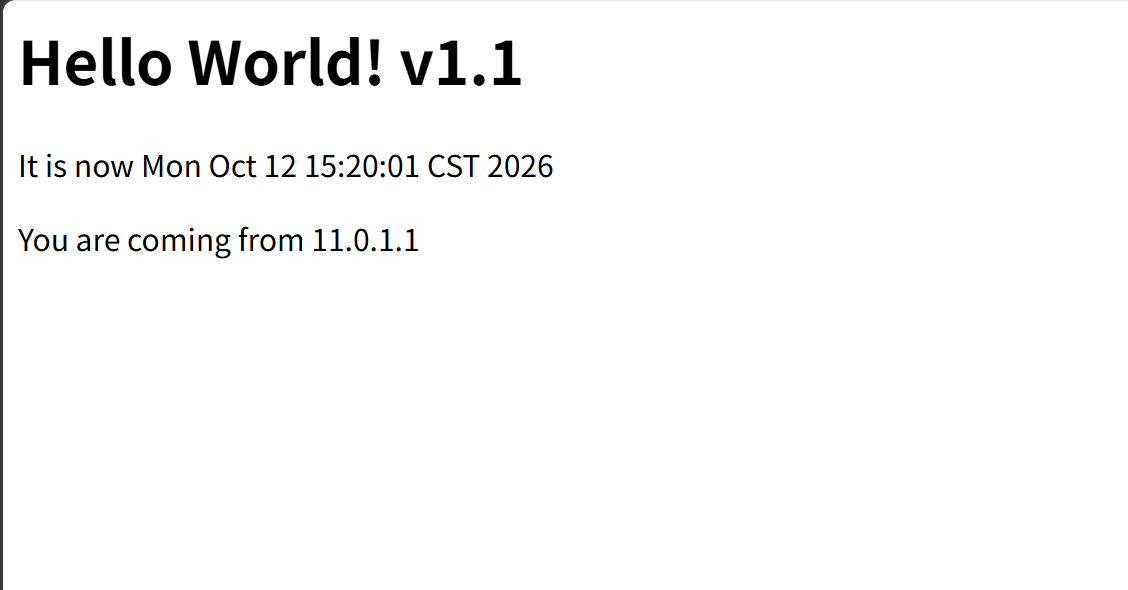
测试: 修改代码推送到gitlab仓库的java项目中,会自动触发Jenkins拉取代码并将拉取到的修改后的代码推送到web02服务器

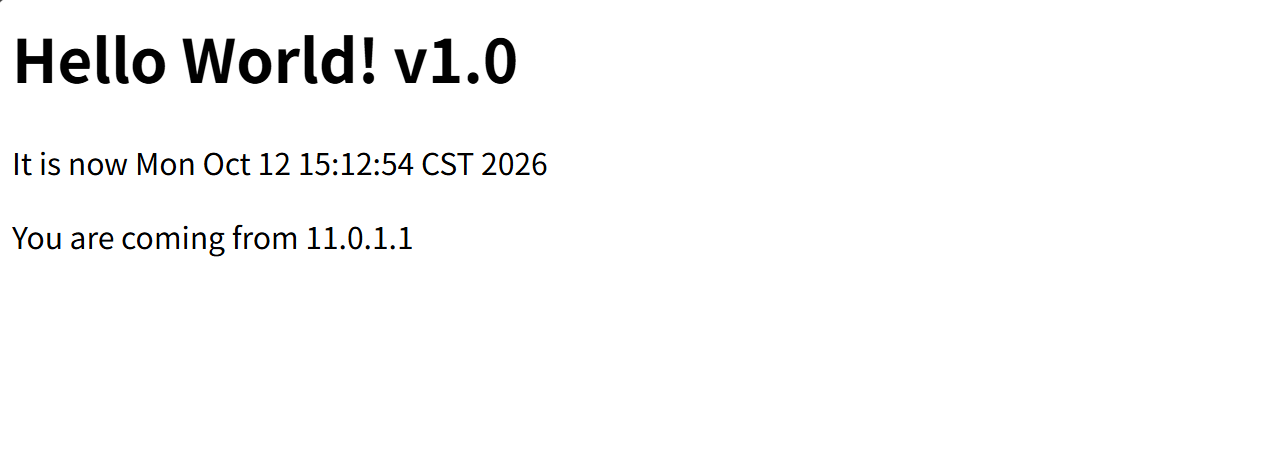
修改前:

 1
 2
 3
 4
 5
 6
 7
 8
 9
10
11
12
13
14
[root@jenkins hello-world-war]#vim src/main/webapp/index.jsp
<html>
<head>
<title>Hello World!</title>
</head>
<body>
        <h1>Hello World! v1.0</h1>
        <p>
                It is now
                <%= new java.util.Date() %></p>
        <p>
                You are coming from
                <%= request.getRemoteAddr()  %></p>
</body>

image-20261012151311770

修改后:

 1
 2
 3
 4
 5
 6
 7
 8
 9
10
11
12
13
14
[root@jenkins hello-world-war]#vim src/main/webapp/index.jsp
<html>
<head>
<title>Hello World!</title>
</head>
<body>
        <h1>Hello World! v1.1</h1>
        <p>
                It is now
                <%= new java.util.Date() %></p>
        <p>
                You are coming from
                <%= request.getRemoteAddr()  %></p>
</body>

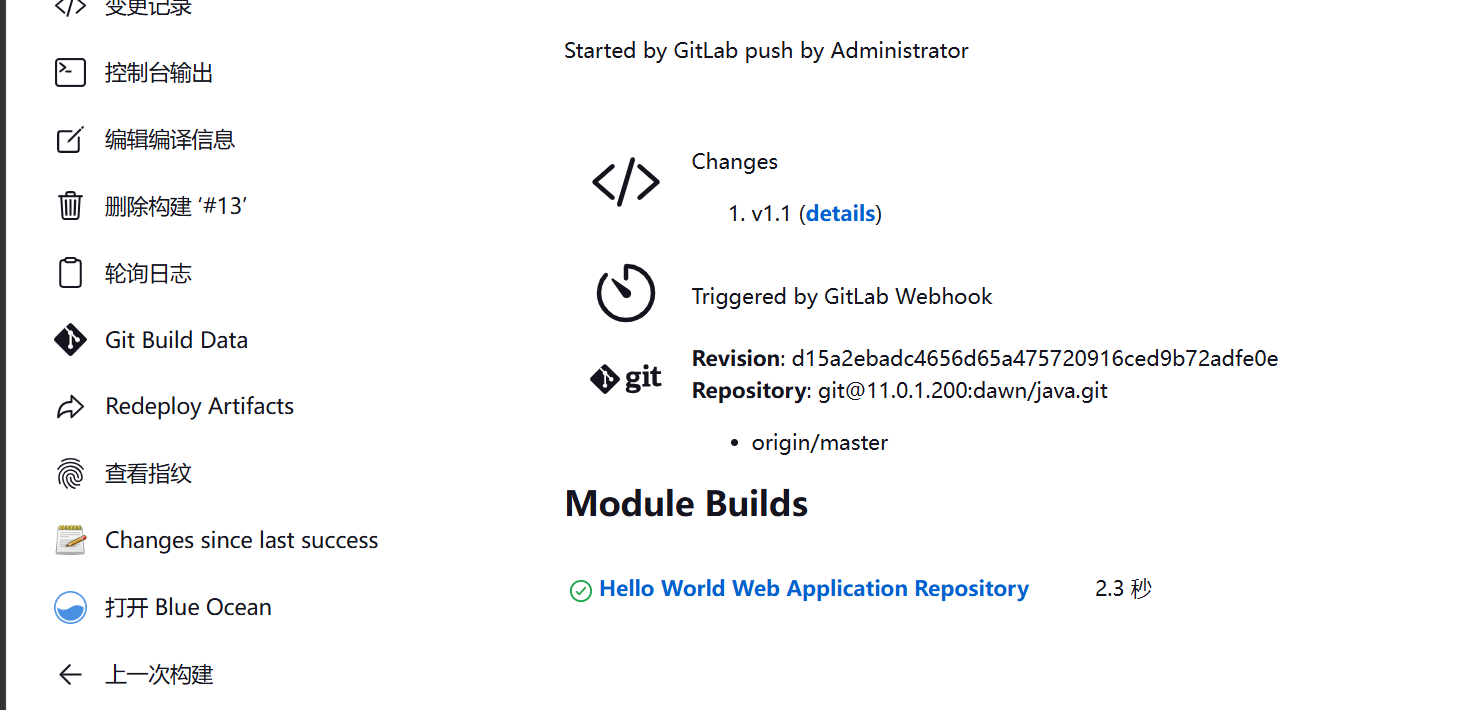
推送代码,自动触发构建

 1
 2
 3
 4
 5
 6
 7
 8
 9
10
11
[root@jenkins hello-world-war]#git commit -am "v1.1"
[master d15a2eb] v1.1
 1 file changed, 1 insertion(+), 1 deletion(-)
[root@jenkins hello-world-war]#git push -u origin master
Counting objects: 11, done.
Compressing objects: 100% (4/4), done.
Writing objects: 100% (6/6), 442 bytes | 0 bytes/s, done.
Total 6 (delta 2), reused 0 (delta 0)
To git@11.0.1.200:dawn/java.git
   fc309ae..d15a2eb  master -> master
Branch master set up to track remote branch master from origin.

image-20261012152313735

image-20261012152145516

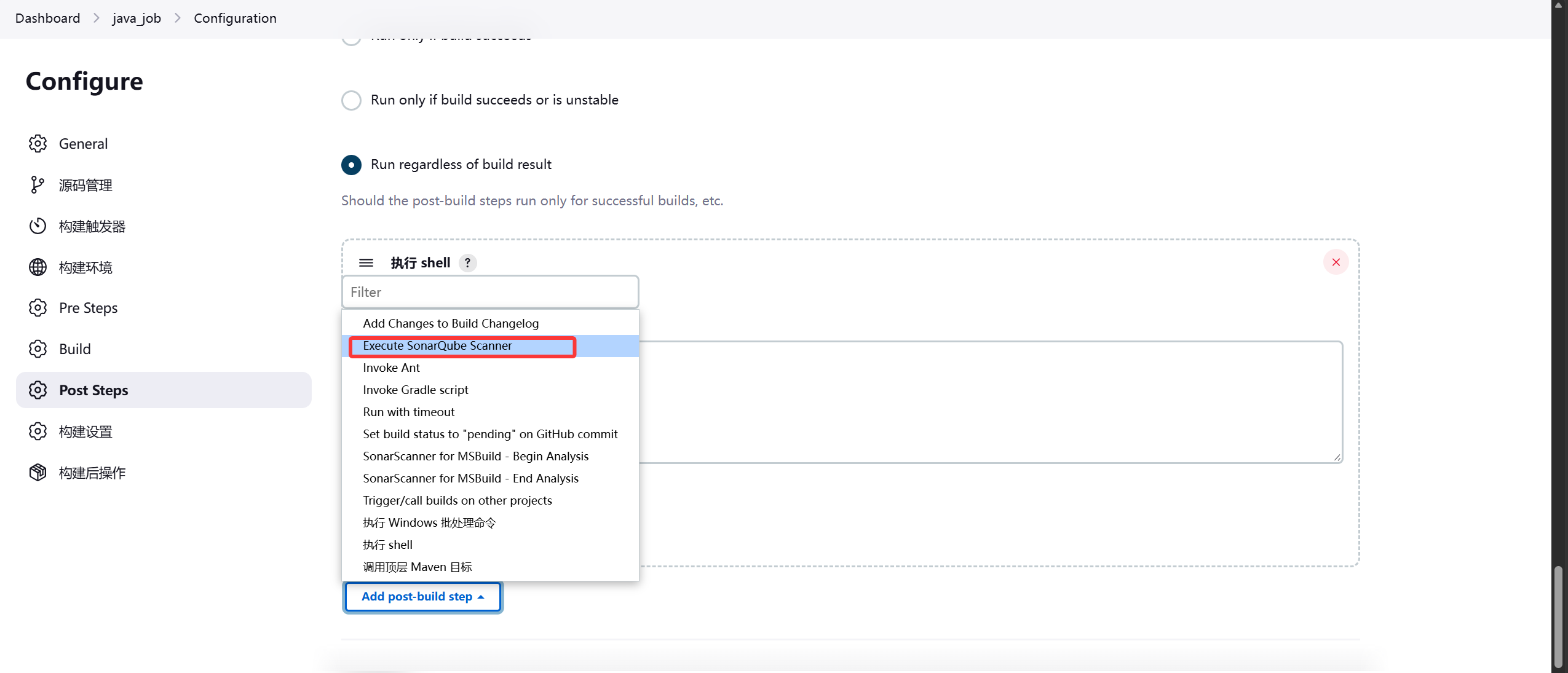
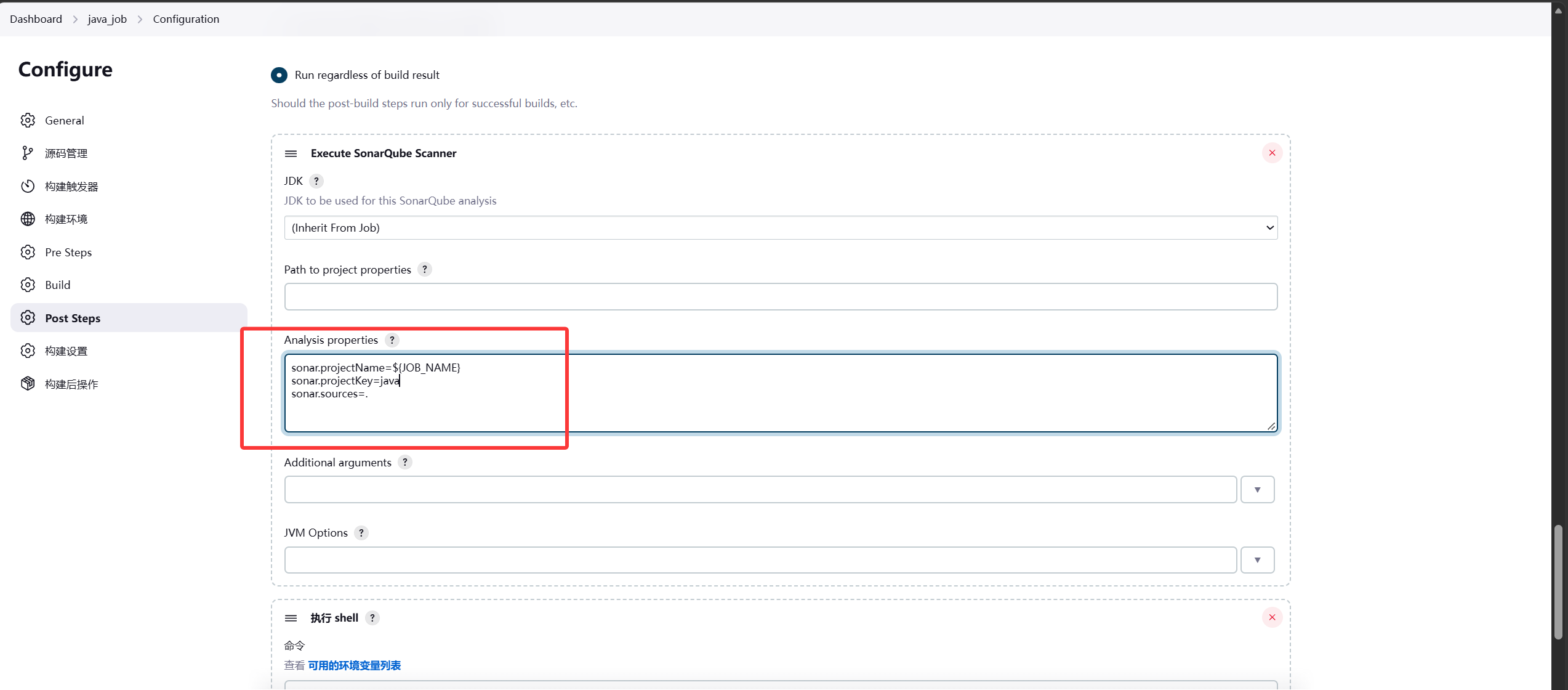
7.Jenkins集成SonarQube

jenkins上配置SonarQube服务端

image-20261012153042233

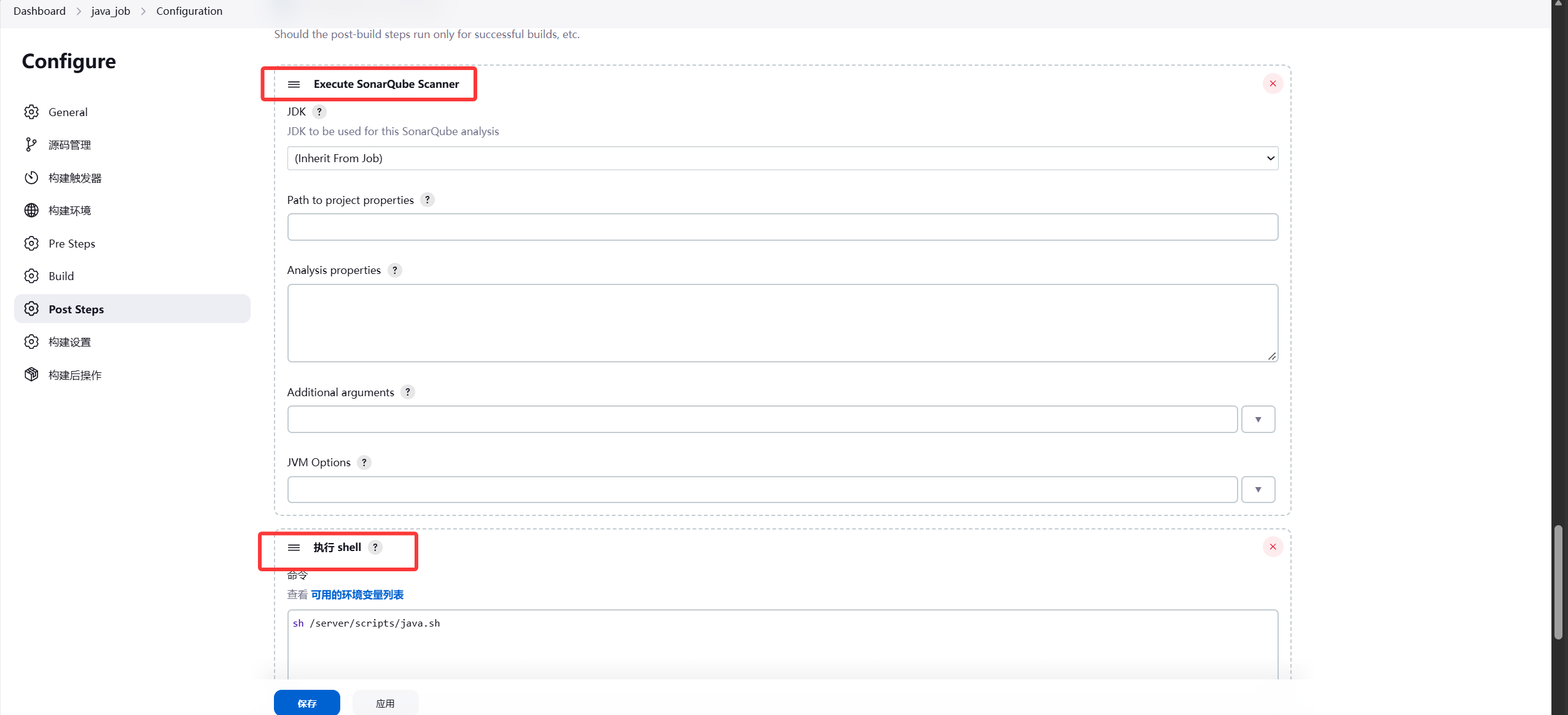
将Build Steps和执行shell调换位置,Build Steps在上面,执行shell在下面

image-20261012153145687

image-20261012155016105

 1
 2
 3
 4
 5
 6
 7
 8
 9
10
11
12
13
14
15
16
17
18
19
20
21
22
23
24
25
[root@jenkins hello-world-war]#vim src/main/webapp/index.jsp
<html>
<head>
<title>Hello World!</title>
</head>
<body>
        <h1>Hello World! v2.2</h1>
        <p>
                It is now
                <%= new java.util.Date() %></p>
        <p>
                You are coming from
                <%= request.getRemoteAddr()  %></p>
</body>
[root@jenkins hello-world-war]#git commit -am "v2.2"
[master d0ebc06] v2.2
 1 file changed, 1 insertion(+), 1 deletion(-)
[root@jenkins hello-world-war]#git push -u origin master
Counting objects: 17, done.
Compressing objects: 100% (8/8), done.
Writing objects: 100% (12/12), 849 bytes | 0 bytes/s, done.
Total 12 (delta 4), reused 0 (delta 0)
To git@11.0.1.200:dawn/java.git
   6b4a15b..d0ebc06  master -> master
Branch master set up to track remote branch master from origin.

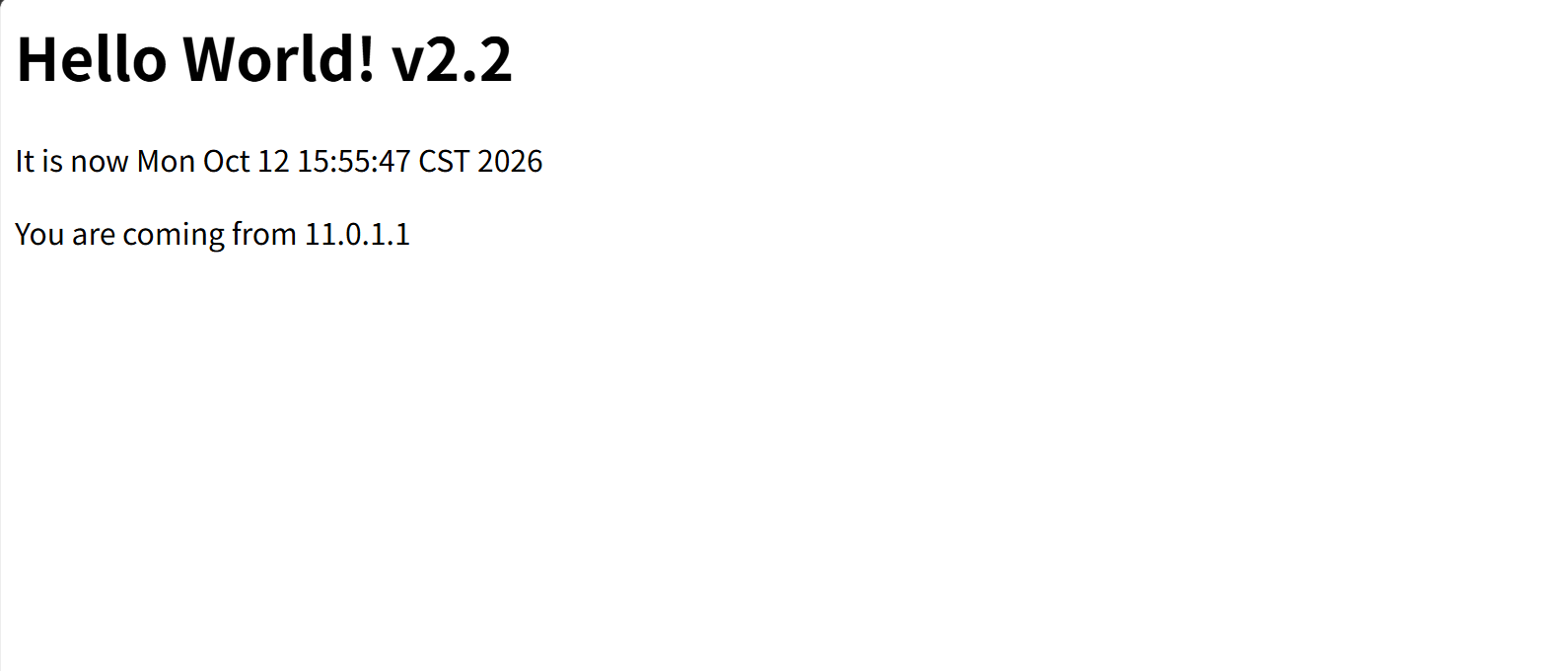
自动构建推送成功

  1
  2
  3
  4
  5
  6
  7
  8
  9
 10
 11
 12
 13
 14
 15
 16
 17
 18
 19
 20
 21
 22
 23
 24
 25
 26
 27
 28
 29
 30
 31
 32
 33
 34
 35
 36
 37
 38
 39
 40
 41
 42
 43
 44
 45
 46
 47
 48
 49
 50
 51
 52
 53
 54
 55
 56
 57
 58
 59
 60
 61
 62
 63
 64
 65
 66
 67
 68
 69
 70
 71
 72
 73
 74
 75
 76
 77
 78
 79
 80
 81
 82
 83
 84
 85
 86
 87
 88
 89
 90
 91
 92
 93
 94
 95
 96
 97
 98
 99
100
101
102
103
104
105
106
107
108
109
110
111
112
113
114
115
116
117
118
119
120
121
122
123
124
125
126
127
128
129
130
131
132
133
134
135
136
137
138
139
140
141
142
143
144
145
146
147
148
149
150
151
152
153
154
155
156
157
158
159
# 构建过程
Started by GitLab push by Administrator
Running as SYSTEM
Building in workspace /var/lib/jenkins/workspace/java_job
The recommended git tool is: NONE
No credentials specified
 > git rev-parse --resolve-git-dir /var/lib/jenkins/workspace/java_job/.git # timeout=10
Fetching changes from the remote Git repository
 > git config remote.origin.url git@11.0.1.200:dawn/java.git # timeout=10
Fetching upstream changes from git@11.0.1.200:dawn/java.git
 > git --version # timeout=10
 > git --version # 'git version 1.8.3.1'
 > git fetch --tags --progress git@11.0.1.200:dawn/java.git +refs/heads/*:refs/remotes/origin/* # timeout=10
 > git rev-parse remotes/origin/master^{commit} # timeout=10
 > git branch -a -v --no-abbrev --contains d0ebc065fd6d63fb107c9ddc7c0e5305f840099e # timeout=10
Checking out Revision d0ebc065fd6d63fb107c9ddc7c0e5305f840099e (origin/master)
 > git config core.sparsecheckout # timeout=10
 > git checkout -f d0ebc065fd6d63fb107c9ddc7c0e5305f840099e # timeout=10
Commit message: "v2.2"
 > git rev-list --no-walk 6b4a15b008c56778e80256b0131a6f89f4a5d433 # timeout=10
Parsing POMs
Established TCP socket on 33973
[java_job] $ java -cp /var/lib/jenkins/plugins/maven-plugin/WEB-INF/lib/maven33-agent-1.14.jar:/usr/local/maven/boot/plexus-classworlds-2.5.2.jar:/usr/local/maven/conf/logging jenkins.maven3.agent.Maven33Main /usr/local/maven/ /var/lib/jenkins/%C/jenkins/war/WEB-INF/lib/remoting-3107.v665000b_51092.jar /var/lib/jenkins/plugins/maven-plugin/WEB-INF/lib/maven33-interceptor-1.14.jar /var/lib/jenkins/plugins/maven-plugin/WEB-INF/lib/maven3-interceptor-commons-1.14.jar 33973
<===[JENKINS REMOTING CAPACITY]===>channel started
Executing Maven:  -B -f /var/lib/jenkins/workspace/java_job/pom.xml clean package
[INFO] Scanning for projects...
[INFO]                                                                         
[INFO] ------------------------------------------------------------------------
[INFO] Building Hello World Web Application Repository 1.0.0
[INFO] ------------------------------------------------------------------------
[INFO] 
[INFO] --- maven-clean-plugin:2.5:clean (default-clean) @ hello-world-war ---
[INFO] Deleting /var/lib/jenkins/workspace/java_job/target
[INFO] 
[INFO] --- maven-resources-plugin:2.6:resources (default-resources) @ hello-world-war ---
[WARNING] Using platform encoding (UTF-8 actually) to copy filtered resources, i.e. build is platform dependent!
[INFO] skip non existing resourceDirectory /var/lib/jenkins/workspace/java_job/src/main/resources
[INFO] 
[INFO] --- maven-compiler-plugin:3.1:compile (default-compile) @ hello-world-war ---
[INFO] No sources to compile
[INFO] 
[INFO] --- maven-resources-plugin:2.6:testResources (default-testResources) @ hello-world-war ---
[WARNING] Using platform encoding (UTF-8 actually) to copy filtered resources, i.e. build is platform dependent!
[INFO] skip non existing resourceDirectory /var/lib/jenkins/workspace/java_job/src/test/resources
[INFO] 
[INFO] --- maven-compiler-plugin:3.1:testCompile (default-testCompile) @ hello-world-war ---
[INFO] No sources to compile
[INFO] 
[INFO] --- maven-surefire-plugin:2.12.4:test (default-test) @ hello-world-war ---
[INFO] No tests to run.
[JENKINS] Recording test results
[INFO] 
[INFO] --- maven-war-plugin:3.3.1:war (default-war) @ hello-world-war ---
[INFO] Packaging webapp
[INFO] Assembling webapp [hello-world-war] in [/var/lib/jenkins/workspace/java_job/target/hello-world-war-1.0.0]
[INFO] Processing war project
[INFO] Copying webapp resources [/var/lib/jenkins/workspace/java_job/src/main/webapp]
[INFO] Building war: /var/lib/jenkins/workspace/java_job/target/hello-world-war-1.0.0.war
[INFO] ------------------------------------------------------------------------
[INFO] BUILD SUCCESS
[INFO] ------------------------------------------------------------------------
[INFO] Total time: 3.040 s
[INFO] Finished at: 2026-10-12T15:53:20+08:00
[INFO] Final Memory: 16M/85M
[INFO] ------------------------------------------------------------------------
Waiting for Jenkins to finish collecting data
[JENKINS] Archiving /var/lib/jenkins/workspace/java_job/pom.xml to com.efsavage/hello-world-war/1.0.0/hello-world-war-1.0.0.pom
[JENKINS] Archiving /var/lib/jenkins/workspace/java_job/target/hello-world-war-1.0.0.war to com.efsavage/hello-world-war/1.0.0/hello-world-war-1.0.0.war
channel stopped
[java_job] $ /usr/local/sonar/bin/sonar-scanner -Dsonar.host.url=http://11.0.1.202:9000/ ******** -Dsonar.projectName=java_job -Dsonar.projectKey=java -Dsonar.sources=. -Dsonar.projectBaseDir=/var/lib/jenkins/workspace/java_job
INFO: Scanner configuration file: /usr/local/sonar-scanner-4.2.0.1873-linux/conf/sonar-scanner.properties
INFO: Project root configuration file: NONE
INFO: SonarQube Scanner 4.2.0.1873
INFO: Java 11.0.3 AdoptOpenJDK (64-bit)
INFO: Linux 3.10.0-1160.el7.x86_64 amd64
INFO: User cache: /root/.sonar/cache
INFO: SonarQube server 7.0.0
INFO: Default locale: "en_US", source code encoding: "UTF-8"
INFO: Publish mode
INFO: Load global settings
INFO: Load global settings (done) | time=61ms
INFO: Server id: AaD4EZTNcTUVzuJgme-j
INFO: User cache: /root/.sonar/cache
INFO: Load plugins index
INFO: Load plugins index (done) | time=24ms
INFO: Load/download plugins
INFO: Plugin [l10nzh] defines 'l10nen' as base plugin. This metadata can be removed from manifest of l10n plugins since version 5.2.
INFO: Load/download plugins (done) | time=19ms
INFO: Process project properties
INFO: Load project repositories
INFO: Load project repositories (done) | time=30ms
INFO: Load quality profiles
INFO: Load quality profiles (done) | time=36ms
INFO: Load active rules
INFO: Load active rules (done) | time=670ms
INFO: Load metrics repository
INFO: Load metrics repository (done) | time=19ms
INFO: Project key: java
INFO: -------------  Scan java_job
INFO: Load server rules
INFO: Load server rules (done) | time=46ms
INFO: Base dir: /var/lib/jenkins/workspace/java_job
INFO: Working dir: /var/lib/jenkins/workspace/java_job/.scannerwork
INFO: Source paths: .
INFO: Source encoding: UTF-8, default locale: en_US
INFO: Index files
INFO: 9 files indexed
INFO: Quality profile for xml: Sonar way
WARNING: An illegal reflective access operation has occurred
WARNING: Illegal reflective access by net.sf.cglib.core.ReflectUtils$1 (file:/root/.sonar/cache/cc8ad346e85db9d3735898b533d37d34/sonar-javascript-plugin-4.0.0.5862.jar) to method java.lang.ClassLoader.defineClass(java.lang.String,byte[],int,int,java.security.ProtectionDomain)
WARNING: Please consider reporting this to the maintainers of net.sf.cglib.core.ReflectUtils$1
WARNING: Use --illegal-access=warn to enable warnings of further illegal reflective access operations
WARNING: All illegal access operations will be denied in a future release
INFO: Sensor SonarJavaXmlFileSensor [java]
INFO: 3 source files to be analyzed
INFO: Sensor SonarJavaXmlFileSensor [java] (done) | time=413ms
INFO: Sensor HTML [web]
INFO: 3/3 source files have been analyzed
INFO: Sensor HTML [web] (done) | time=95ms
INFO: Sensor XML Sensor [xml]
INFO: Sensor XML Sensor [xml] (done) | time=117ms
INFO: Sensor Zero Coverage Sensor
INFO: Sensor Zero Coverage Sensor (done) | time=5ms
INFO: Sensor CPD Block Indexer
INFO: Sensor CPD Block Indexer (done) | time=0ms
INFO: SCM provider for this project is: git
INFO: 5 files to be analyzed
INFO: 3/5 files analyzed
WARN: Missing blame information for the following files:
WARN:   * target/hello-world-war-1.0.0/WEB-INF/web.xml
WARN:   * target/hello-world-war-1.0.0/index.jsp
WARN: This may lead to missing/broken features in SonarQube
INFO: Calculating CPD for 2 files
INFO: CPD calculation finished
INFO: Analysis report generated in 96ms, dir size=31 KB
INFO: Analysis reports compressed in 22ms, zip size=14 KB
INFO: Analysis report uploaded in 340ms
INFO: ANALYSIS SUCCESSFUL, you can browse http://11.0.1.202:9000/dashboard/index/java
INFO: Note that you will be able to access the updated dashboard once the server has processed the submitted analysis report
INFO: More about the report processing at http://11.0.1.202:9000/api/ce/task?id=AaEvGigpXfNgiDsaIH6i
INFO: Task total time: 3.816 s
INFO: ------------------------------------------------------------------------
INFO: EXECUTION SUCCESS
INFO: ------------------------------------------------------------------------
INFO: Total time: 4.908s
INFO: Final Memory: 13M/116M
INFO: ------------------------------------------------------------------------
[java_job] $ /bin/sh -xe /tmp/jenkins9664183222777241323.sh
+ sh /server/scripts/java.sh
Archive:  /usr/local/tomcat/webapps/hello-world-war-1.0.0.war
  inflating: /usr/local/tomcat/webapps/java_16/META-INF/MANIFEST.MF  
   creating: /usr/local/tomcat/webapps/java_16/WEB-INF/
   creating: /usr/local/tomcat/webapps/java_16/WEB-INF/classes/
  inflating: /usr/local/tomcat/webapps/java_16/WEB-INF/web.xml  
  inflating: /usr/local/tomcat/webapps/java_16/index.jsp  
  inflating: /usr/local/tomcat/webapps/java_16/META-INF/maven/com.efsavage/hello-world-war/pom.xml  
  inflating: /usr/local/tomcat/webapps/java_16/META-INF/maven/com.efsavage/hello-world-war/pom.properties  
Tomcat started.
Finished: SUCCESS

image-20261012155551060

image-20261012155631307


8.创建Maven私服nexus

部署私服 nexus 下载:https://www.sonatype.com/download-oss-sonatype

配置仓库两个选项:

  1. 项目下的 pom.xml 配置、只生效当前的项目。
  2. 在 maven 配置全局所有项目生效。

上传JDK和nexus安装包:

 1
 2
 3
 4
 5
 6
 7
 8
 9
10
11
12
13
14
15
16
17
18
19
20
21
22
23
24
25
26
27
28
29
30
[root@nexus ~]#rpm -ivh jdk-8u181-linux-x64.rpm
warning: jdk-8u181-linux-x64.rpm: Header V3 RSA/SHA256 Signature, key ID ec551f03: NOKEY
Preparing...                          ################################# [100%]
Updating / installing...
   1:jdk1.8-2000:1.8.0_181-fcs        ################################# [100%]
Unpacking JAR files...
        tools.jar...
        plugin.jar...
        javaws.jar...
        deploy.jar...
        rt.jar...
        jsse.jar...
        charsets.jar...
        localedata.jar...
[root@nexus ~]#tar xf nexus-3.13.0-01-unix.tar.gz -C /usr/local/
[root@nexus ~]#ln -s /usr/local/nexus-3.13.0-01/ /usr/local/nexus
[root@nexus bin]#/usr/local/nexus/bin/nexus start
WARNING: ************************************************************
WARNING: Detected execution as "root" user.  This is NOT recommended!
WARNING: ************************************************************
Starting nexus
[root@nexus nexus]#netstat -ntplu
Active Internet connections (only servers)
Proto Recv-Q Send-Q Local Address           Foreign Address         State       PID/Program name
tcp        0      0 127.0.0.1:35916         0.0.0.0:*               LISTEN      2848/java
tcp        0      0 0.0.0.0:8081            0.0.0.0:*               LISTEN      2848/java
tcp        0      0 0.0.0.0:22              0.0.0.0:*               LISTEN      1012/sshd
tcp        0      0 127.0.0.1:25            0.0.0.0:*               LISTEN      1225/master
tcp6       0      0 :::22                   :::*                    LISTEN      1012/sshd
tcp6       0      0 ::1:25                  :::*                    LISTEN      1225/master

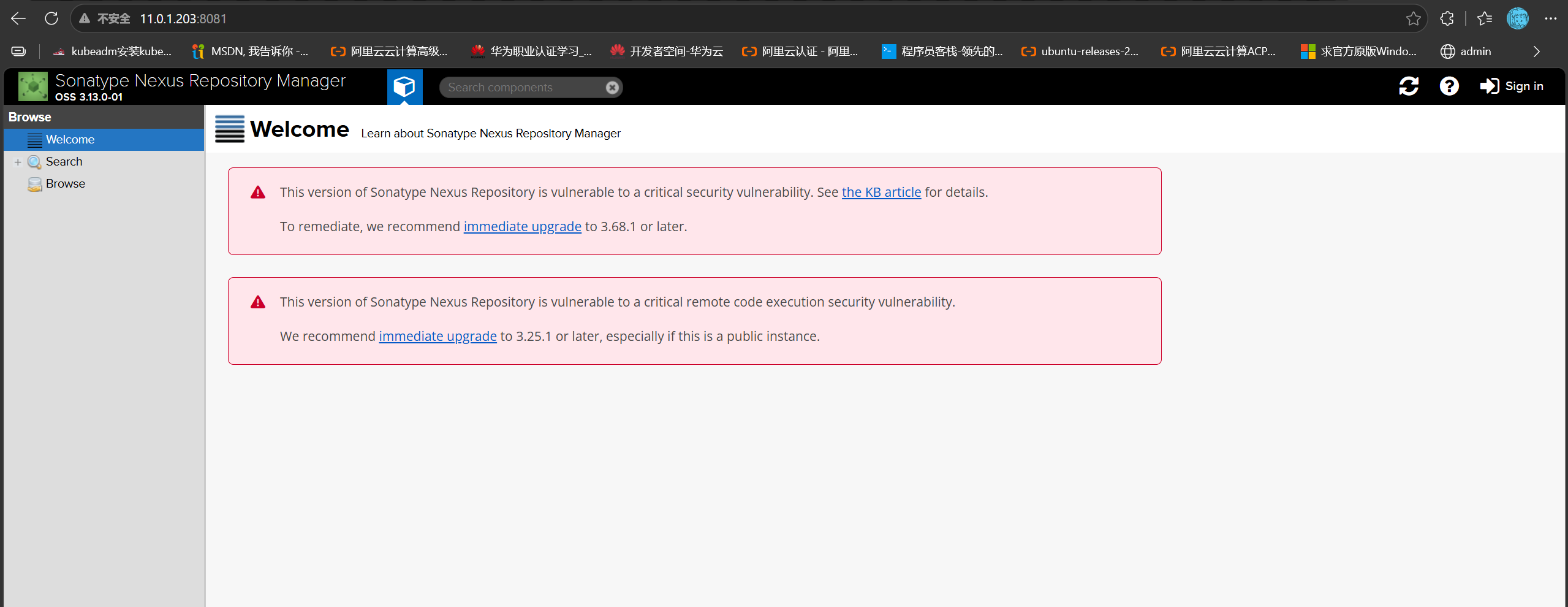
访问地址:11.0.1.203:8081

image-20261012170000501

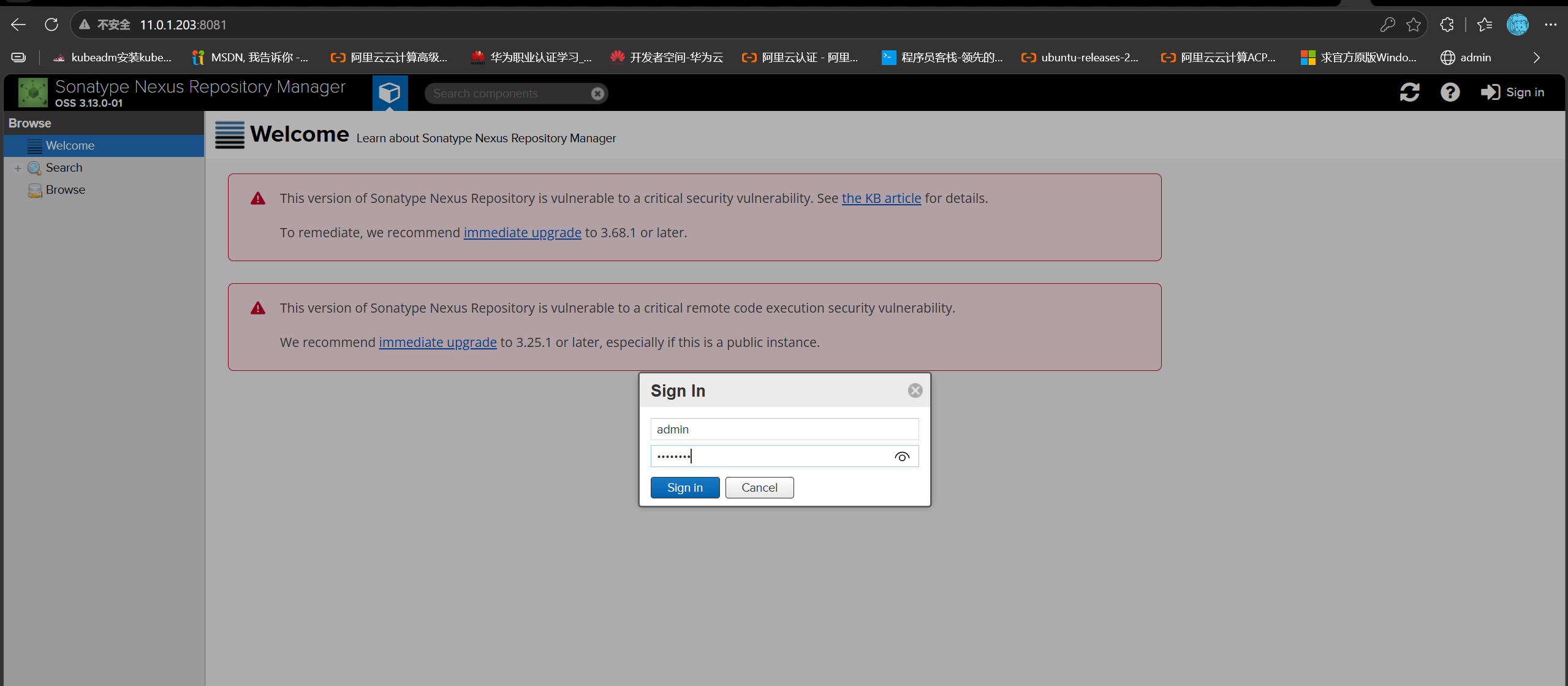
默认账号密码:admin / admin123

image-20261012170052292

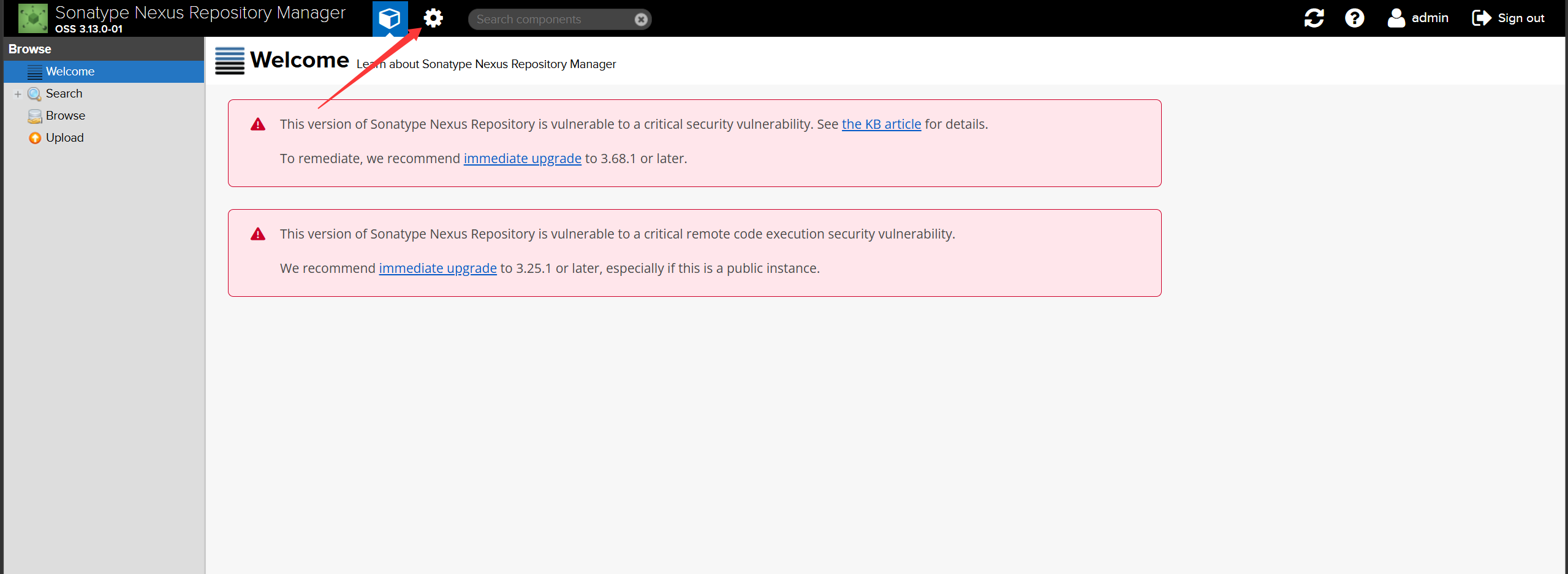
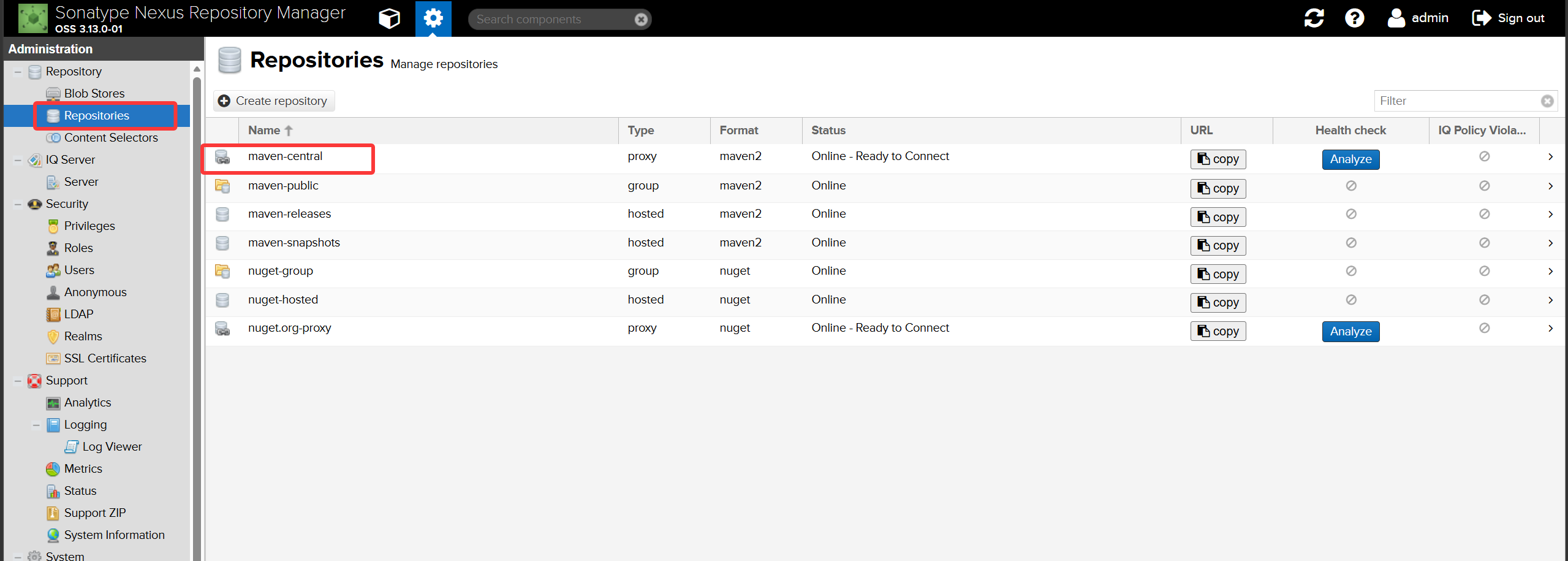
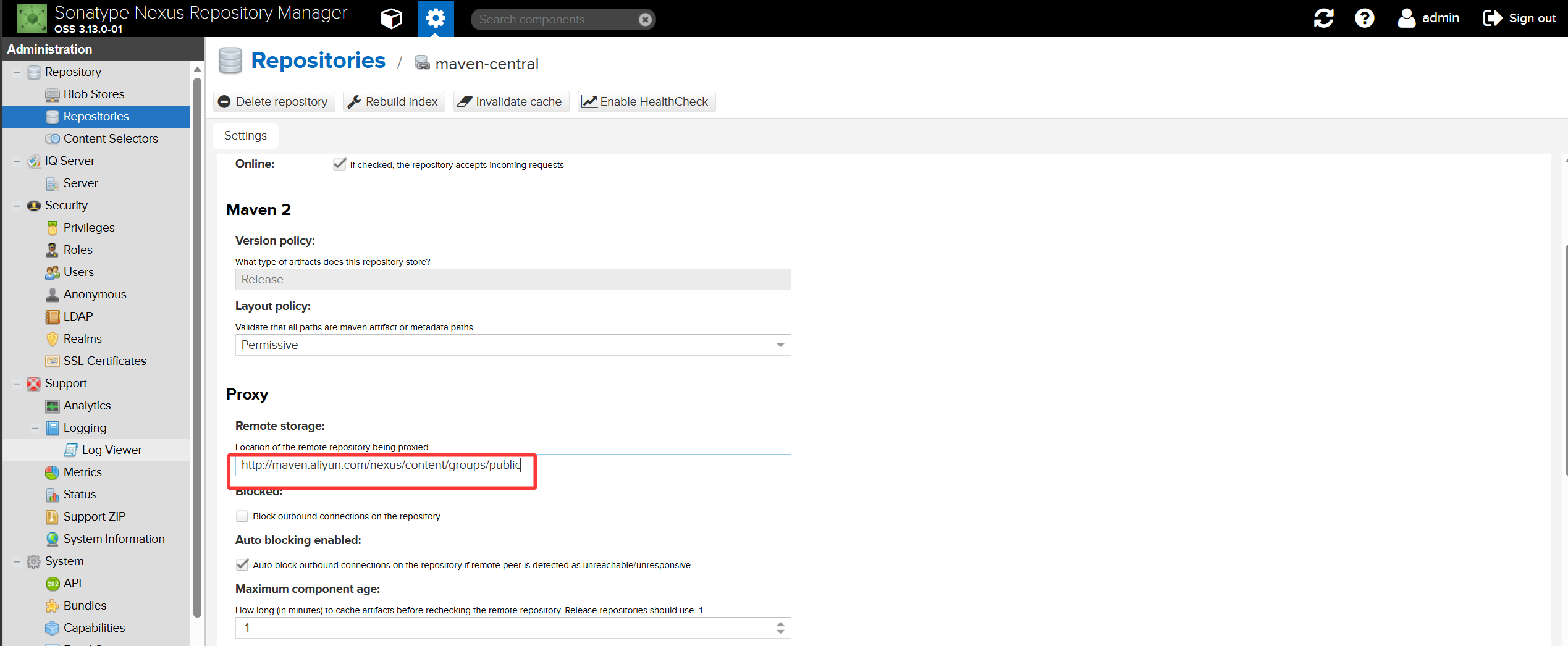
更改代理仓库为阿里云

image-20261012172440156

image-20261012172622310

image-20261012172739147

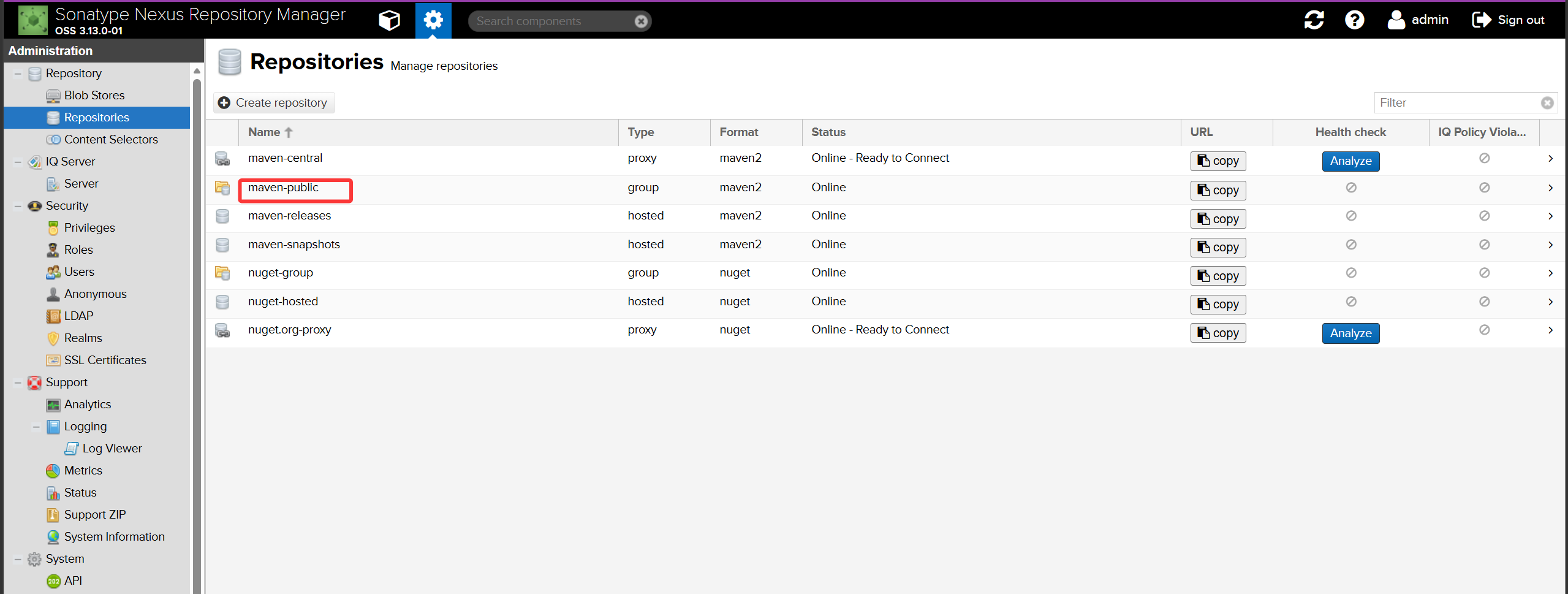
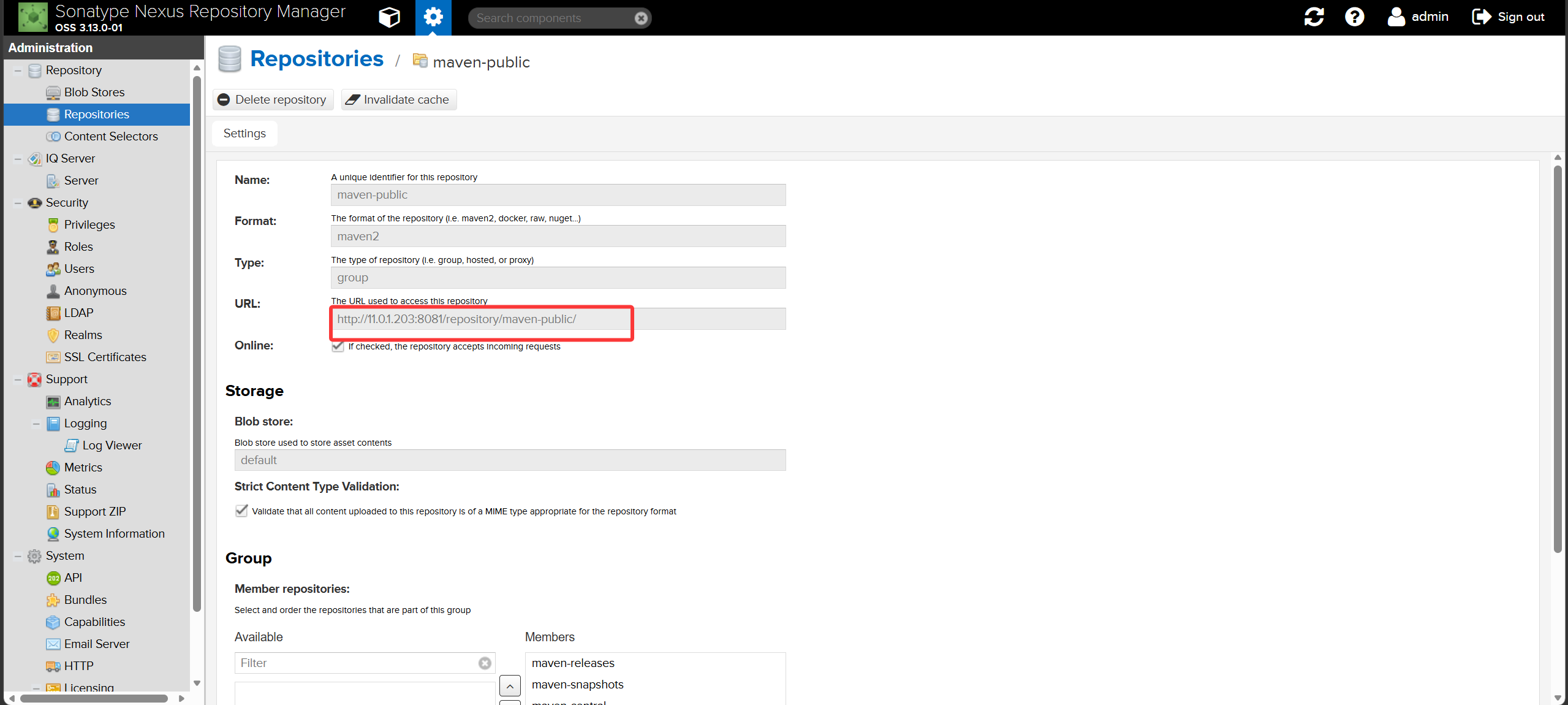
修改/usr/local/maven/conf/settings.xml,配置默认仓库为私服nexus

image-20261012172908165

image-20261012172925661

配置Maven全局配置文件:

  1
  2
  3
  4
  5
  6
  7
  8
  9
 10
 11
 12
 13
 14
 15
 16
 17
 18
 19
 20
 21
 22
 23
 24
 25
 26
 27
 28
 29
 30
 31
 32
 33
 34
 35
 36
 37
 38
 39
 40
 41
 42
 43
 44
 45
 46
 47
 48
 49
 50
 51
 52
 53
 54
 55
 56
 57
 58
 59
 60
 61
 62
 63
 64
 65
 66
 67
 68
 69
 70
 71
 72
 73
 74
 75
 76
 77
 78
 79
 80
 81
 82
 83
 84
 85
 86
 87
 88
 89
 90
 91
 92
 93
 94
 95
 96
 97
 98
 99
100
101
102
103
104
105
106
107
108
109
110
111
112
113
114
115
116
117
118
119
120
121
122
123
124
125
126
127
128
129
130
131
132
133
134
135
136
137
138
139
140
141
142
143
144
145
146
147
148
149
150
151
152
153
154
155
156
157
158
159
160
161
162
163
164
165
166
167
168
169
170
171
172
173
174
175
176
177
178
179
180
181
182
183
184
185
186
187
188
189
190
191
192
193
194
195
196
197
198
199
200
201
202
203
204
205
206
207
208
209
210
211
212
213
214
215
216
217
218
219
220
221
222
223
224
225
226
227
228
229
230
231
232
233
234
235
236
237
238
239
240
241
242
243
244
245
246
247
248
249
250
251
252
253
254
255
256
257
258
259
260
261
262
263
264
265
266
267
268
269
270
271
272
273
274
275
276
277
278
279
280
281
282
283
284
285
286
287
288
289
290
291
292
293
294
295
[root@jenkins ~]#cat /usr/local/maven/conf/settings.xml
<?xml version="1.0" encoding="UTF-8"?>

<!--
Licensed to the Apache Software Foundation (ASF) under one
or more contributor license agreements.  See the NOTICE file
distributed with this work for additional information
regarding copyright ownership.  The ASF licenses this file
to you under the Apache License, Version 2.0 (the
"License"); you may not use this file except in compliance
with the License.  You may obtain a copy of the License at

    http://www.apache.org/licenses/LICENSE-2.0

Unless required by applicable law or agreed to in writing,
software distributed under the License is distributed on an
"AS IS" BASIS, WITHOUT WARRANTIES OR CONDITIONS OF ANY
KIND, either express or implied.  See the License for the
specific language governing permissions and limitations
under the License.
-->

<!--
 | This is the configuration file for Maven. It can be specified at two levels:
 |
 |  1. User Level. This settings.xml file provides configuration for a single user,
 |                 and is normally provided in ${user.home}/.m2/settings.xml.
 |
 |                 NOTE: This location can be overridden with the CLI option:
 |
 |                 -s /path/to/user/settings.xml
 |
 |  2. Global Level. This settings.xml file provides configuration for all Maven
 |                 users on a machine (assuming they're all using the same Maven
 |                 installation). It's normally provided in
 |                 ${maven.home}/conf/settings.xml.
 |
 |                 NOTE: This location can be overridden with the CLI option:
 |
 |                 -gs /path/to/global/settings.xml
 |
 | The sections in this sample file are intended to give you a running start at
 | getting the most out of your Maven installation. Where appropriate, the default
 | values (values used when the setting is not specified) are provided.
 |
 |-->
<settings xmlns="http://maven.apache.org/SETTINGS/1.0.0"
          xmlns:xsi="http://www.w3.org/2001/XMLSchema-instance"
          xsi:schemaLocation="http://maven.apache.org/SETTINGS/1.0.0 http://maven.apache.org/xsd/settings-1.0.0.xsd">
  <!-- localRepository
   | The path to the local repository maven will use to store artifacts.
   |
   | Default: ${user.home}/.m2/repository
  <localRepository>/path/to/local/repo</localRepository>
  -->

  <!-- interactiveMode
   | This will determine whether maven prompts you when it needs input. If set to false,
   | maven will use a sensible default value, perhaps based on some other setting, for
   | the parameter in question.
   |
   | Default: true
  <interactiveMode>true</interactiveMode>
  -->

  <!-- offline
   | Determines whether maven should attempt to connect to the network when executing a build.
   | This will have an effect on artifact downloads, artifact deployment, and others.
   |
   | Default: false
  <offline>false</offline>
  -->

  <!-- pluginGroups
   | This is a list of additional group identifiers that will be searched when resolving plugins by their prefix, i.e.
   | when invoking a command line like "mvn prefix:goal". Maven will automatically add the group identifiers
   | "org.apache.maven.plugins" and "org.codehaus.mojo" if these are not already contained in the list.
   |-->
  <pluginGroups>
    <!-- pluginGroup
     | Specifies a further group identifier to use for plugin lookup.
    <pluginGroup>com.your.plugins</pluginGroup>
    -->
  </pluginGroups>

  <!-- proxies
   | This is a list of proxies which can be used on this machine to connect to the network.
   | Unless otherwise specified (by system property or command-line switch), the first proxy
   | specification in this list marked as active will be used.
   |-->
  <proxies>
    <!-- proxy
     | Specification for one proxy, to be used in connecting to the network.
     |
    <proxy>
      <id>optional</id>
      <active>true</active>
      <protocol>http</protocol>
      <username>proxyuser</username>
      <password>proxypass</password>
      <host>proxy.host.net</host>
      <port>80</port>
      <nonProxyHosts>local.net|some.host.com</nonProxyHosts>
    </proxy>
    -->
  </proxies>

  <!-- servers
   | This is a list of authentication profiles, keyed by the server-id used within the system.
   | Authentication profiles can be used whenever maven must make a connection to a remote server.
   |-->
  <servers>
    <!-- server
     | Specifies the authentication information to use when connecting to a particular server, identified by
     | a unique name within the system (referred to by the 'id' attribute below).
     |
     | NOTE: You should either specify username/password OR privateKey/passphrase, since these pairings are
     |       used together.
     |
    <server>
      <id>deploymentRepo</id>
      <username>repouser</username>
      <password>repopwd</password>
    </server>
    -->

    <!-- Another sample, using keys to authenticate.
    <server>
      <id>siteServer</id>
      <privateKey>/path/to/private/key</privateKey>
      <passphrase>optional; leave empty if not used.</passphrase>
    </server>
    -->
     <server>
     <id>my-nexus-releases</id>
     <username>admin</username>
     <password>admin123</password>
     </server>
     <server>
     <id>my-nexus-snapshot</id>
     <username>admin</username>
     <password>admin123</password>
     </server>
  </servers>

  <!-- mirrors
   | This is a list of mirrors to be used in downloading artifacts from remote repositories.
   |
   | It works like this: a POM may declare a repository to use in resolving certain artifacts.
   | However, this repository may have problems with heavy traffic at times, so people have mirrored
   | it to several places.
   |
   | That repository definition will have a unique id, so we can create a mirror reference for that
   | repository, to be used as an alternate download site. The mirror site will be the preferred
   | server for that repository.
   |-->
  <mirrors>
  <mirror>
  <id>nexus</id>
  <mirrorOf>*</mirrorOf>
  <url>http://11.0.1.203:8081/repository/maven-public/</url>
</mirror>
    <!-- mirror
     | Specifies a repository mirror site to use instead of a given repository. The repository that
     | this mirror serves has an ID that matches the mirrorOf element of this mirror. IDs are used
     | for inheritance and direct lookup purposes, and must be unique across the set of mirrors.
     |
    <mirror>
      <id>mirrorId</id>
      <mirrorOf>repositoryId</mirrorOf>
      <name>Human Readable Name for this Mirror.</name>
      <url>http://my.repository.com/repo/path</url>
    </mirror>
     -->
  </mirrors>

  <!-- profiles
   | This is a list of profiles which can be activated in a variety of ways, and which can modify
   | the build process. Profiles provided in the settings.xml are intended to provide local machine-
   | specific paths and repository locations which allow the build to work in the local environment.
   |
   | For example, if you have an integration testing plugin - like cactus - that needs to know where
   | your Tomcat instance is installed, you can provide a variable here such that the variable is
   | dereferenced during the build process to configure the cactus plugin.
   |
   | As noted above, profiles can be activated in a variety of ways. One way - the activeProfiles
   | section of this document (settings.xml) - will be discussed later. Another way essentially
   | relies on the detection of a system property, either matching a particular value for the property,
   | or merely testing its existence. Profiles can also be activated by JDK version prefix, where a
   | value of '1.4' might activate a profile when the build is executed on a JDK version of '1.4.2_07'.
   | Finally, the list of active profiles can be specified directly from the command line.
   |
   | NOTE: For profiles defined in the settings.xml, you are restricted to specifying only artifact
   |       repositories, plugin repositories, and free-form properties to be used as configuration
   |       variables for plugins in the POM.
   |
   |-->
  <profiles>
    <!-- profile
     | Specifies a set of introductions to the build process, to be activated using one or more of the
     | mechanisms described above. For inheritance purposes, and to activate profiles via <activatedProfiles/>
     | or the command line, profiles have to have an ID that is unique.
     |
     | An encouraged best practice for profile identification is to use a consistent naming convention
     | for profiles, such as 'env-dev', 'env-test', 'env-production', 'user-jdcasey', 'user-brett', etc.
     | This will make it more intuitive to understand what the set of introduced profiles is attempting
     | to accomplish, particularly when you only have a list of profile id's for debug.
     |
     | This profile example uses the JDK version to trigger activation, and provides a JDK-specific repo.
    <profile>
      <id>jdk-1.4</id>

      <activation>
        <jdk>1.4</jdk>
      </activation>

      <repositories>
        <repository>
          <id>jdk14</id>
          <name>Repository for JDK 1.4 builds</name>
          <url>http://www.myhost.com/maven/jdk14</url>
          <layout>default</layout>
          <snapshotPolicy>always</snapshotPolicy>
        </repository>
      </repositories>
    </profile>
    -->

    <!--
     | Here is another profile, activated by the system property 'target-env' with a value of 'dev',
     | which provides a specific path to the Tomcat instance. To use this, your plugin configuration
     | might hypothetically look like:
     |
     | ...
     | <plugin>
     |   <groupId>org.myco.myplugins</groupId>
     |   <artifactId>myplugin</artifactId>
     |
     |   <configuration>
     |     <tomcatLocation>${tomcatPath}</tomcatLocation>
     |   </configuration>
     | </plugin>
     | ...
     |
     | NOTE: If you just wanted to inject this configuration whenever someone set 'target-env' to
     |       anything, you could just leave off the <value/> inside the activation-property.
     |
    <profile>
      <id>env-dev</id>

      <activation>
        <property>
          <name>target-env</name>
          <value>dev</value>
        </property>
      </activation>

      <properties>
        <tomcatPath>/path/to/tomcat/instance</tomcatPath>
      </properties>
    </profile>
    -->
<profile>
  <id>nexus</id>
  <repositories>
    <repository>
      <id>central</id>
      <url>http://11.0.1.203:8081/repository/maven-public/</url>
      <releases><enabled>true</enabled></releases>
      <snapshots><enabled>true</enabled></snapshots>
    </repository>
  </repositories>
 <pluginRepositories>
    <pluginRepository>
      <id>central</id>
      <url>http://11.0.1.203:8081/repository/maven-public/</url>
      <releases><enabled>true</enabled></releases>
      <snapshots><enabled>true</enabled></snapshots>
    </pluginRepository>
  </pluginRepositories>
</profile>
  </profiles>

  <!-- activeProfiles
   | List of profiles that are active for all builds.
   |
  <activeProfiles>
    <activeProfile>alwaysActiveProfile</activeProfile>
    <activeProfile>anotherAlwaysActiveProfile</activeProfile>
  </activeProfiles>
  -->
<activeProfiles>
<activeProfile>nexus</activeProfile>
</activeProfiles>
</settings>

测试nexus私服是否配置成功

 1
 2
 3
 4
 5
 6
 7
 8
 9
10
11
12
13
14
15
16
17
18
[root@jenkins hello-world-war]#mvn package
...
Downloaded: http://11.0.1.203:8081/repository/maven-public/org/apache/maven/shared/maven-filtering/3.1.1/maven-filtering-3.1.1.jar (0at 0.0 KB/sec)
Downloaded: http://11.0.1.203:8081/repository/maven-public/org/codehaus/plexus/plexus-utils/3.3.0/plexus-utils-3.3.0.jar (0 B at 0.0 sec)
Downloaded: http://11.0.1.203:8081/repository/maven-public/org/apache/maven/shared/maven-mapping/3.0.0/maven-mapping-3.0.0.jar (0 B a.0 KB/sec)
Downloaded: http://11.0.1.203:8081/repository/maven-public/org/sonatype/plexus/plexus-build-api/0.0.7/plexus-build-api-0.0.7.jar (0 B 0.0 KB/sec)
[INFO] Packaging webapp
[INFO] Assembling webapp [hello-world-war] in [/root/hello-world-war/target/hello-world-war-1.0.0]
[INFO] Processing war project
[INFO] Copying webapp resources [/root/hello-world-war/src/main/webapp]
[INFO] Building war: /root/hello-world-war/target/hello-world-war-1.0.0.war
[INFO] ------------------------------------------------------------------------
[INFO] BUILD SUCCESS
[INFO] ------------------------------------------------------------------------
[INFO] Total time: 25.059 s
[INFO] Finished at: 2026-10-12T17:40:28+08:00
[INFO] Final Memory: 13M/102M
[INFO] ------------------------------------------------------------------------

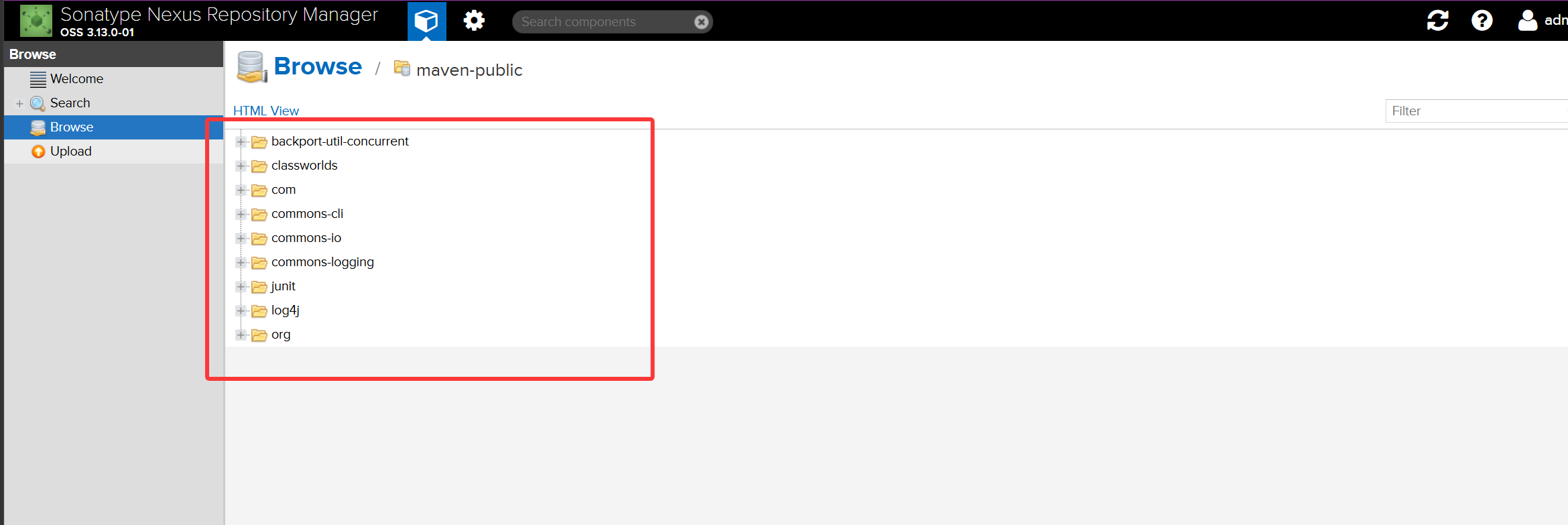
image-20261012174637590

仓库地址11.0.1.203,配置成功