自定义nginx的日志格式#
1. 安装nginx服务#
1
|
root@elk01:~# apt -y install nginx
|
2. 修改nginx的日志格式#
1
|
root@elk01:~# vim /etc/nginx/nginx.conf
|
 1
 2
 3
 4
 5
 6
 7
 8
 9
10
11
12
13
14
15
16
17
|
...
      log_format dawn_nginx_json '{"@timestamp":"$time_iso8601",'
                                  '"host":"$server_addr",'
                                  '"clientip":"$remote_addr",'
                                  '"SendBytes":$body_bytes_sent,'
                                  '"responsetime":$request_time,'
                                  '"upstreamtime":"$upstream_response_time",'
                                  '"upstreamhost":"$upstream_addr",'
                                  '"http_host":"$host",'
                                  '"uri":"$uri",'
                                  '"domain":"$host",'
                                  '"xff":"$http_x_forwarded_for",'
                                  '"referer":"$http_referer",'
                                  '"tcp_xff":"$proxy_protocol_addr",'
                                  '"http_user_agent":"$http_user_agent",'
                                  '"status":"$status"}';
	  access_log  /var/log/nginx/access.log  dawn_nginx_json;
|
1
2
|
# 将默认的日志格式注释掉
# access_log /var/log/nginx/access.log;
|
3. 检查nginx的配置文件语法#
1
2
3
|
root@elk01:~# nginx -t
nginx: the configuration file /etc/nginx/nginx.conf syntax is ok
nginx: configuration file /etc/nginx/nginx.conf test is successful
|
4. 启动nginx服务#
1
|
root@elk01:~# systemctl restart nginx
|
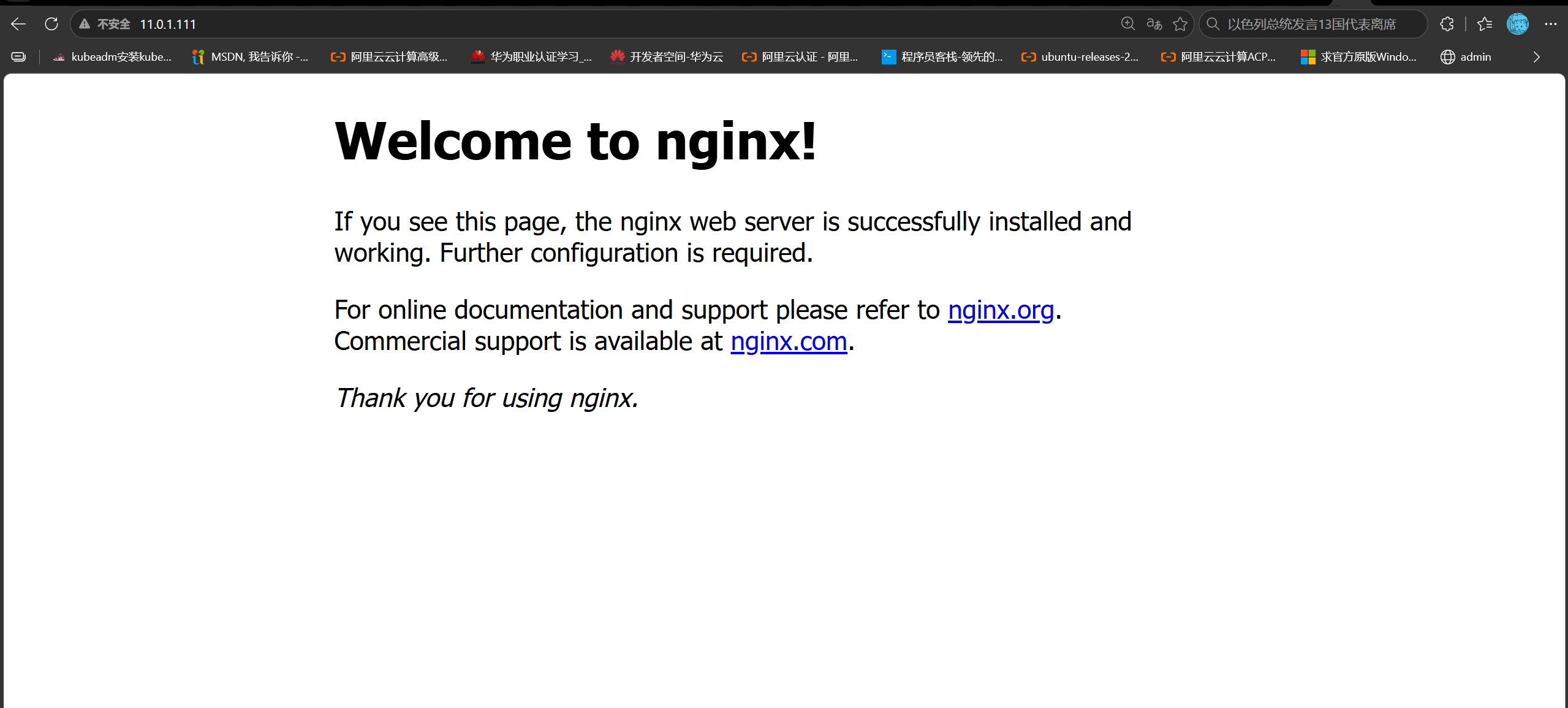
5. 访问测试#
1
2
|
root@elk01:~# tail -f /var/log/nginx/access.log
{"@timestamp":"2026-10-16T15:53:58+08:00","host":"11.0.1.111","clientip":"11.0.1.1","SendBytes":396,"responsetime":0.000,"upstreamtime":"-","upstreamhost":"-","http_host":"11.0.1.111","uri":"/index.nginx-debian.html","domain":"11.0.1.111","xff":"-","referer":"-","tcp_xff":"-","http_user_agent":"Mozilla/5.0 (Windows NT 10.0; Win64; x64) AppleWebKit/537.36 (KHTML, like Gecko) Chrome/155.0.0.0 Safari/537.36 Edg/155.0.0.0","status":"200"}
|
Ubuntu基于nfs实现filebeat配置文件共享#
1.另外两个节点也安装filebeat#
1
2
|
root@elk01:~# dpkg -i filebeat-7.17.22-amd64.deb
root@elk02:~# dpkg -i filebeat-7.17.22-amd64.deb
|
2. 所有节点安装nfs工具#
1
2
3
4
5
6
7
8
|
root@elk01:~# apt -y remove needrestart
root@elk01:~# apt -y install nfs-kernel-server

root@elk02:~# apt -y remove needrestart
root@elk02:~# apt -y install nfs-kernel-server

root@elk03:~# apt -y remove needrestart
root@elk03:~# apt -y install nfs-kernel-server
|
3. 配置nfs的服务端#
1
2
3
4
|
root@elk01:~#  mkdir /etc/filebeat/config
root@elk01:~# cat > /etc/exports <<'EOF'
/etc/filebeat/config *(rw,no_root_squash)
EOF
|
3. 启动nfs服务#
1
2
3
4
5
6
7
|
root@elk01:~# systemctl enable --now nfs-kernel-server
Synchronizing state of nfs-kernel-server.service with SysV service script with /lib/systemd/systemd-sysv-install.
Executing: /lib/systemd/systemd-sysv-install enable nfs-kernel-server
root@elk01:~# systemctl restart nfs-kernel-server
root@elk01:~# exportfs
/etc/filebeat/config
                <world>
|
4. 客户端测试#
 1
 2
 3
 4
 5
 6
 7
 8
 9
10
11
12
13
14
15
|
root@elk02:~# mount 11.0.1.111:/etc/filebeat/config/ /mnt/
root@elk02:~# umount /mnt

root@elk03:~# mount 11.0.1.111:/etc/filebeat/config/ /mnt/
root@elk03:~# mv config/* /mnt/
root@elk03:~# ll /mnt/
total 28
drwxr-xr-x  2 root root 4096 Oct 16 16:33 ./
drwxr-xr-x 20 root root 4096 Oct 14 15:44 ../
-rw-r--r--  1 root root   63 Oct 16 13:14 01-stdin-to-stdout.yaml
-rw-r--r--  1 root root  141 Oct 16 13:21 02-stdin-to-es.yaml
-rw-r--r--  1 root root  161 Oct 16 13:35 03-tcp-to-es.yaml
-rw-r--r--  1 root root  729 Oct 16 14:26 04-tcp-to-es-custom-index.yaml
-rw-r--r--  1 root root  772 Oct 16 14:43 05-log_ubuntu_system-to-es.yaml
root@elk03:~# umount /mnt
|
5. 所有客户端挂载#
1
2
3
4
5
6
7
8
9
|
root@elk02:~# mkdir /etc/filebeat/config
root@elk02:~# mount 11.0.1.111:/etc/filebeat/config/ /etc/filebeat/config
root@elk02:~# cd /etc/filebeat/
root@elk02:/etc/filebeat#

root@elk03:~# mkdir /etc/filebeat/config
root@elk03:~# mount 11.0.1.111:/etc/filebeat/config/ /etc/filebeat/config
root@elk03:~# cd /etc/filebeat/
root@elk03:/etc/filebeat#
|
EFK架构采集nginx日志;#
1. 进入到filebeat的配置文件目录#
1
2
|
root@elk01:~# cd /etc/filebeat/
root@elk01:/etc/filebeat#
|
2. 编写filebeat采集nginx日志#
1
|
root@elk01:/etc/filebeat# vim config/06-nginx-to-es.yaml
|
 1
 2
 3
 4
 5
 6
 7
 8
 9
10
11
12
13
14
15
16
17
18
19
20
21
22
23
24
25
26
|
filebeat.inputs:
- type: log
  paths:
    - /var/log/nginx/access.log

output.elasticsearch:
  hosts:
  - "http://11.0.1.111:9200"
  - "http://11.0.1.112:9200"
  - "http://11.0.1.113:9200"
  index: "dawn-log-nginx"

# 禁用索引的生命周期(Index Lifecycle Management,简称"ilm"),如果不禁用则忽略自定义索引名称
setup.ilm.enabled: false
# ES的索引模板名称
setup.template.name: "dawn"
# ES索引模板的匹配模式
setup.template.pattern: "dawn-log*"
# 如果索引模板已经存在,是否覆盖,推荐设置为false
setup.template.overwrite: false
# 设置索引模板
setup.template.settings:
  # 设置索引的分片数量
  index.number_of_shards: 5
  # 设置索引的副本数量
  index.number_of_replicas: 0
|
3. 启动filebeat#
1
|
root@elk01:/etc/filebeat# filebeat -e -c config/06-nginx-to-es.yaml
|
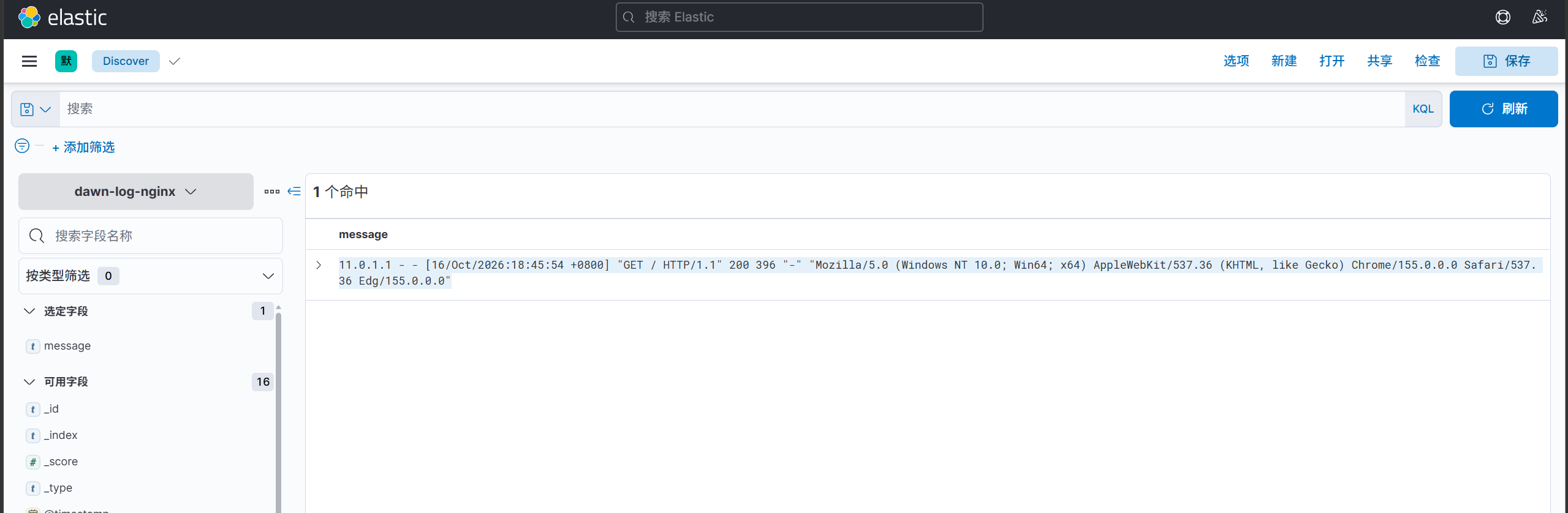
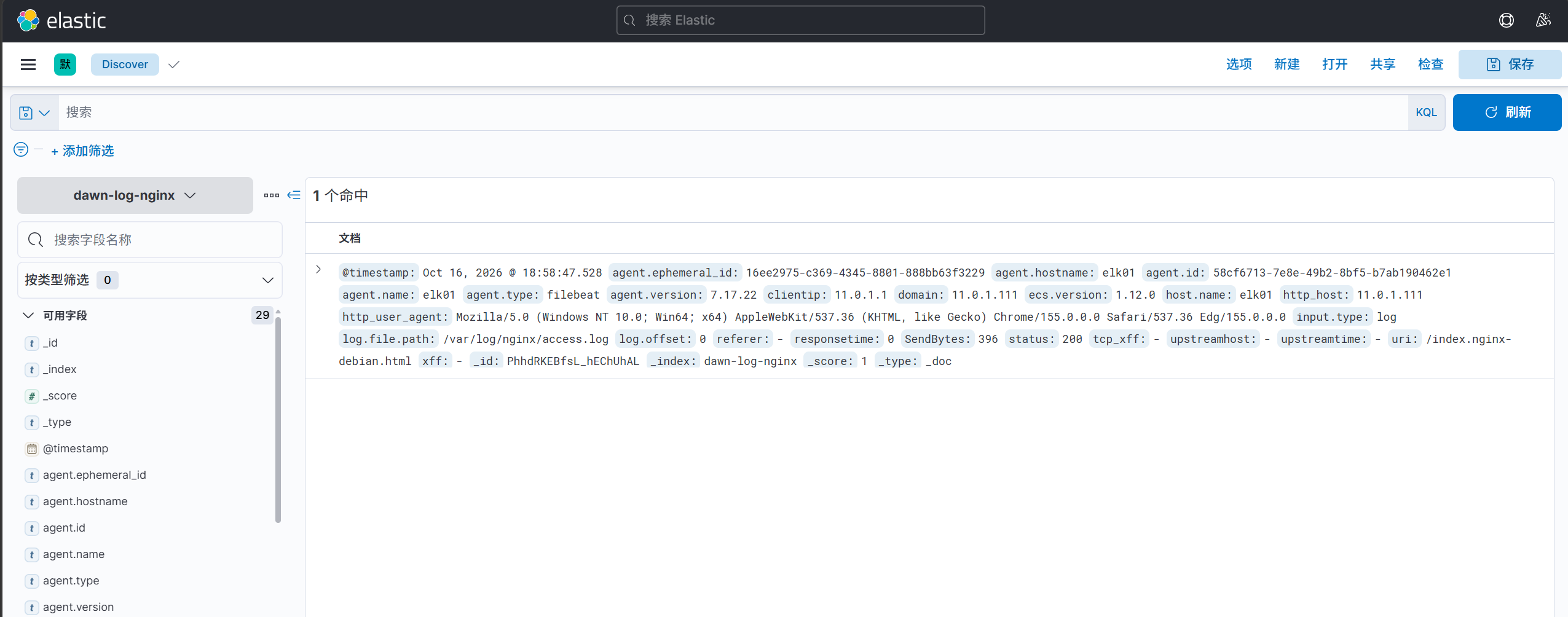
filebeat采集json格式日志#
 1
 2
 3
 4
 5
 6
 7
 8
 9
10
11
12
13
14
15
16
17
18
19
20
21
22
23
24
25
26
27
28
29
|
root@elk01:/etc/filebeat# vim config/06-nginx-to-es.yaml
filebeat.inputs:
  - type: log
    paths:
      - /var/log/nginx/access.log
    # 将message的json格式解析后放在顶级字段中,并删除message字段。
    json.keys_under_root: true

output.elasticsearch:
  hosts:
    - "http://11.0.1.111:9200"
    - "http://11.0.1.112:9200"
    - "http://11.0.1.113:9200"
  index: "dawn-log-nginx"

# 禁用索引的生命周期(Index Lifecycle Management,简称"ilm"),如果不禁用则忽略自定义索引名称
setup.ilm.enabled: false
# ES的索引模板名称
setup.template.name: "dawn"
# ES索引模板的匹配模式
setup.template.pattern: "dawn-log*"
# 如果索引模板已经存在,是否覆盖,推荐设置为false
setup.template.overwrite: false
# 设置索引模板
setup.template.settings:
  # 设置索引的分片数量
  index.number_of_shards: 5
  # 设置索引的副本数量
  index.number_of_replicas: 0
|
1
|
root@elk01:/etc/filebeat# filebeat -e -c config/06-nginx-to-es.yaml
|
基于Nginx七层分流的Web集群部署与Filebeat日志采集#
1. elk02节点环境准备#
- 1 安装nginx
1
|
root@elk02:~# apt -y install nginx
|
- 2 修改nginx的主配置文件
1
|
root@elk01:/etc/filebeat# scp /etc/nginx/nginx.conf 11.0.1.112:/etc/nginx/nginx.conf
|
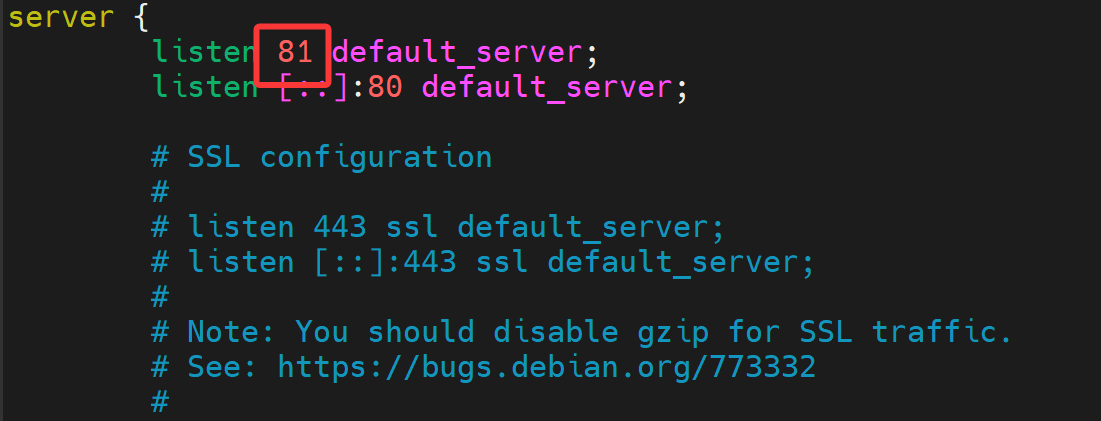
- 3 修改nginx的子配置文件
1
|
root@elk02:~# vim /etc/nginx/sites-enabled/default
|
- 4 准备测试页面
 1
 2
 3
 4
 5
 6
 7
 8
 9
10
11
12
13
14
15
16
17
18
19
20
21
22
23
24
25
26
|
root@elk02:~# vim /var/www/html/index.html
<!DOCTYPE html>
<html>
  <head>
    <meta charset="utf-8"/>
    <title>DAWN’s phone</title>
    <style>
       div img {
          width: 900px;
          height: 600px;
          margin: 0;
       }
    </style>
  </head>

  <body>
    <h1 style="color: red">手机测试页面 </h1>
    <div>
      <img src="phone.jpg">
    <div>
  </body>

</html>

root@elk02:/var/www/html# ls
index.html  index.nginx-debian.html  phone.jpg
|
- 5 重启nginx服务
 1
 2
 3
 4
 5
 6
 7
 8
 9
10
11
|
root@elk02:~# nginx -t
nginx: the configuration file /etc/nginx/nginx.conf syntax is ok
nginx: configuration file /etc/nginx/nginx.conf test is successful
root@elk02:~# systemctl reload nginx
root@elk02:~# systemctl restart nginx
root@elk02:~# systemctl enable nginx
Synchronizing state of nginx.service with SysV service script with /lib/systemd/systemd-sysv-install.
Executing: /lib/systemd/systemd-sysv-install enable nginx
root@elk02:~# ss -ntl | grep 81
LISTEN 0      511          0.0.0.0:81         0.0.0.0:*
LISTEN 0      4096            [::]:42815         [::]:*
|
-
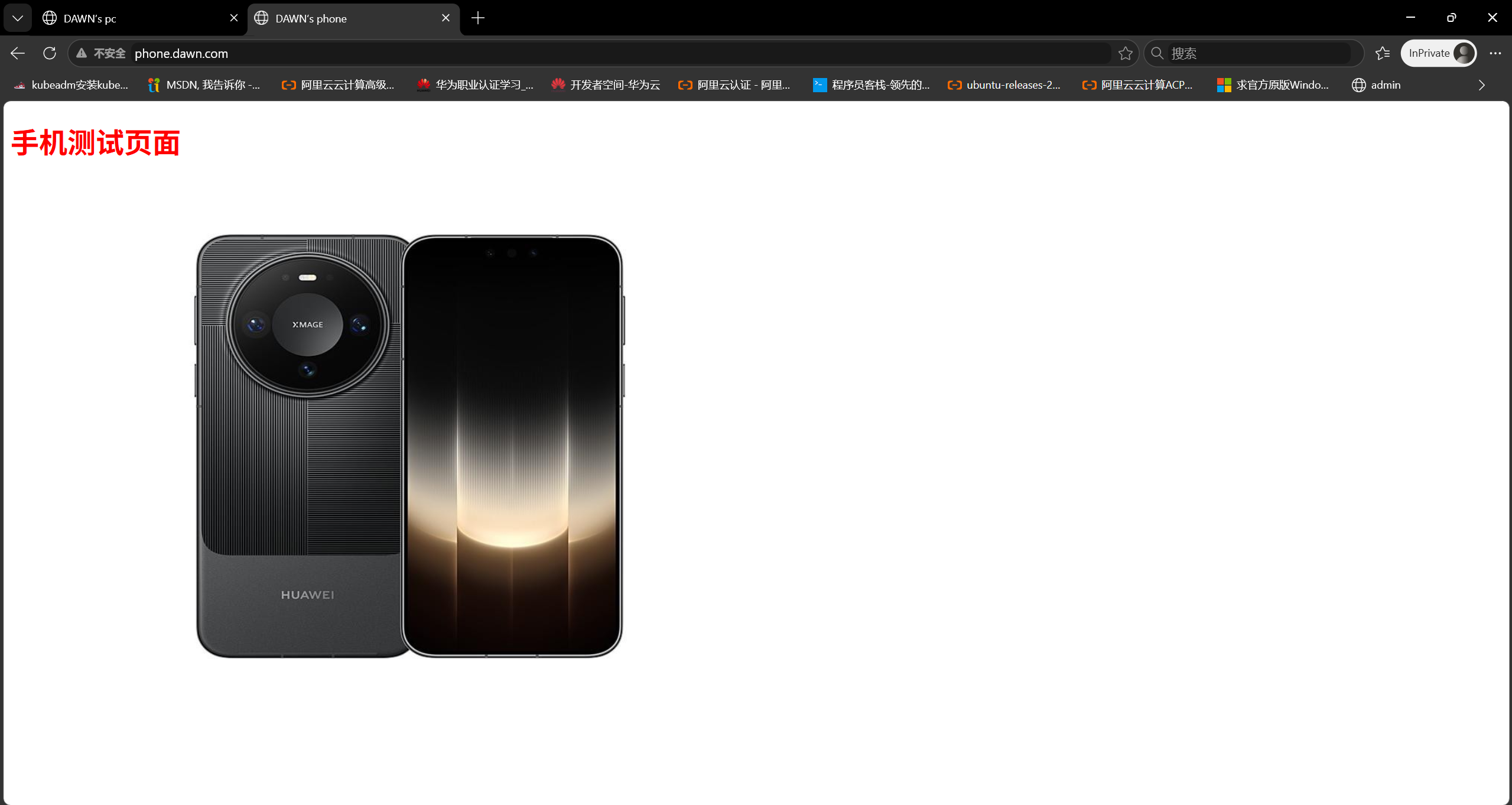
6 测试访问http://11.0.1.112:81/

2. elk03节点环境准备#
- 1 安装nginx
1
|
root@elk03:~# apt -y install nginx
|
- 2 修改nginx的主配置文件
1
|
root@elk01:/etc/filebeat# scp /etc/nginx/nginx.conf 11.0.1.113:/etc/nginx/nginx.conf
|
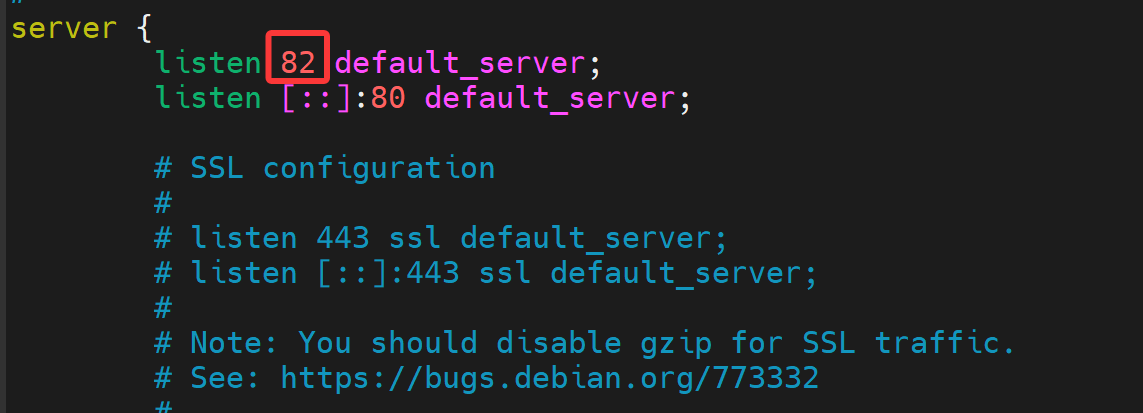
- 3 修改nginx的子配置文件
1
|
root@elk03:~# vim /etc/nginx/sites-enabled/default
|
- 4 准备测试页面
 1
 2
 3
 4
 5
 6
 7
 8
 9
10
11
12
13
14
15
16
17
18
19
20
21
22
23
24
25
26
|
root@elk03:~# vim /var/www/html/index.html
<!DOCTYPE html>
<html>
  <head>
    <meta charset="utf-8"/>
    <title>DAWN’s pc</title>
    <style>
       div img {
          width: 900px;
          height: 600px;
          margin: 0;
       }
    </style>
  </head>

  <body>
    <h1 style="color: green">电脑测试页面 </h1>
    <div>
      <img src="pc.jpg">
    <div>
  </body>

</html>

root@elk03:/var/www/html# ls
index.html  index.nginx-debian.html  pc.jpg
|
- 5 重启nginx服务
 1
 2
 3
 4
 5
 6
 7
 8
 9
10
|
root@elk03:~# nginx -t
nginx: the configuration file /etc/nginx/nginx.conf syntax is ok
nginx: configuration file /etc/nginx/nginx.conf test is successful
root@elk03:~# systemctl reload nginx
root@elk03:~# systemctl restart nginx
root@elk03:~# systemctl enable nginx
Synchronizing state of nginx.service with SysV service script with /lib/systemd/systemd-sysv-install.
Executing: /lib/systemd/systemd-sysv-install enable nginx
root@elk03:~# ss -ntl | grep 82
LISTEN 0      511          0.0.0.0:82         0.0.0.0:*
|
-
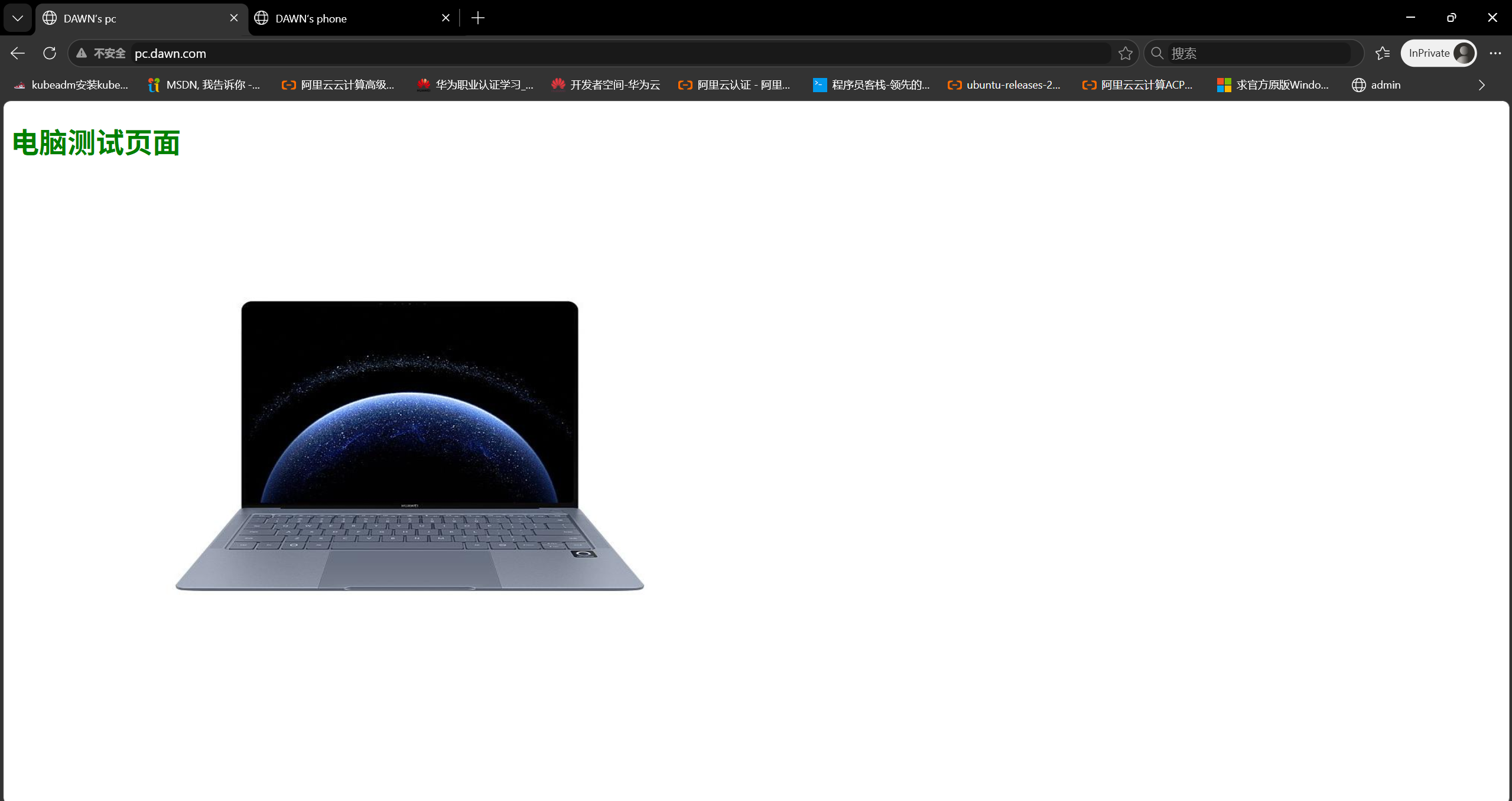
6 测试访问http://11.0.1.113:82/

3. elk01负载均衡器配置#
- 1 编写配置文件
 1
 2
 3
 4
 5
 6
 7
 8
 9
10
11
12
13
14
15
16
17
18
19
20
21
22
23
24
25
26
27
28
|
root@elk01:~# vim /etc/nginx/sites-enabled/default
upstream phone {
   server 11.0.1.112:81;
}

upstream pc {
   server 11.0.1.113:82;
}

server {
   listen 80 ;
   server_name phone.dawn.com;

   location / {
      proxy_pass http://phone;
   }
}


server {
   listen 80 ;
   server_name pc.dawn.com;

   location / {
      proxy_pass http://pc;
   }
}
|
- 2 重新加载nginx服务
1
2
3
4
|
root@elk01:~# nginx -t
nginx: the configuration file /etc/nginx/nginx.conf syntax is ok
nginx: configuration file /etc/nginx/nginx.conf test is successful
root@elk01:~# systemctl reload nginx
|
- 3 测试访问
 1
 2
 3
 4
 5
 6
 7
 8
 9
10
11
12
13
14
15
16
17
18
19
20
21
22
23
|
root@elk03:~# curl -H 'host: pc.dawn.com' 11.0.1.111
<!DOCTYPE html>
<html>
  <head>
    <meta charset="utf-8"/>
    <title>DAWN’s pc</title>
    <style>
       div img {
          width: 900px;
          height: 600px;
          margin: 0;
       }
    </style>
  </head>

  <body>
    <h1 style="color: green">电脑测试页面 </h1>
    <div>
      <img src="pc.jpg">
    <div>
  </body>

</html>
|
 1
 2
 3
 4
 5
 6
 7
 8
 9
10
11
12
13
14
15
16
17
18
19
20
21
22
23
|
root@elk03:~# curl -H 'host: phone.dawn.com' 11.0.1.111
<!DOCTYPE html>
<html>
  <head>
    <meta charset="utf-8"/>
    <title>DAWN’s phone</title>
    <style>
       div img {
          width: 900px;
          height: 600px;
          margin: 0;
       }
    </style>
  </head>

  <body>
    <h1 style="color: red">手机测试页面 </h1>
    <div>
      <img src="phone.jpg">
    <div>
  </body>

</html>
|
-
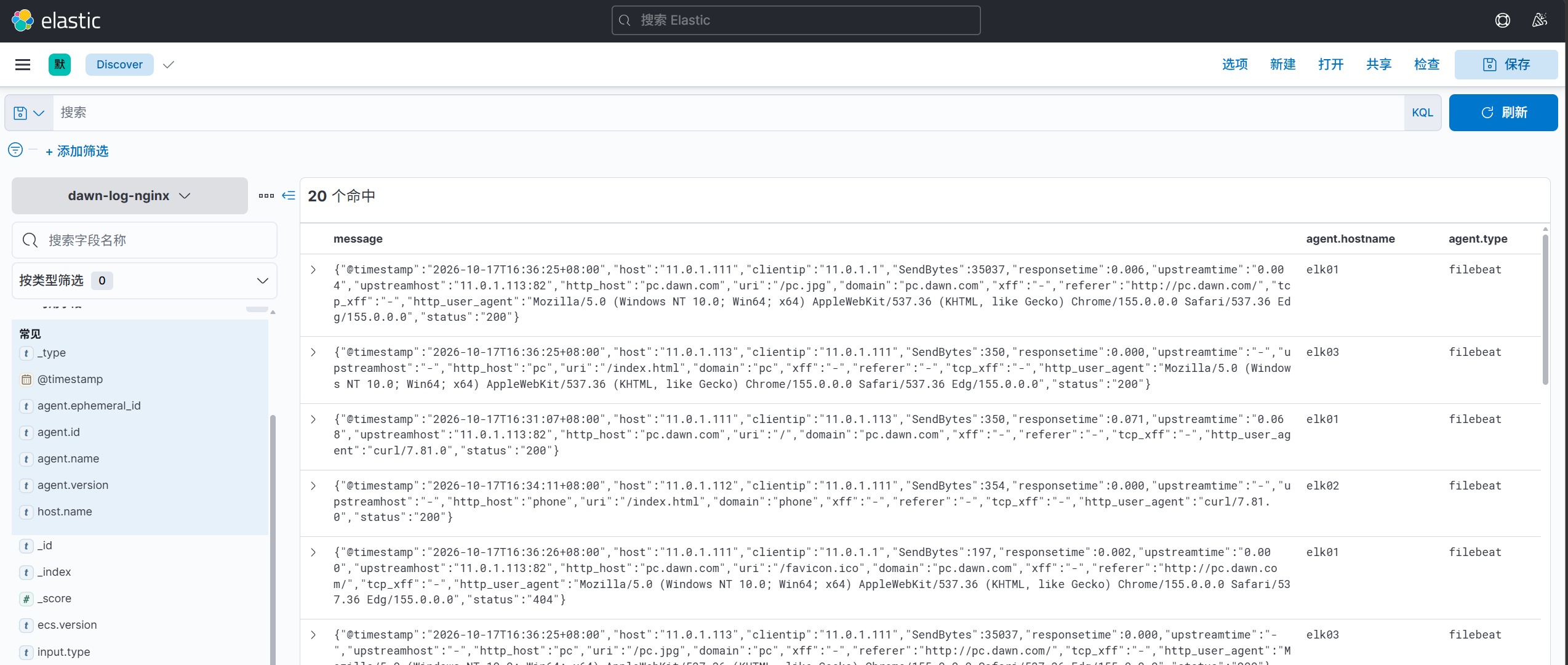
4.filebeat采集Web集群日志
1
2
3
|
root@elk01:/etc/filebeat# filebeat -e -c config/06-nginx-to-es.yaml
root@elk02:/etc/filebeat# filebeat -e -c config/06-nginx-to-es.yaml
root@elk03:/etc/filebeat# filebeat -e -c config/06-nginx-to-es.yaml
|
- 5.windows测试
在**C:\Windows\System32\drivers\etc/hosts**添加hosts解析。
1
|
11.0.1.111 phone.dawn.com pc.dawn.com
|