1. 编写配置文件#
 1
 2
 3
 4
 5
 6
 7
 8
 9
10
11
12
13
14
15
16
17
18
19
20
21
22
23
24
25
26
27
28
29
30
31
32
33
34
35
36
37
38
39
40
41
42
43
44
45
46
47
48
49
50
51
52
53
54
55
56
57
58
|
root@elk01:/etc/filebeat# vim config/09-input_multiple-to-es.yaml
# ============================== Filebeat inputs ===============================
filebeat.inputs:

# 输入 1:采集本地日志文件 /tmp/zlm.log
- type: log
  enabled: true
  paths:
    - /tmp/zlm.log
  # tags 规范为字符串数组,便于 when.contains 精确匹配
  tags: ["zlm"]
  # 多行合并:每 4 行合并为一个事件
  multiline:
    type: count
    count_lines: 4

# 输入 2:接收 TCP 日志
- type: tcp
  enabled: true
  host: "0.0.0.0:9000"
  tags: ["lmy"]


# ====================== Elasticsearch output ======================
output.elasticsearch:
  hosts:
    - "http://11.0.1.111:9200"
    - "http://11.0.1.112:9200"
    - "http://11.0.1.113:9200"

  # 根据 tags 字段将事件分流到不同索引
  indices:
    - index: "dawn-log-zlm-%{+yyyy.MM.dd}"
      when:
        contains:
          tags: "zlm"

    - index: "dawn-log-lmy-%{+yyyy.MM.dd}"
      when:
        contains:
          tags: "lmy"


# ====================== 索引模板设置 ======================
# 禁用 ILM,否则自定义索引名会被 Filebeat 默认的 ILM 策略覆盖
setup.ilm.enabled: false

# 自定义索引模板名称,匹配所有 dawn-log* 索引
setup.template.name: "dawn"
setup.template.pattern: "dawn-log*"

# 如果模板已存在,是否覆盖。生产环境建议保持 false,避免多实例并发更新模板
setup.template.overwrite: false

# 索引分片与副本设置
setup.template.settings:
  index.number_of_shards: 5
  index.number_of_replicas: 0
|
2. 启动filebeat#
1
|
root@elk01:/etc/filebeat# filebeat -e -c config/09-input_multiple-to-es.yaml
|
3. 查看kibana数据#
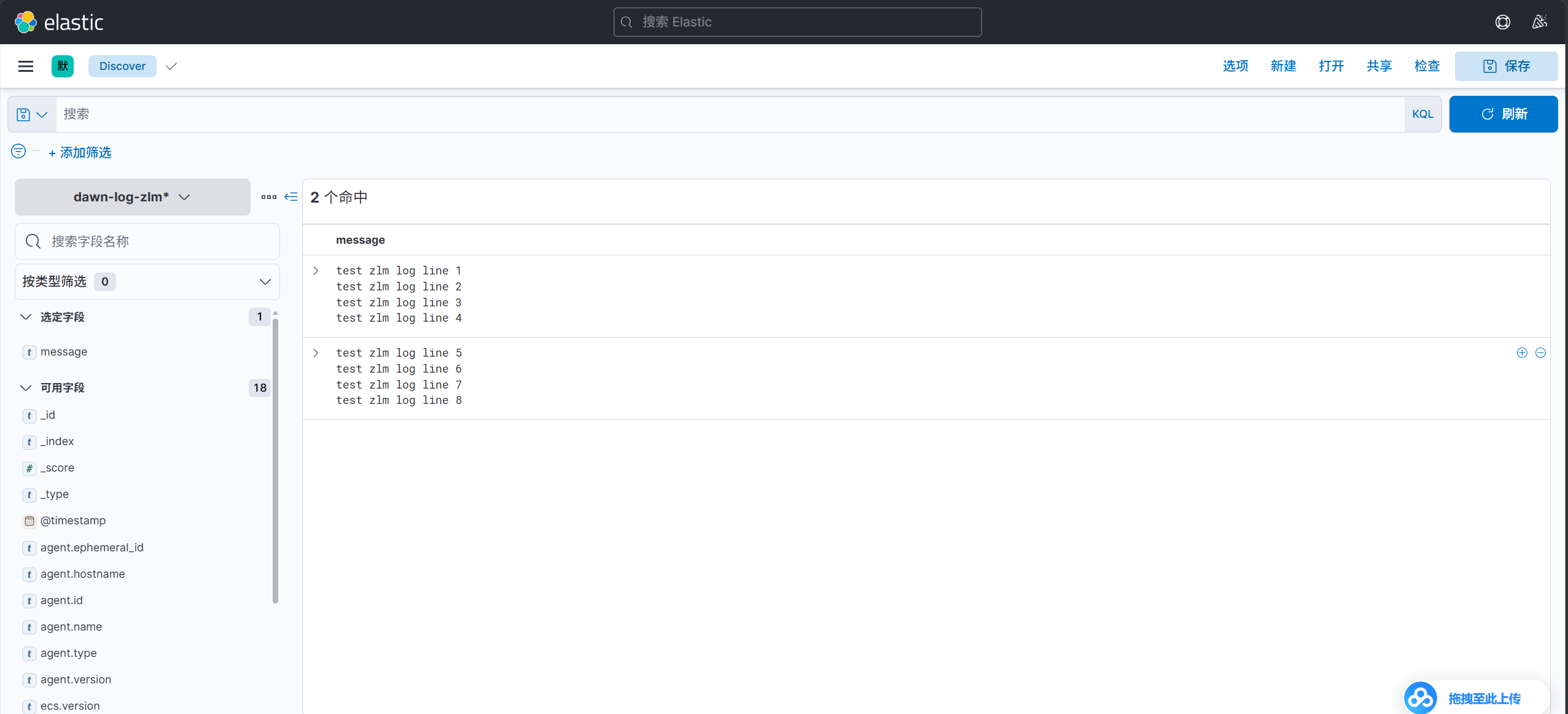
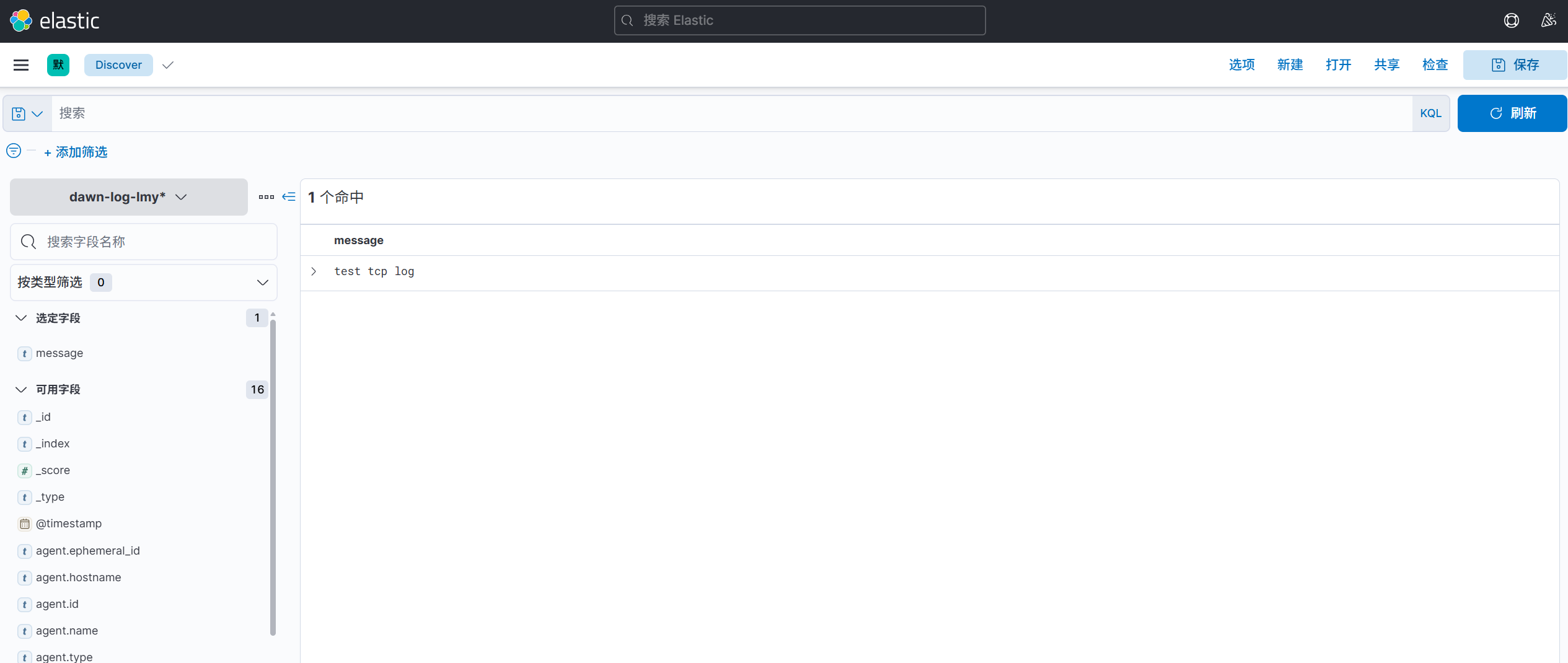
filebeat的多实例案例#
1. 启动实例1#
1
|
root@elk01:/etc/filebeat# filebeat -e -c config/02-stdin-to-es.yaml
|
2. 启动实例2#
1
|
root@elk01:~# filebeat -e -c config/03-tcp-to-es.yaml --path.data /tmp/data
|
3. 查看主机的filebeat进程#
 1
 2
 3
 4
 5
 6
 7
 8
 9
10
11
12
13
14
15
16
17
|
root@elk01:~# ps -ef | grep filebeat | grep -v grep
root       18713   18699  0 00:41 pts/1    00:00:00 /usr/share/filebeat/bin/filebeat --path.home /usr/share/filebeat --path.config /etc/filebeat --path.data /var/lib/filebeat --path.logs /var/log/filebeat -e -c config/03-tcp-to-es.yaml --path.data /tmp/data
root       18726    1617  0 00:42 pts/0    00:00:00 /usr/share/filebeat/bin/filebeat --path.home /usr/share/filebeat --path.config /etc/filebeat --path.data /var/lib/filebeat --path.logs /var/log/filebeat -e -c config/02-stdin-to-es.yaml
root@elk01:~# ll /tmp/data
total 16
drwxr-x---  3 root root 4096 Oct 18 00:41 ./
drwxrwxrwt 17 root root 4096 Oct 18 00:41 ../
-rw-------  1 root root    0 Oct 18 00:41 filebeat.lock
-rw-------  1 root root  100 Oct 18 00:41 meta.json
drwxr-x---  3 root root 4096 Oct 18 00:41 registry/
root@elk01:~# ll /var/lib/filebeat/
total 16
drwxr-x---  3 root root 4096 Oct 18 00:42 ./
drwxr-xr-x 45 root root 4096 Oct 16 17:11 ../
-rw-------  1 root root    0 Oct 18 00:42 filebeat.lock
-rw-------  1 root root  100 Oct 16 17:11 meta.json
drwxr-x---  3 root root 4096 Oct 16 17:11 registry/
|
使用dpkg安装的包,启动filebeat会自动携带参数,如果我们定义了相同的参数会直接覆盖原来的配置