filebeat环境搭建#
1. 下载filebeat#
希望采集哪个节点数据就在哪个节点部署
1
|
root@elk03:~# wget https://artifacts.elastic.co/downloads/beats/filebeat/filebeat-7.17.22-amd64.deb
|
2. 安装filebeat#
1
|
root@elk03:~# dpkg -i filebeat-7.17.22-amd64.deb
|
3. 查看filebeat的帮助信息#
1
|
root@elk03:~# filebeat -h
|
filebeat的架构#
1. 作用#
能够采集任意文本类型日志,都可以进行分析。
2. filebeat的组成部分#
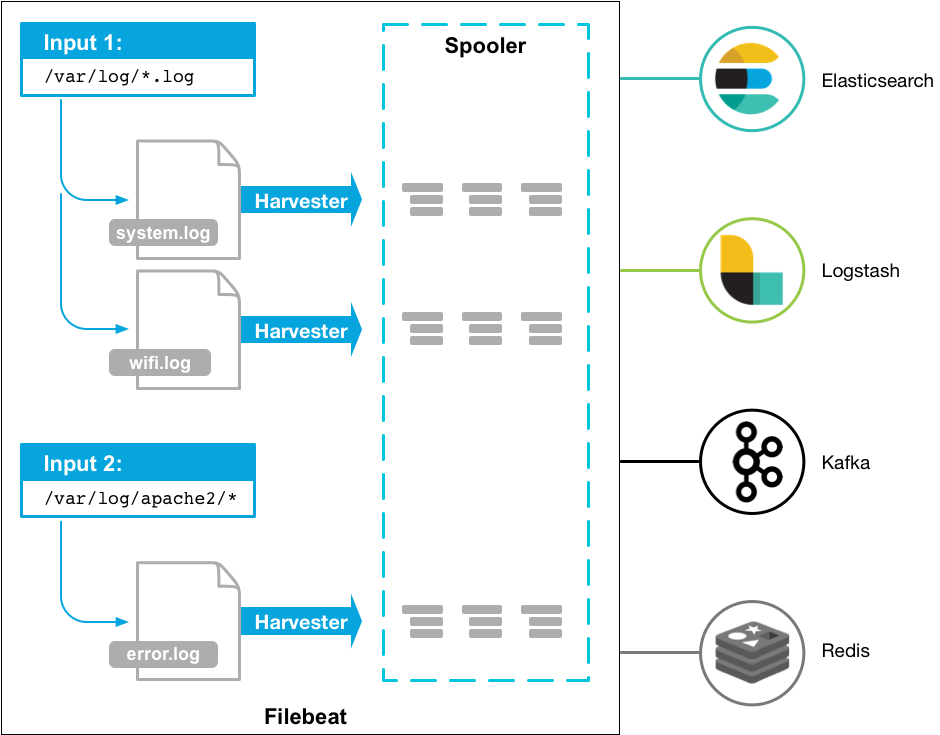
3. 案例#
1
2
|
root@elk03:~# mkdir config
root@elk03:~# vim config/01-stdin-to-stdout.yaml
|
1
2
3
4
5
|
filebeat.inputs:
- type: stdin

output.console:
  pretty: true
|
1
|
root@elk03:~# filebeat -e -c /root/config/01-stdin-to-stdout.yaml
|
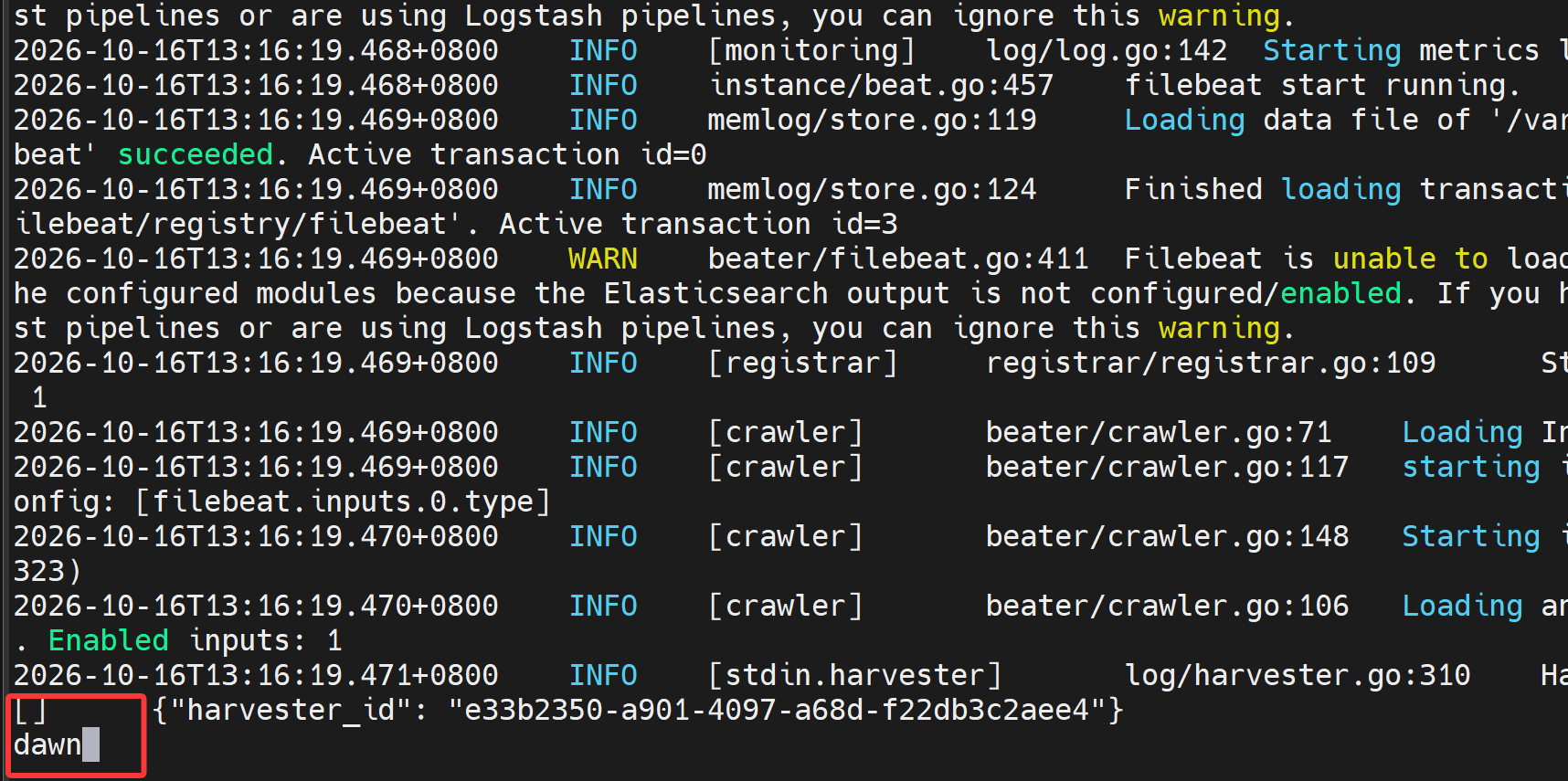
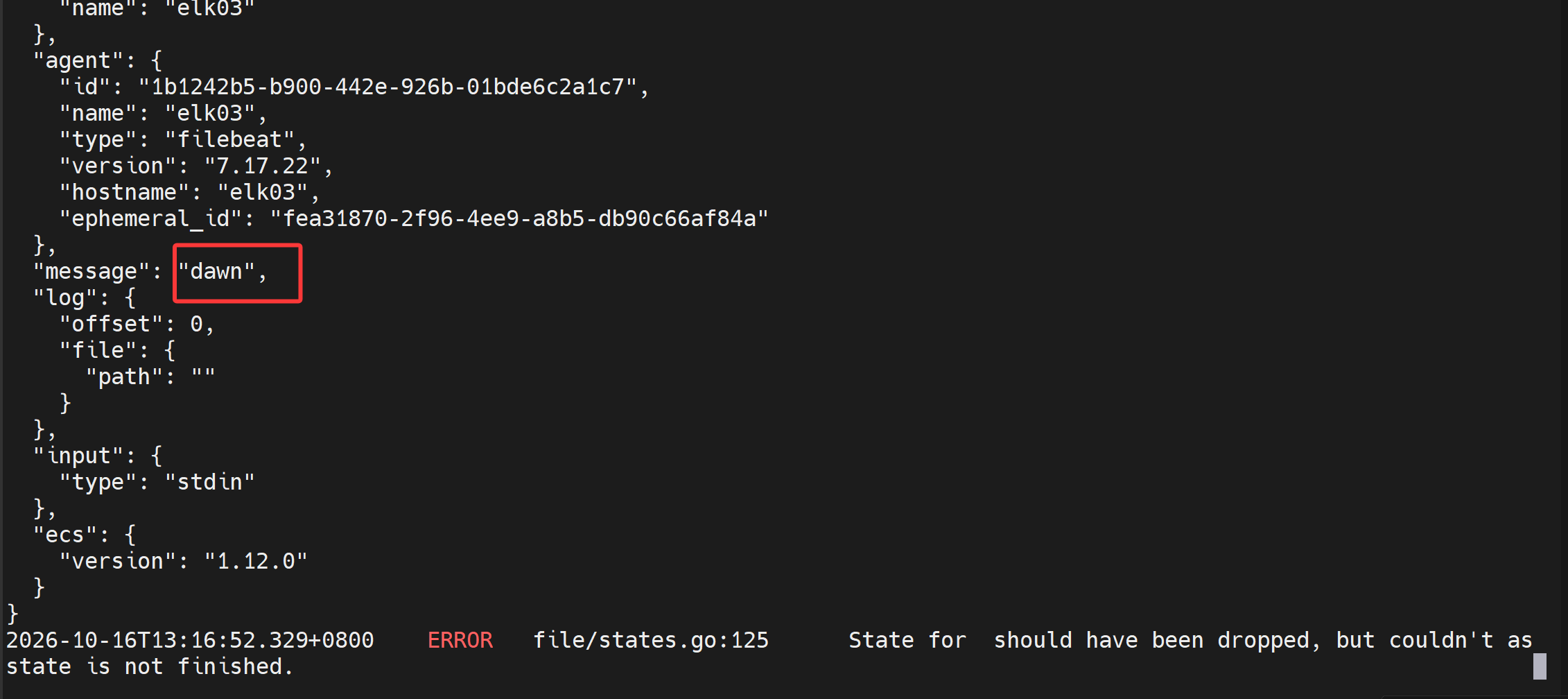
EFK架构测试样例#
1. 输入端为stdin#
1
|
root@elk03:~# vim config/02-stdin-to-es.yaml
|
1
2
3
4
5
|
filebeat.inputs:
- type: stdin

output.elasticsearch:
  hosts: ["http://11.0.1.111:9200","http://11.0.1.112:9200","http://11.0.1.113:9200"]
|
1
|
root@elk03:~# filebeat -e -c /root/config/02-stdin-to-es.yaml
|
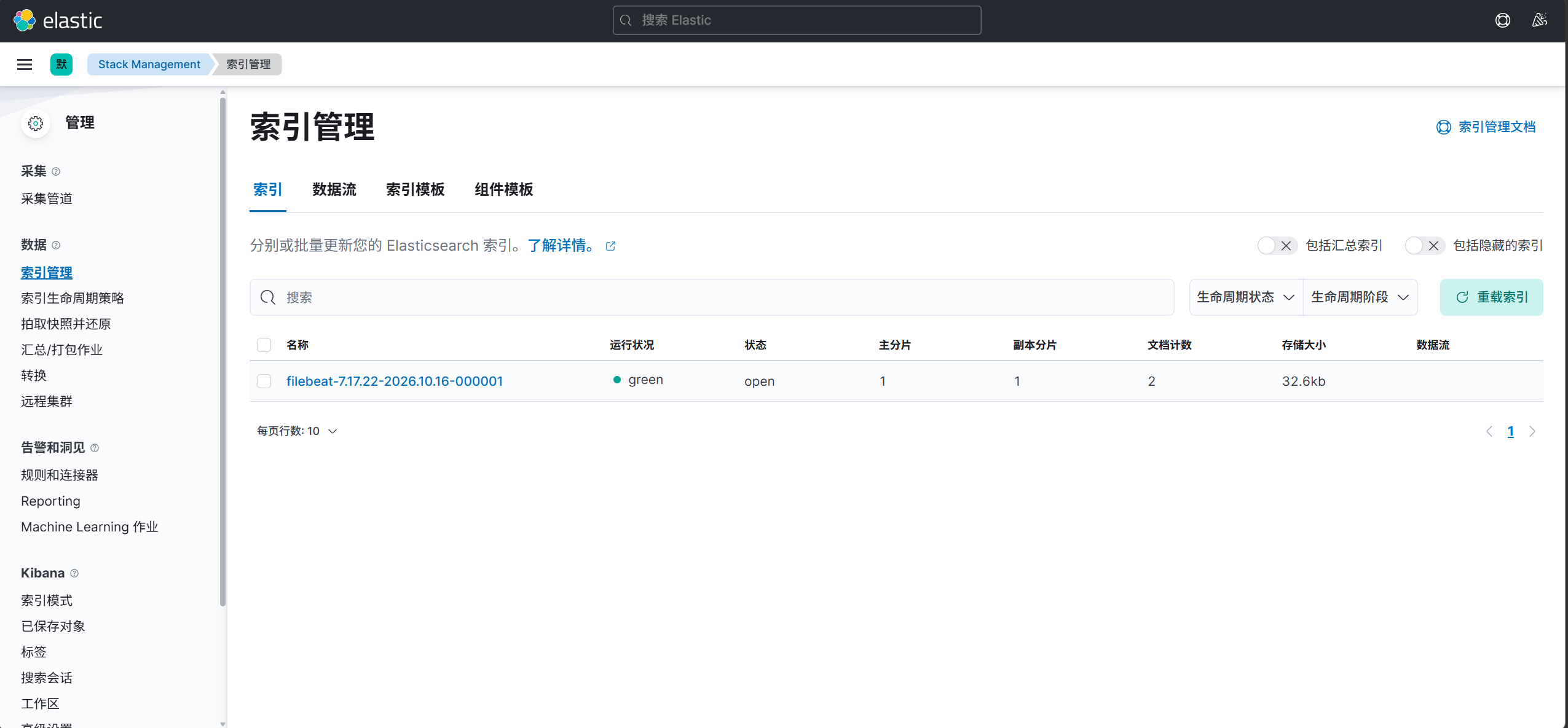
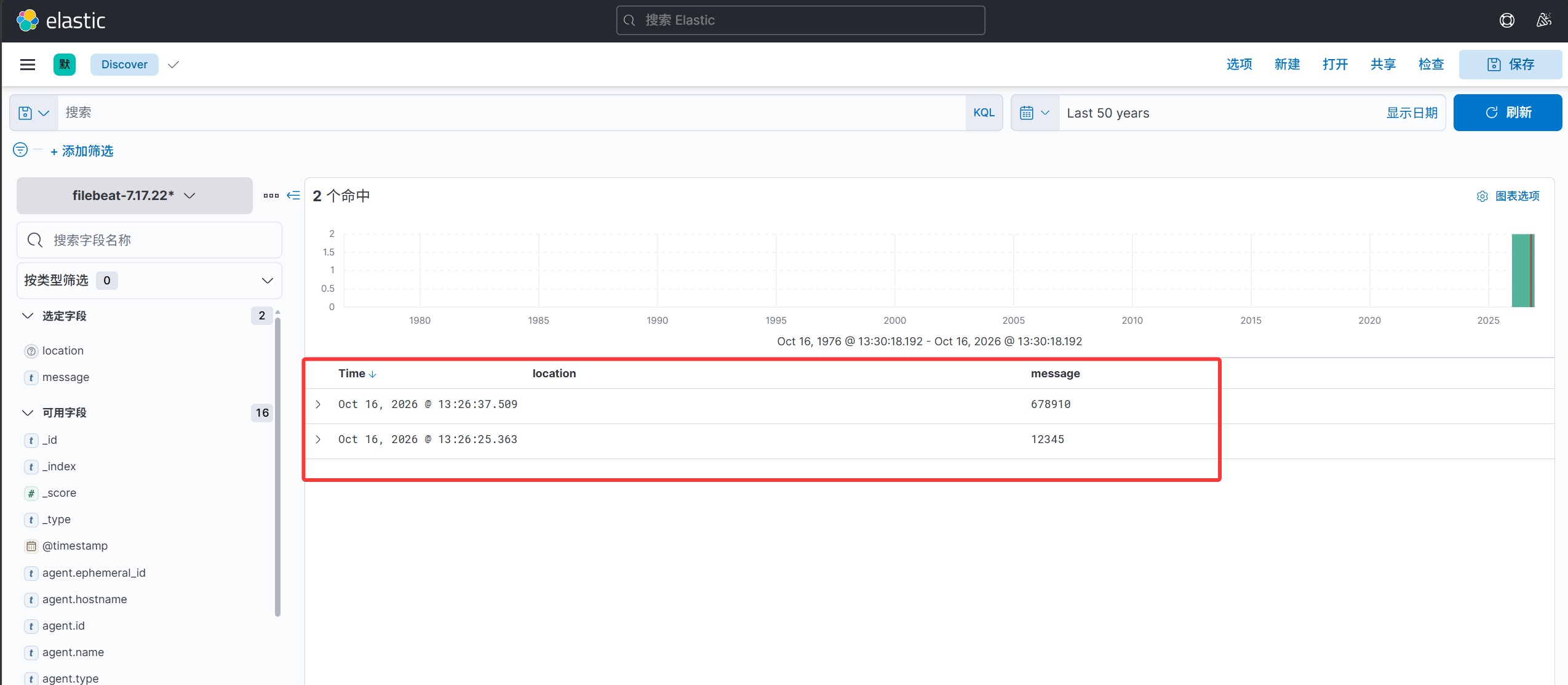
2. 输入端为tcp#
1
|
root@elk03:~# vim config/03-tcp-to-es.yaml
|
1
2
3
4
5
6
|
filebeat.inputs:
- type: tcp
  host: "0.0.0.0:9000"

output.elasticsearch:
  hosts: ["http://11.0.1.111:9200","http://11.0.1.112:9200","http://11.0.1.113:9200"]
|
1
|
root@elk03:~# filebeat -e -c /root/config/03-tcp-to-es.yaml
|
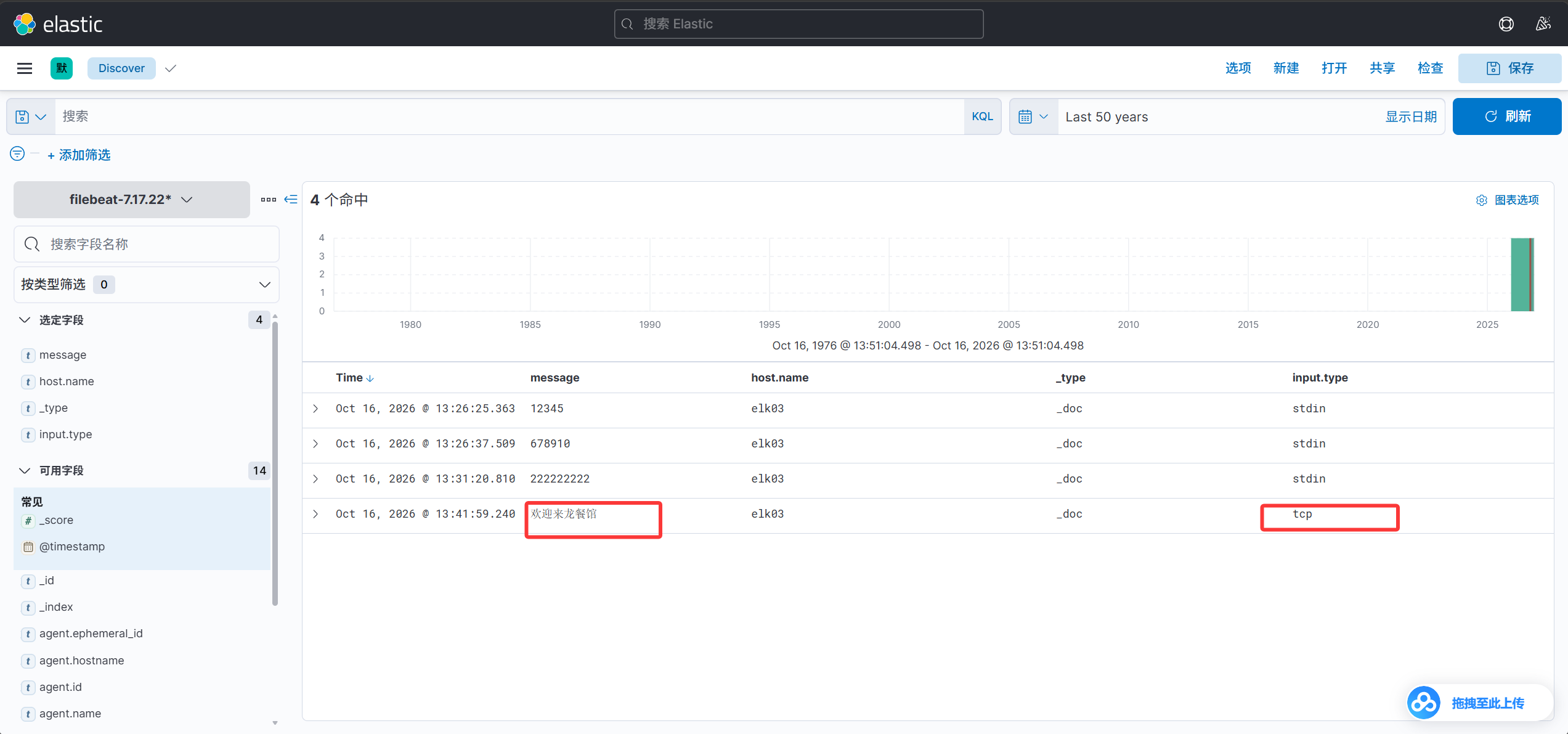
发送测试数据
1
|
root@elk01:~# echo "欢迎来龙餐馆" | nc 11.0.1.113 9000
|
kibana查看数据
filebeat的后端运行的两种方案#
方式一:
1
2
|
root@elk03:~# filebeat -e -c /root/config/03-tcp-to-es.yaml &
root@elk03:~# nohup filebeat -e -c /root/config/03-tcp-to-es.yaml > filebeat.log &
|
方式二:
 1
 2
 3
 4
 5
 6
 7
 8
 9
10
11
12
13
14
15
|
cat > /usr/lib/systemd/system/filebeat-tcp-to-es.service <<EOF
[Unit]
Description=filebeat
After=network.target

[Service]
ExecStart=filebeat -e -c /root/config/03-tcp-to-es.yaml
Type=simple

[Install]
WantedBy=multi-user.target
EOF

systemctl daemon-reload
systemctl start  filebeat-tcp-to-es.service
|
filebeat写入ES自定义索引和分片和副本案例#
1. 移动到默认的配置文件目录或者创建符号链接(仅仅是为了方便,可选非必要)#
1
2
3
|
root@elk03:~# mv config/ /etc/filebeat/
或
root@elk03:~# ln -svf /etc/filebeat/config config
|
2. 编写配置文件并启动filebeat#
1
|
root@elk03:~# vim config/04-tcp-to-es-custom-index.yaml
|
 1
 2
 3
 4
 5
 6
 7
 8
 9
10
11
12
13
14
15
16
17
18
19
20
21
22
23
24
25
|
filebeat.inputs:
- type: tcp
  host: "0.0.0.0:9000"

output.elasticsearch:
  hosts:
  - "http://11.0.1.111:9200"
  - "http://11.0.1.112:9200"
  - "http://11.0.1.113:9200"
  index: "dawn-tcp"

# 禁用索引的生命周期(Index Lifecycle Management,简称"ilm"),如果不禁用则忽略自定义索引名称
setup.ilm.enabled: false
# ES的索引模板名称
setup.template.name: "dawn"
# ES索引模板的匹配模式
setup.template.pattern: "dawn-tcp*"
# 如果索引模板已经存在,是否覆盖,推荐设置为false
setup.template.overwrite: false
# 设置索引模板
setup.template.settings:
  # 设置索引的分片数量
  index.number_of_shards: 3
  # 设置索引的副本数量
  index.number_of_replicas: 0
|
1
|
root@elk03:~# filebeat -e -c /root/config/04-tcp-to-es-custom-index.yaml
|
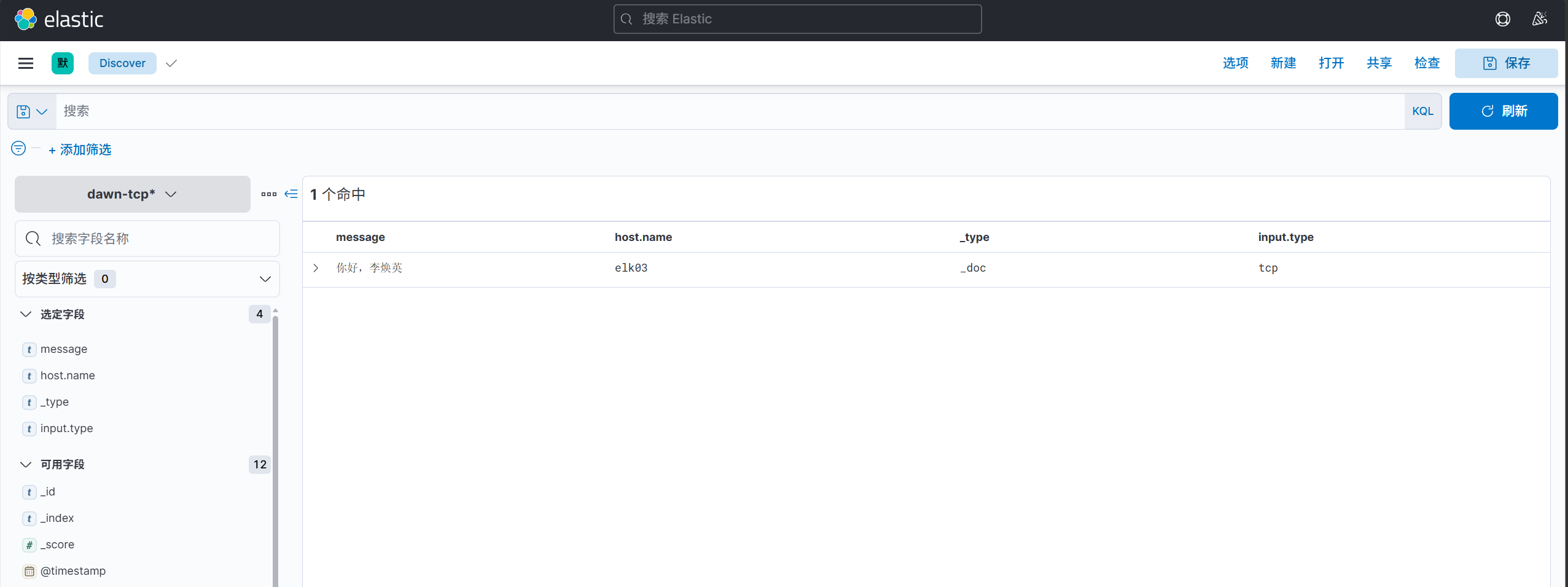
3. 发送测试数据#
1
|
root@elk01:~# echo 你好,李焕英 | nc 11.0.1.113 9000
|
4. kibana查看数据#
filebeat采集ubuntu系统日志到ES集群#
1. 分析#
Centos的系统日志:
/var/log/message
Ubuntu的系统日志:
/var/log/syslog
其他日志:
/var/log/alternatives.log
/var/log/auth.log
/var/log/bootstrap.log
/var/log/cloud-init.log
/var/log/cloud-init-output.log
/var/log/dpkg.log
/var/log/kern.log
/var/log/ubuntu-advantage.log
/var/log/vmware-network.log
/var/log/vmware-vmsvc-root.1.log
/var/log/vmware-vmsvc-root.2.log
/var/log/vmware-vmsvc-root.3.log
/var/log/vmware-vmsvc-root.log
/var/log/vmware-vmtoolsd-root.log
2. 编写配置文件并启动filebeat#
1
|
root@elk03:~# vim config/05-log_ubuntu_system-to-es.yaml
|
 1
 2
 3
 4
 5
 6
 7
 8
 9
10
11
12
13
14
15
16
17
18
19
20
21
22
23
24
25
26
27
|
filebeat.inputs:
- type: log
  paths:
    - /var/log/syslog
    - /var/log/*.log

output.elasticsearch:
  hosts:
  - "http://11.0.1.111:9200"
  - "http://11.0.1.112:9200"
  - "http://11.0.1.113:9200"
  index: "dawn-log-ubuntu-syslog"

# 禁用索引的生命周期(Index Lifecycle Management,简称"ilm"),如果不禁用则忽略自定义索引名称
setup.ilm.enabled: false
# ES的索引模板名称
setup.template.name: "dawn"
# ES索引模板的匹配模式
setup.template.pattern: "dawn-log*"
# 如果索引模板已经存在,是否覆盖,推荐设置为false
setup.template.overwrite: false
# 设置索引模板
setup.template.settings:
  # 设置索引的分片数量
  index.number_of_shards: 5
  # 设置索引的副本数量
  index.number_of_replicas: 0
|
1
|
root@elk03:~# filebeat -e -c /root/config/05-log_ubuntu_system-to-es.yaml
|
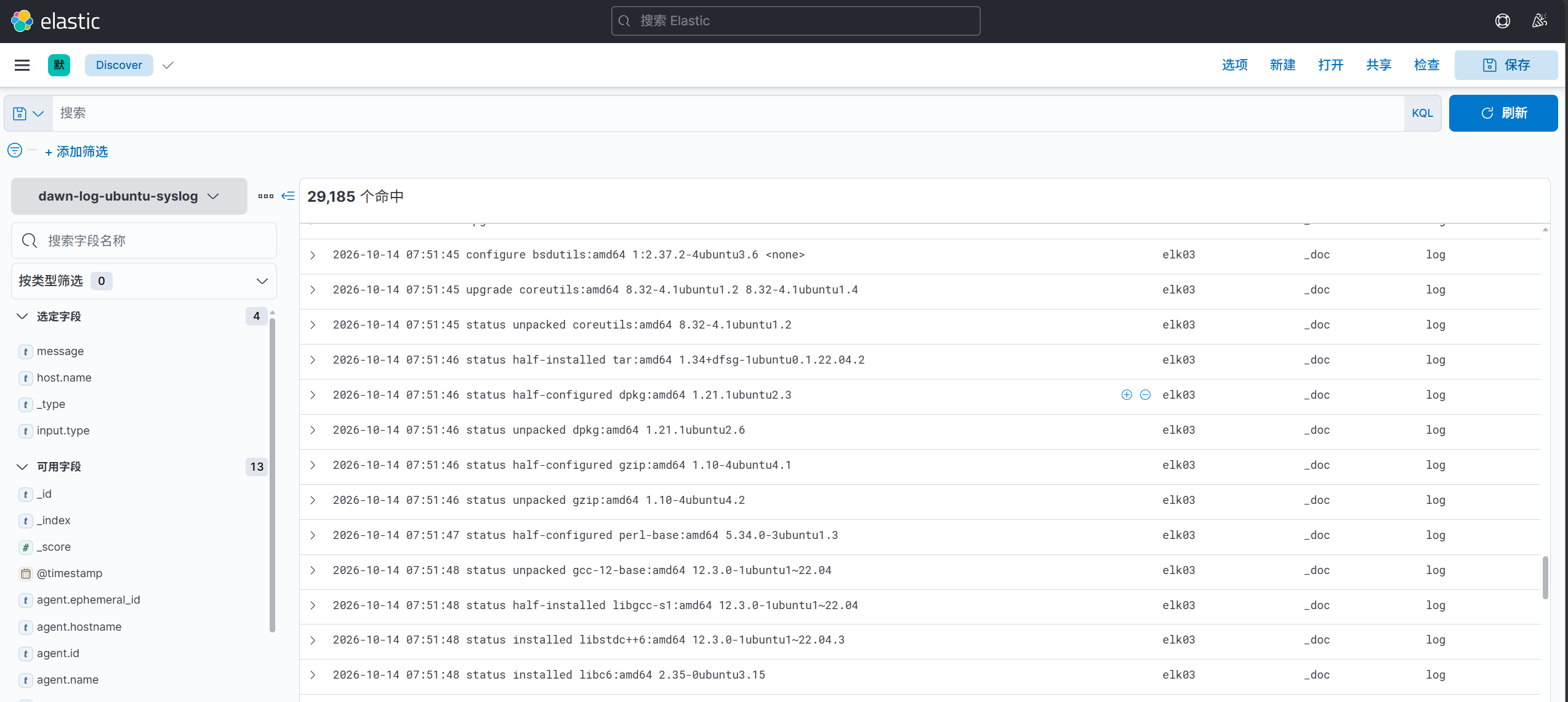
3. kibana查看数据#
filebeat的log类型是按行读取数据;
filebeat会在本地记录采集文本日志的offset;
1
2
3
4
5
6
7
8
|
dpkg包部署存储路径:
  /var/lib/filebeat/

二进制部署:
  在 "./data"

自定义数据路径:
  启动时使用"--path.data "指定即可。
|