索引创建和查看

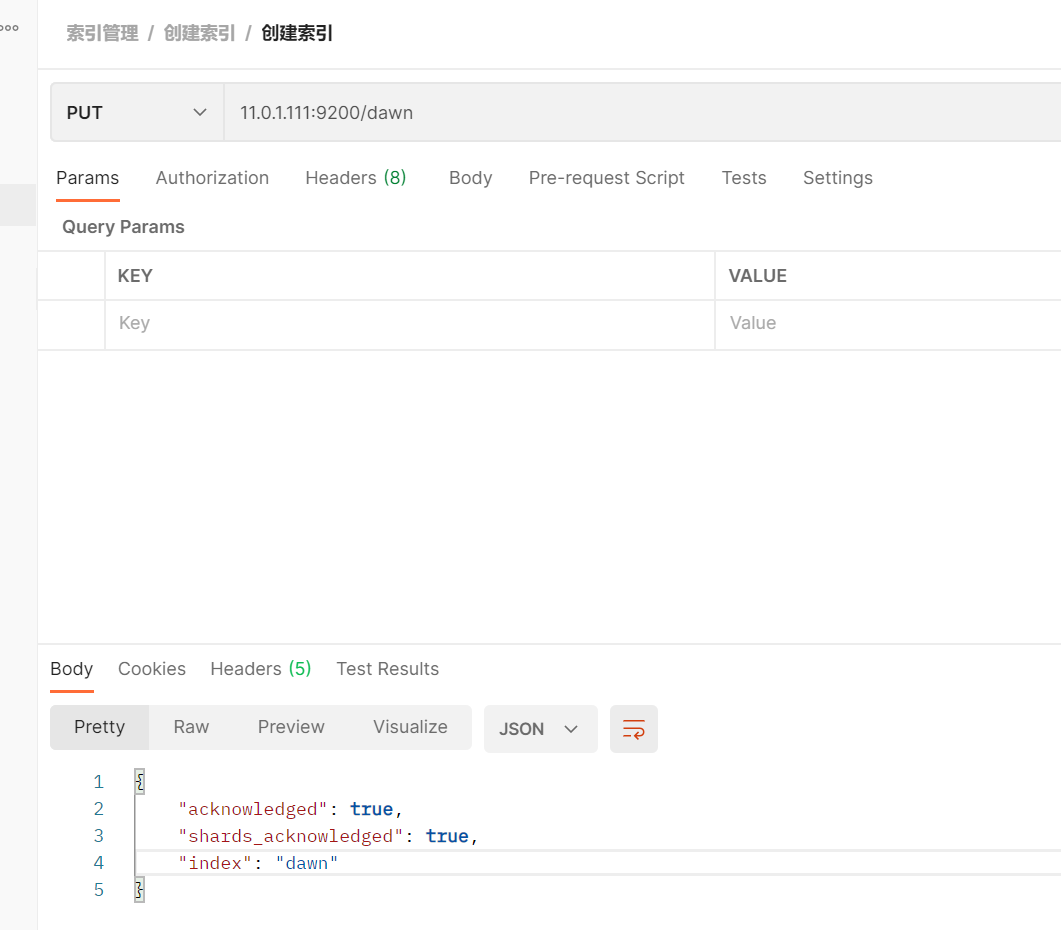
1. 创建索引

1
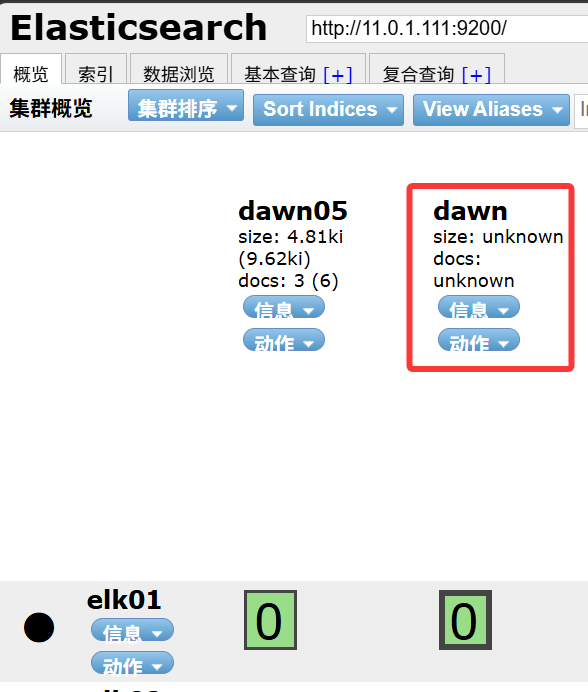
PUT 11.0.1.111:9200/dawn

image-20261014185105524

默认创建一个分片和一个副本

2. 查看索引

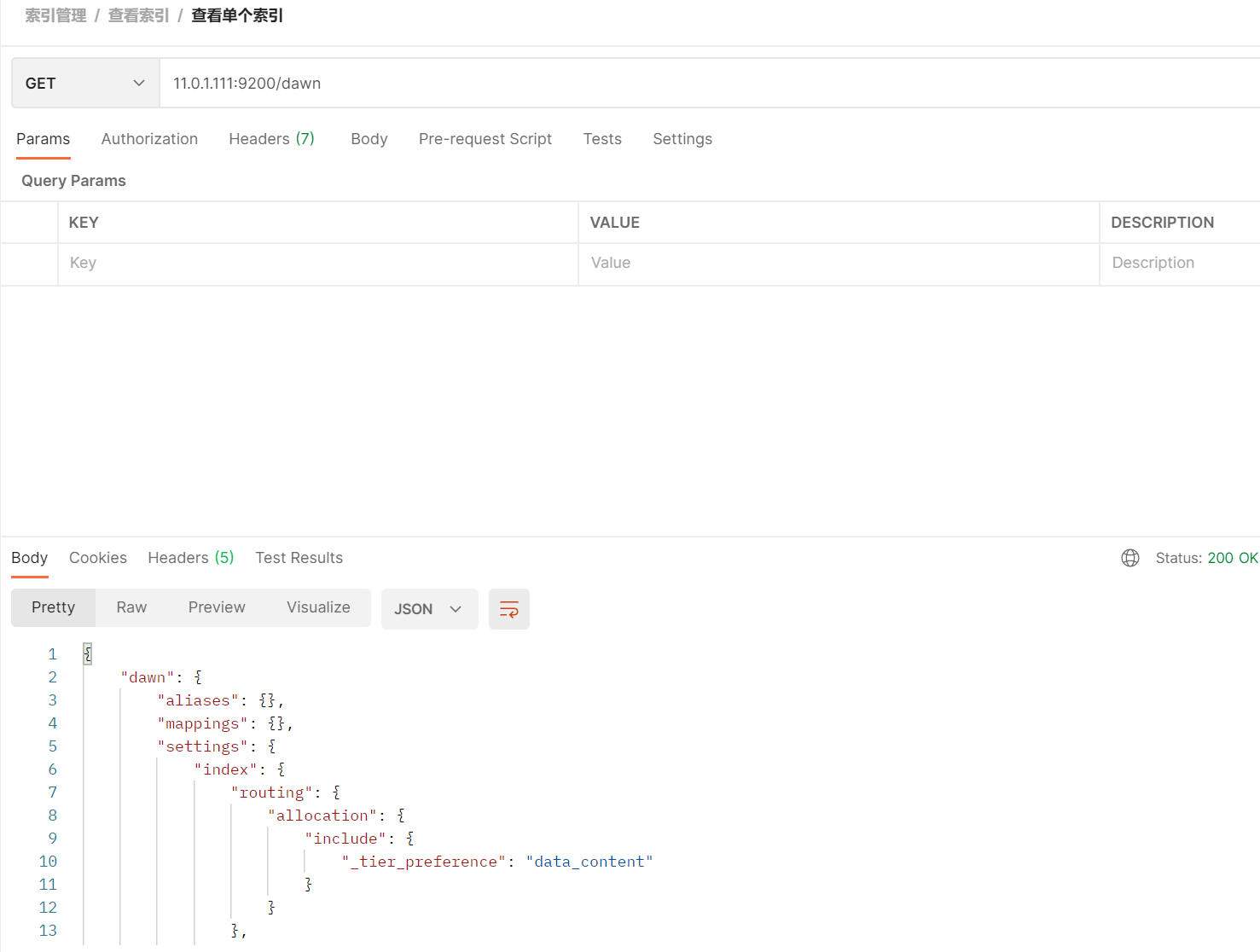
查看单个索引

1
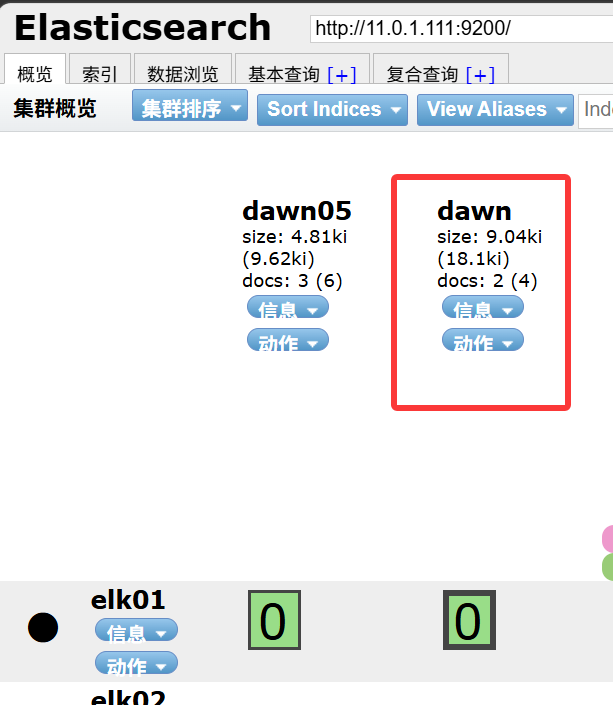
GET 11.0.1.111:9200/dawn

image-20261014185208747

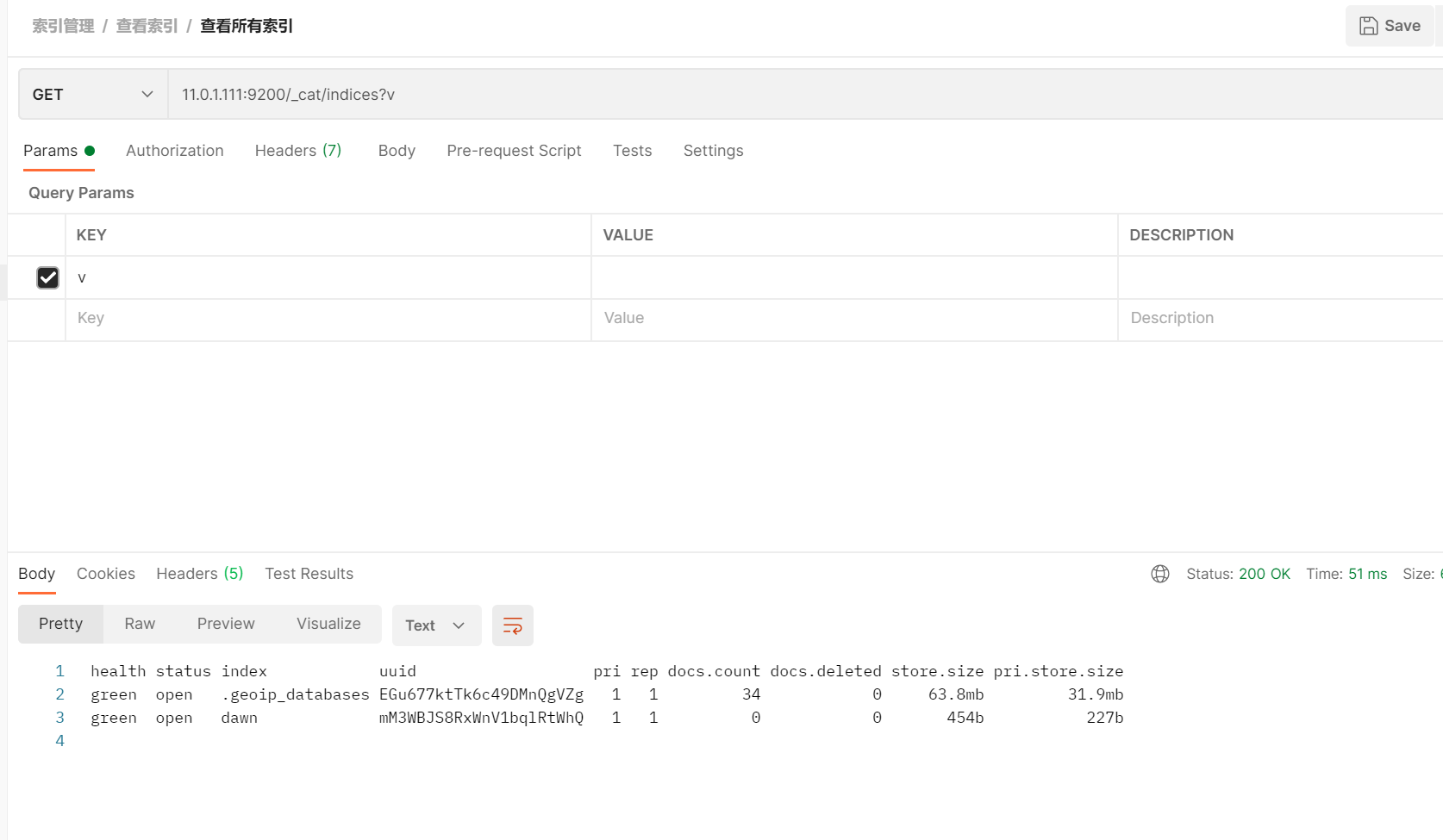
查看所有索引

1
GET 11.0.1.111:9200/_cat/indices?v

image-20261014185355828

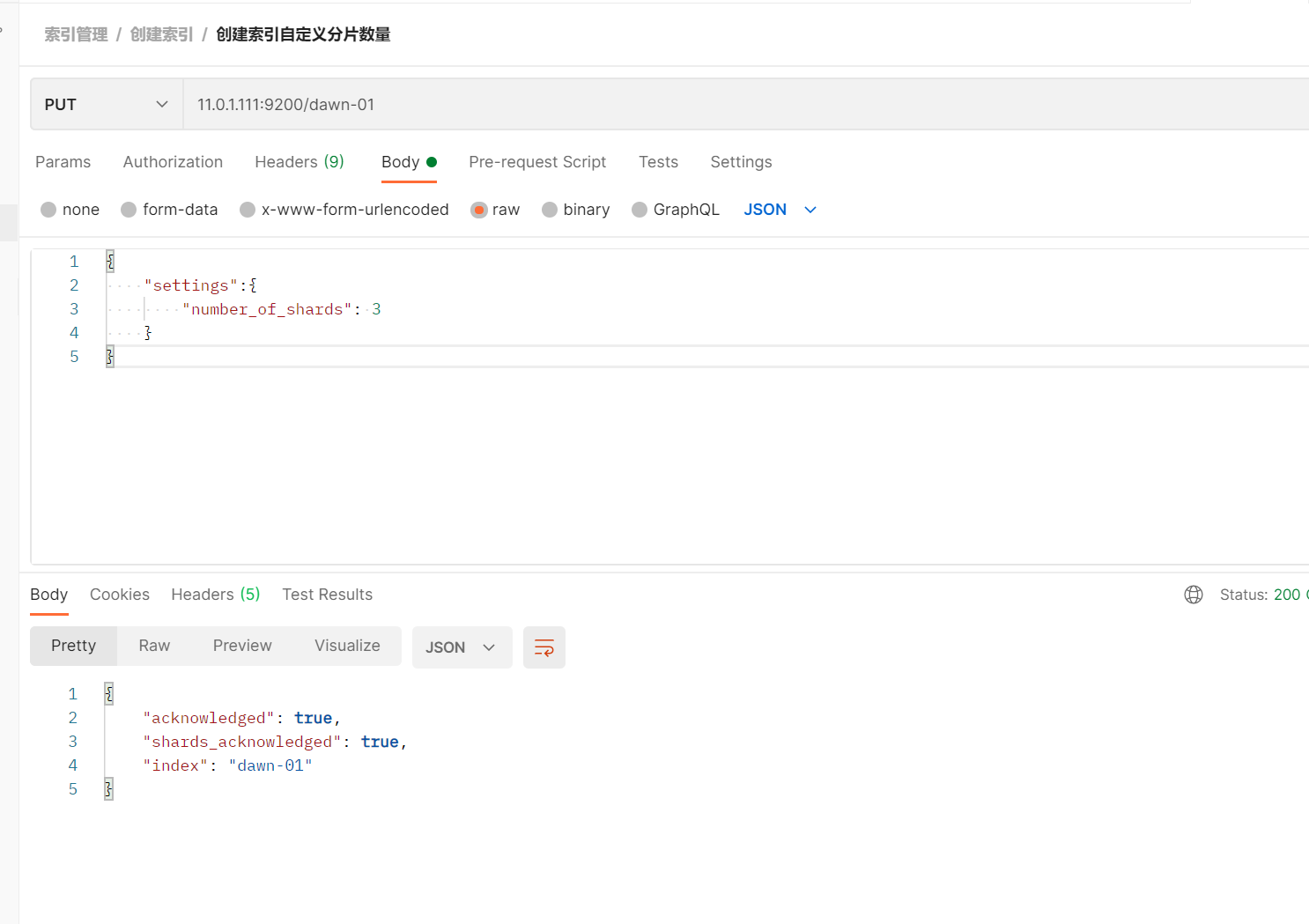
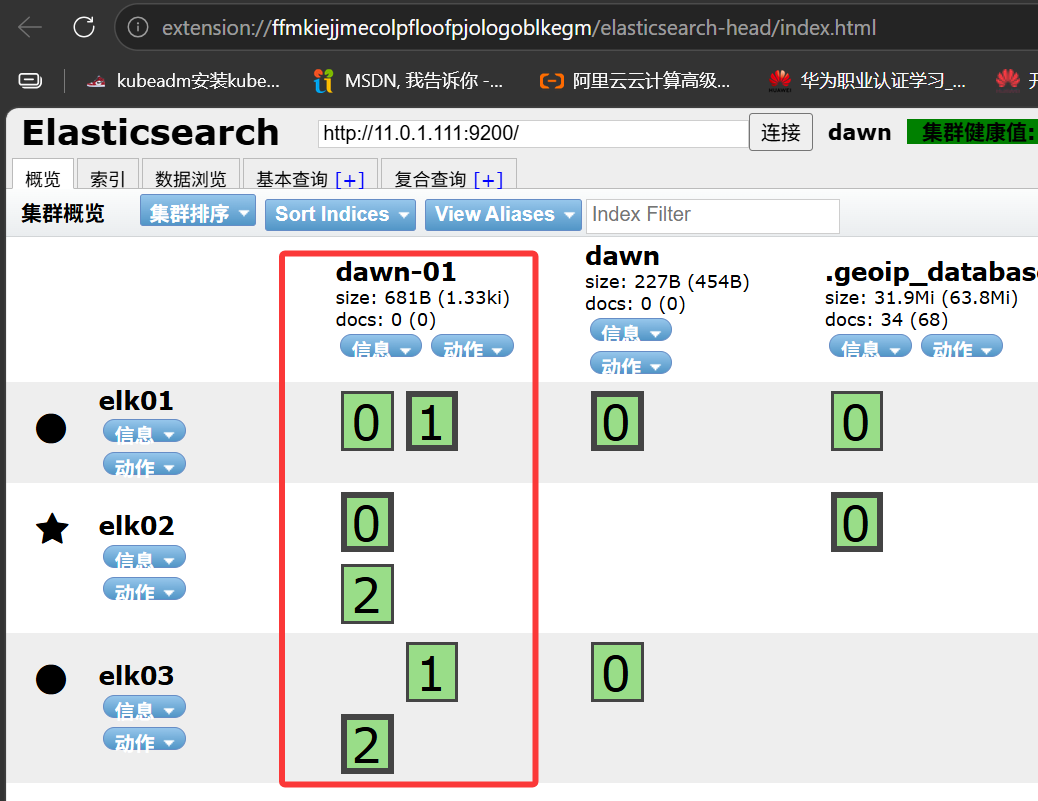
3. 创建索引自定义分片数量

1
2
3
4
5
6
PUT 11.0.1.111:9200/dawn-01
{
    "settings":{
        "number_of_shards": 3
    }
}

image-20261014190104255

image-20261014190409826

4. 创建索引自定义分片副本数量

1
2
3
4
5
6
7
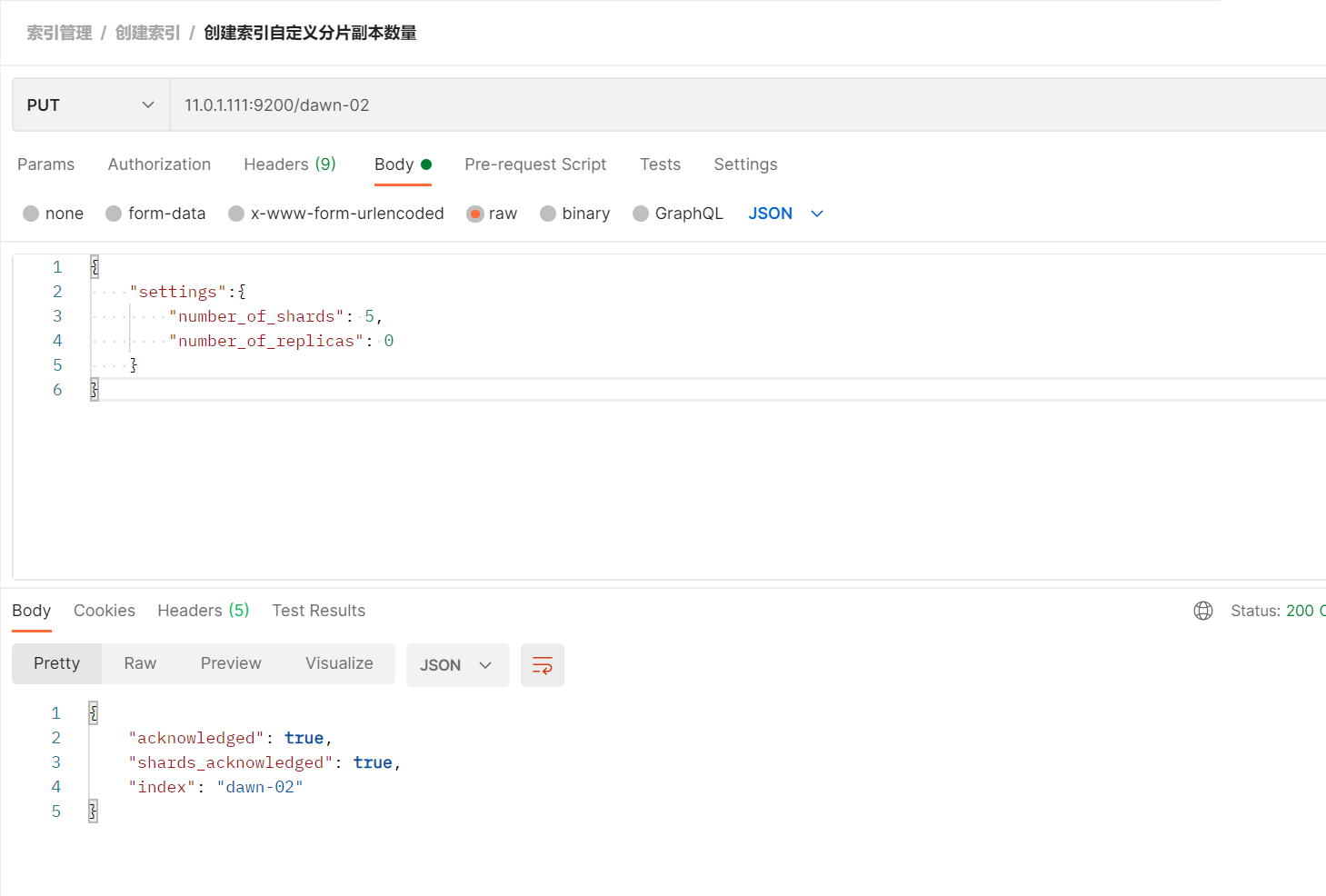
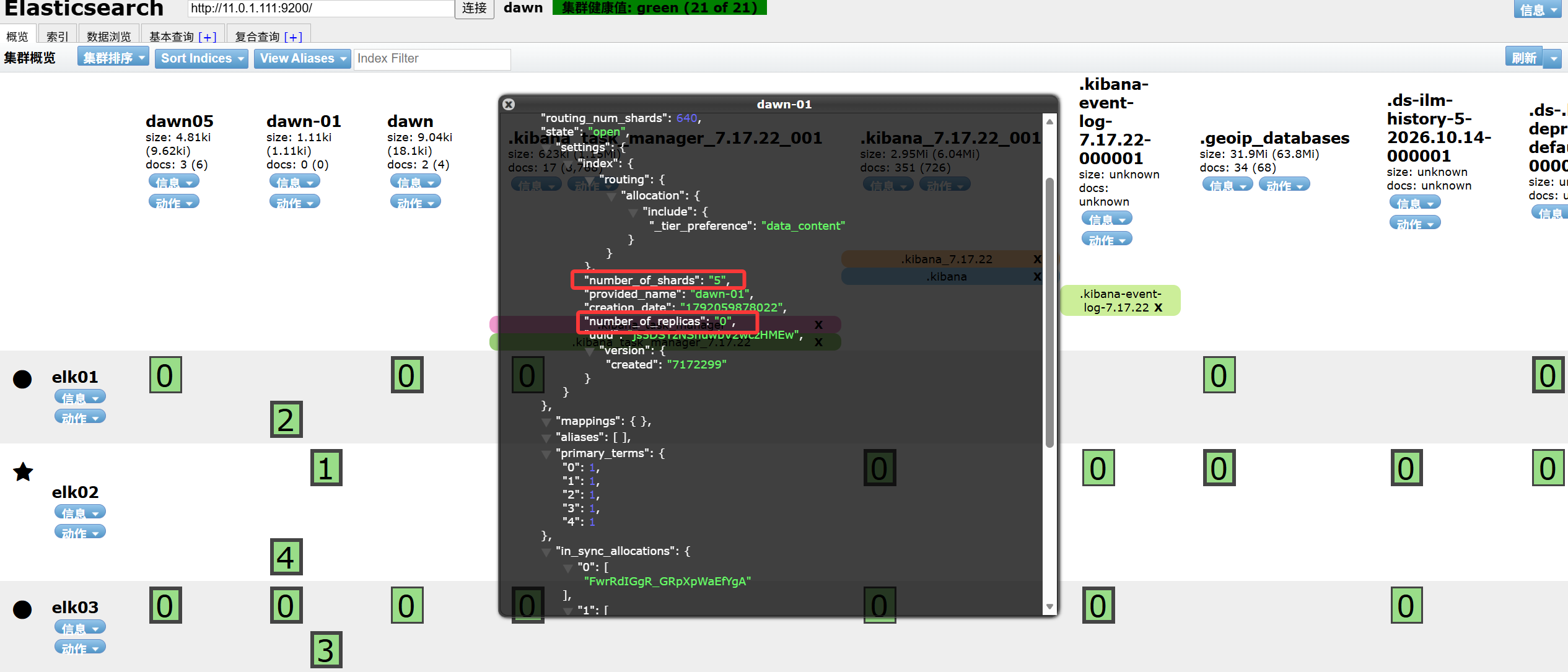
PUT 11.0.1.111:9200/dawn-02
{
    "settings":{
        "number_of_shards": 5,
        "number_of_replicas": 0
    }
}

image-20261014190704996

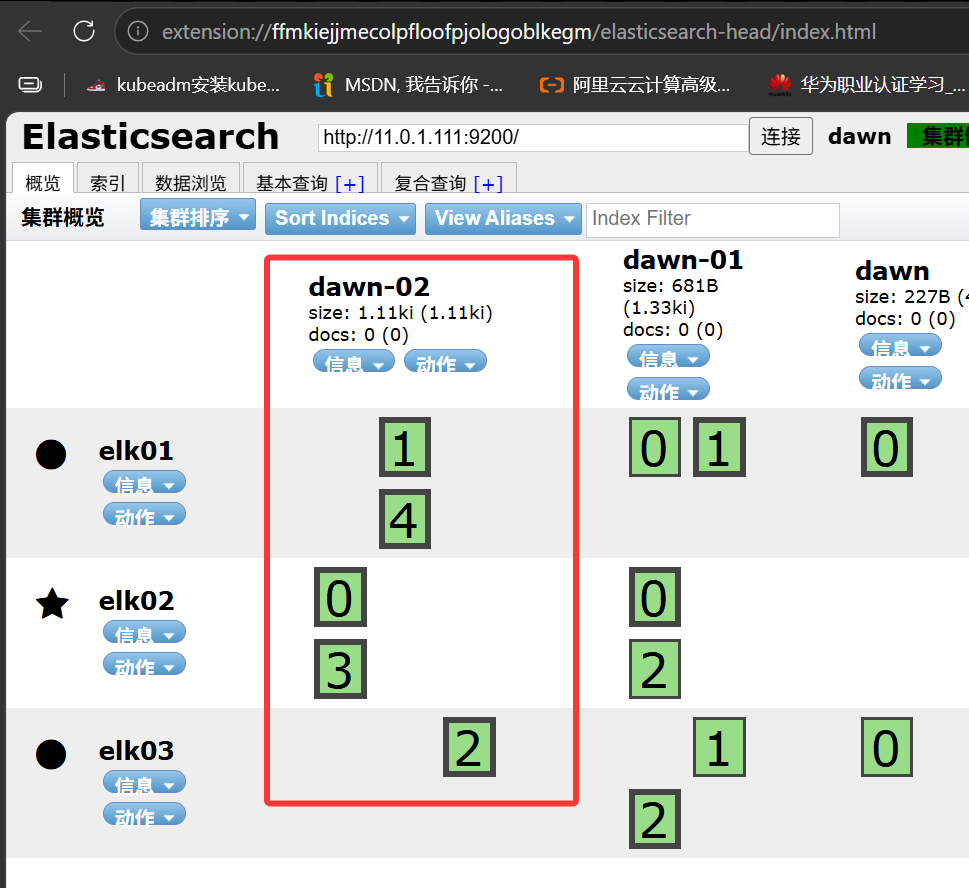
image-20261014190840253

索引修改和删除

1. 修改索引的副本数量

1
2
3
4
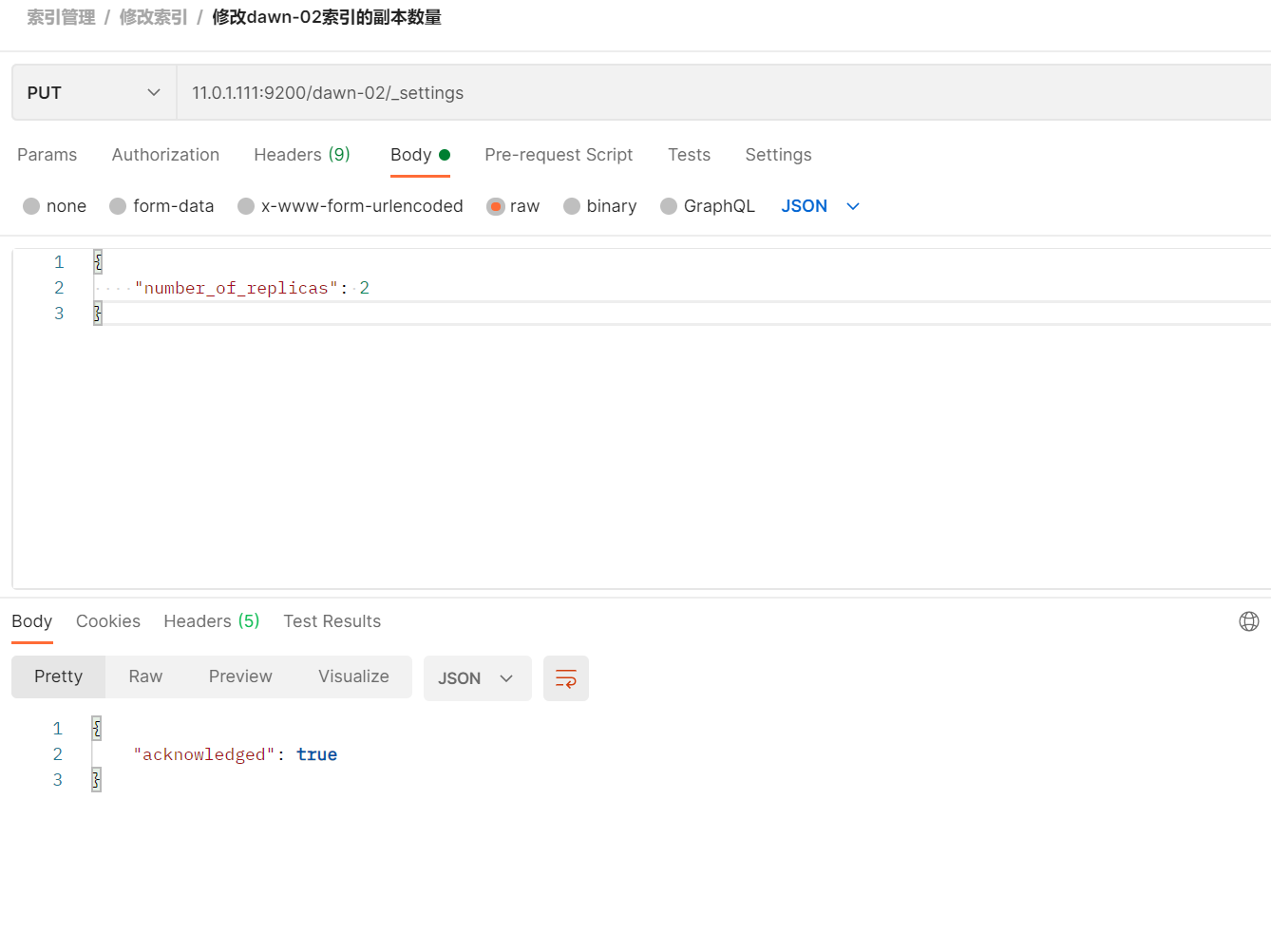
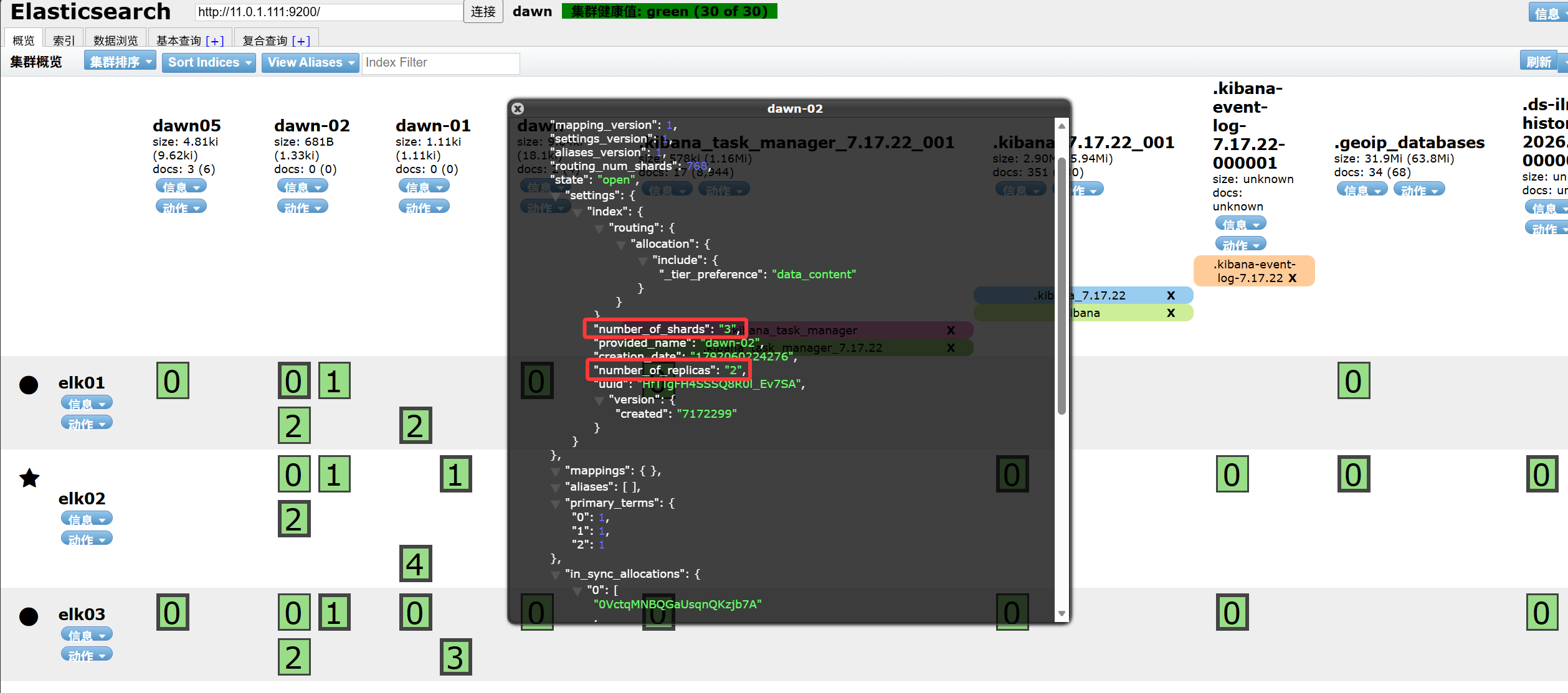
PUT 11.0.1.111:9200/dawn-02/_settings
{
    "number_of_replicas": 2
}

image-20261014191909818

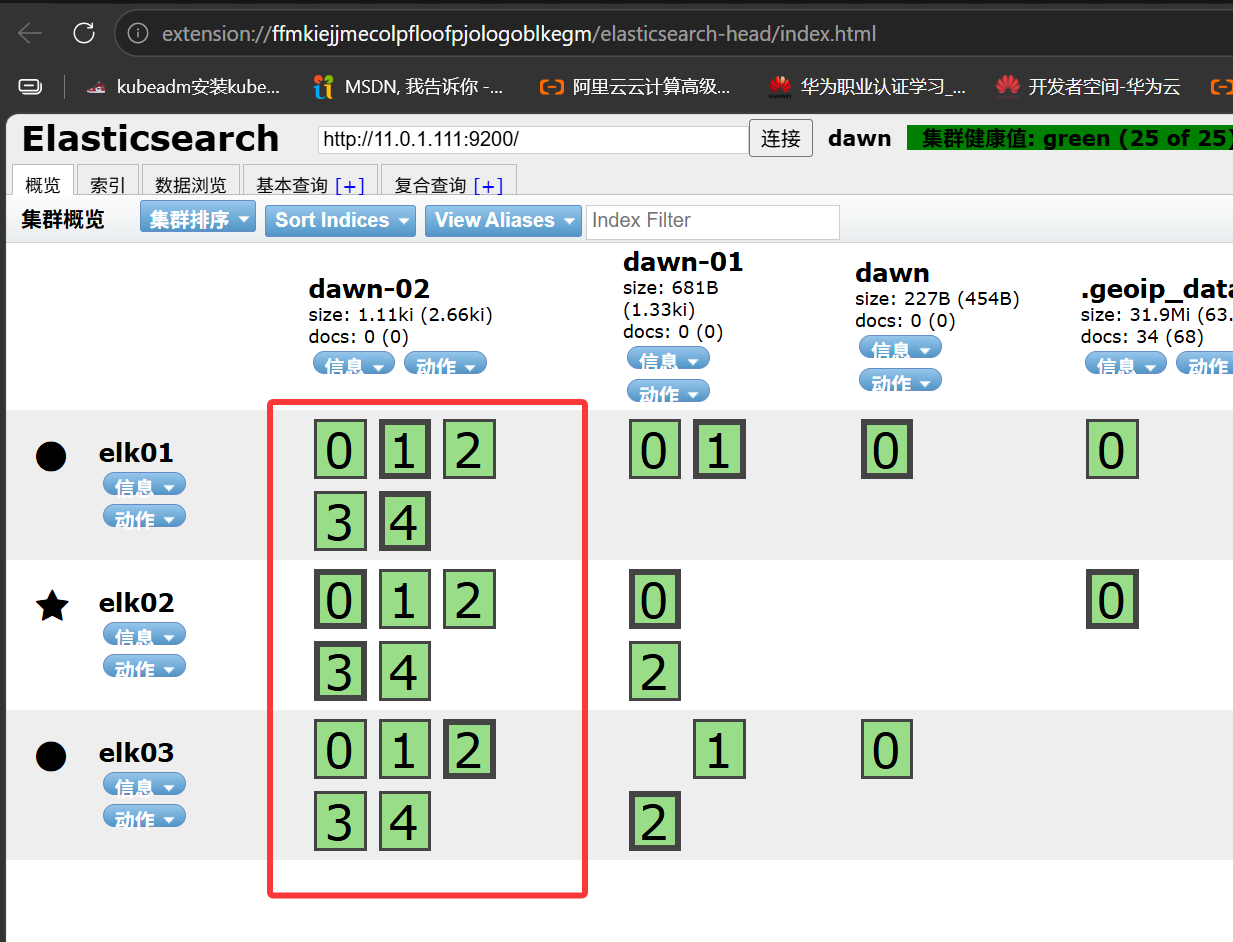
image-20261014191931829

2. 删除指定索引

1
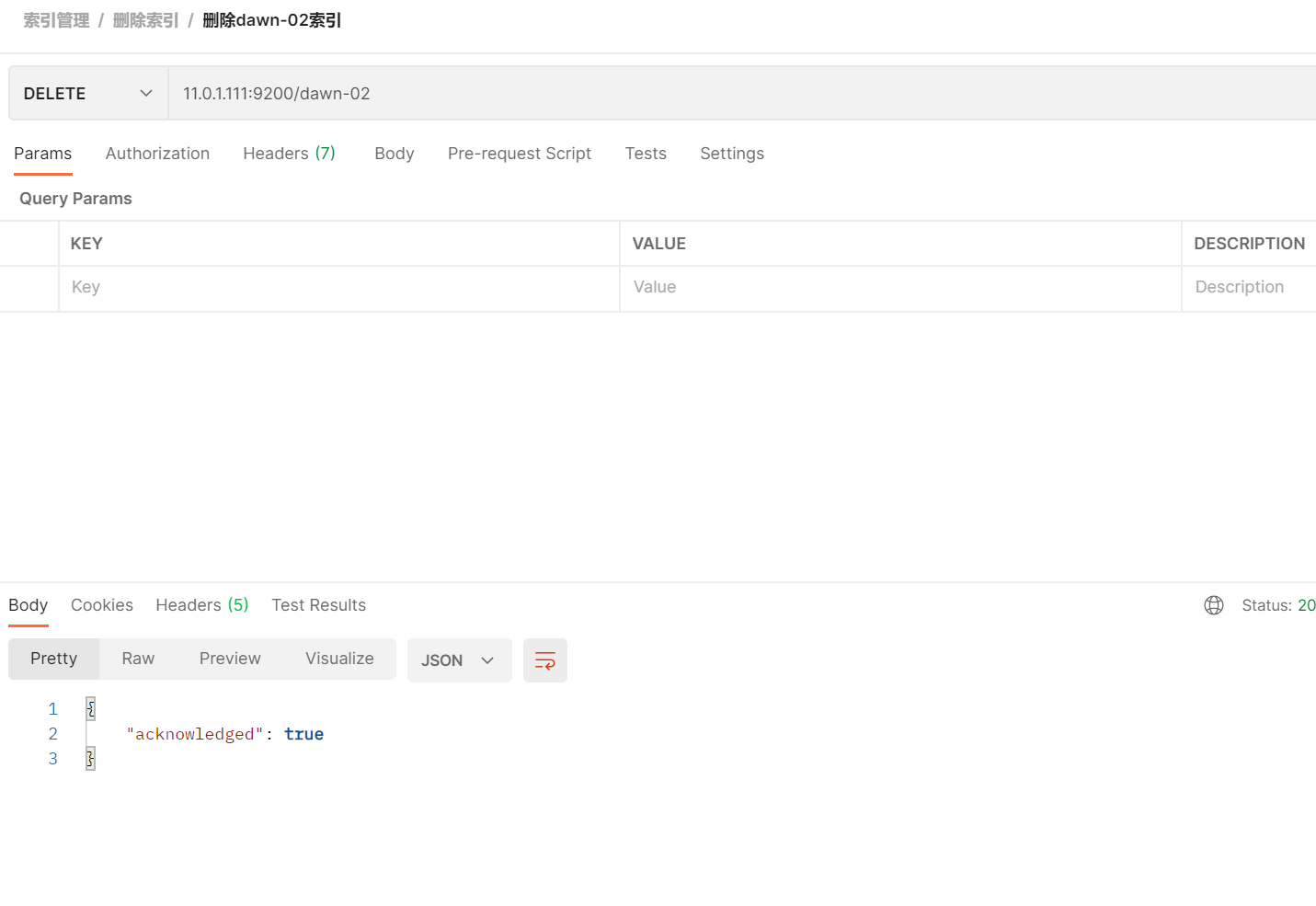
DELETE	11.0.1.111:9200/dawn-02

image-20261014192146100

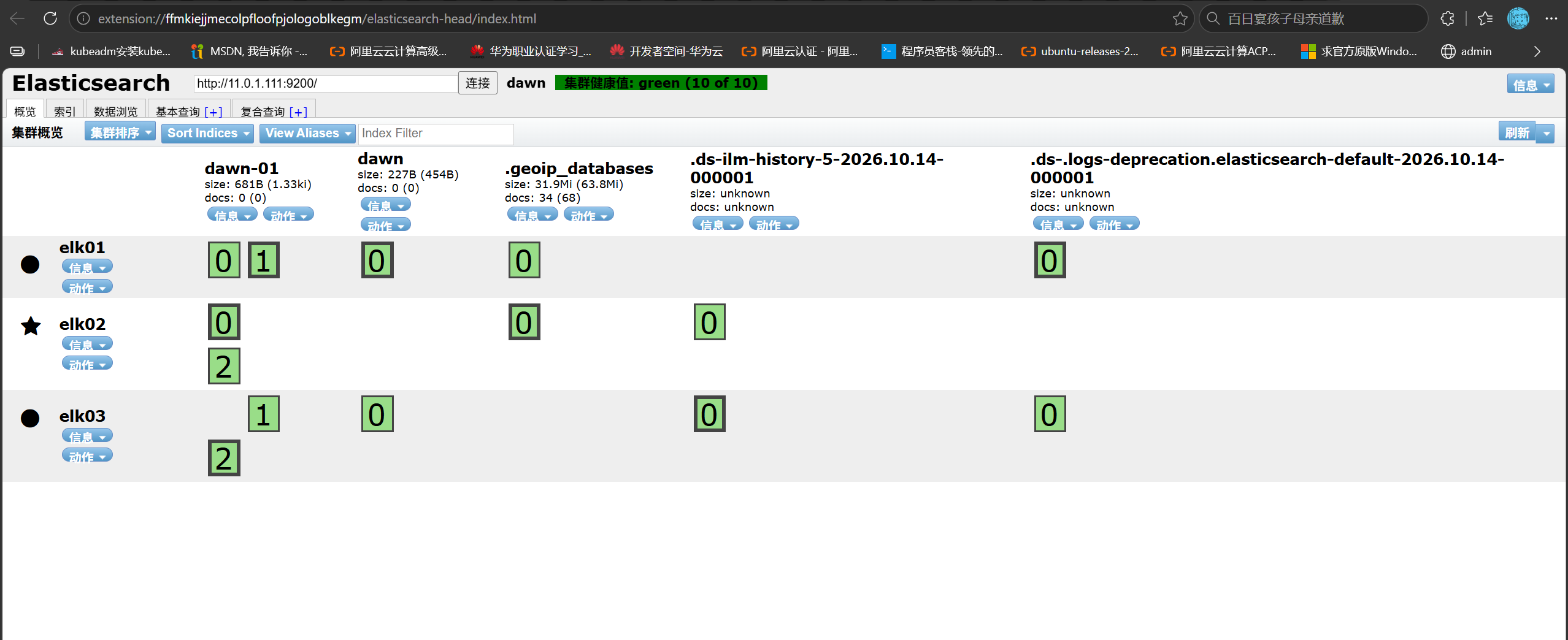
image-20261014192227343

3. 批量删除索引数据

1
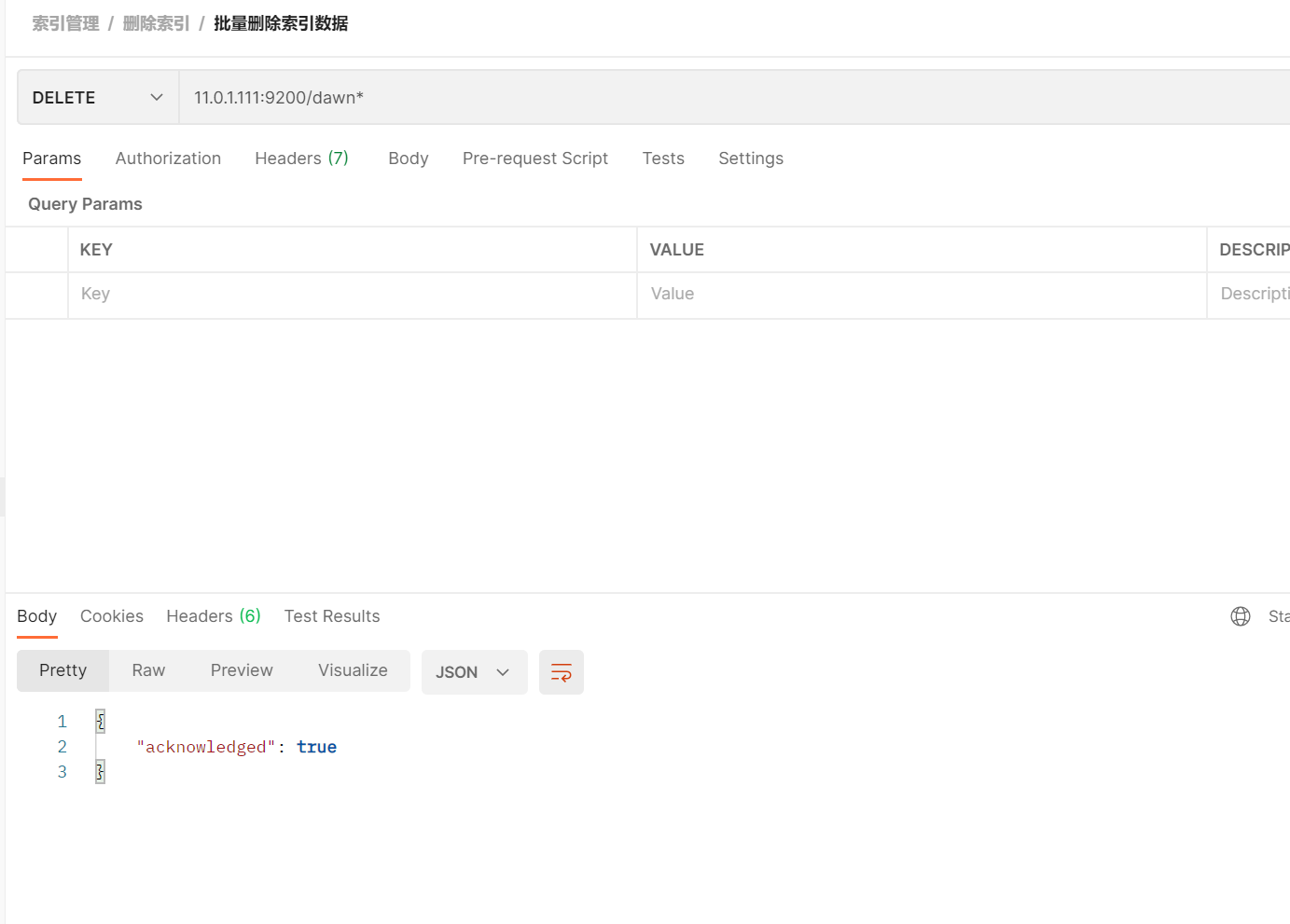
DELETE 11.0.1.111:9200/dawn*

image-20261014192428828

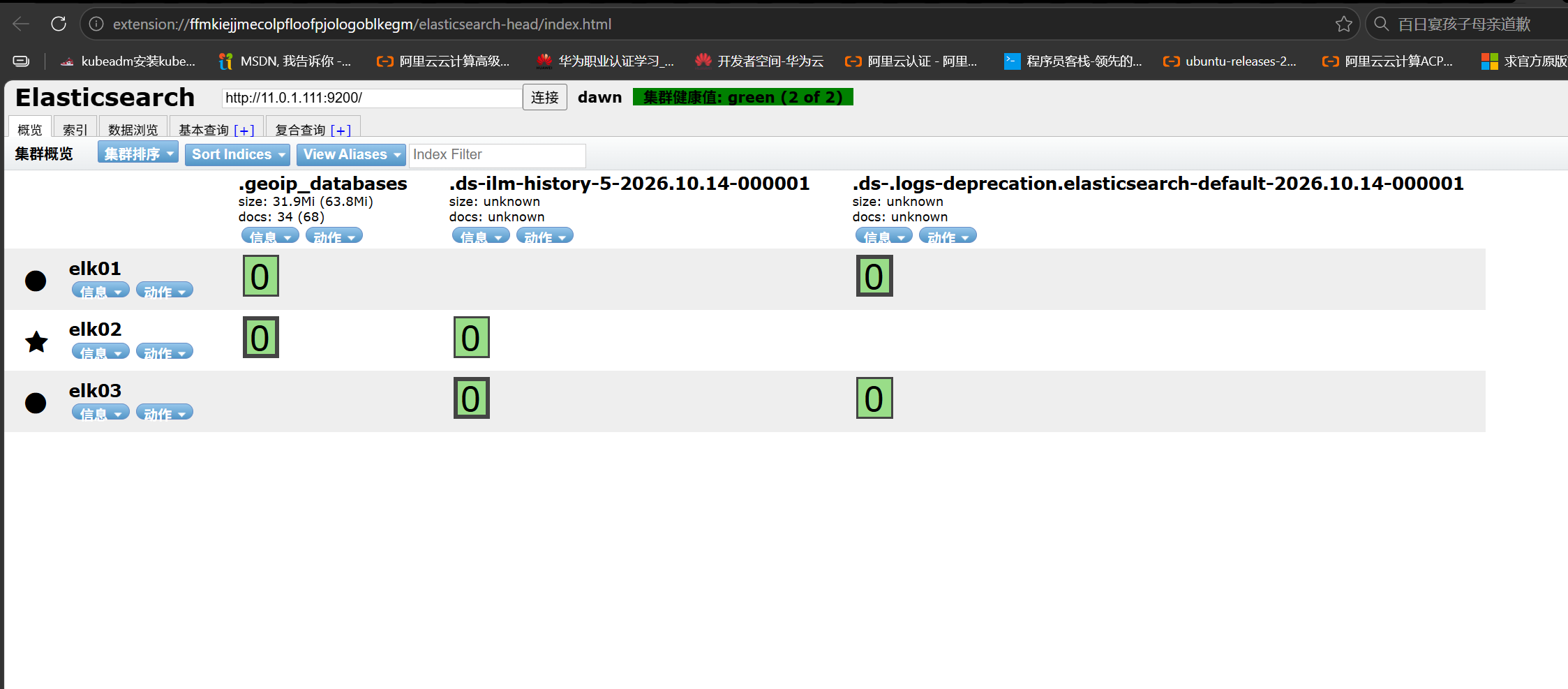
image-20261014192443470

一旦删除了索引,意味着该索引下的所有文档全部删除!

索引开启和关闭

1. 关闭索引

1
POST 11.0.1.111:9200/dawn/_close

image-20261015172832660

2. 开启索引

1
POST 11.0.1.111:9200/dawn/_open

image-20261015172749054

  1. 一旦一个索引被关闭,则意味着该索引不可访问;

  2. 被关闭的索引数据并不会丢失;

  3. 默认情况下,ES的索引都是处于开启状态。

索引模板

1. 索引模板介绍

索引模板就是创建索引时要遵循的模板规则。

索引模板仅对新创建的索引有效,已经创建的索引并不受索引模板的影响。

2. 查看所有的索引模板

1
GET 11.0.1.111:9200/_index_template

3. 创建自定义索引模板

 1
 2
 3
 4
 5
 6
 7
 8
 9
10
11
12
POST 11.0.1.111:9200/_index_template/dawn
{
    "index_patterns": [
        "dawn*"
    ],
    "template": {
        "settings": {
            "number_of_shards": 5,
            "number_of_replicas": 0
        }
    }
}

4. 查看单个索引模板

1
GET 11.0.1.111:9200/_index_template/dawn

5. 创建测试的索引

1
PUT 11.0.1.111:9200/dawn-01

image-20261015182939307

6. 修改索引模板

 1
 2
 3
 4
 5
 6
 7
 8
 9
10
11
12
PUT 11.0.1.111:9200/_index_template/dawn
{
    "index_patterns": [
        "dawn*"
    ],
    "template": {
        "settings": {
            "number_of_shards": 3,
            "number_of_replicas": 2
        }
    }
}

7. 再次创建索引

1
PUT 11.0.1.111:9200/dawn-02

image-20261015183124535

8. 删除索引模板

1
DELETE 11.0.1.111:9200/_index_template/dawn

组件模板和索引模板联合使用

1. 查看现有的组件模板

1
GET 11.0.1.111:9200/_component_template/

2. 创建自定义的组件模板

1
2
3
4
5
6
7
8
POST 11.0.1.111:9200/_component_template/dark
{
    "template": {
        "settings": {
            "number_of_shards": 10
        }
    }
}

3. 查看单个组件模板

1
GET 11.0.1.111:9200/_component_template/dark

4. 创建索引模板指定组件模板

 1
 2
 3
 4
 5
 6
 7
 8
 9
10
11
12
13
14
POST 11.0.1.111:9200/_index_template/dawn
{
    "index_patterns": [
        "dawn*"
    ],
    "composed_of": [
        "dark"
    ],
    "template": {
        "settings": {
            "number_of_replicas": 2
        }
    }
}

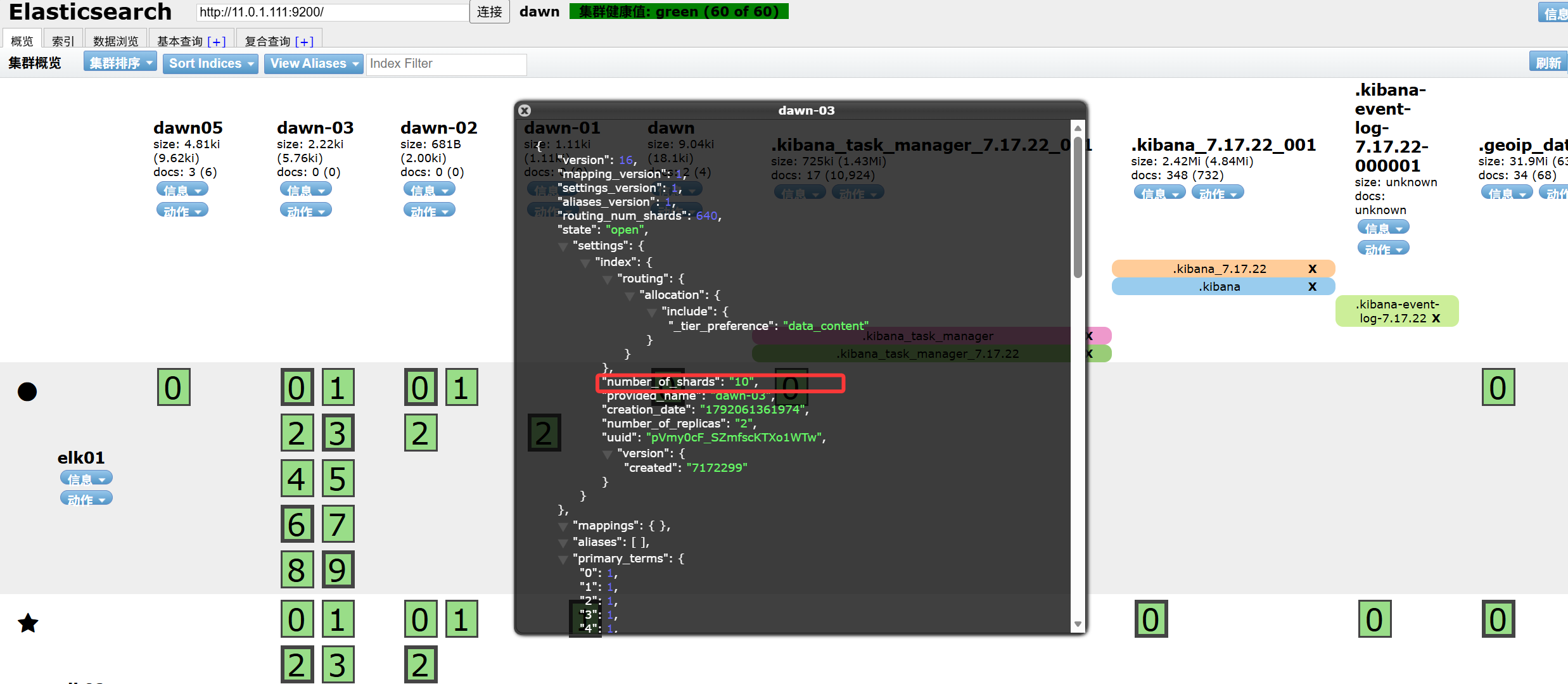
5. 创建测试索引

1
PUT 11.0.1.111:9200/dawn-03

image-20261015184955865

索引别名的创建

1. 索引别名介绍

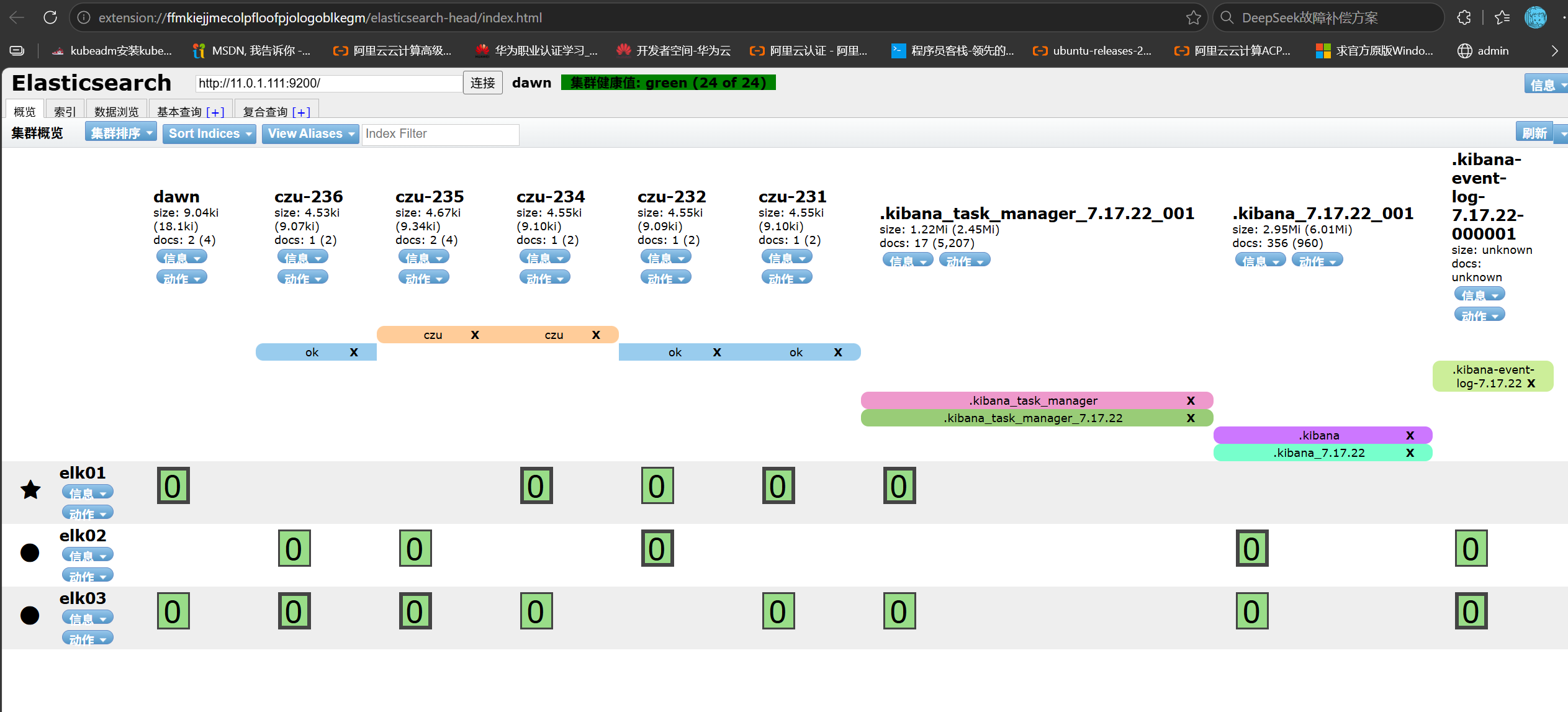
所谓的索引别名,其实就是给索引起名字。

其应用场景可以将多个不同的索引打上相同的别名,将来基于别名进行查询,就可以将这些不同索引的数据一起查询。

2. 准备测试数据

 1
 2
 3
 4
 5
 6
 7
 8
 9
10
11
12
13
POST 11.0.1.111:9200/_bulk
{ "index" : { "_index" : "czu-235"} }
{"name": "小张","hobby": ["1","2","3"]}
{ "index" : { "_index" : "czu-235"} }
{"name": "小王","hobby": ["4","5","6"]}
{ "index" : { "_index" : "czu-236"} }
{"name": "小赵","hobby": ["7","8","9"]}
{ "index" : { "_index" : "czu-231"} }
{"name": "小李","hobby": ["10","11","12"]}
{ "index" : { "_index" : "czu-232"} }
{"name": "小黄","hobby": ["13","14","15"]}
{ "index" : { "_index" : "czu-234"} }
{"name": "小陈","hobby": ["16","17","18"]}

3. 添加别名

 1
 2
 3
 4
 5
 6
 7
 8
 9
10
11
12
13
14
15
16
17
18
19
20
21
22
23
24
25
26
27
28
29
30
31
32
33
34
35
POST 11.0.1.111:9200/_aliases
{
    "actions": [
        {
            "add": {
                "index": "czu-235",
                "alias": "czu"
            }
        },
        {
            "add": {
                "index": "czu-234",
                "alias": "czu"
            }
        },
        {
            "add": {
                "index": "czu-231",
                "alias": "ok"
            }
        },
        {
            "add": {
                "index": "czu-232",
                "alias": "ok"
            }
        },
        {
            "add": {
                "index": "czu-236",
                "alias": "ok"
            }
        }
    ]
}

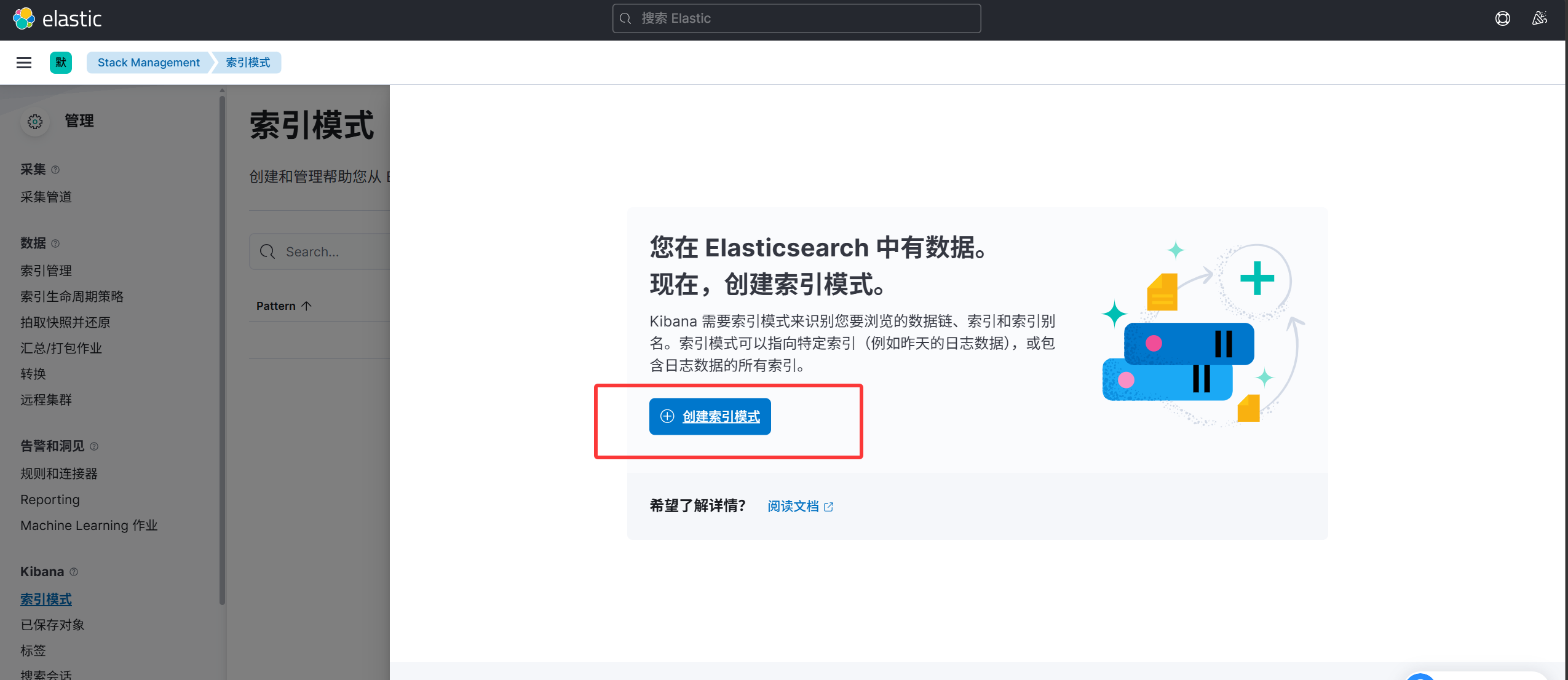
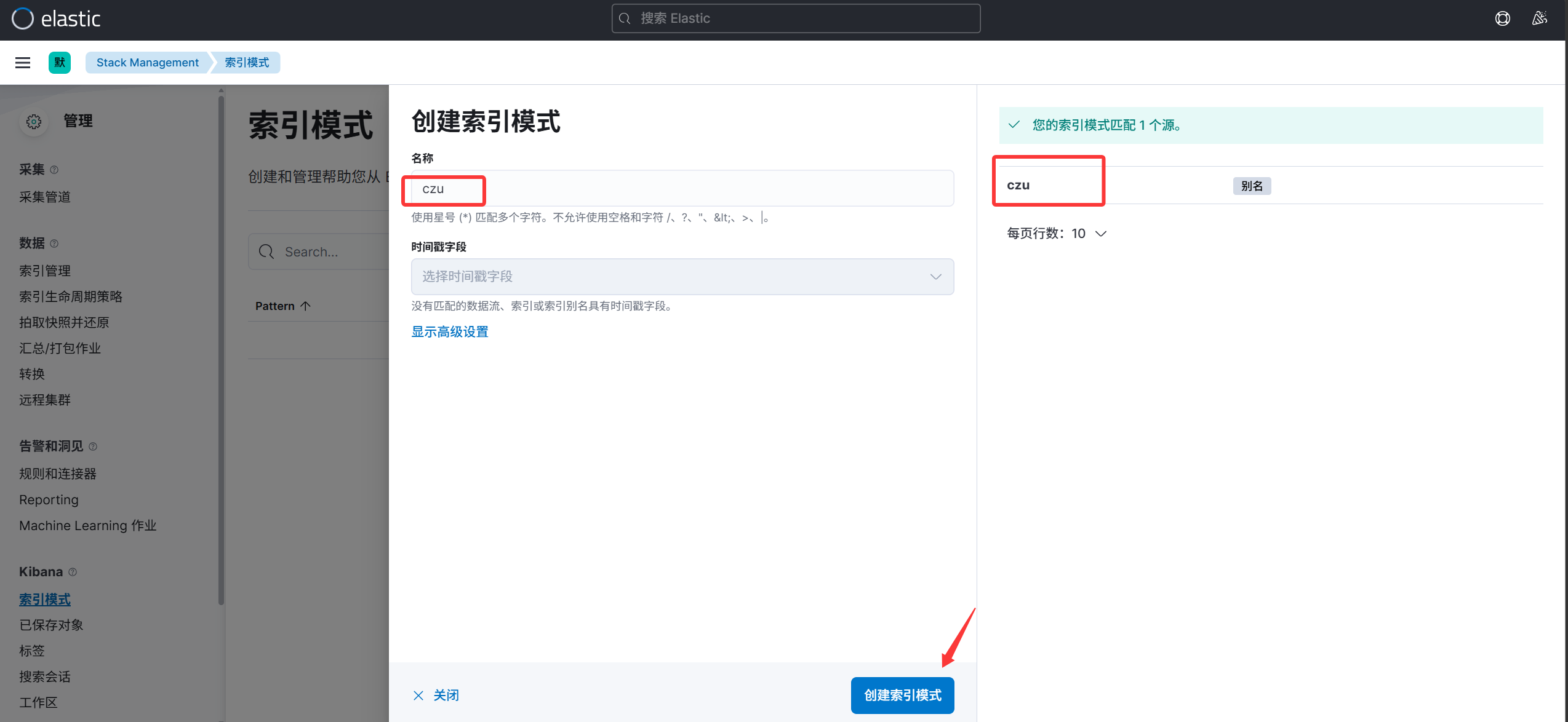
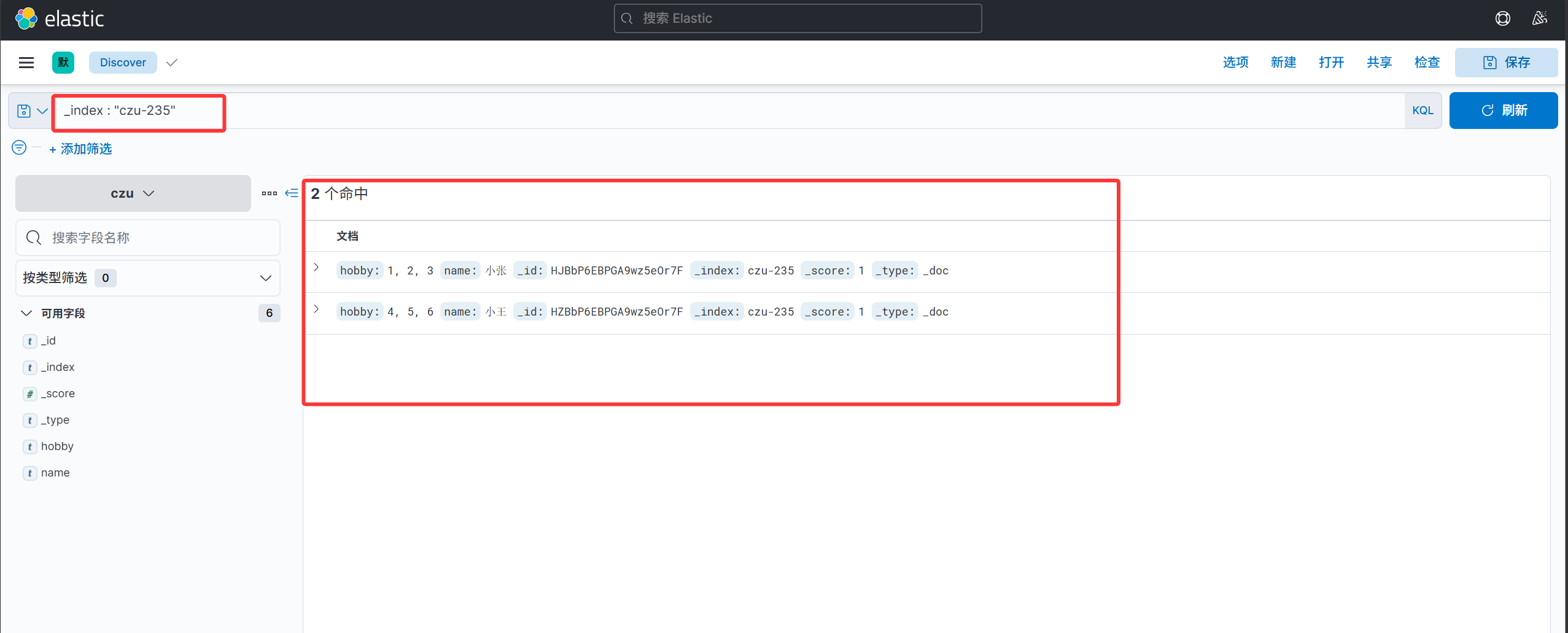
4. kibana基于别名查询数据

image-20261015195351452

image-20261015195447217

image-20261015195031528

索引别名的查看、删除和修改

1. 查看所有索引的别名信息

1
GET 11.0.1.111:9200/_alias

2. 查看某个索引的别名信息

1
GET 11.0.1.111:9200/czu-235/_alias

3. 删除索引别名

 1
 2
 3
 4
 5
 6
 7
 8
 9
10
11
12
13
14
15
16
17
POST 11.0.1.111:9200/_aliases
{
  "actions": [
    {
      "remove": {
        "index": "czu-235",
        "alias": "czu"
      }
    },
     {
      "remove": {
        "index": "czu-234",
        "alias": "czu"
      }
    }
  ]
}

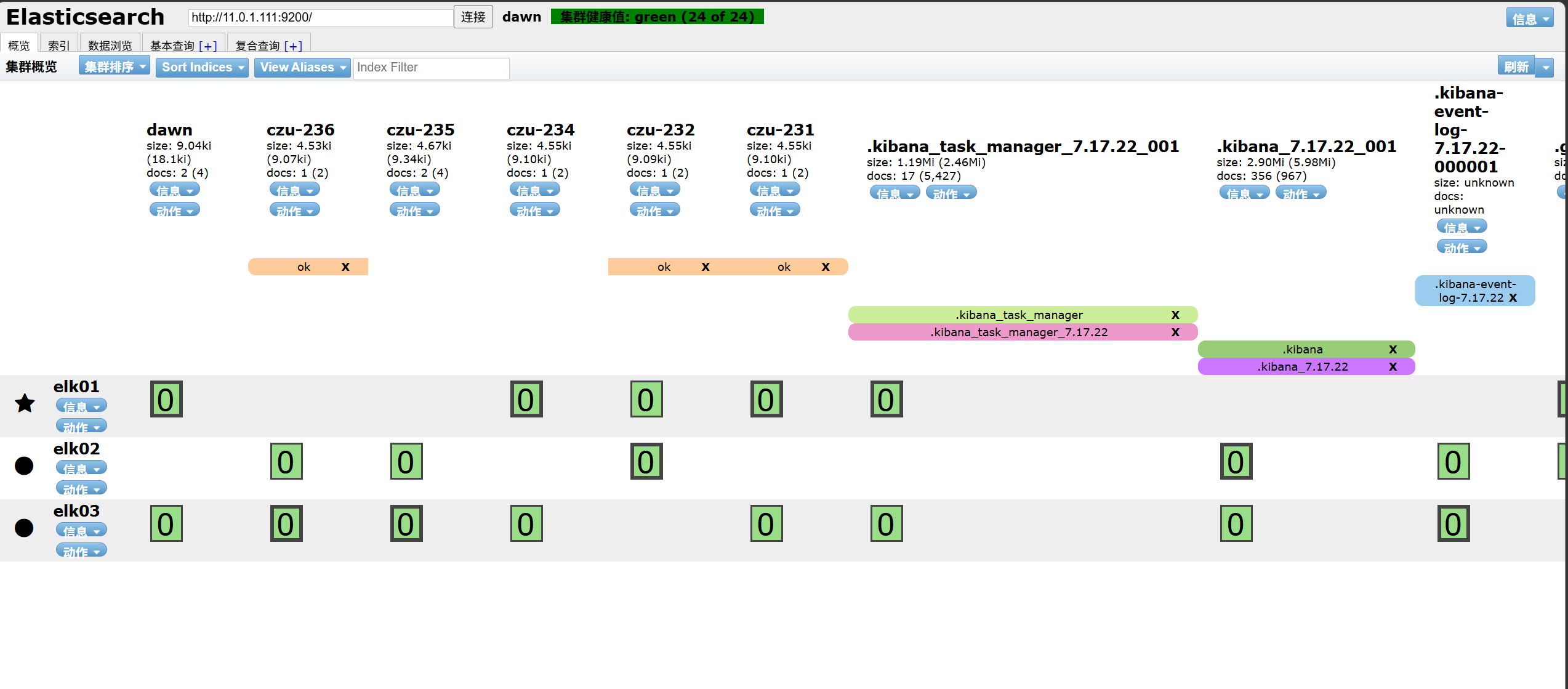
删除前

image-20261015201126261

删除后

image-20261015201150551

4. 修改别名

 1
 2
 3
 4
 5
 6
 7
 8
 9
10
11
12
13
14
15
16
17
POST 11.0.1.111:9200/_aliases
{
    "actions": [
        {
            "remove": {
                "index": "czu-231",
                "alias": "ok"
            }
        },
        {
            "add": {
                "index": "czu-231",
                "alias": "no"
            }
        }
    ]
}

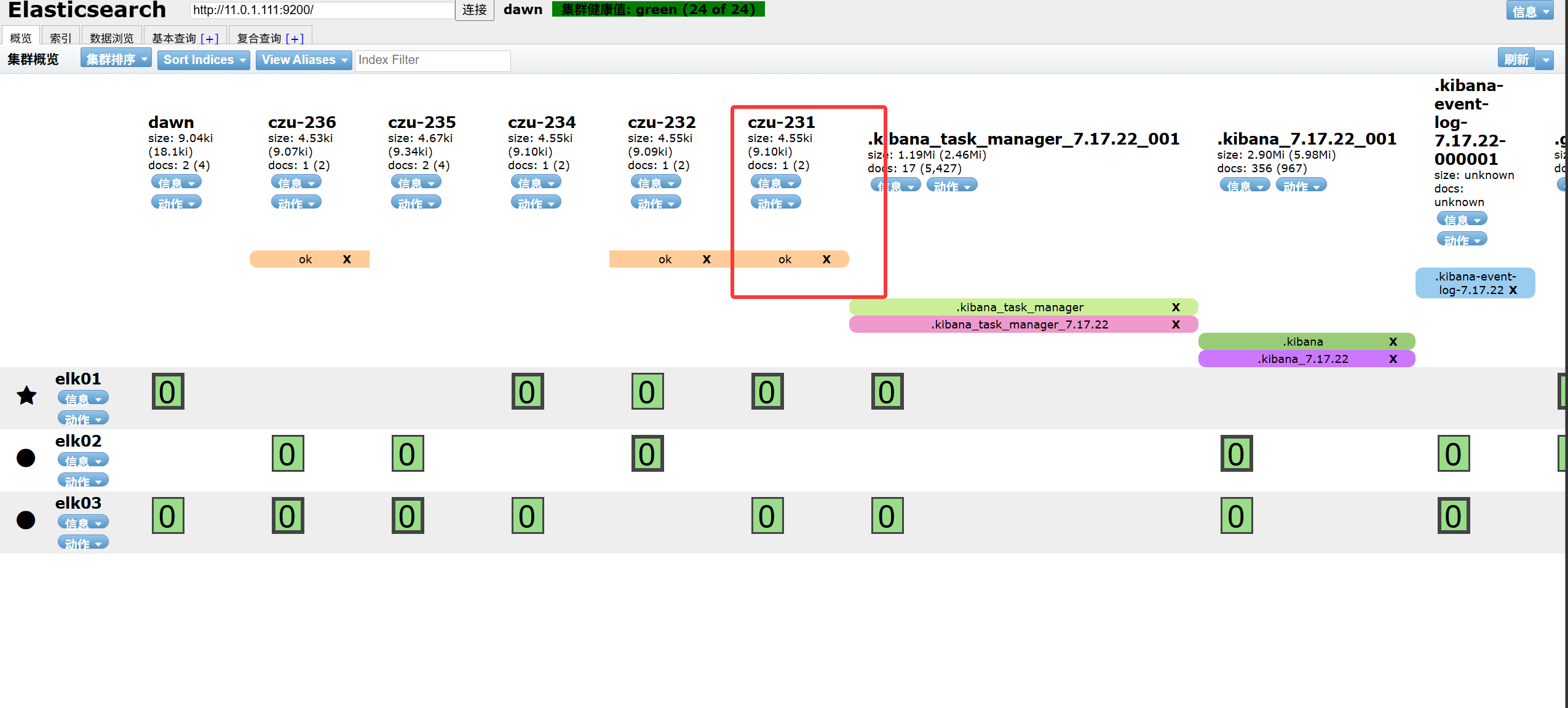
修改前

image-20261015201337301

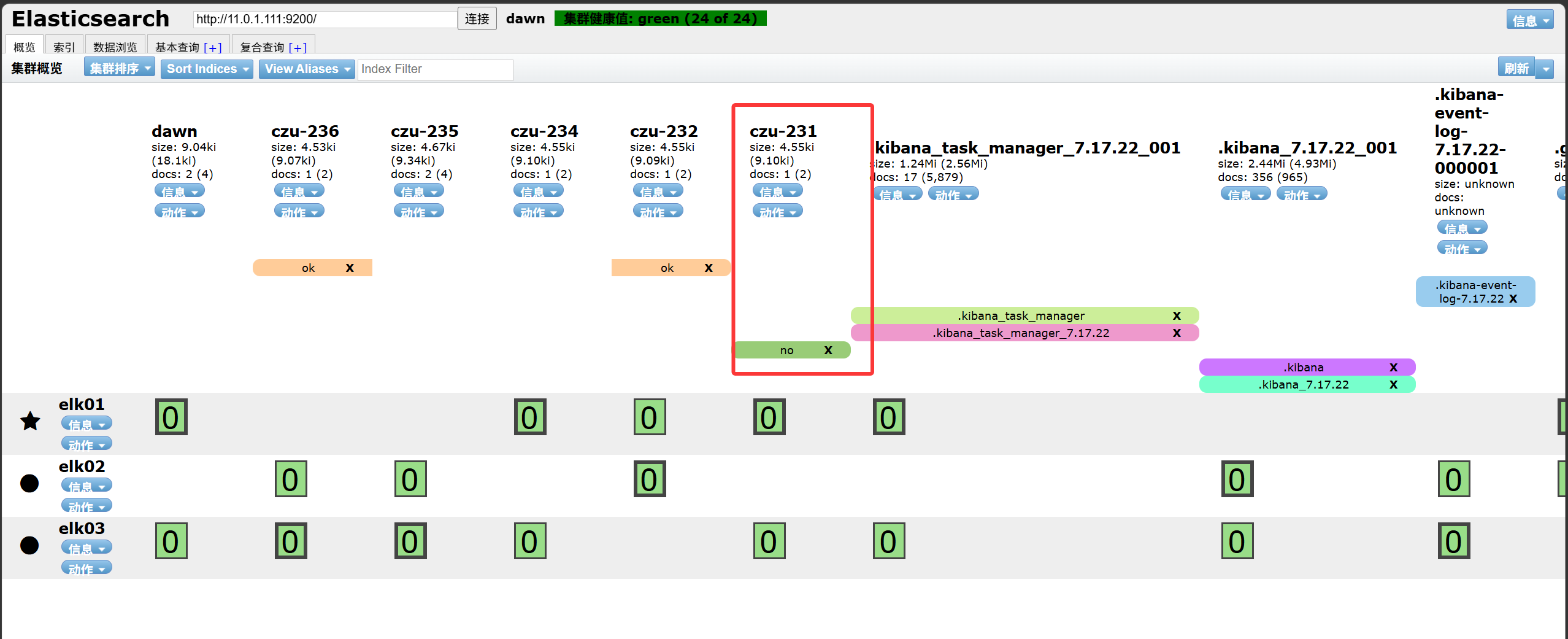
修改后

image-20261015201614936