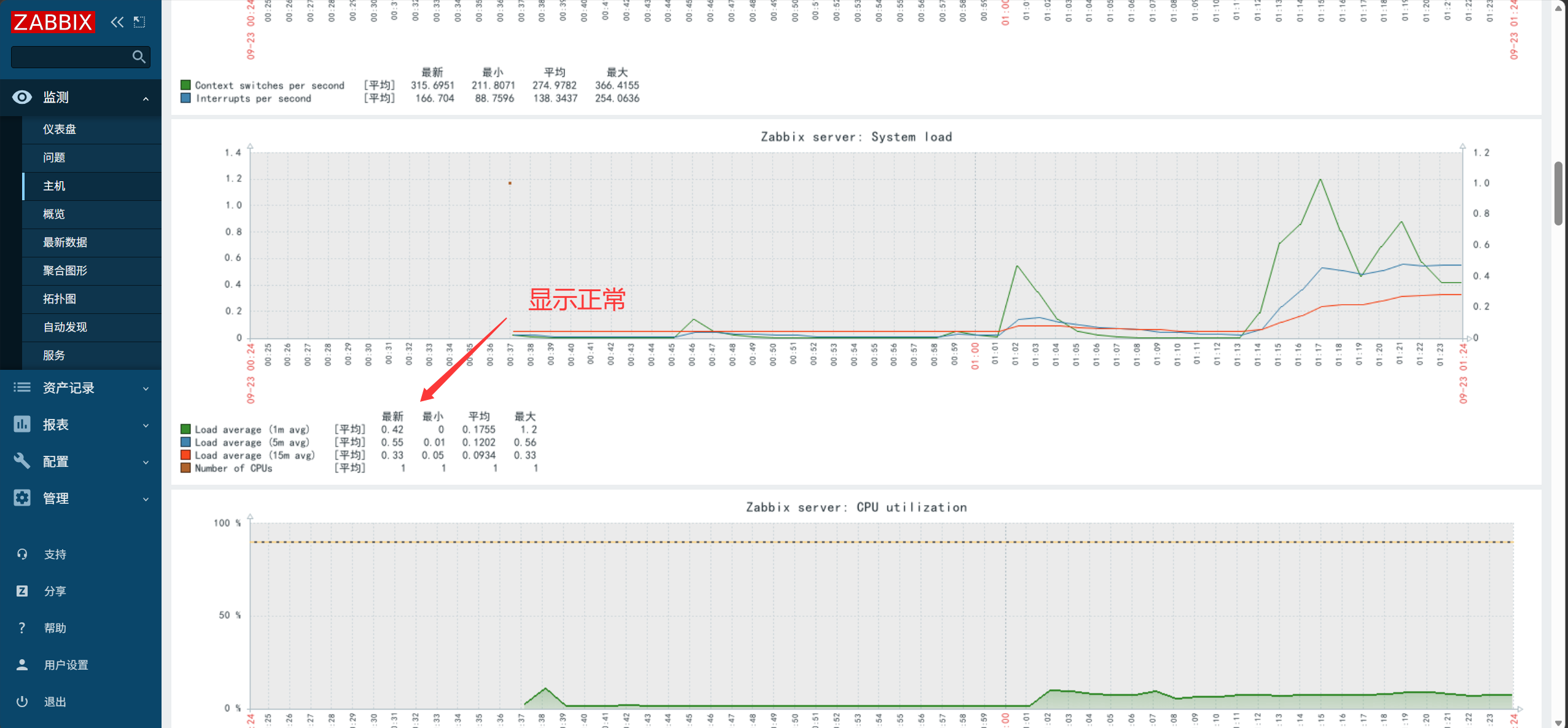
1. 저장소 설정#
1
|
rpm -Uvh https://repo.zabbix.com/zabbix/5.0/rhel/7/x86_64/zabbix-release-5.0-1.el7.noarch.rpm
|
2. zabbix-server 및 zabbix-agent 설치#
1
|
yum -y install zabbix-server-mysql zabbix-agent
|
3. SCL 저장소 설치 (버전 충돌 해결)#
1
|
[root@zabbix ~]# yum -y install centos-release-scl
|
4. 프론트엔드 저장소 활성화#
1
2
3
4
5
|
[root@zabbix ~]# vim /etc/yum.repos.d/zabbix.repo
[zabbix-frontend]
...
enabled=1
...
|
5. CentOS-SCLo-scl.repo / CentOS-SCLo-scl-rh.repo 의 깨진 mirrorlist를 Aliyun baseurl로 교체#
 1
 2
 3
 4
 5
 6
 7
 8
 9
10
|
[root@zabbix yum.repos.d]#vim CentOS-SCLo-scl-rh.repo
[centos-sclo-rh]
...
baseurl=https://mirrors.aliyun.com/centos/7/sclo/x86_64/rh
...
[root@zabbix yum.repos.d]#vim CentOS-SCLo-scl.repo
[centos-sclo-sclo]
...
baseurl=https://mirrors.aliyun.com/centos/7/sclo/x86_64/sclo
...
|
6. PHP/Apache 프론트엔드 설치#
1
|
[root@zabbix ~]# yum -y install zabbix-web-mysql-scl zabbix-apache-conf-scl
|
7. MariaDB 데이터베이스 설치#
1
2
3
|
[root@zabbix ~]# yum -y install mariadb-server
데이터베이스를 시작합니다:
[root@zabbix ~]#systemctl enable mariadb --now
|
8. Zabbix 데이터베이스 생성#
 1
 2
 3
 4
 5
 6
 7
 8
 9
10
11
12
13
14
15
16
17
18
19
20
21
22
23
|
[root@zabbix ~]#mysql -uroot
Welcome to the MariaDB monitor.  Commands end with ; or \g.
Your MariaDB connection id is 7
Server version: 5.5.68-MariaDB MariaDB Server

Copyright (c) 2000, 2018, Oracle, MariaDB Corporation Ab and others.

Type 'help;' or '\h' for help. Type '\c' to clear the current input statement.

MariaDB [(none)]> create database zabbix character set utf8 collate utf8_bin;
Query OK, 1 row affected (0.00 sec)

MariaDB [(none)]> create user zabbix@localhost identified by 'zabbix';
Query OK, 0 rows affected (0.00 sec)

MariaDB [(none)]> grant all privileges on zabbix.* to zabbix@localhost;
Query OK, 0 rows affected (0.00 sec)

MariaDB [(none)]> set global log_bin_trust_function_creators = 1;
Query OK, 0 rows affected (0.00 sec)

MariaDB [(none)]> quit
Bye
|
9. 데이터베이스 초기화 (Zabbix 구동 전 필요한 스키마 가져오기)#
1
2
3
4
5
|
[root@zabbix ~]# zcat /usr/share/doc/zabbix-server-mysql*/create.sql.gz | mysql -uzabbix -p zabbix
# zabbix 비밀번호 입력 프롬프트가 나타납니다
[root@zabbix ~]# mysql -uroot
MariaDB [(none)]> set global log_bin_trust_function_creators = 0;
quit
|
10. Zabbix 데이터베이스 연결 설정#
1
2
3
4
|
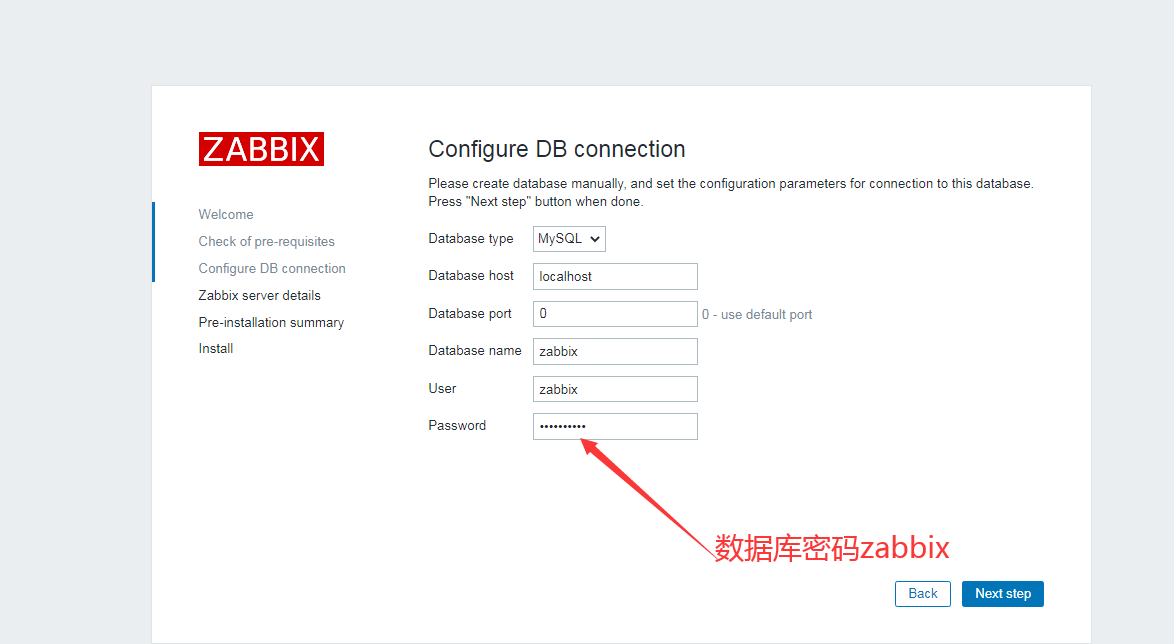
[root@zabbix ~]# egrep ^DB /etc/zabbix/zabbix_server.conf
DBName=zabbix
DBUser=zabbix
DBPassword=zabbix   # 주석을 해제하고 비밀번호를 설정
|
11. 시간대 설정#
1
2
|
[root@zabbix ~]# tail -1 /etc/opt/rh/rh-php72/php-fpm.d/zabbix.conf
php_value[date.timezone] = Asia/Shanghai
|
12. 서비스(server, agent, httpd, php) 시작 및 부팅 시 자동 시작 설정#
1
|
[root@zabbix ~]# systemctl enable zabbix-server zabbix-agent httpd rh-php72-php-fpm --now
|
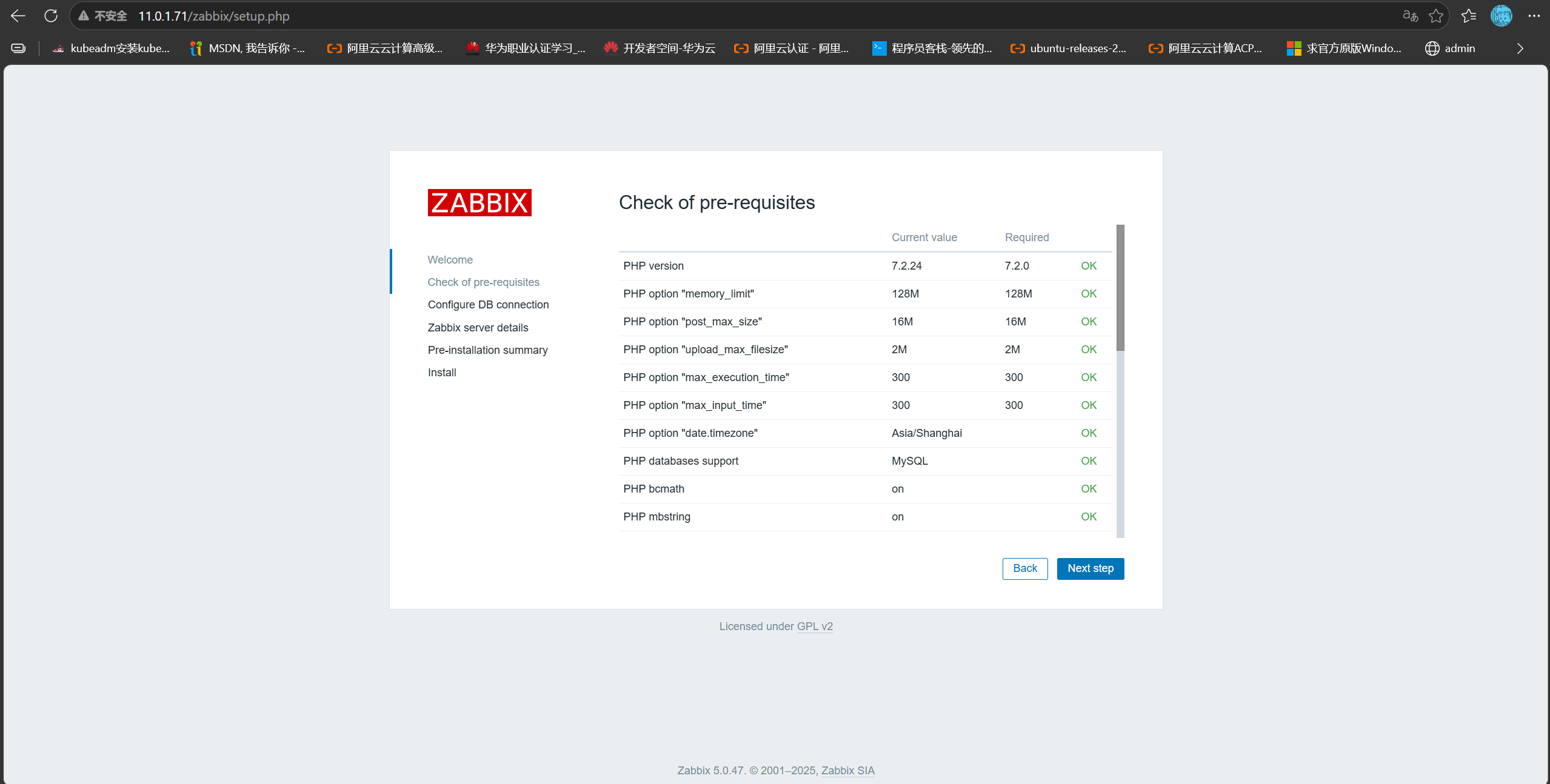
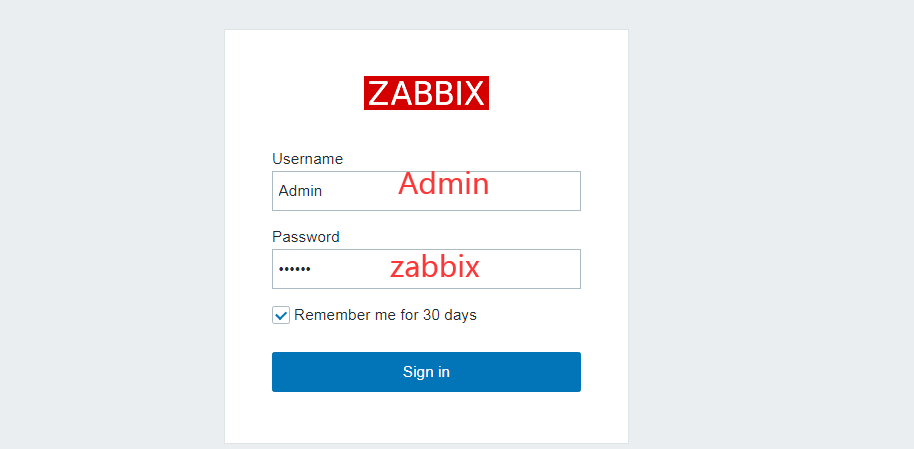
13. 11.0.1.71/zabbix 에서 Zabbix 웹 UI 접속#
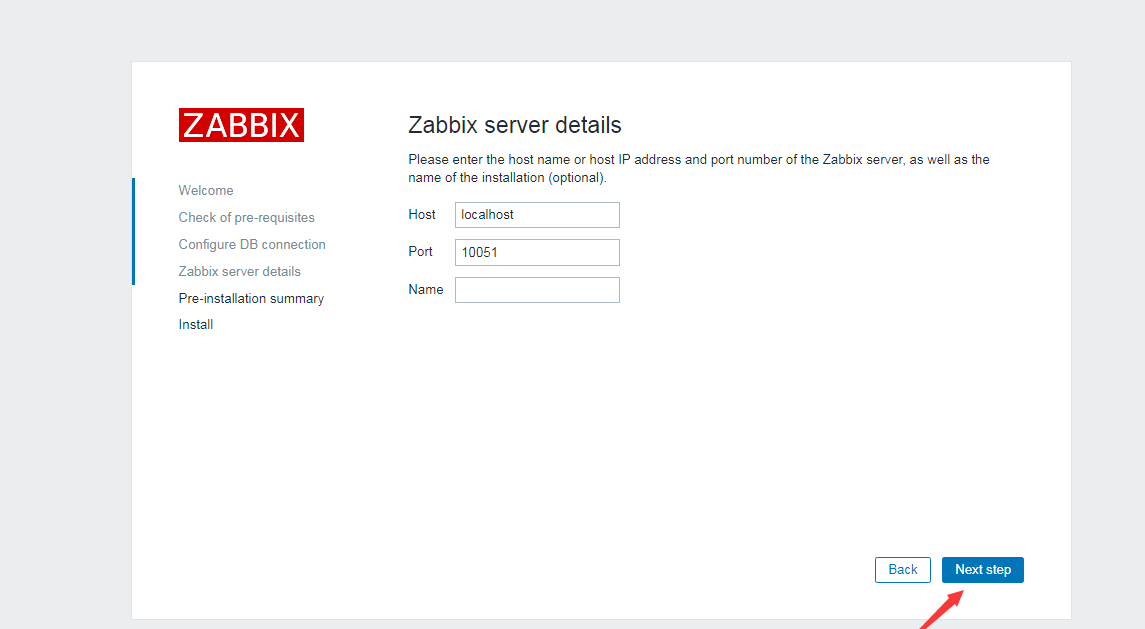
14. Zabbix 설치 완료#
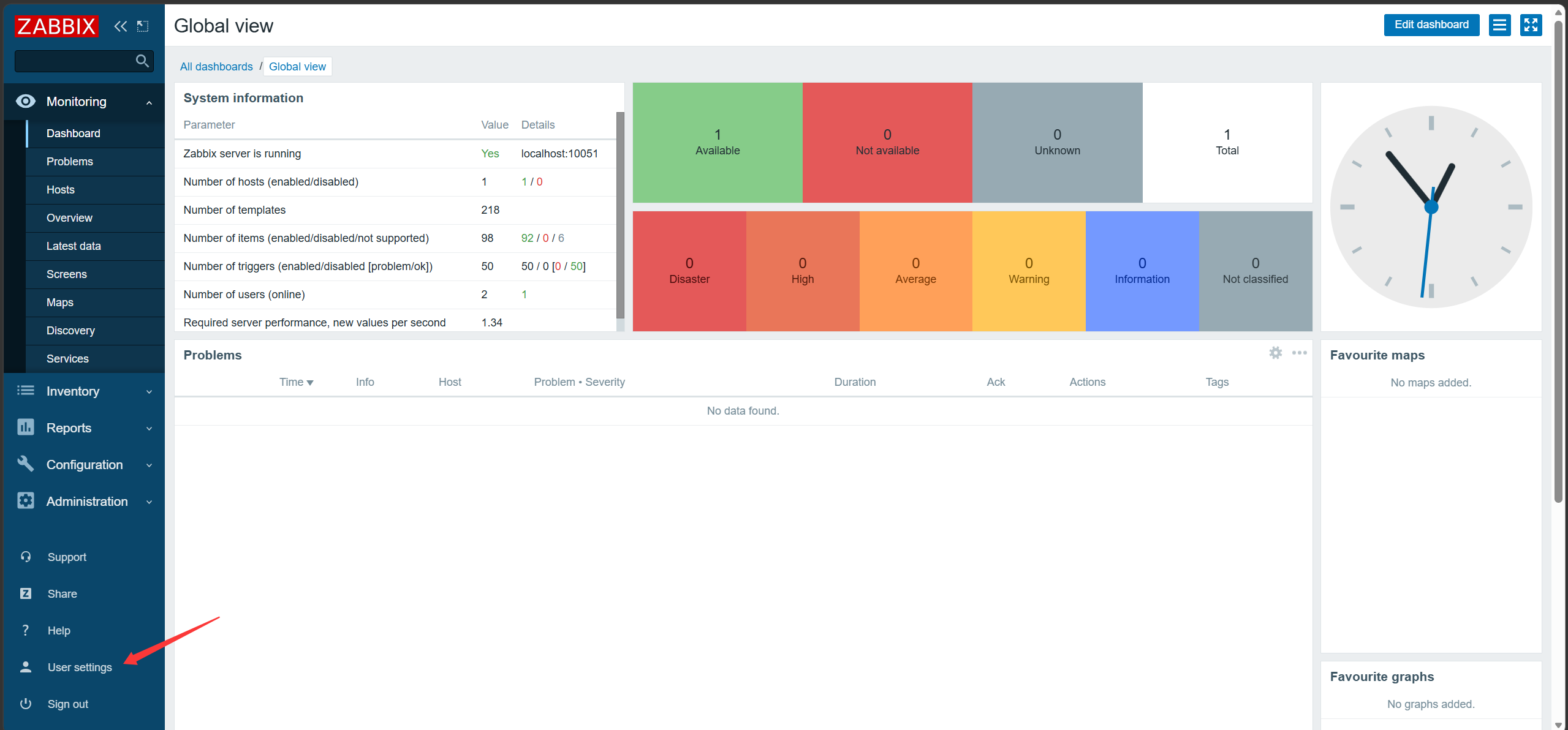
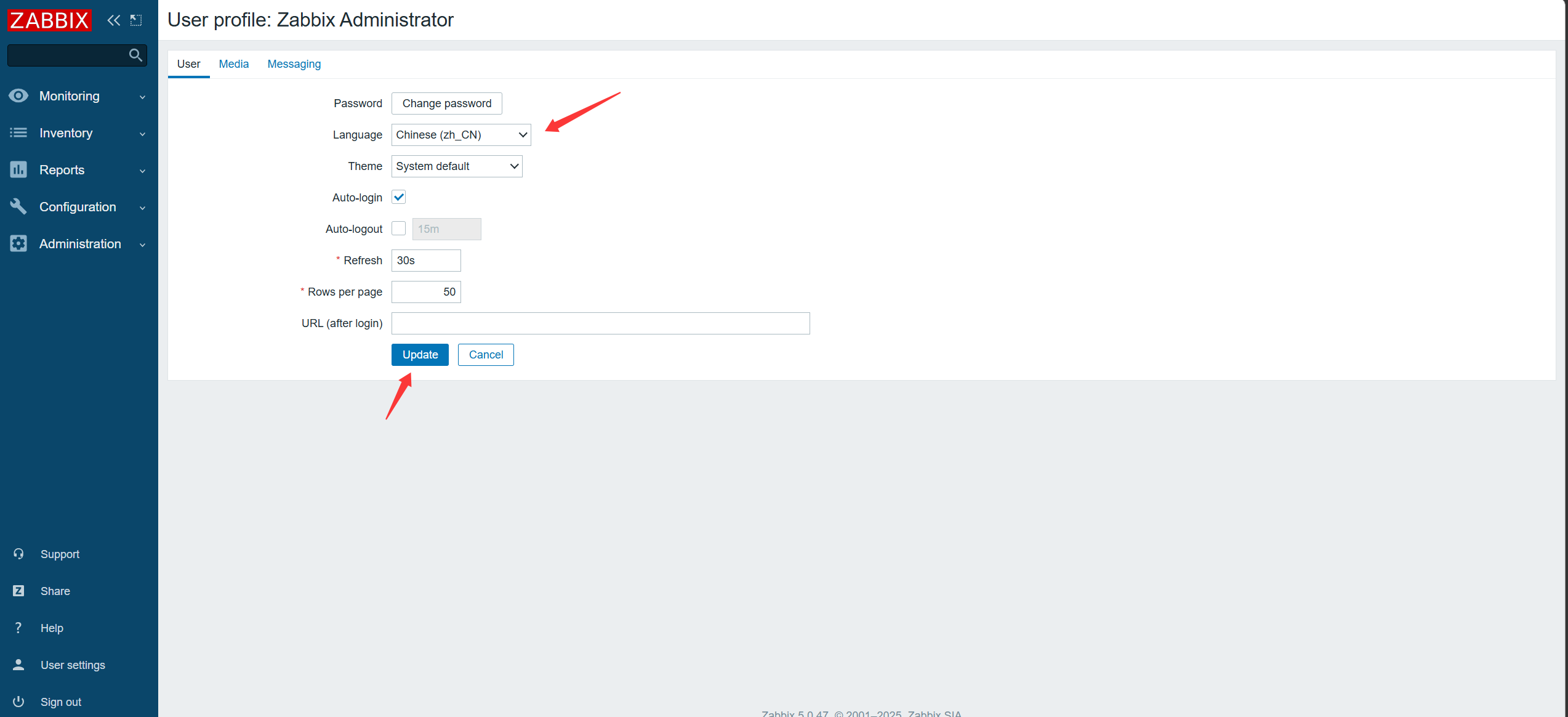
15. 중국어로 전환하고 폰트 재설정#
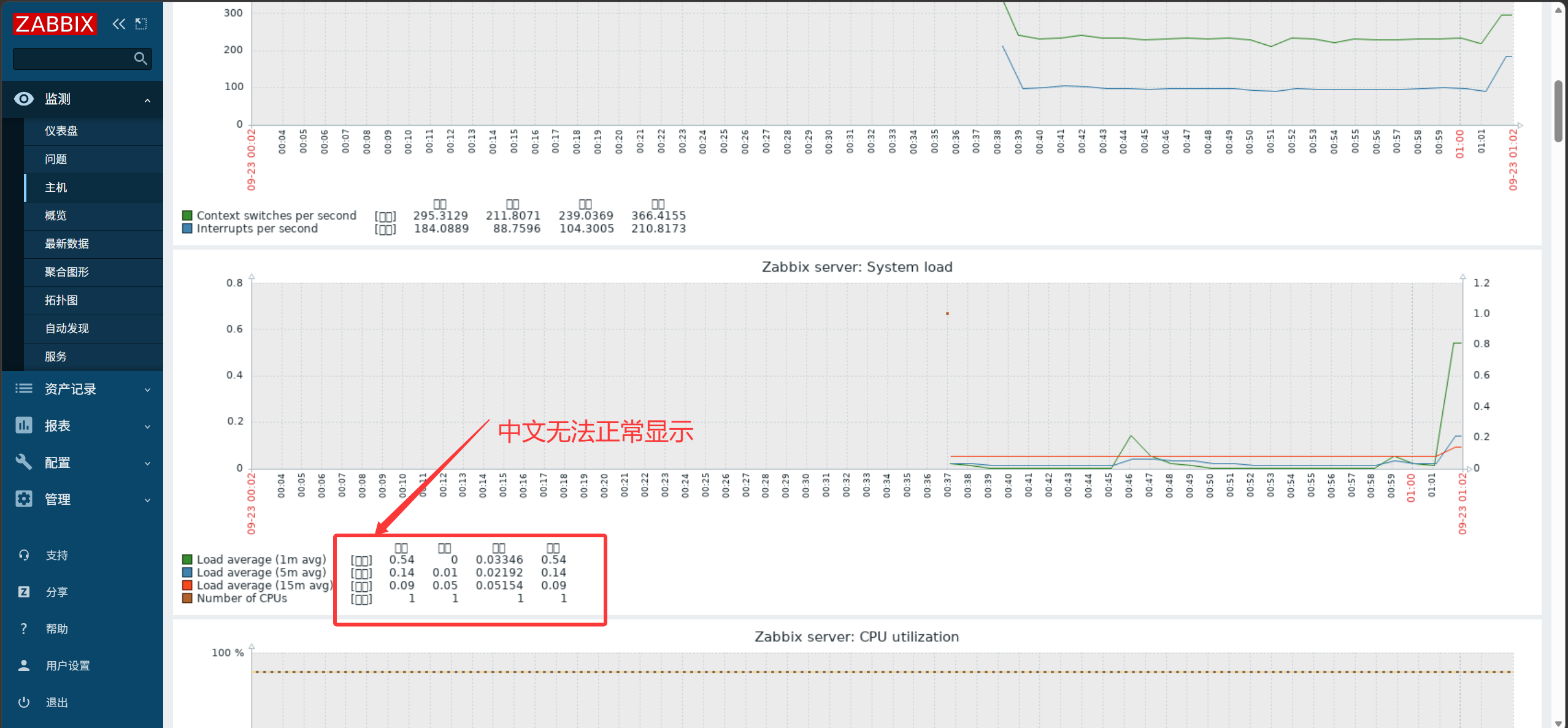
Windows 폰트를 찾아 Zabbix의 폰트 디렉터리에 복사합니다.
Windows 폰트 저장 위치:
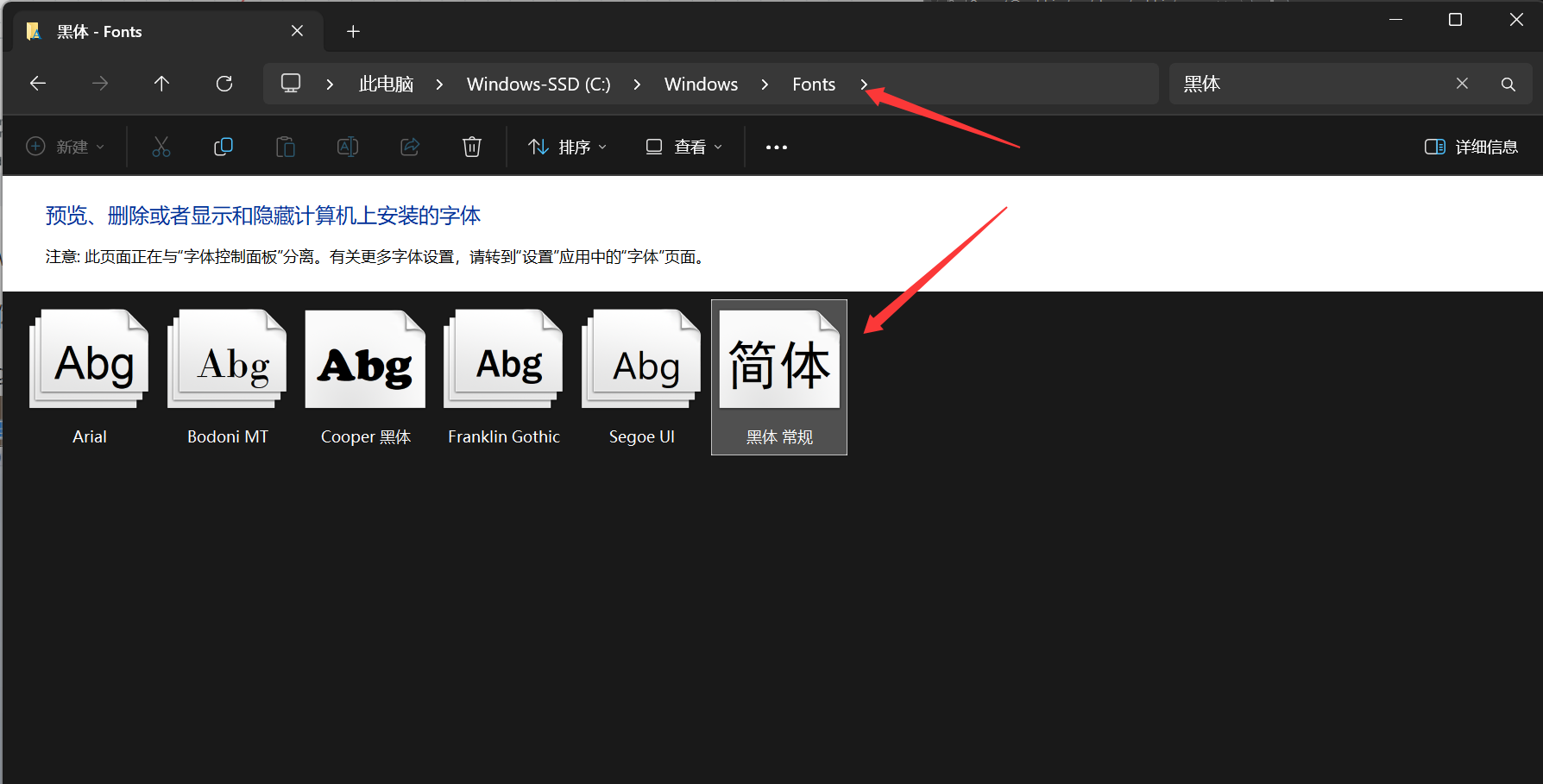
폰트 중 하나를 업로드한 뒤 이름을 변경합니다:
 1
 2
 3
 4
 5
 6
 7
 8
 9
10
|
[root@zabbix ~]#cd /usr/share/zabbix/assets/fonts/
[root@zabbix fonts]#ls
graphfont.ttf  simhei.ttf  # 업로드한 폰트
[root@zabbix fonts]#rm -f graphfont.ttf  # 기존 폰트 삭제
[root@zabbix fonts]#ln -s /usr/share/zabbix/assets/fonts/simhei.ttf graphfont.ttf  # 업로드한 폰트에 연결
[root@zabbix fonts]#chmod 644 simhei.ttf
[root@zabbix fonts]#ll
total 9520
lrwxrwxrwx 1 root root      41 Sep 23 01:19 graphfont.ttf -> /usr/share/zabbix/assets/fonts/simhei.ttf
-rw-r--r-- 1 root root 9745792 Sep 23 01:18 simhei.ttf
|