1. 로그인 사용자 수 확인하기#
1
2
3
4
5
6
7
|
[root@web02 ~]#w
 17:44:18 up  1:17,  2 users,  load average: 0.01, 0.02, 0.05
USER     TTY      FROM             LOGIN@   IDLE   JCPU   PCPU WHAT
root     pts/0    11.0.1.1         16:31   11:46   0.07s  0.07s -bash
root     pts/1    11.0.1.52        17:07    2.00s  0.04s  0.00s w
[root@web02 ~]#w|awk 'NR==1{print $4}'
2
|
2. Zabbix 모니터링 항목으로 정의하기#
1
2
3
4
5
6
7
|
[root@web02 ~]# cat /etc/zabbix/zabbix_agentd.d/system.conf
UserParameter=login_number,w|awk 'NR==1{print $4}'
# zabbix_agentd -p 로 항목 문법 검사가 가능합니다
[root@web02 ~]#zabbix_agentd -p|grep login_number
login_number                                  [t|2]
# 에이전트 재시작
[root@web02 ~]# systemctl restart zabbix-agent.service
|
3. Zabbix 서버 측에서 수집·모니터링하기#
서버에서 명령줄로 모니터링 항목을 통해 사용자 정의 값을 가져올 수 있는지 테스트합니다.
1
2
3
4
|
# zabbix-get 명령 설치
[root@zabbix ~]# yum -y install zabbix-get
[root@zabbix ~]#zabbix_get -s 172.16.1.8 -k login_number
2
|
웹 페이지에서 모니터링 항목 추가
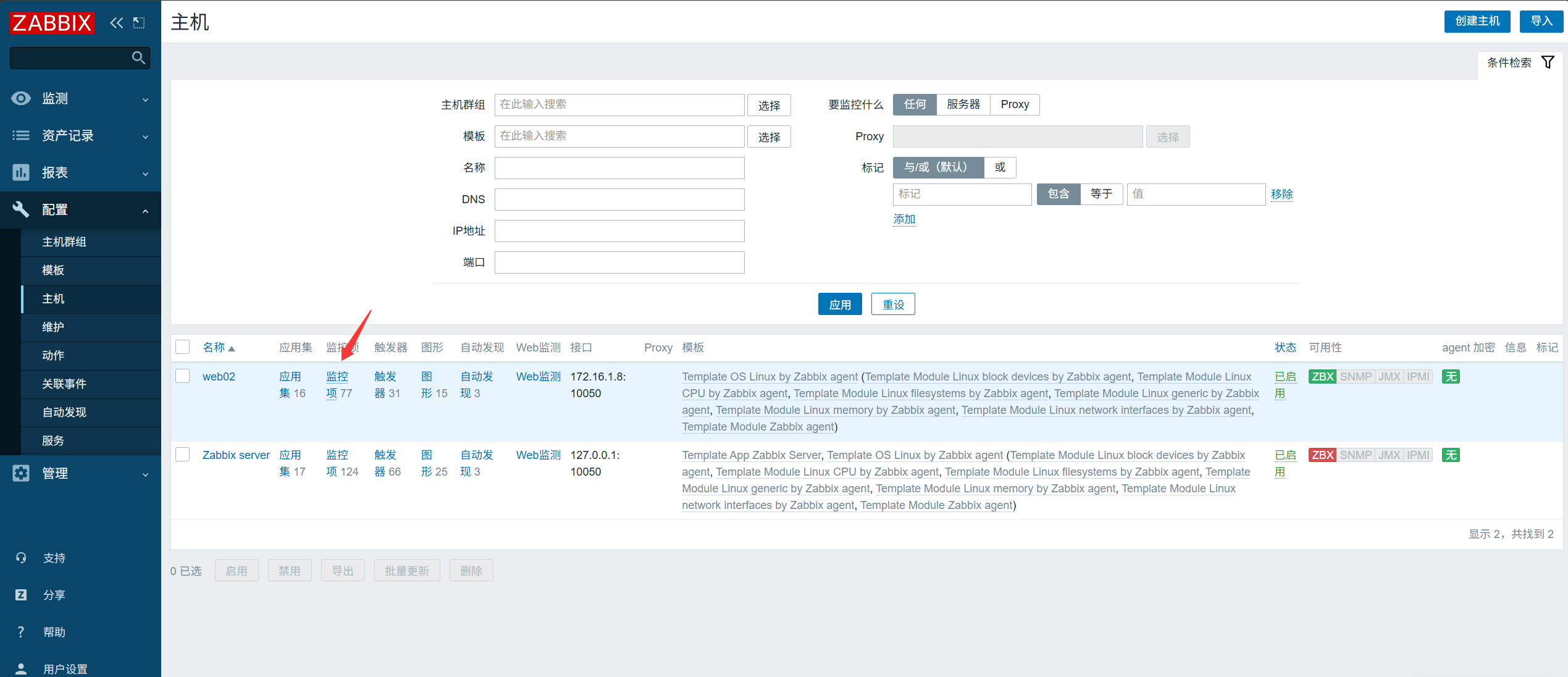

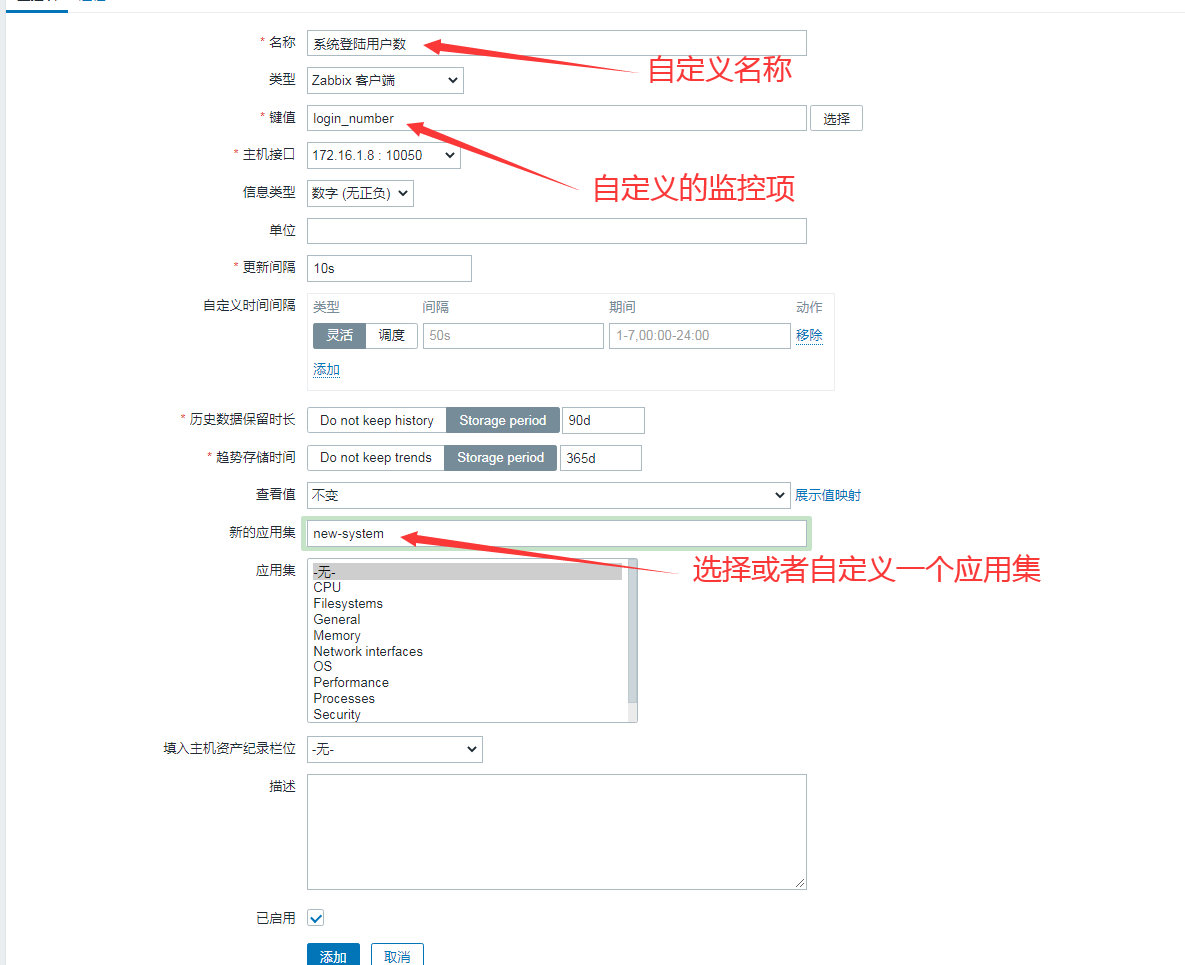
모니터링 항목 확인
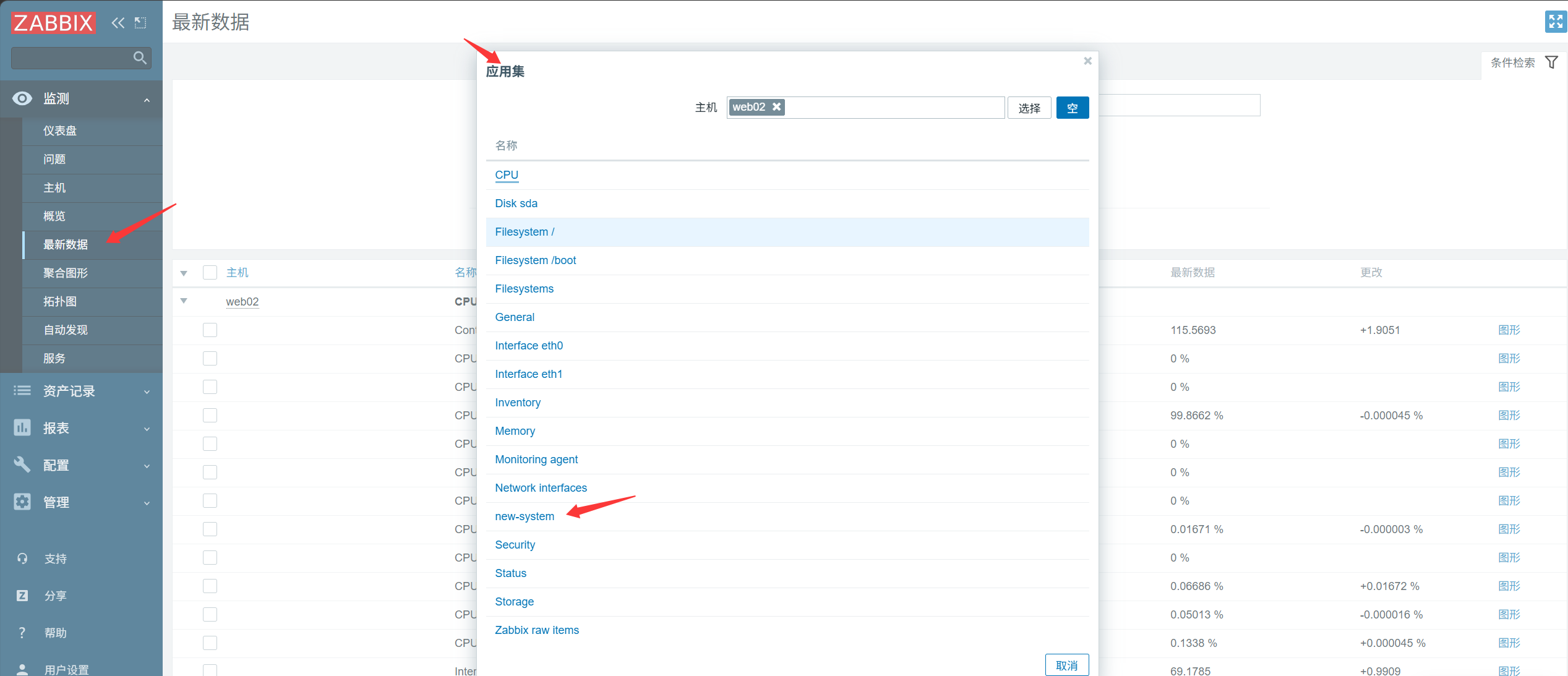
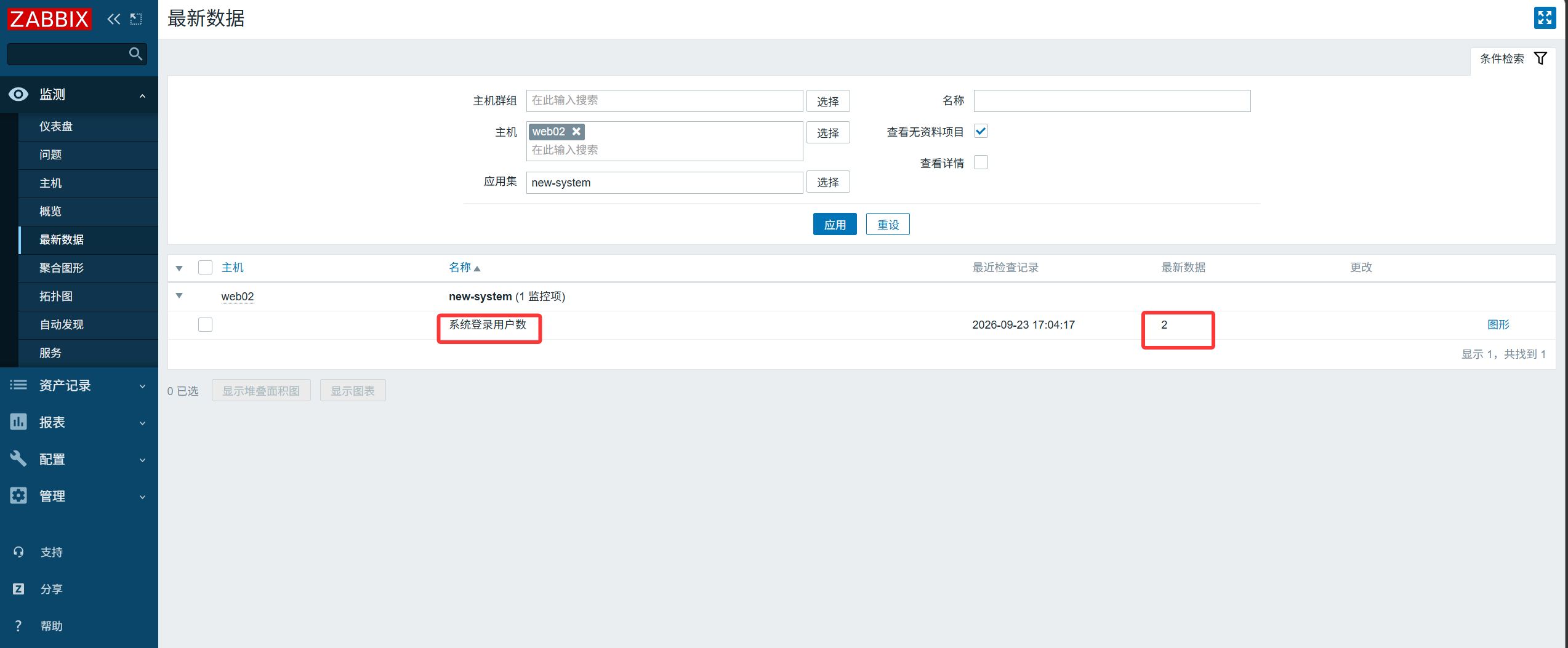
4. TCP 22 포트 생존 여부 모니터링#
모니터링하려는 정보에 맞는 키 값을 선택합니다.
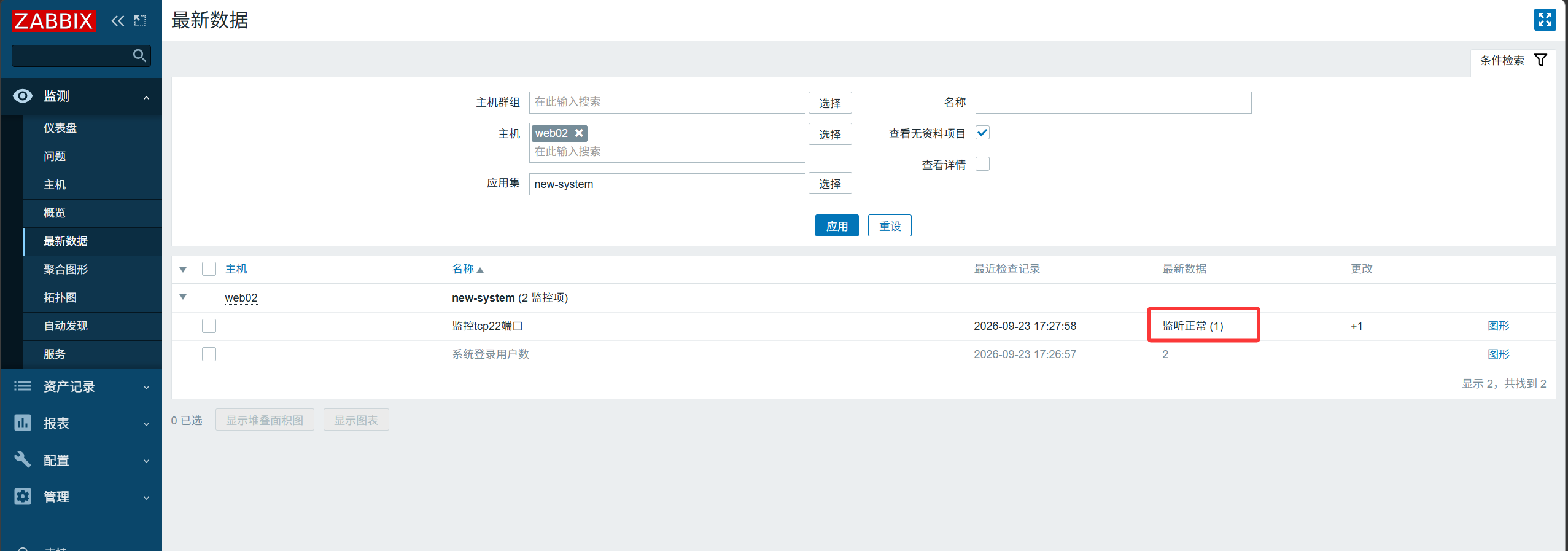
TCP 포트가 LISTEN 상태인지 확인합니다. 반환값: 0 - 대기 안 함; 1 - 대기 중.
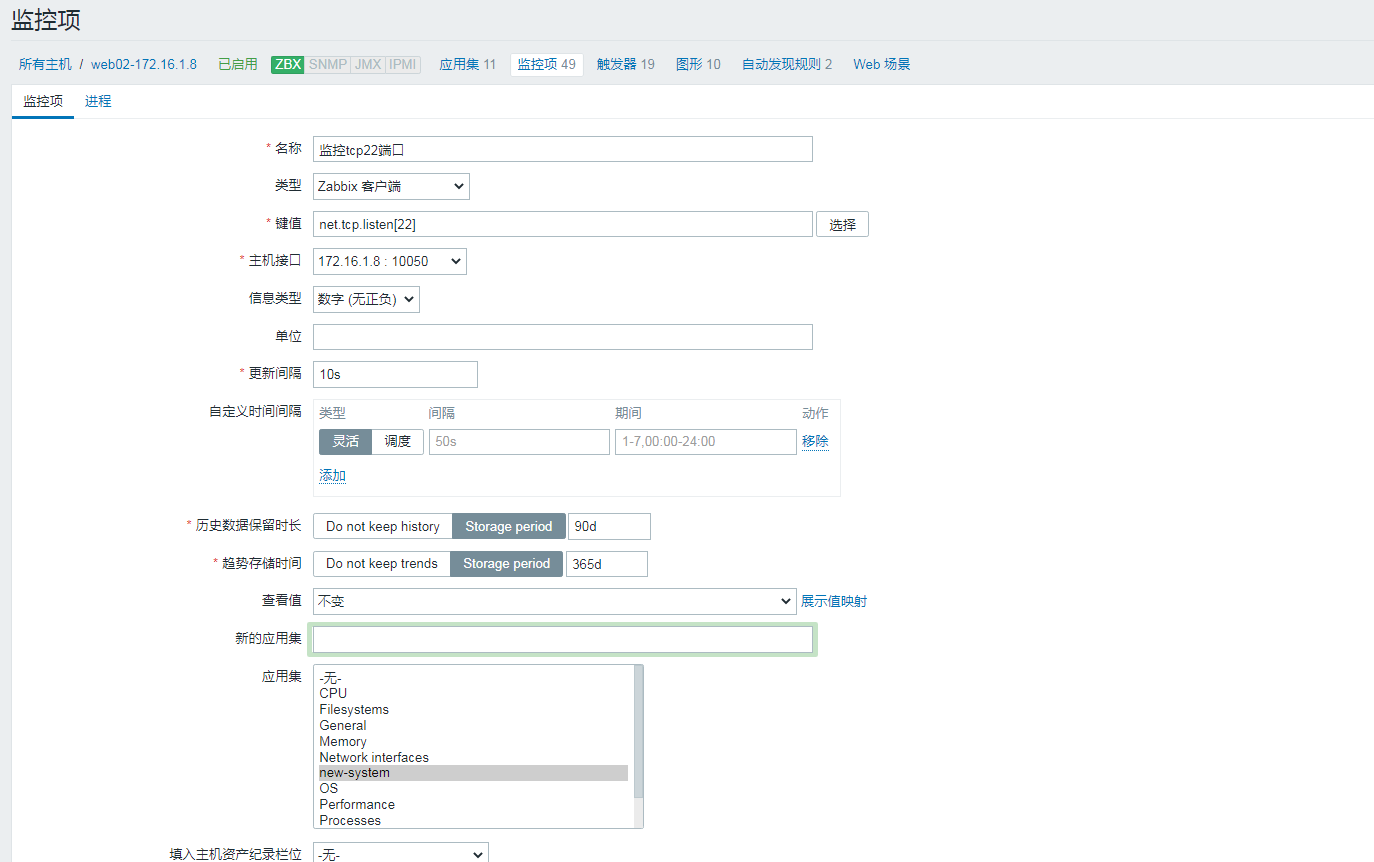
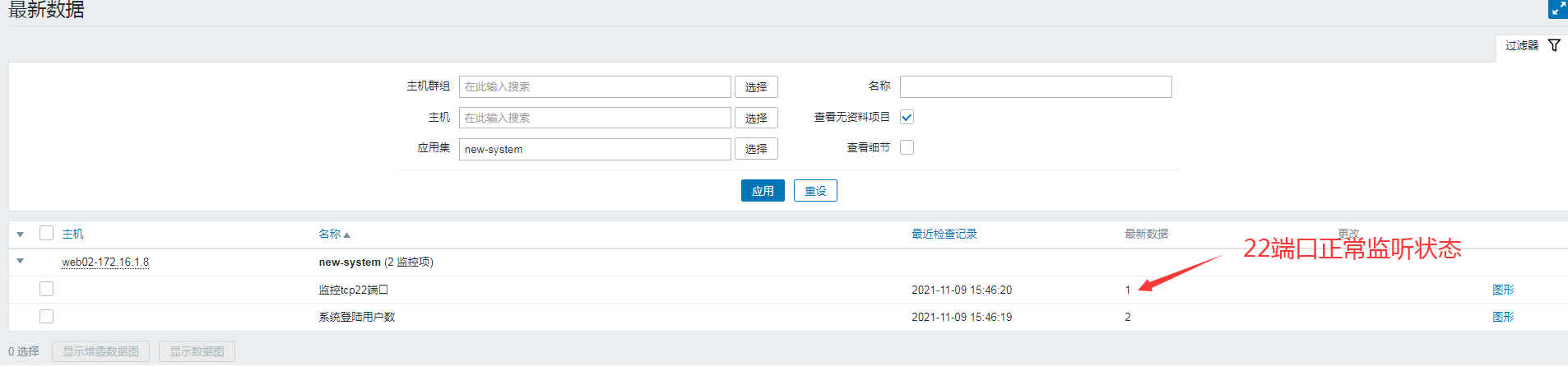
web02의 sshd 서비스 중지
1
|
[root@web02 ~]# systemctl stop sshd
|
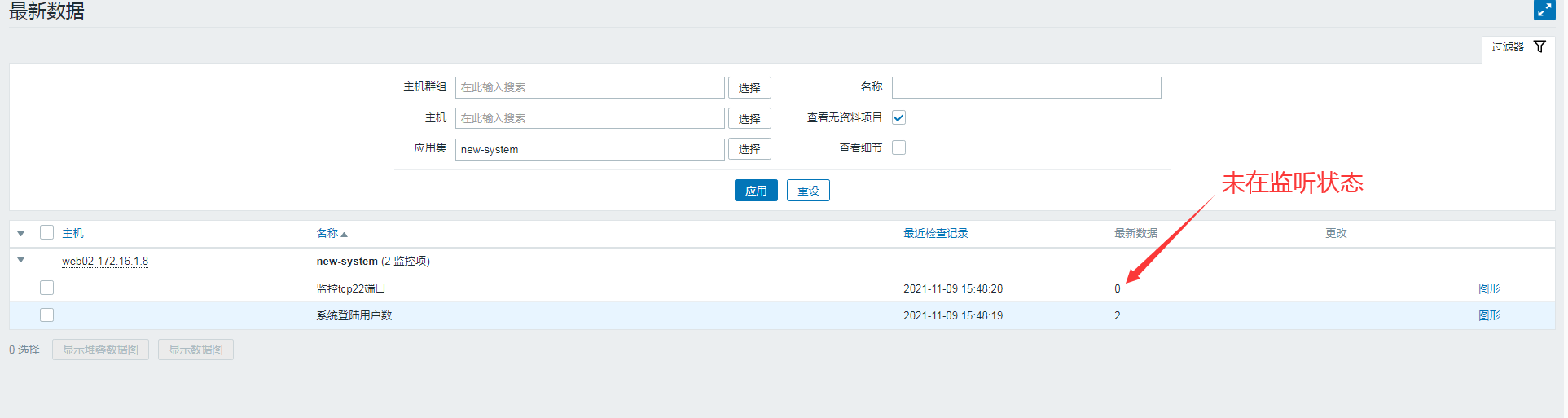
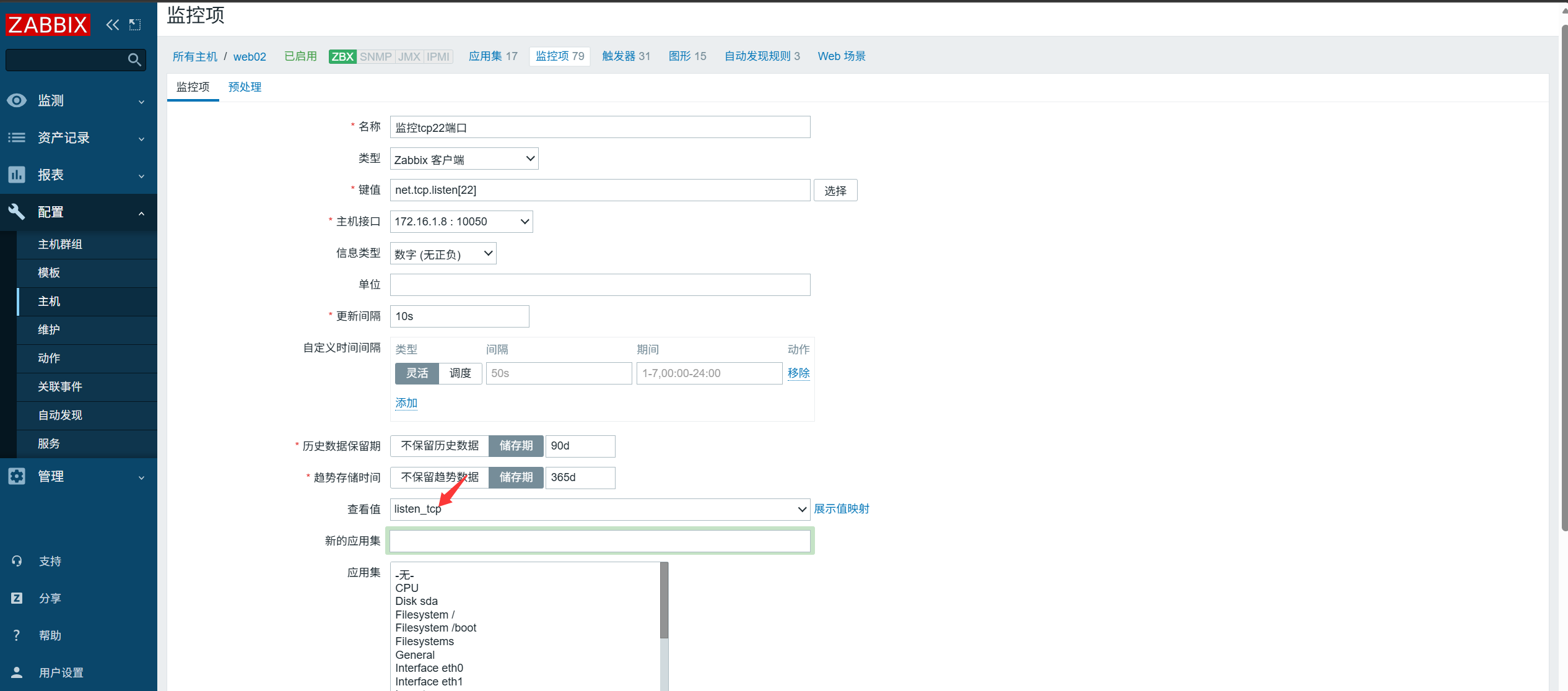
5. 표시용 커스텀 값 매핑 구성#
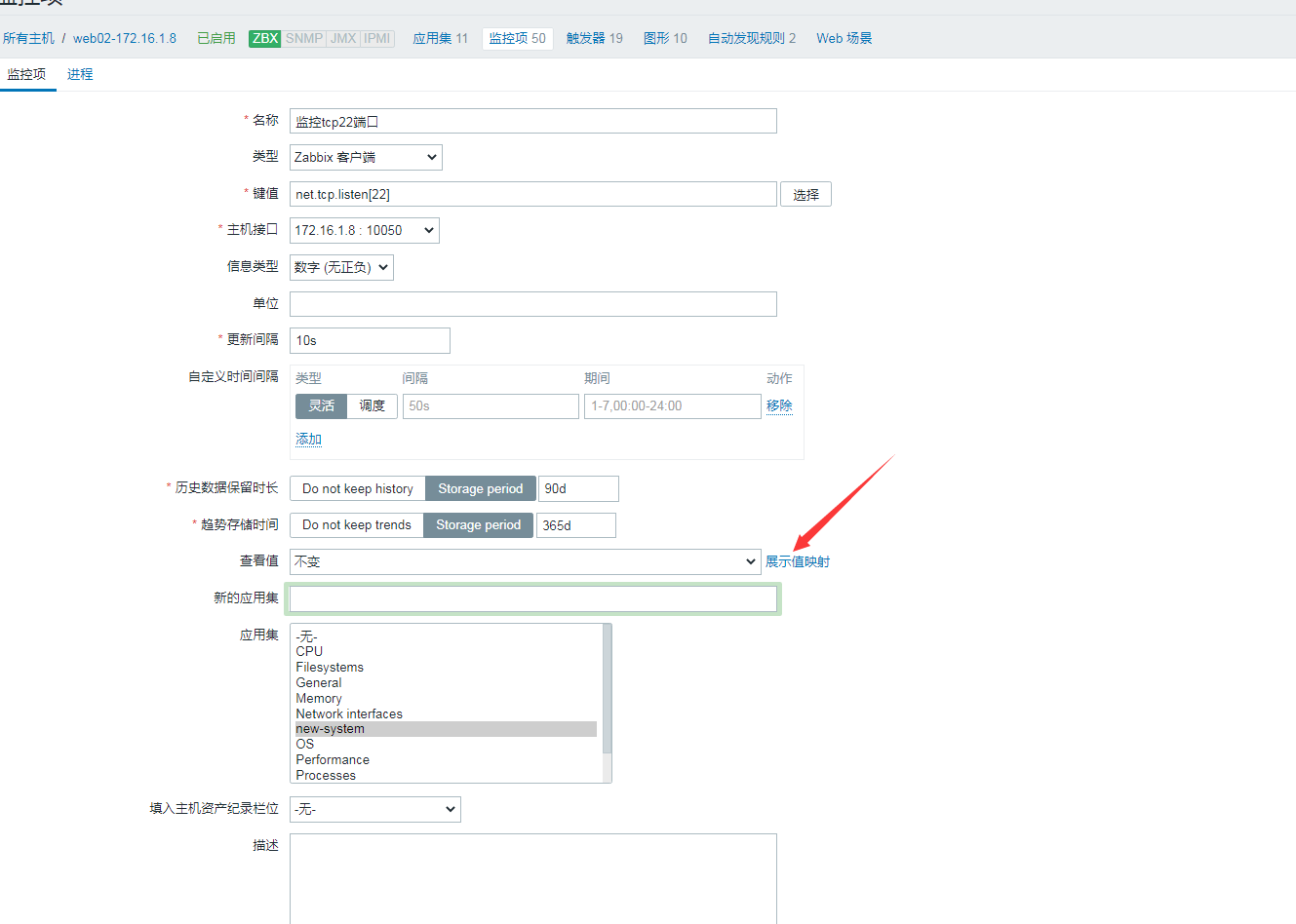
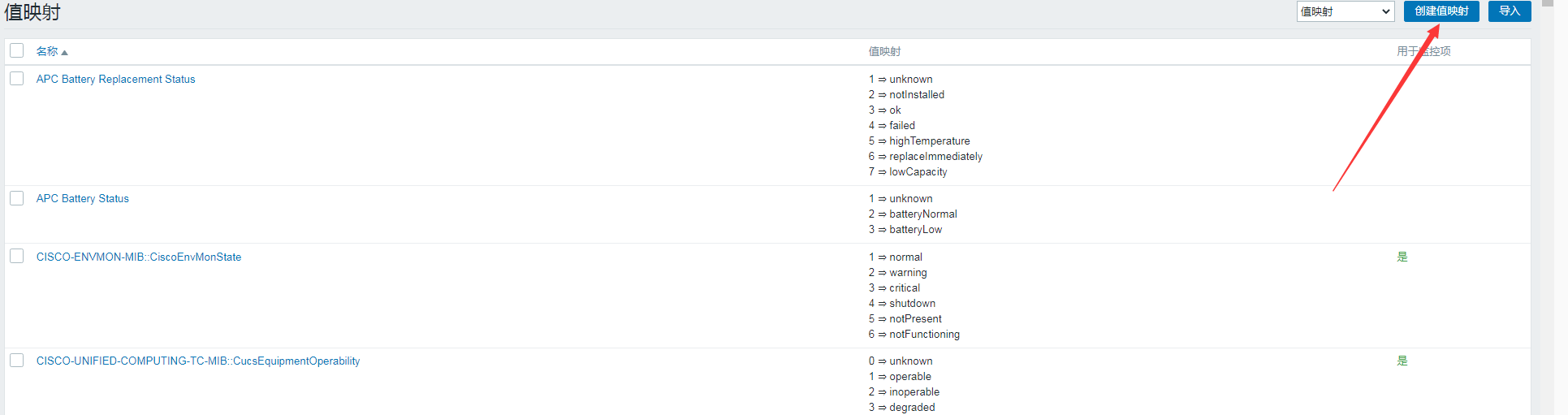

값 매핑 적용
6. 서버 메모리 비율 커스텀 모니터링#
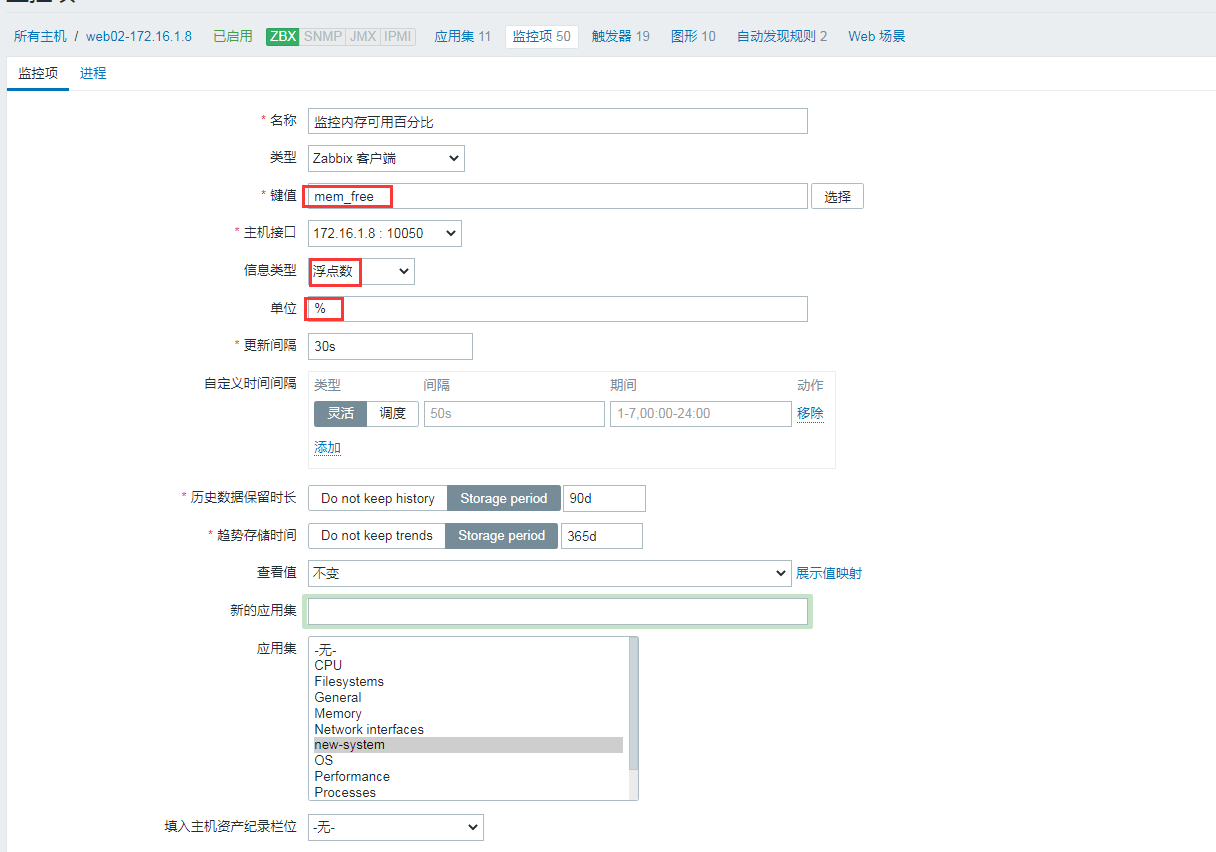
1단계: 커스텀 항목을 정의하여 가용률 가져오기
1
2
3
4
5
6
|
[root@web02 ~]# cat /etc/zabbix/zabbix_agentd.d/system.conf
UserParameter=login_number,w|awk 'NR==1{print $4}'
UserParameter=mem_free,free|awk 'NR==2{print $NF/$2*100}'
[root@web02 ~]# systemctl restart zabbix-agent.service
[root@web02 ~]#zabbix_agentd -p|grep mem_free
mem_free                                      [t|79.8753]
|
2단계: 서버에서 키 값 가져오기를 테스트하고 항목 추가
1
2
|
[root@zabbix ~]#zabbix_get -s 172.16.1.8 -k mem_free
79.9775
|
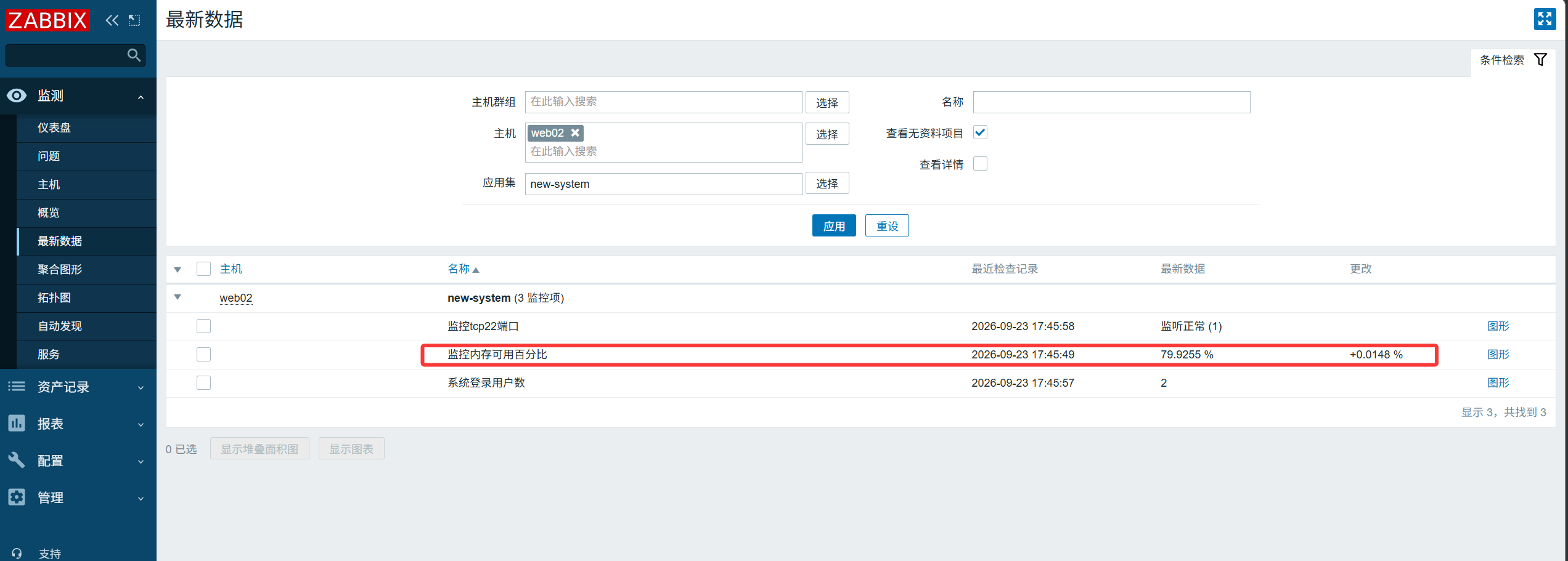
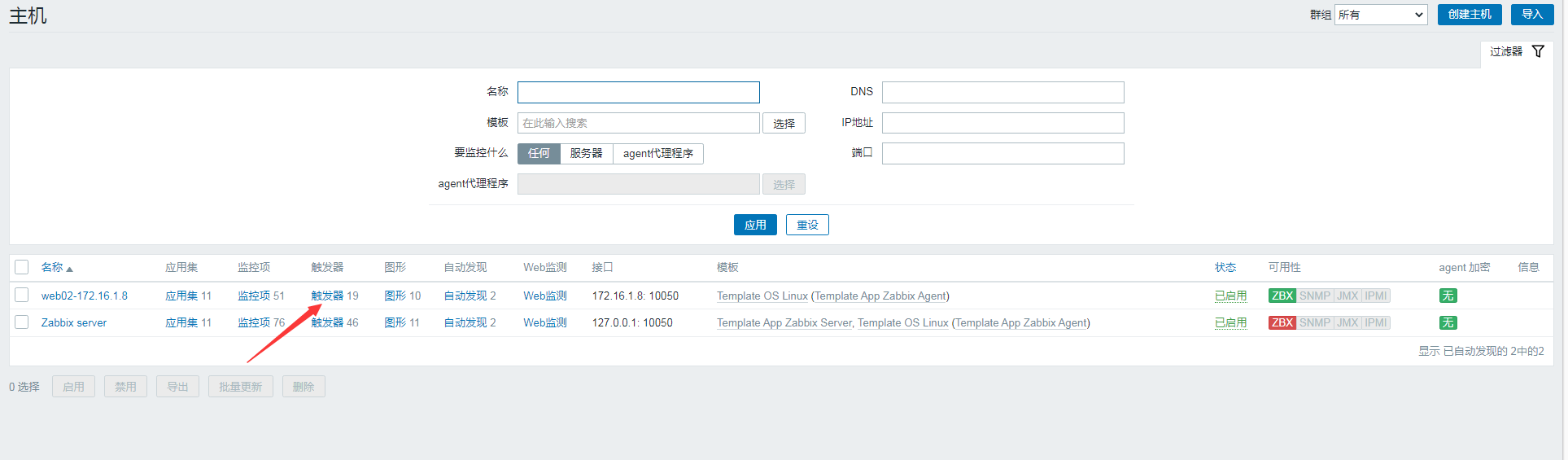
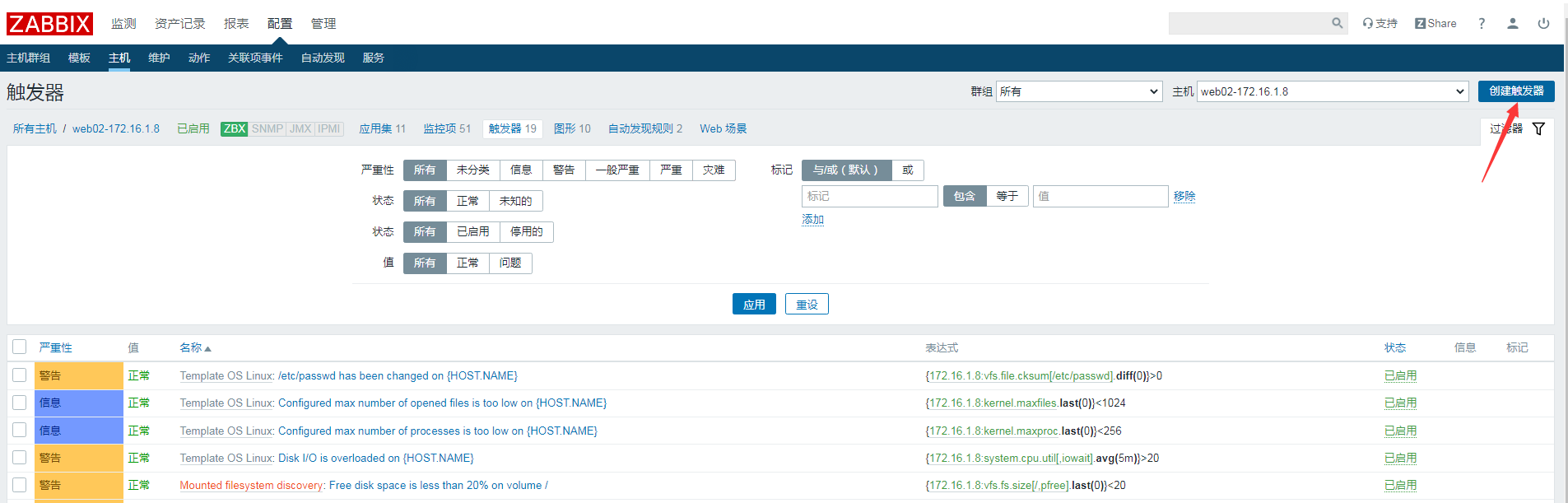
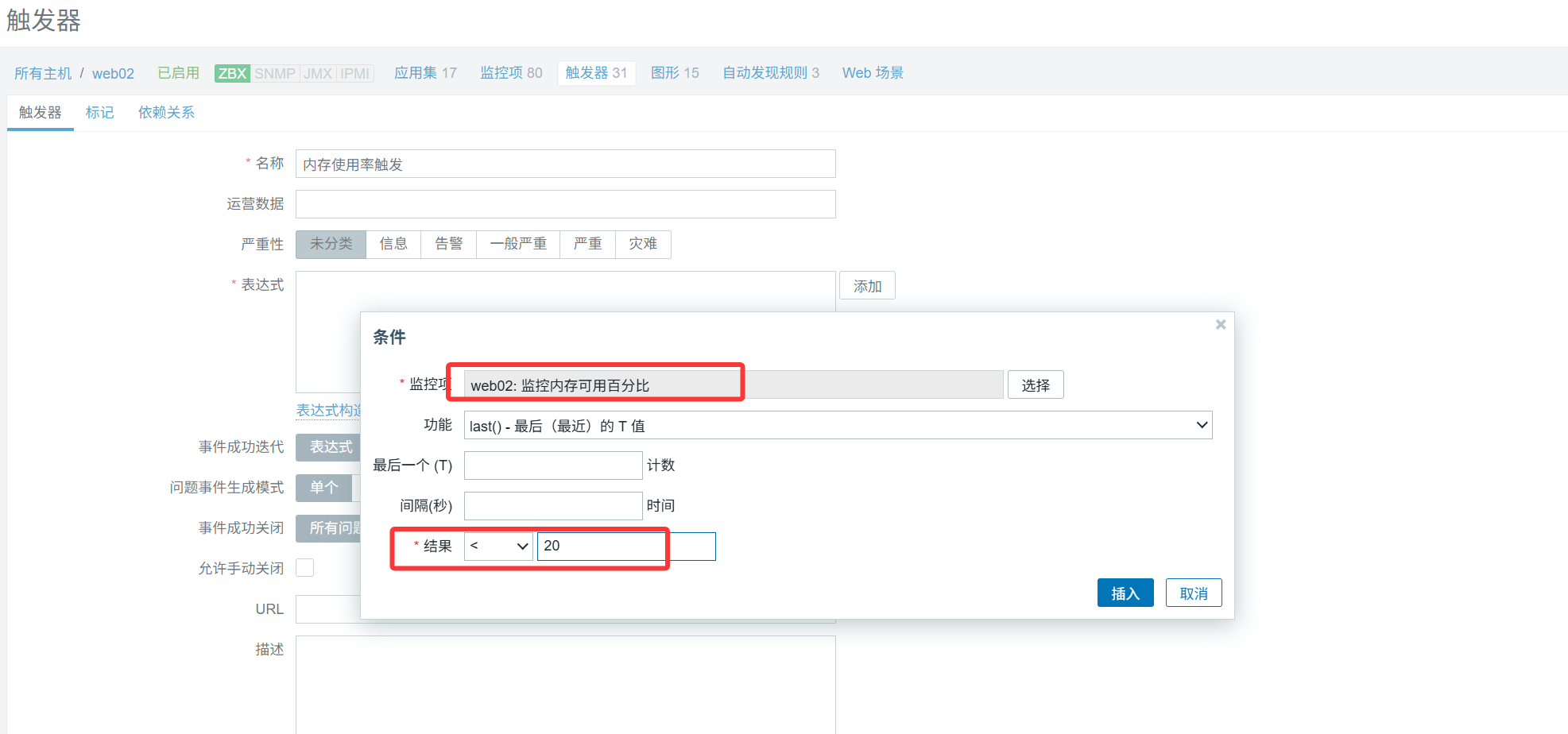
7. 가용 메모리에 트리거 설정#
가용 메모리 비율이 20% 미만이면 알림을 발보합니다.
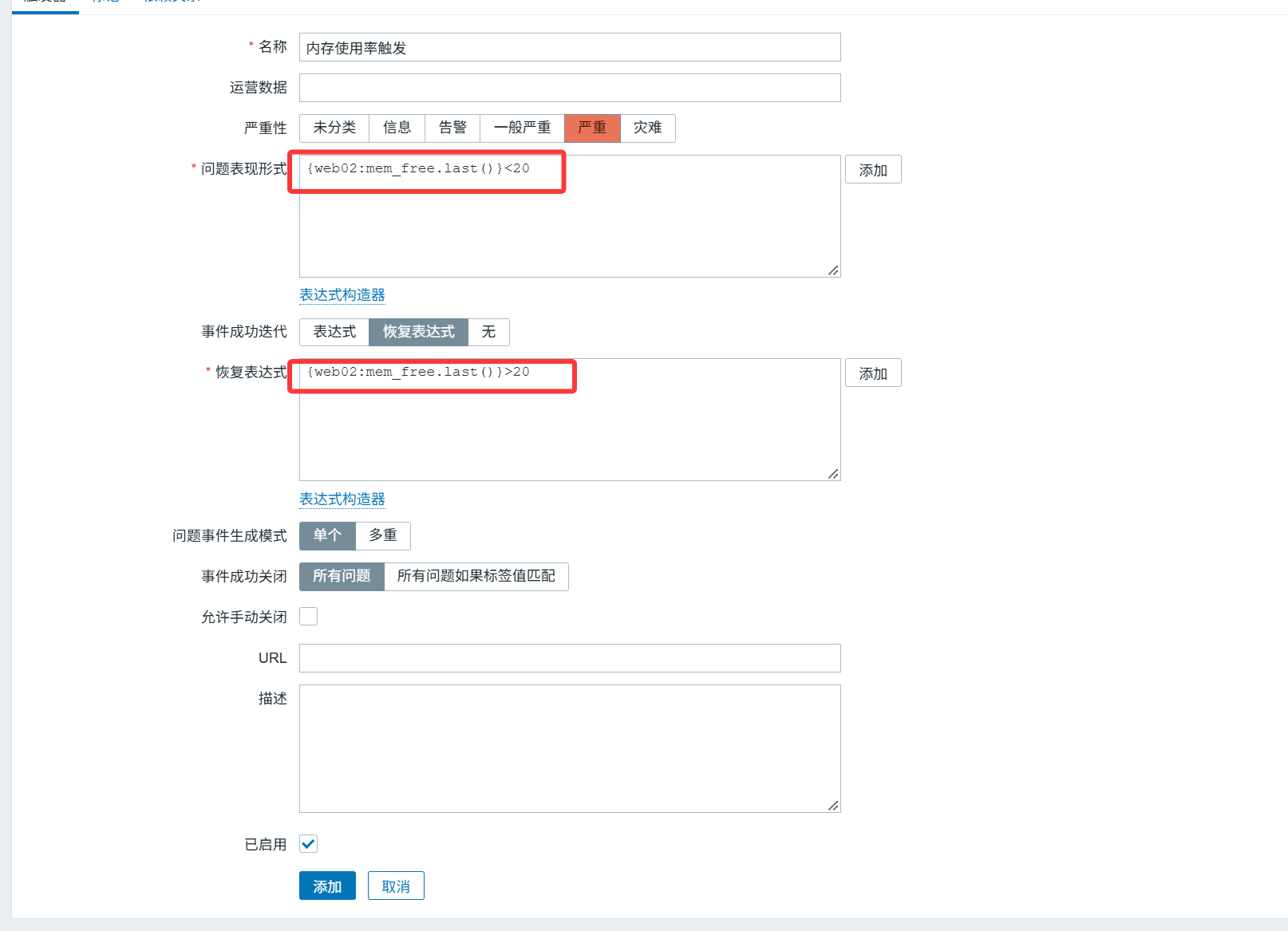
테스트: swap 파티션 끄기
1
|
[root@web02 ~]# swapoff -a
|
dd로 부하 테스트를 실행해 메모리 소비
1
|
[root@web02 ~]# dd if=/dev/zero of=/dev/null bs=1200M count=2048
|
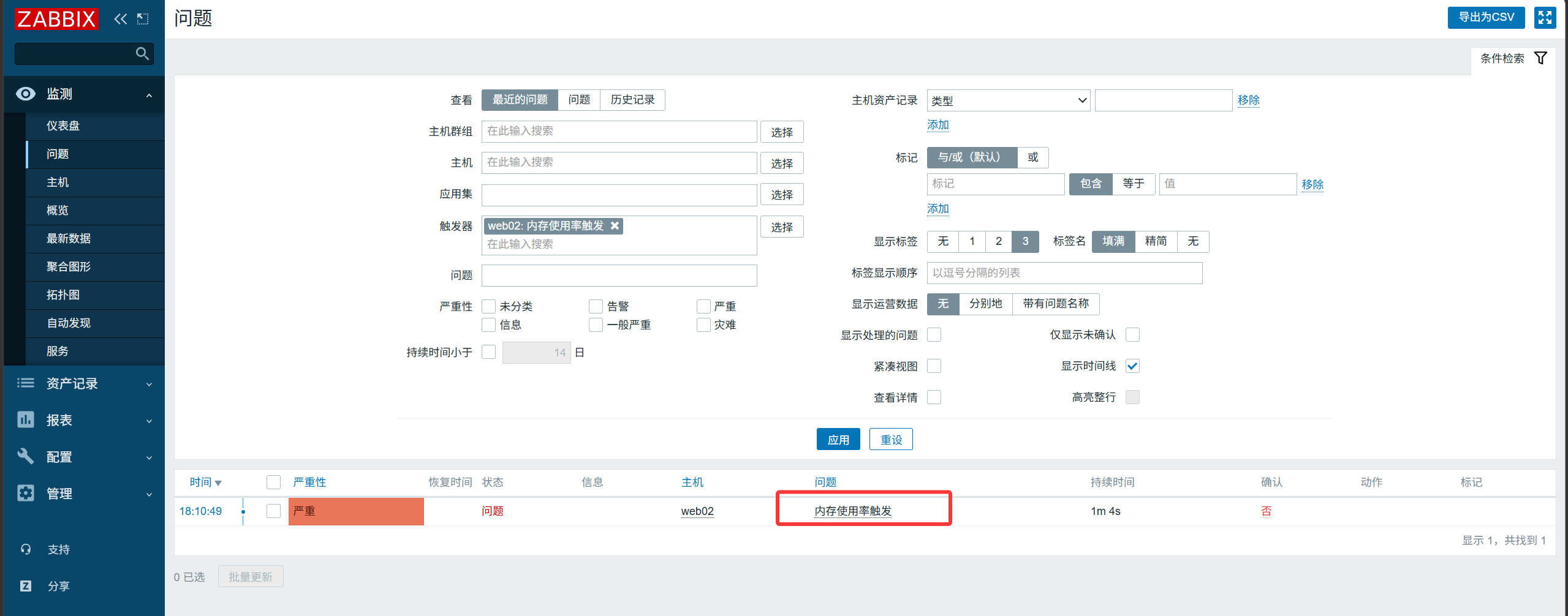
8. 다중 조건 트리거 구성#
두 조건이 동시에 만족할 때만 알림을 발보합니다.
swap 가용률 추가
1
2
3
4
|
[root@web02 ~]# cat /etc/zabbix/zabbix_agentd.d/system.conf
UserParameter=login_number,w|awk 'NR==1{print $4}'
UserParameter=mem_free,free|awk 'NR==2{print $NF/$2*100}'
UserParameter=swap_free,free -m|awk 'NR==3{print $3/$2*100}'
|
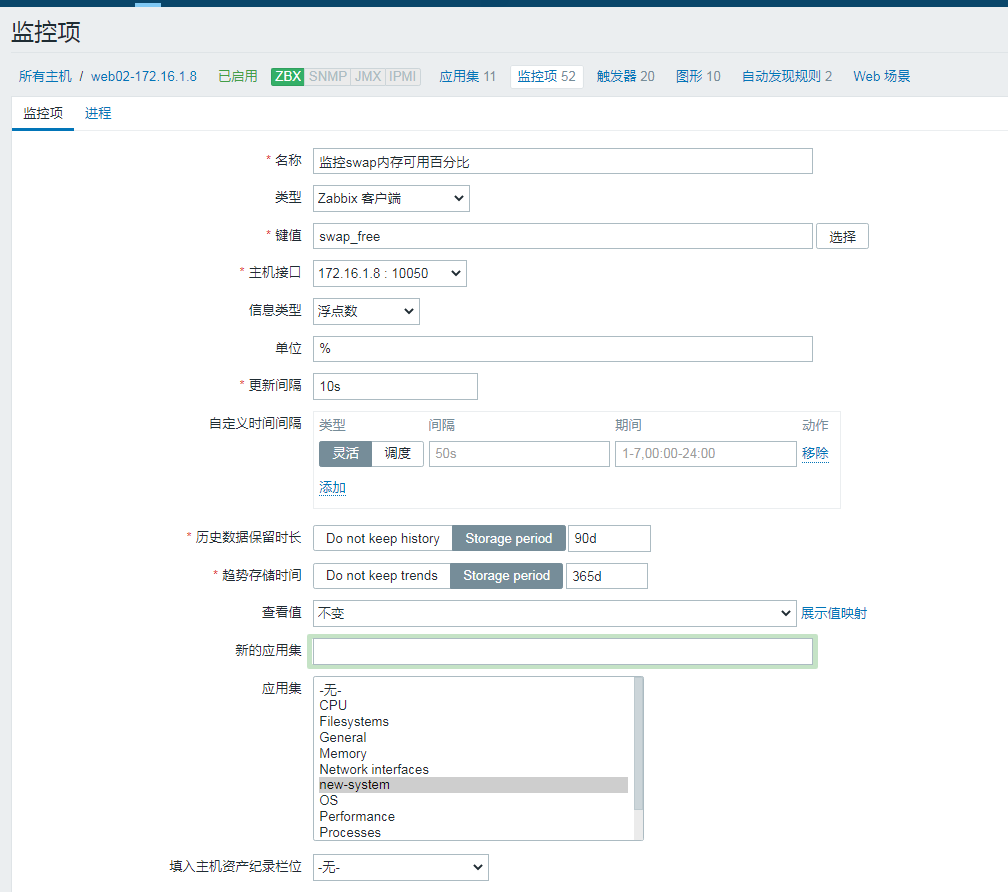
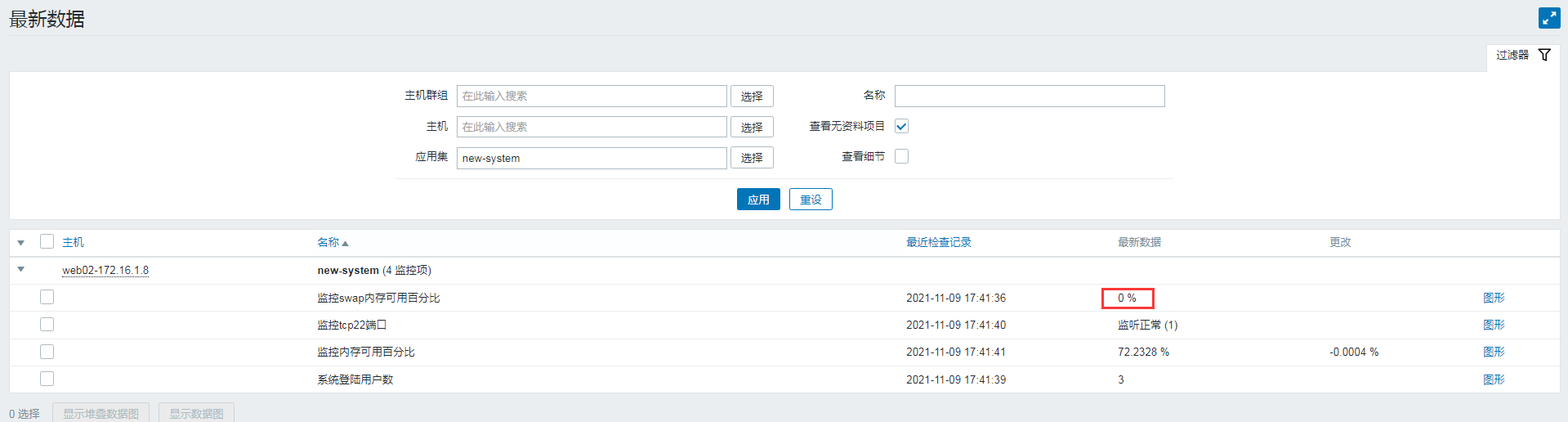
트리거 설정 수정
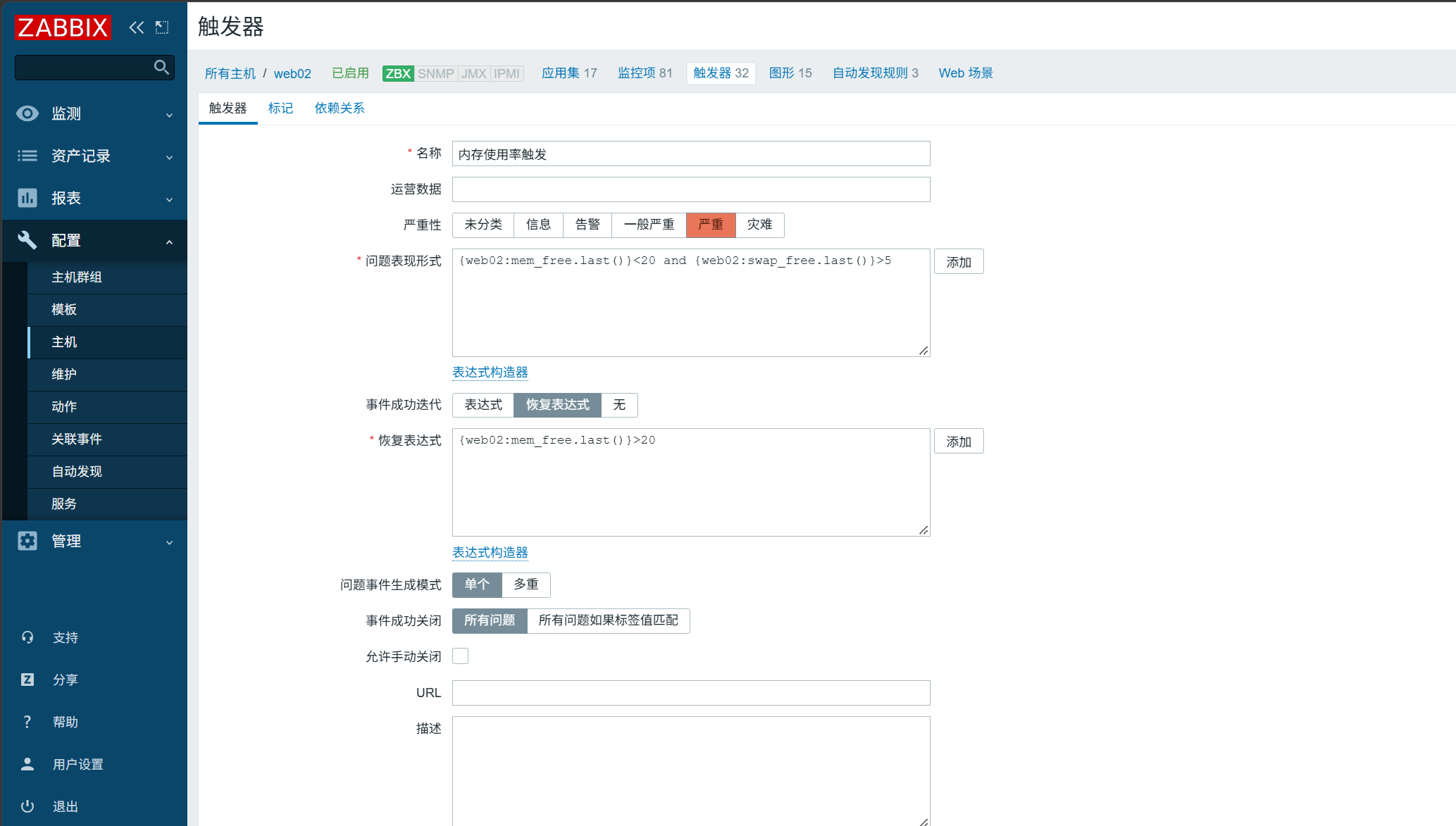
이후 dd 부하 테스트를 다시 실행해 결과를 확인합니다.