1. Get the Number of Logged-in Users#
1
2
3
4
5
6
7
|
[root@web02 ~]#w
 17:44:18 up  1:17,  2 users,  load average: 0.01, 0.02, 0.05
USER     TTY      FROM             LOGIN@   IDLE   JCPU   PCPU WHAT
root     pts/0    11.0.1.1         16:31   11:46   0.07s  0.07s -bash
root     pts/1    11.0.1.52        17:07    2.00s  0.04s  0.00s w
[root@web02 ~]#w|awk 'NR==1{print $4}'
2
|
2. Define It as a Zabbix Monitoring Item#
1
2
3
4
5
6
7
|
[root@web02 ~]# cat /etc/zabbix/zabbix_agentd.d/system.conf
UserParameter=login_number,w|awk 'NR==1{print $4}'
# zabbix_agentd -p can be used to check the item's syntax
[root@web02 ~]#zabbix_agentd -p|grep login_number
login_number                                  [t|2]
# restart the agent
[root@web02 ~]# systemctl restart zabbix-agent.service
|
3. Collect and Monitor from the Zabbix Server Side#
From the server, use the command line to test whether the custom value can be fetched through the monitoring item.
1
2
3
4
|
# install the zabbix-get command
[root@zabbix ~]# yum -y install zabbix-get
[root@zabbix ~]#zabbix_get -s 172.16.1.8 -k login_number
2
|
Add the monitoring item on the web page
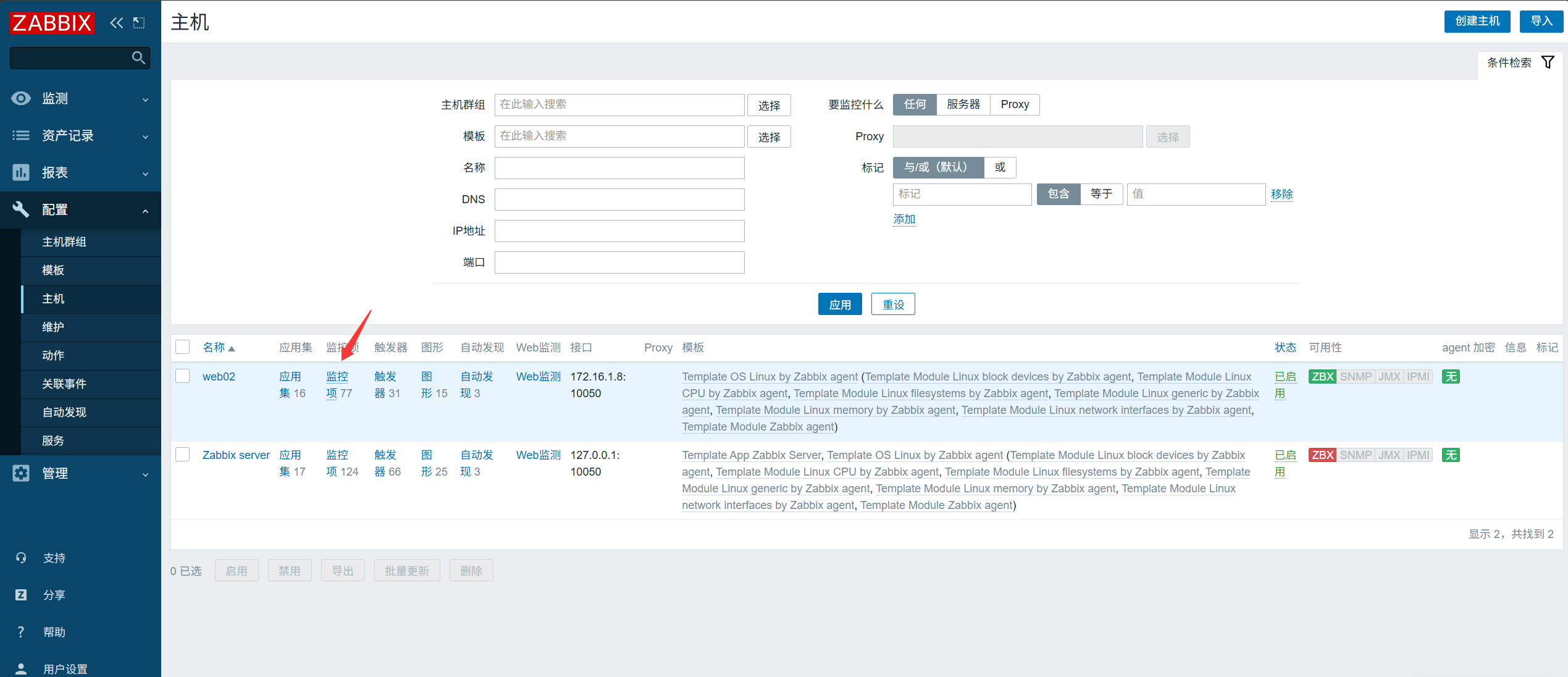

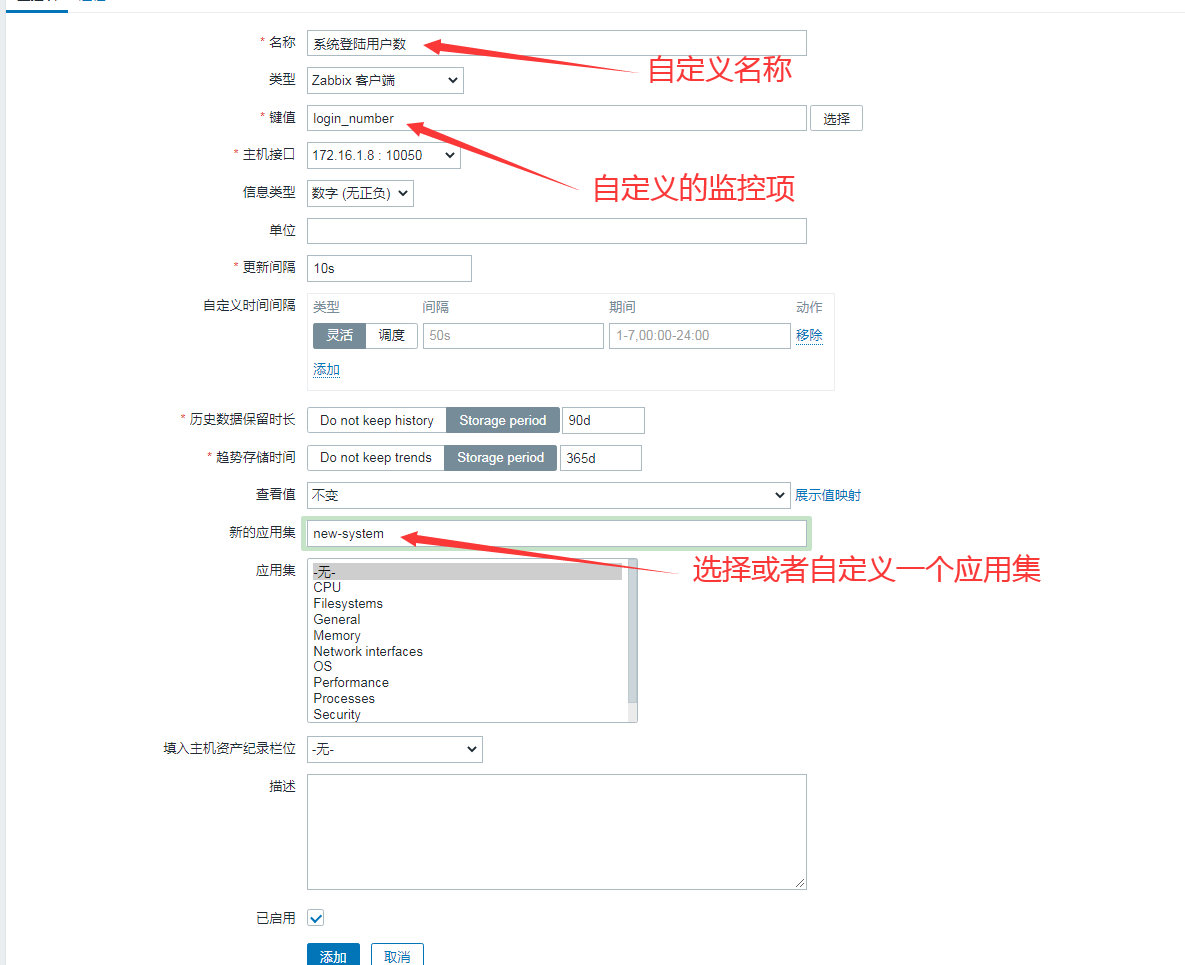
View the monitoring item
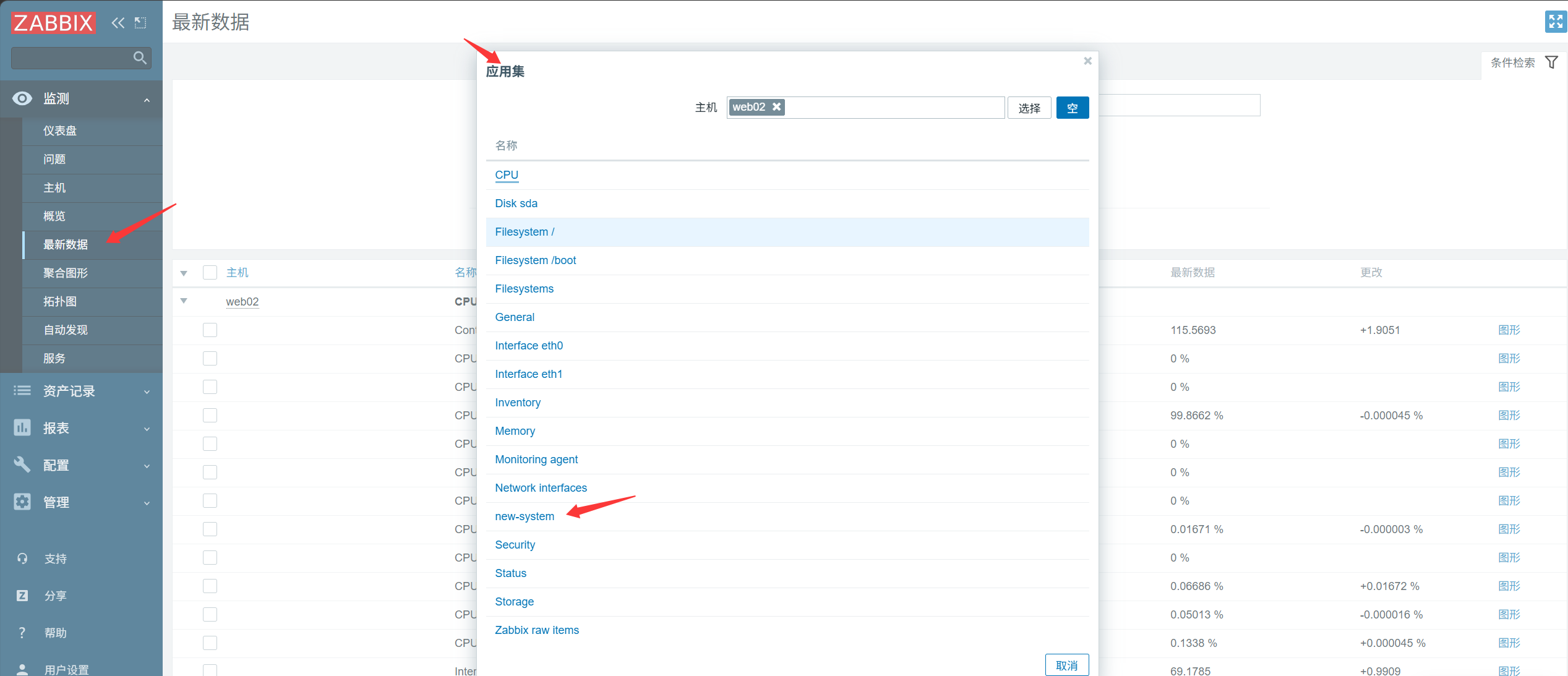
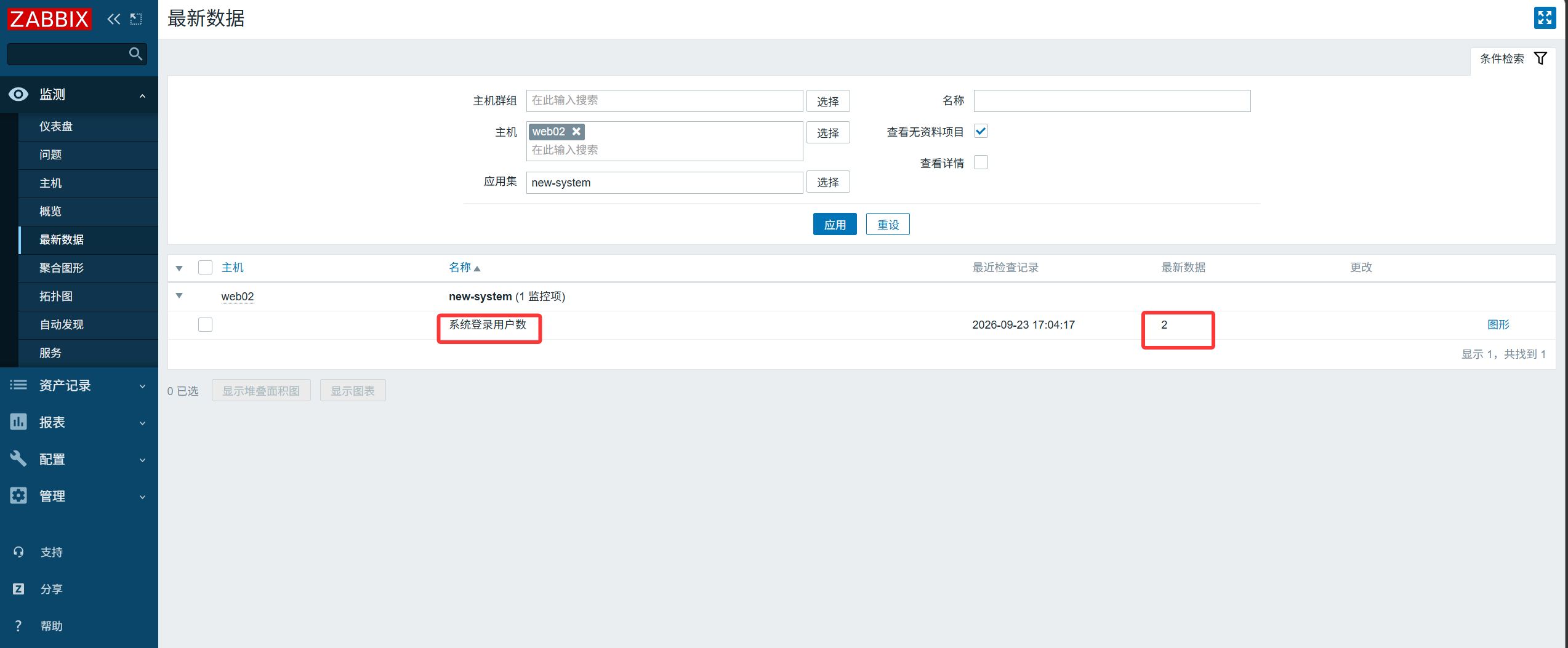
4. Monitor Whether TCP Port 22 Is Alive#
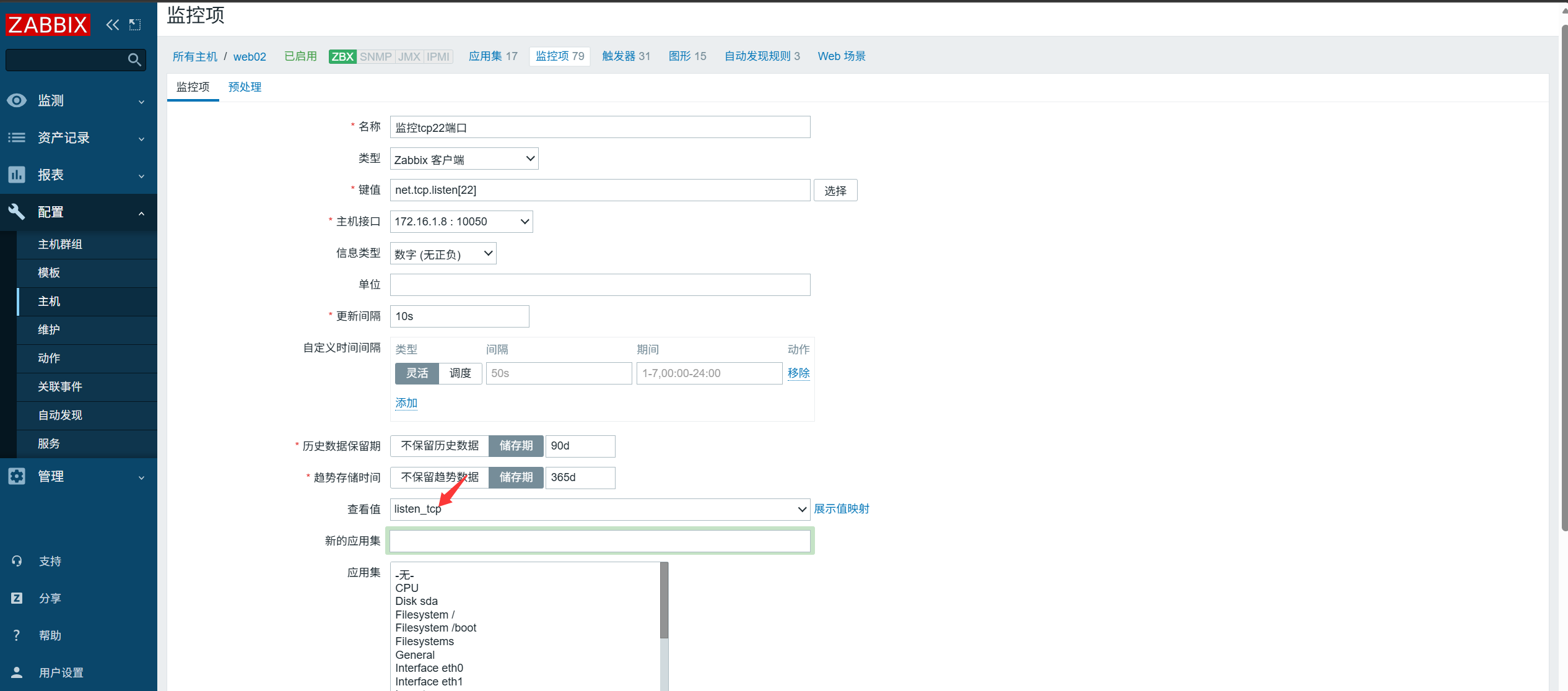
Select the key value that matches the information you want to monitor.
Check whether the TCP port is in the LISTEN state. Returns 0 - not listening; 1 - listening.
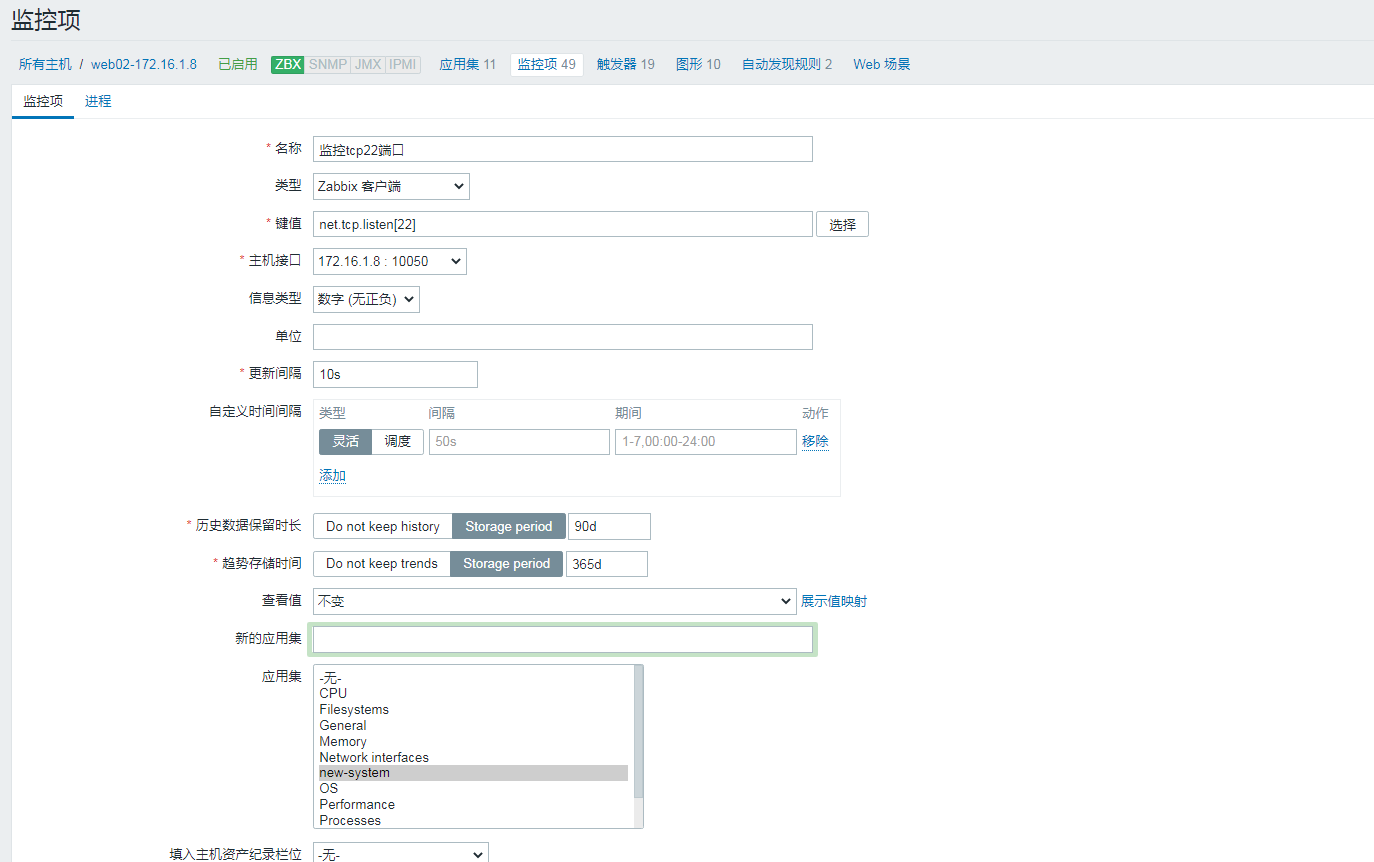
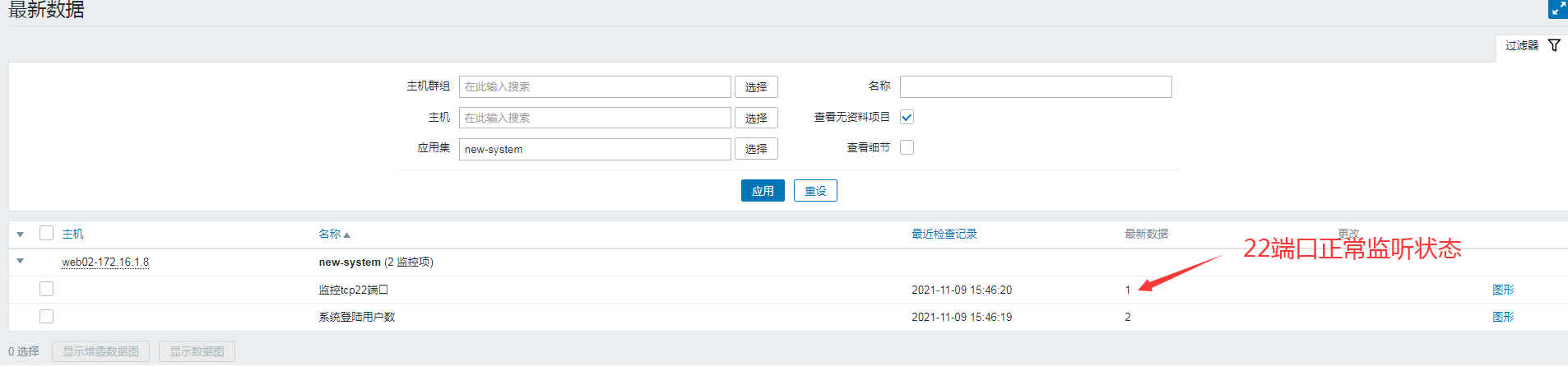
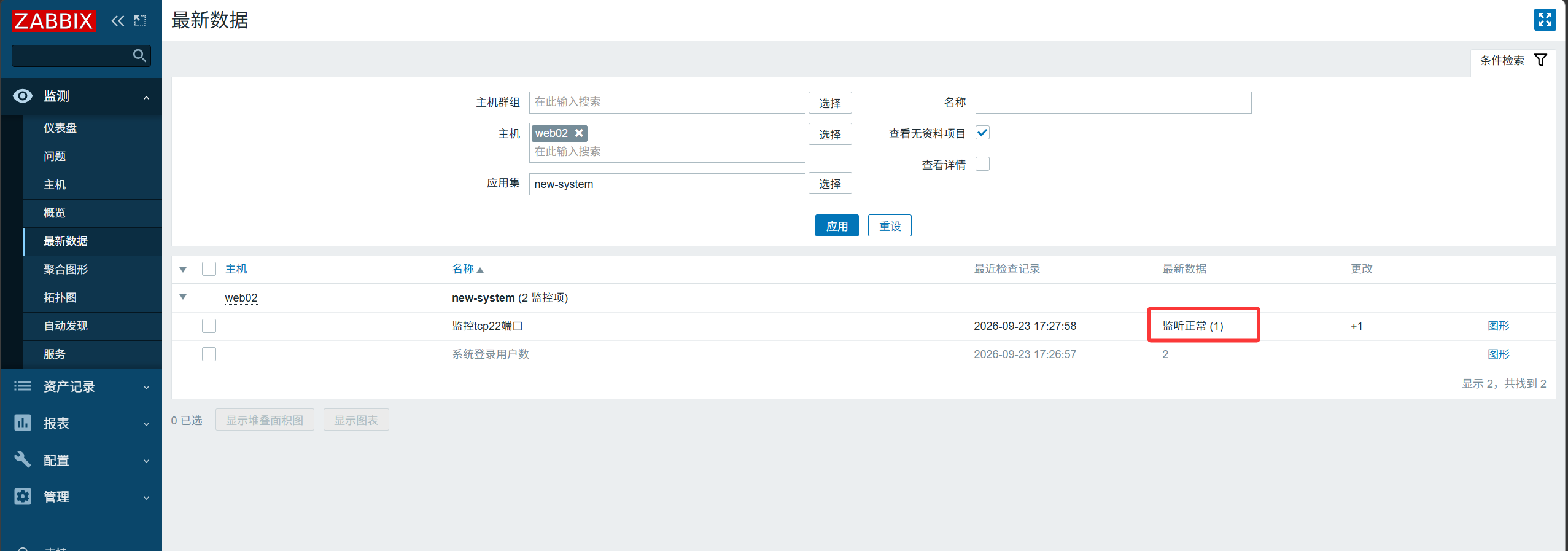
Stop the sshd service on web02
1
|
[root@web02 ~]# systemctl stop sshd
|
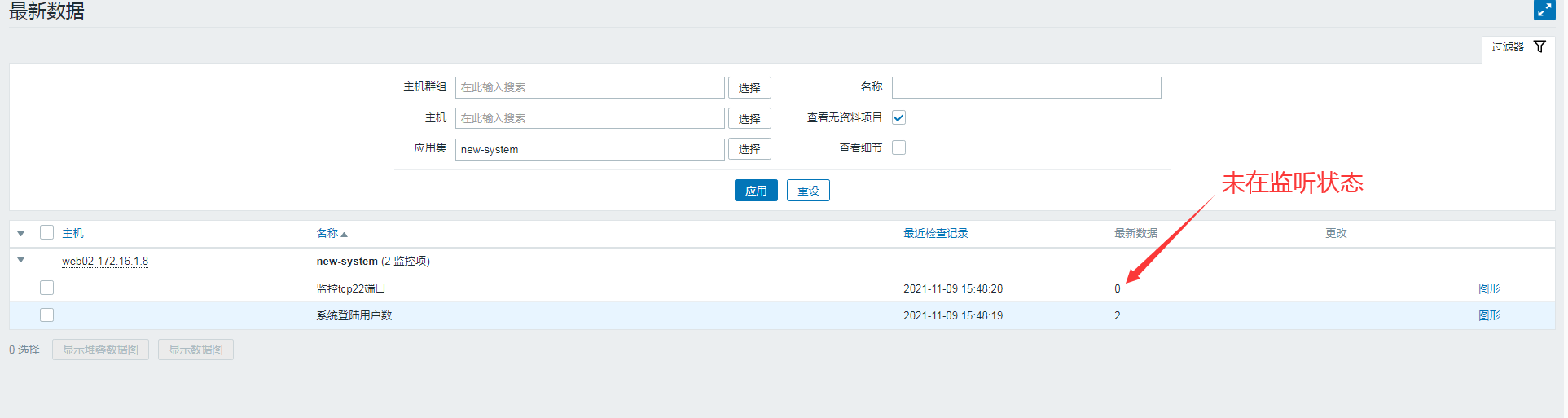
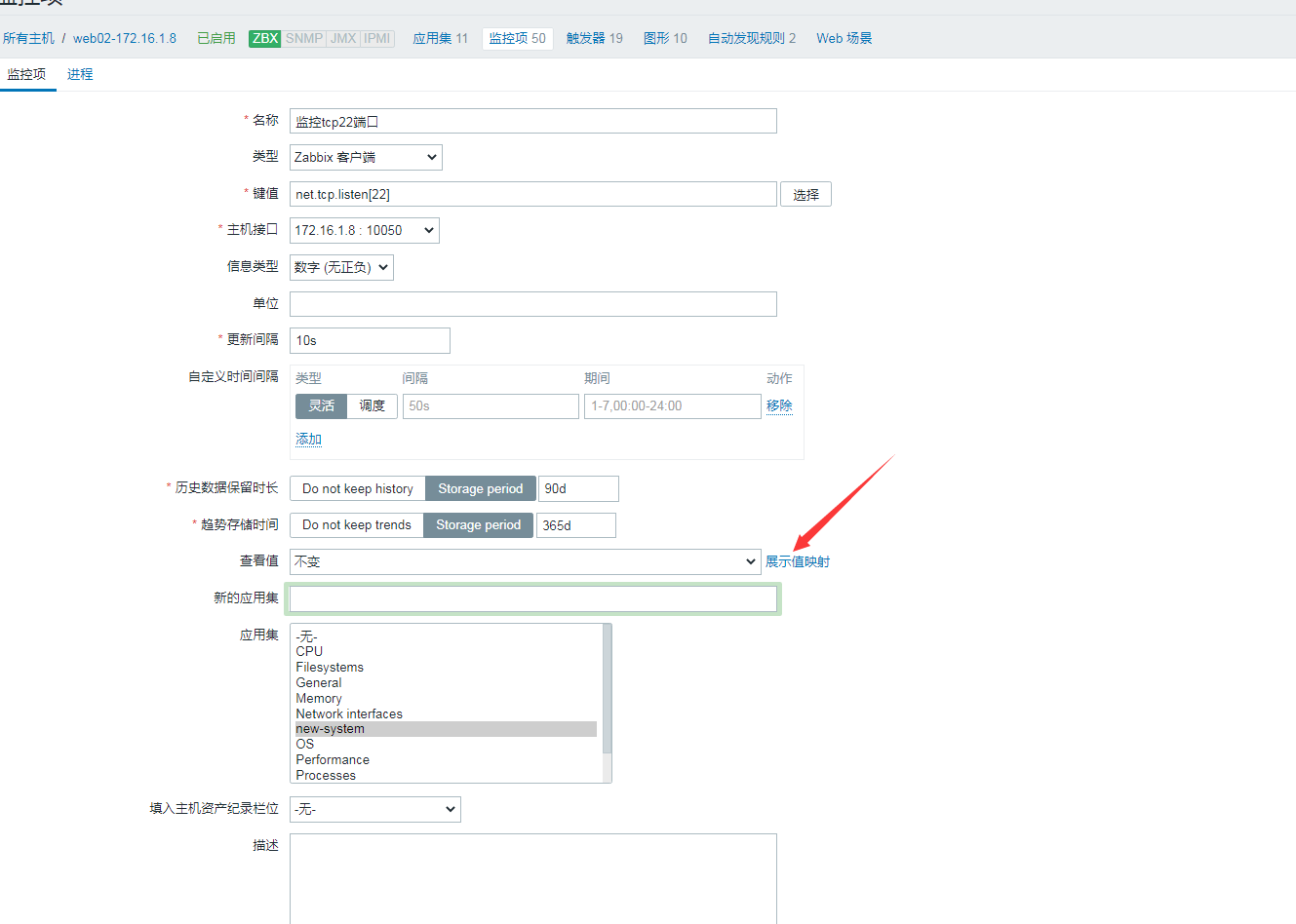
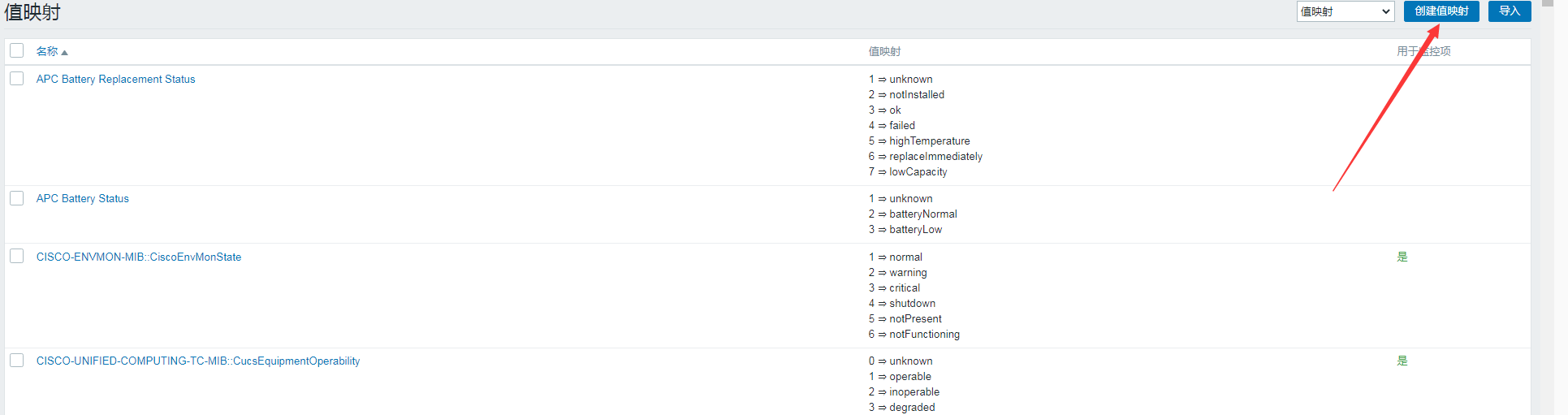

Apply the value mapping
6. Custom Monitoring of Server Memory Percentage#
Step 1: Define a custom item to get the free-memory percentage
1
2
3
4
5
6
|
[root@web02 ~]# cat /etc/zabbix/zabbix_agentd.d/system.conf
UserParameter=login_number,w|awk 'NR==1{print $4}'
UserParameter=mem_free,free|awk 'NR==2{print $NF/$2*100}'
[root@web02 ~]# systemctl restart zabbix-agent.service
[root@web02 ~]#zabbix_agentd -p|grep mem_free
mem_free                                      [t|79.8753]
|
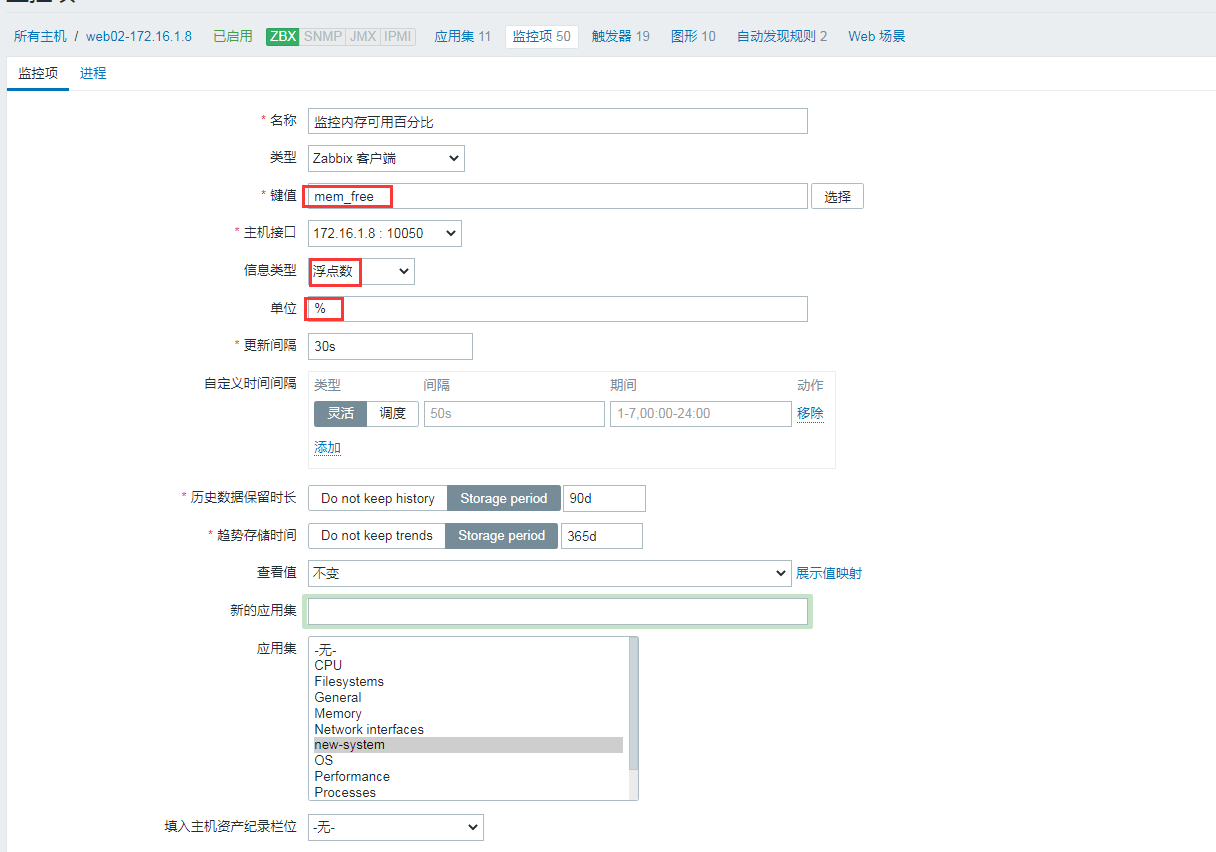
Step 2: Test fetching the key value from the server and add the monitoring item
1
2
|
[root@zabbix ~]#zabbix_get -s 172.16.1.8 -k mem_free
79.9775
|
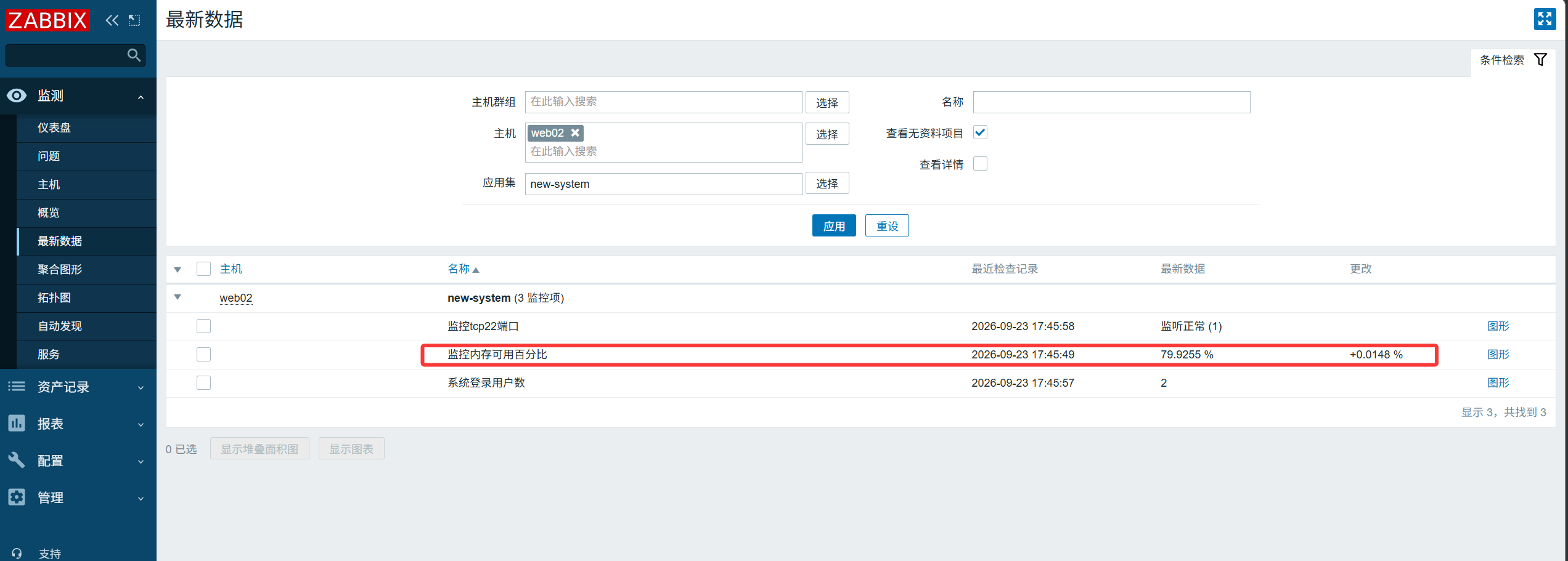
7. Set a Trigger for Available Memory#
Trigger an alert when the available-memory percentage drops below 20%.
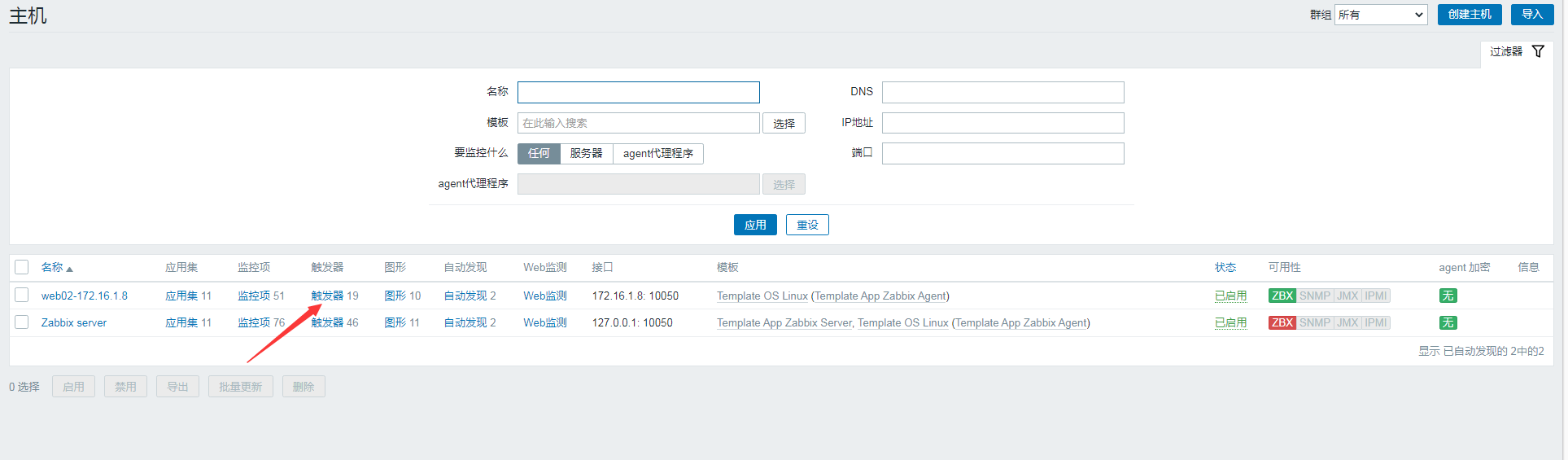
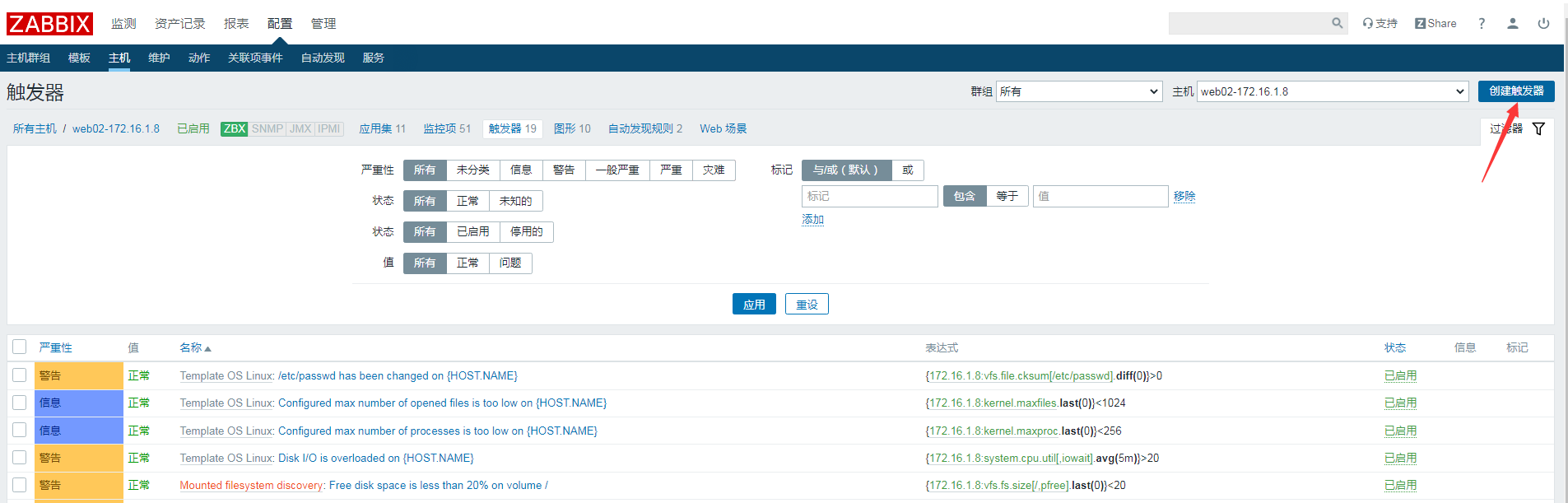
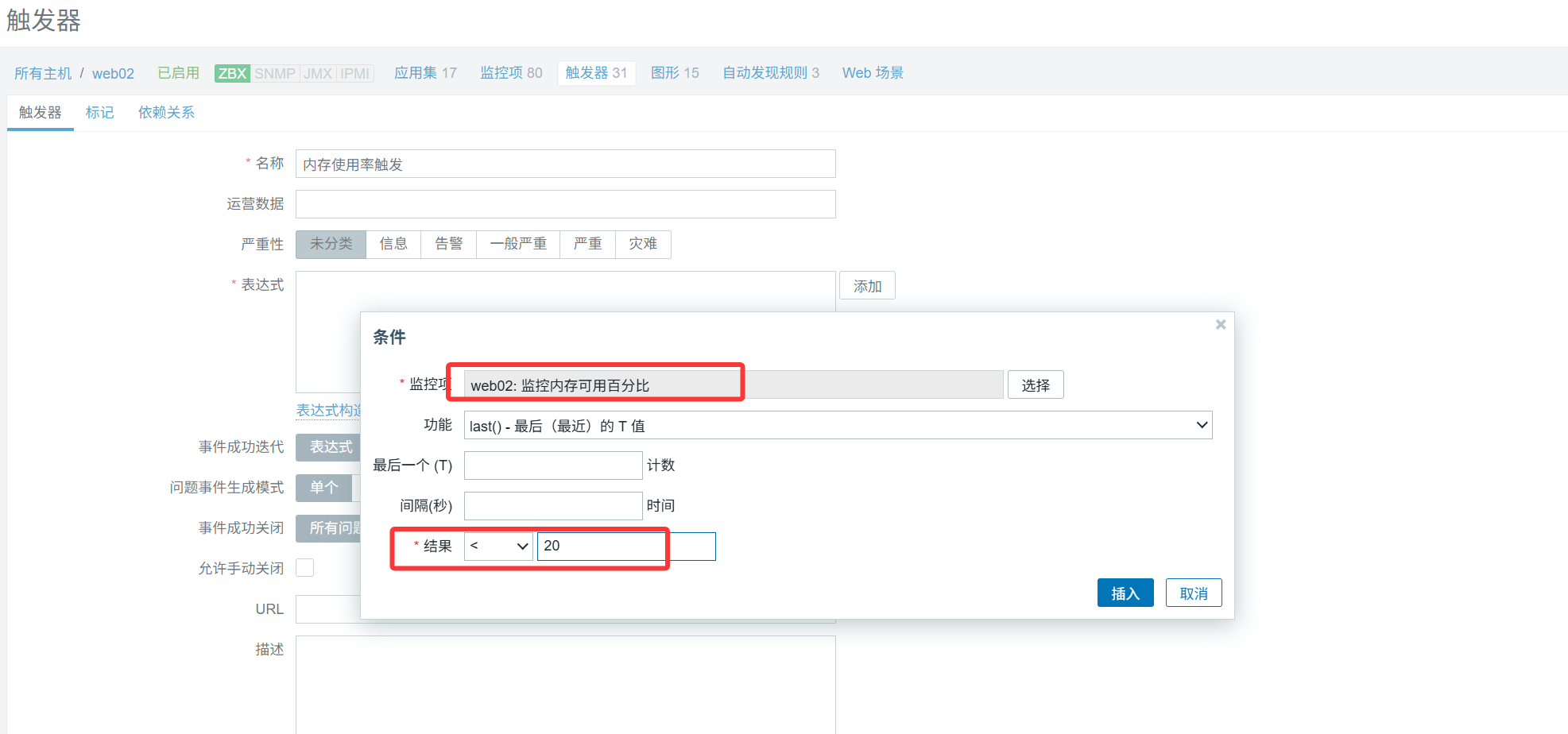
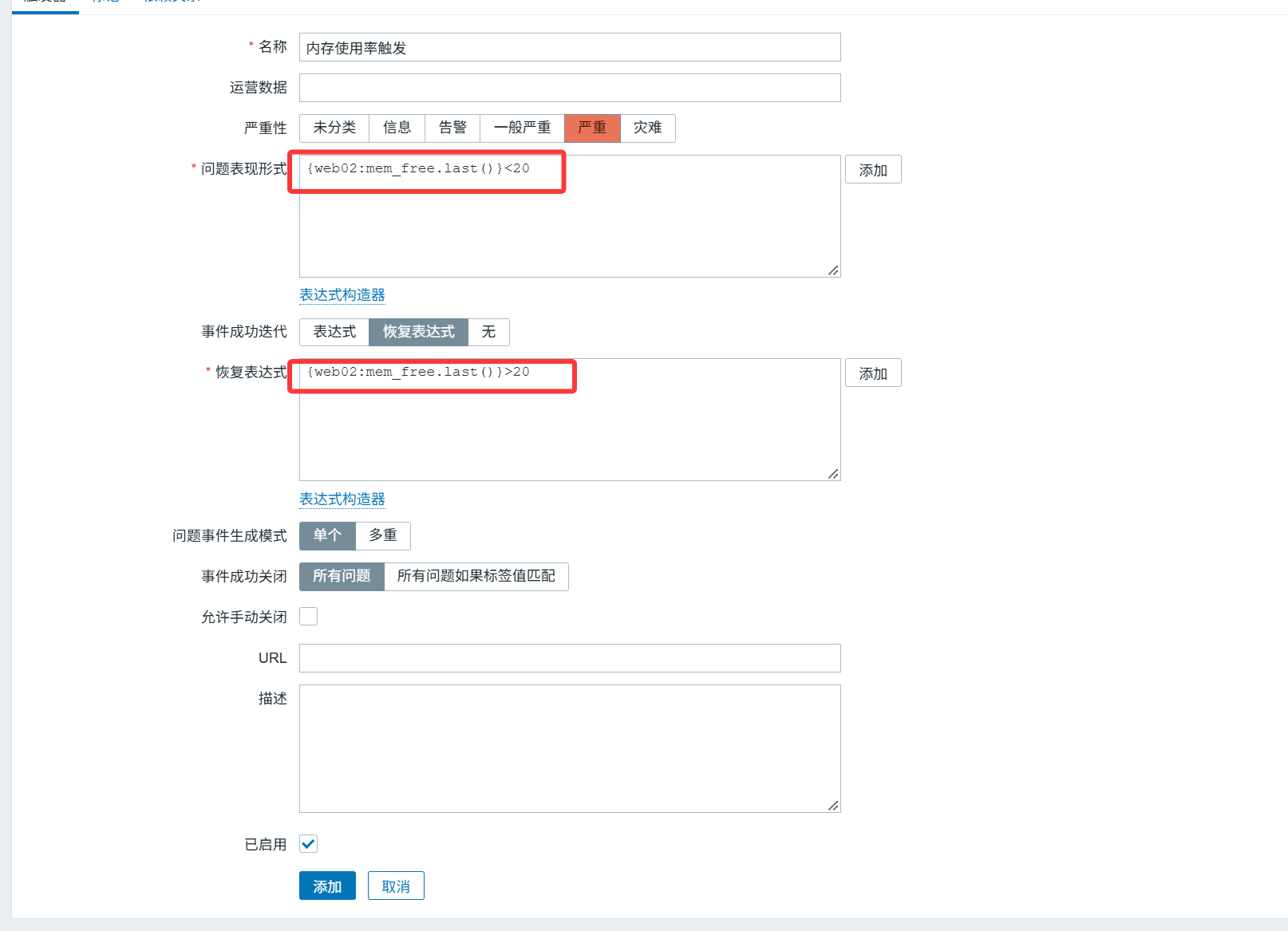
Test: turn off the swap partition
1
|
[root@web02 ~]# swapoff -a
|
Use dd to stress-test and consume memory
1
|
[root@web02 ~]# dd if=/dev/zero of=/dev/null bs=1200M count=2048
|
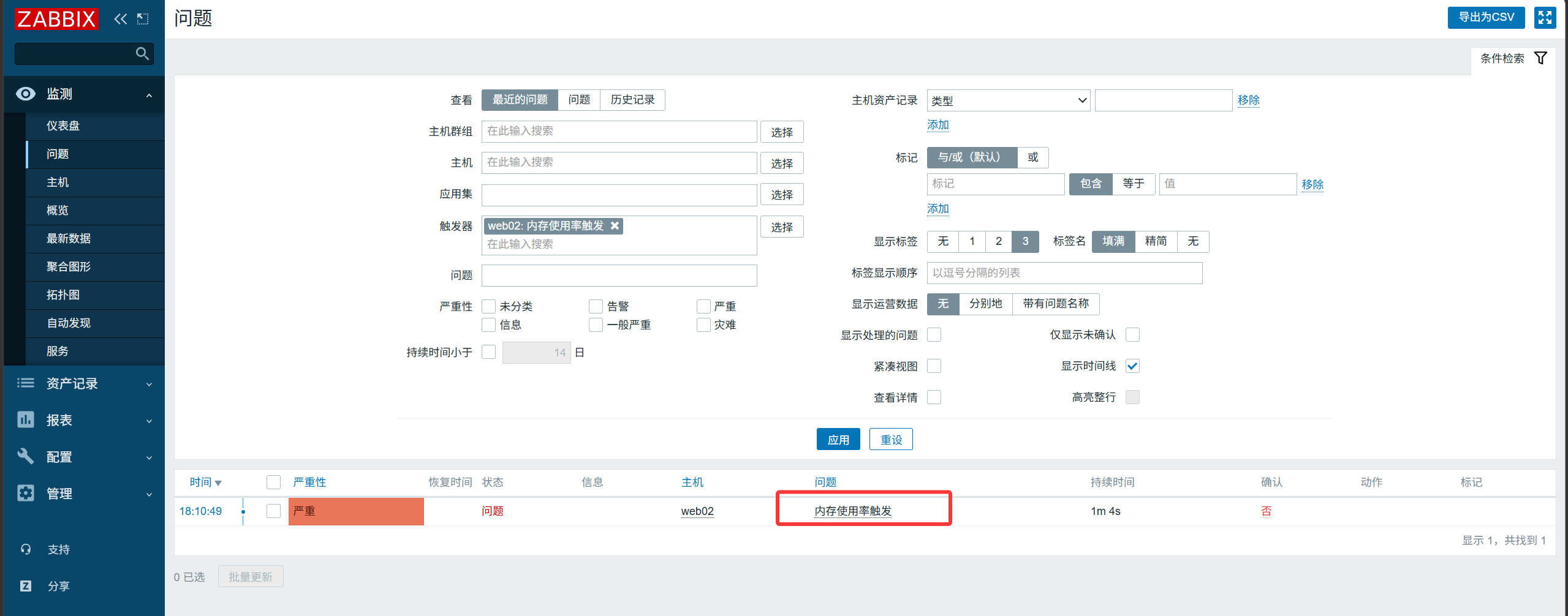
Trigger an alert only when both conditions are met simultaneously.
Add the swap-free percentage
1
2
3
4
|
[root@web02 ~]# cat /etc/zabbix/zabbix_agentd.d/system.conf
UserParameter=login_number,w|awk 'NR==1{print $4}'
UserParameter=mem_free,free|awk 'NR==2{print $NF/$2*100}'
UserParameter=swap_free,free -m|awk 'NR==3{print $3/$2*100}'
|
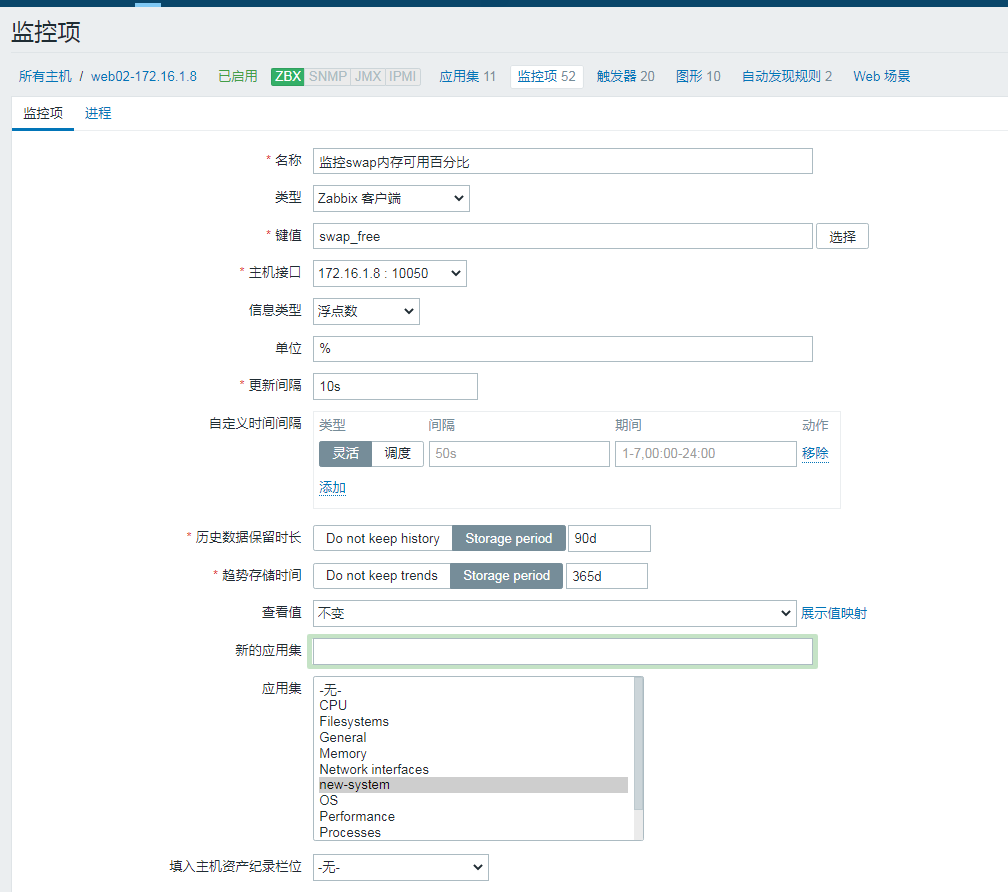
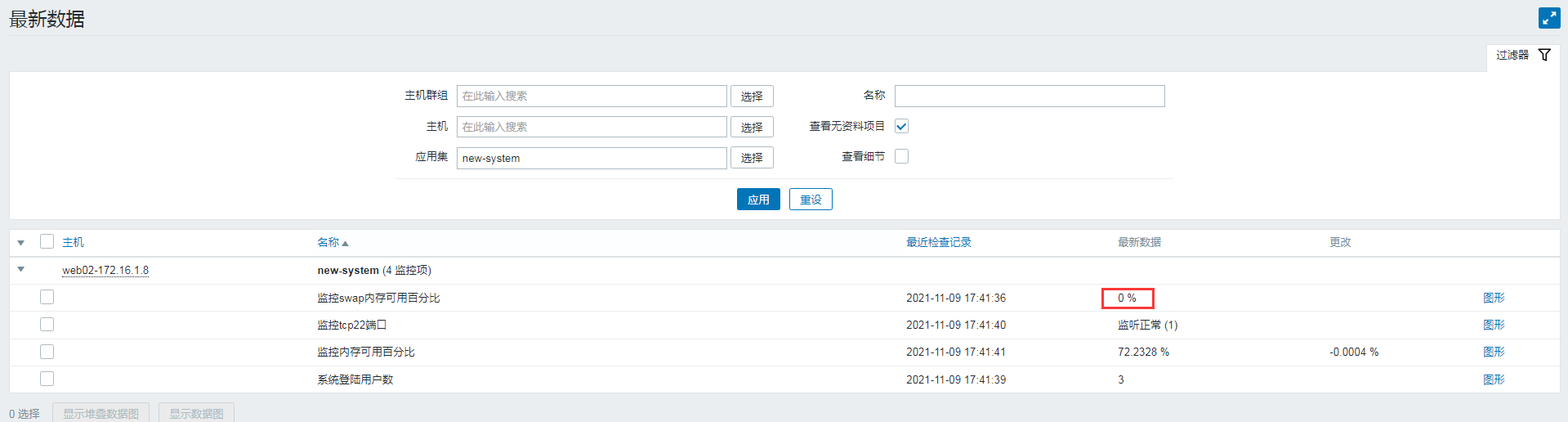
Modify the trigger configuration
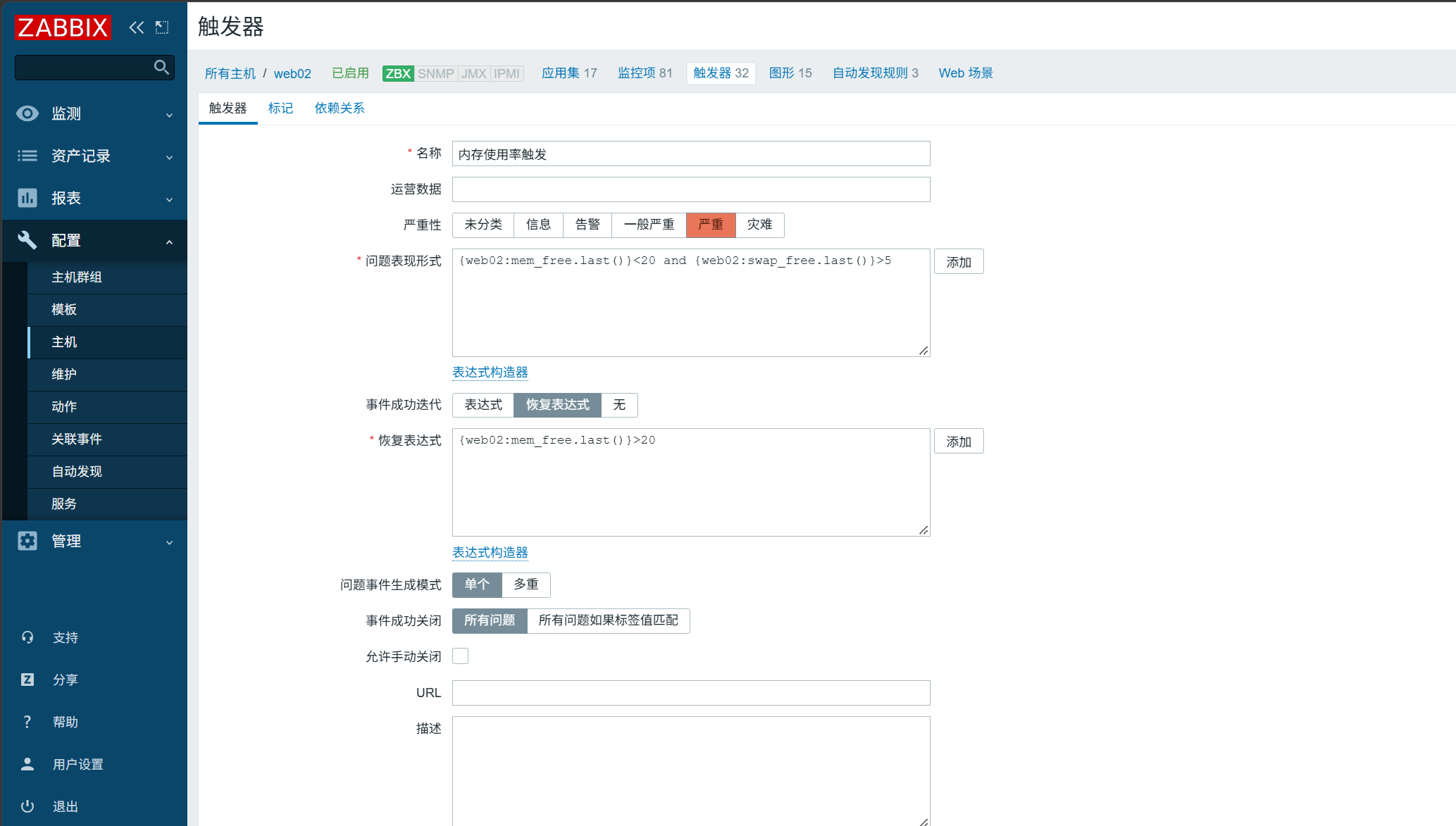
Then run the dd stress test again to check the result.