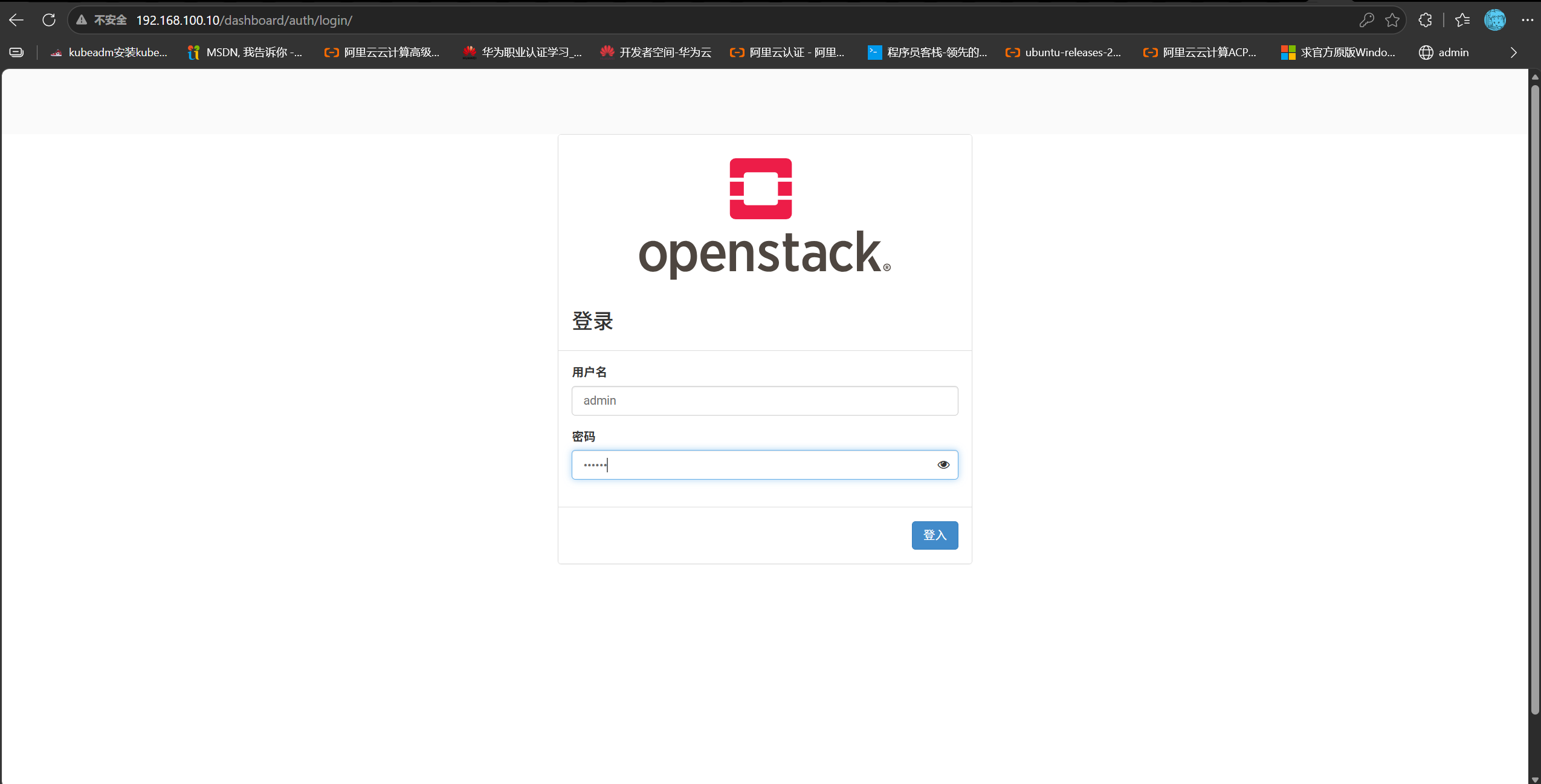
I. Provisioning a Cloud Server via the Web Dashboard#
The admin user is the cloud super administrator
admin manages identities
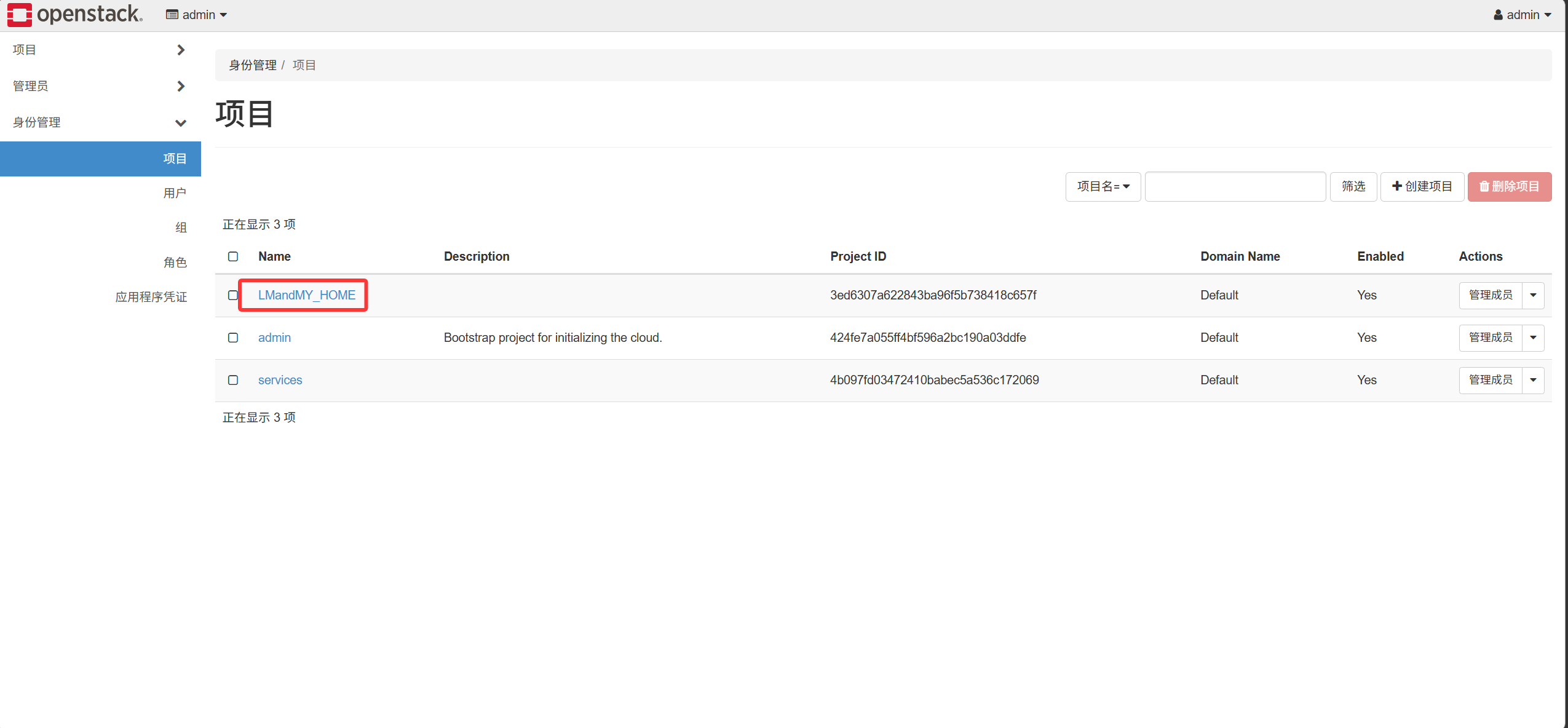
- Create a tenant (project)
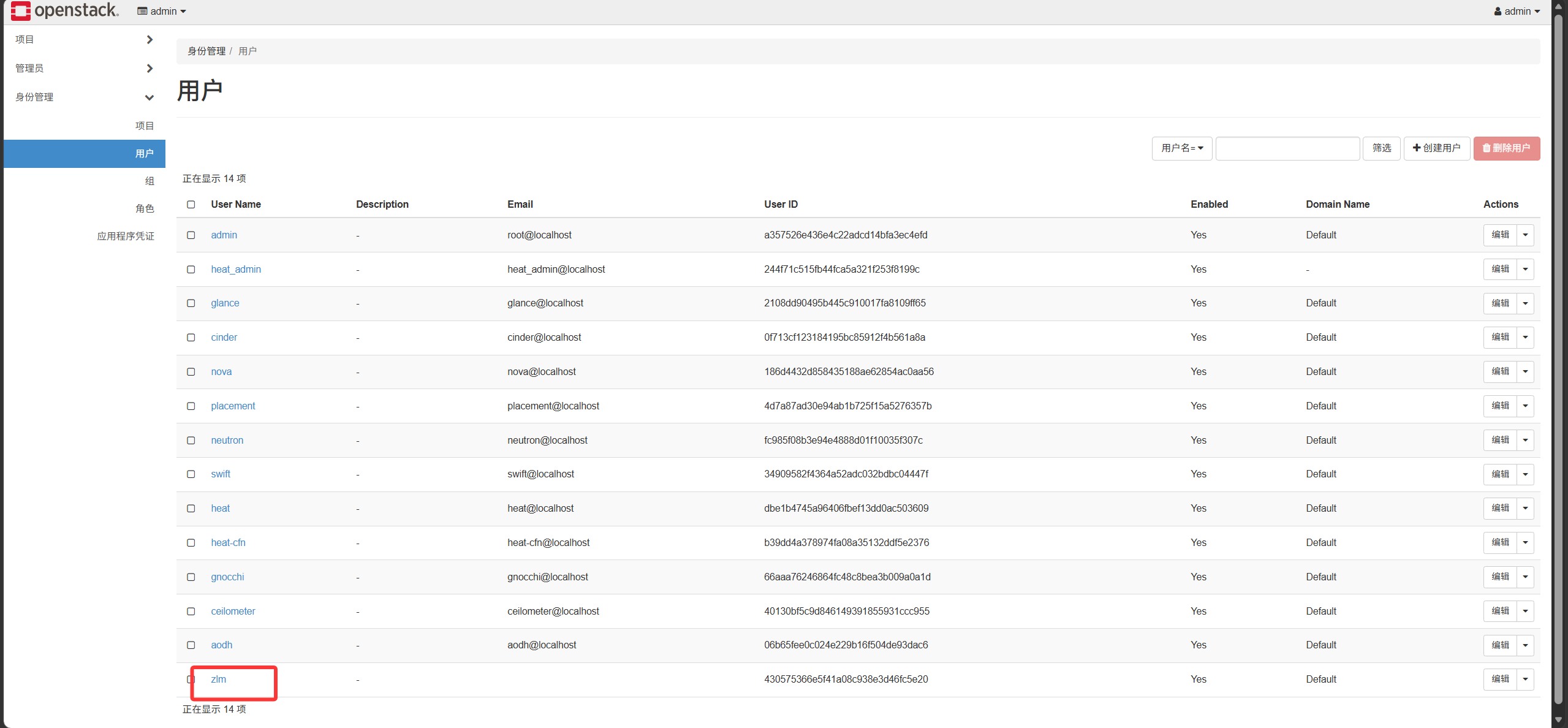
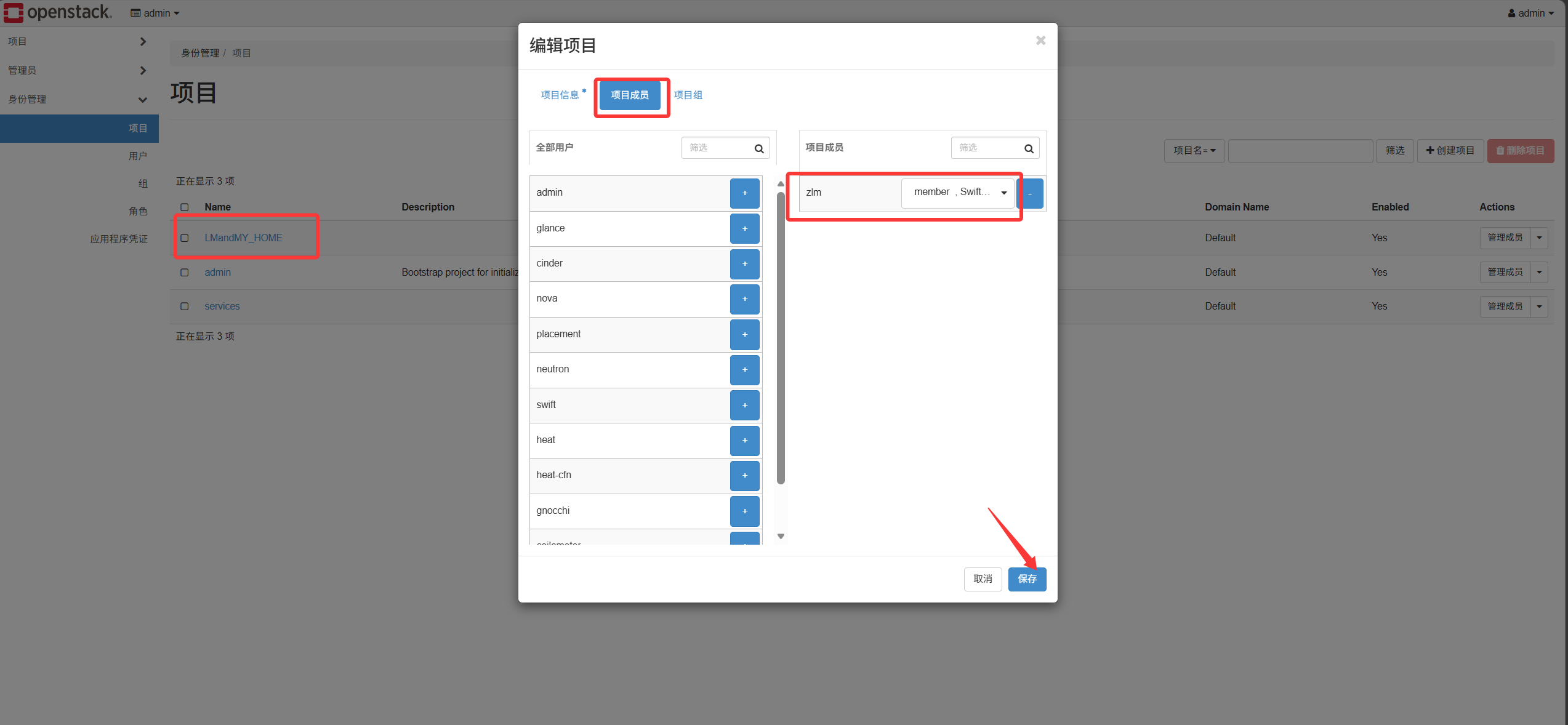
- Create a user and associate it with a project
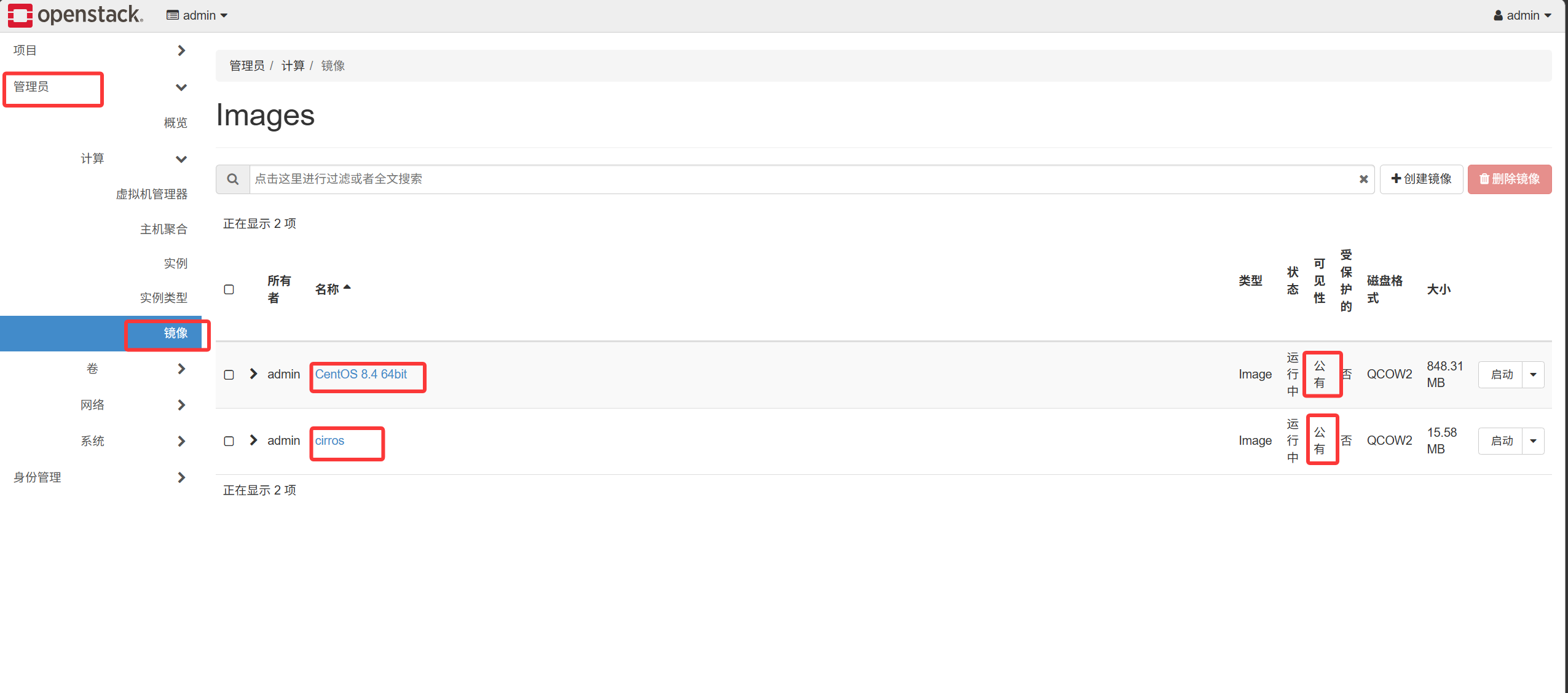
- Upload an image. Images uploaded by the admin can be set as public so all tenants can access them; images uploaded by ordinary users are private and can only be shared within the tenant.
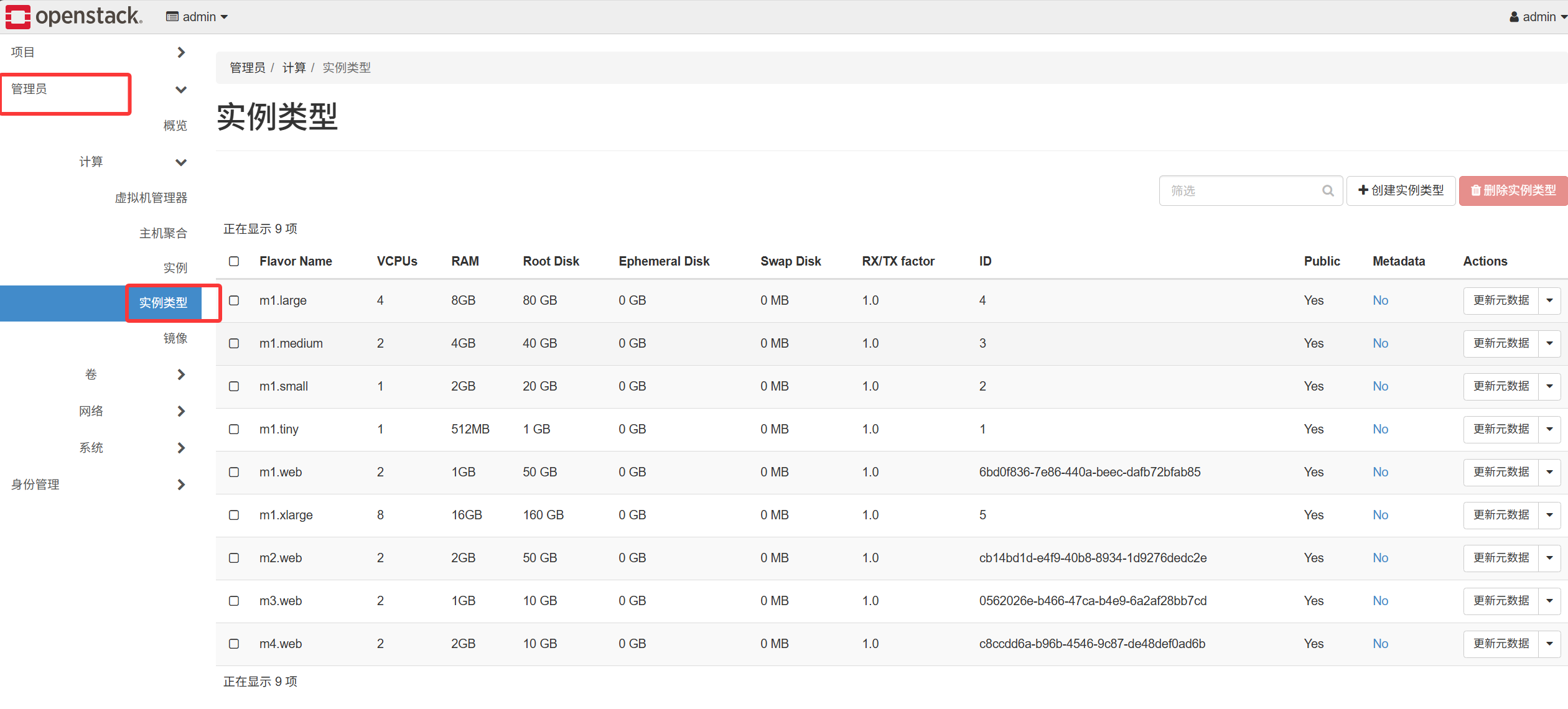
- Create a flavor
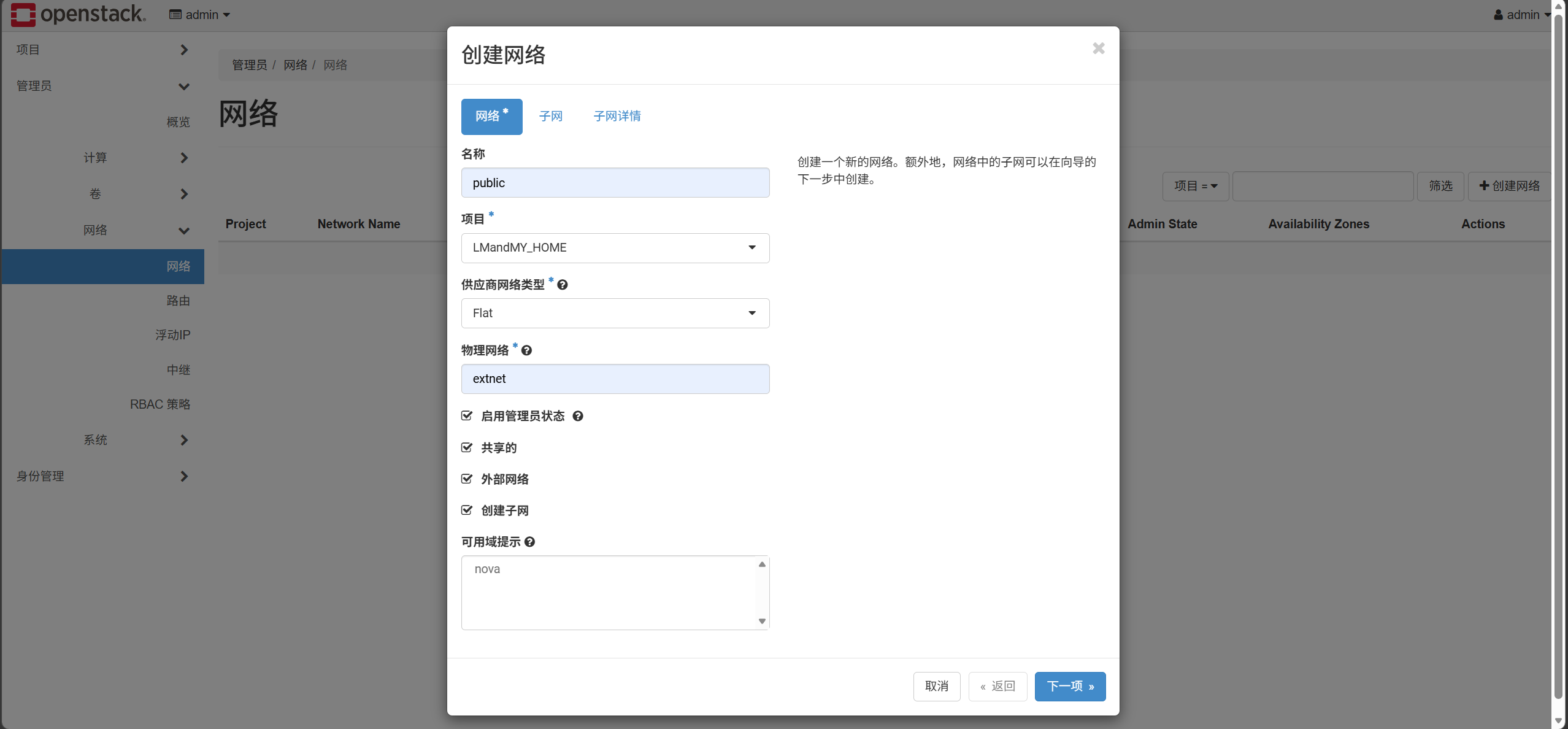
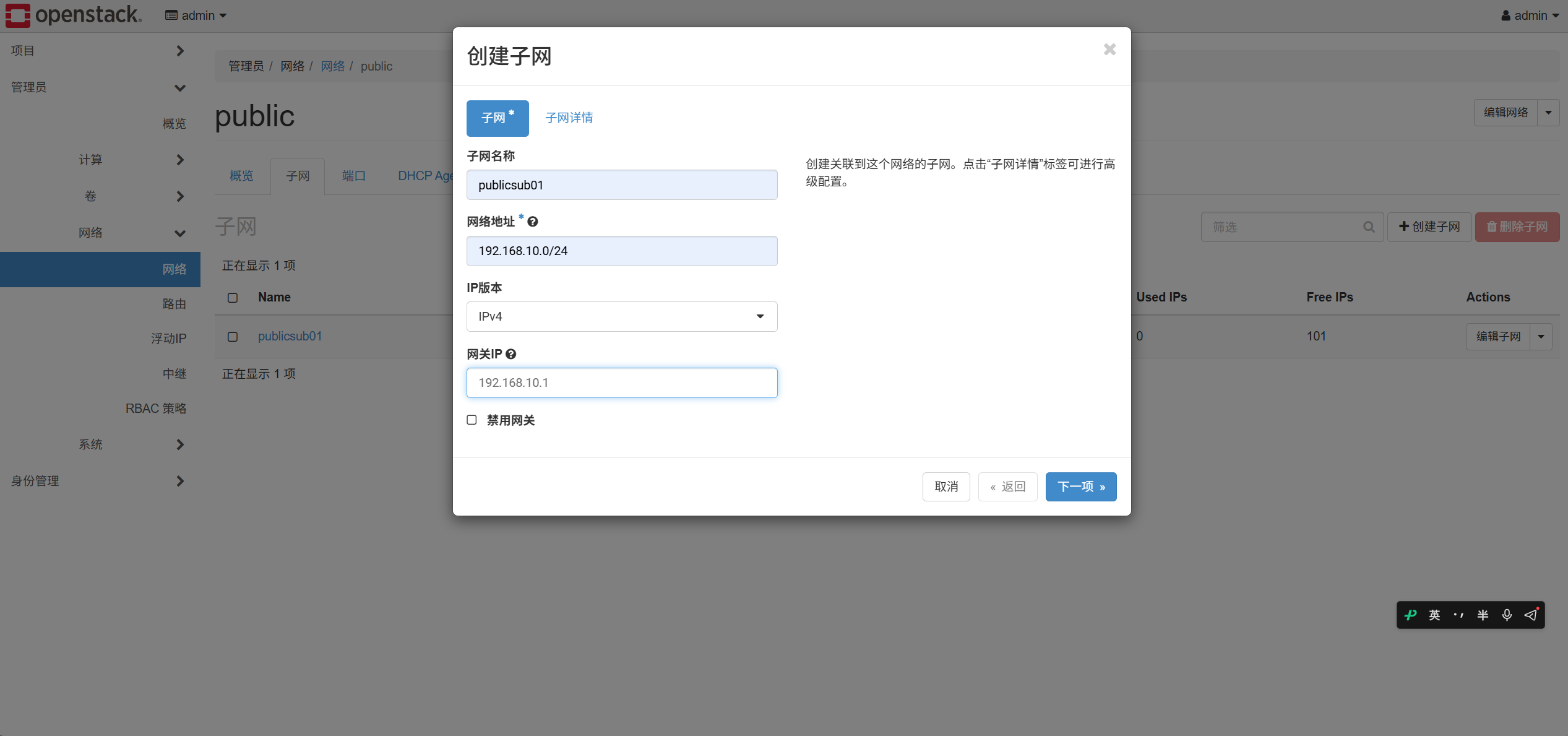
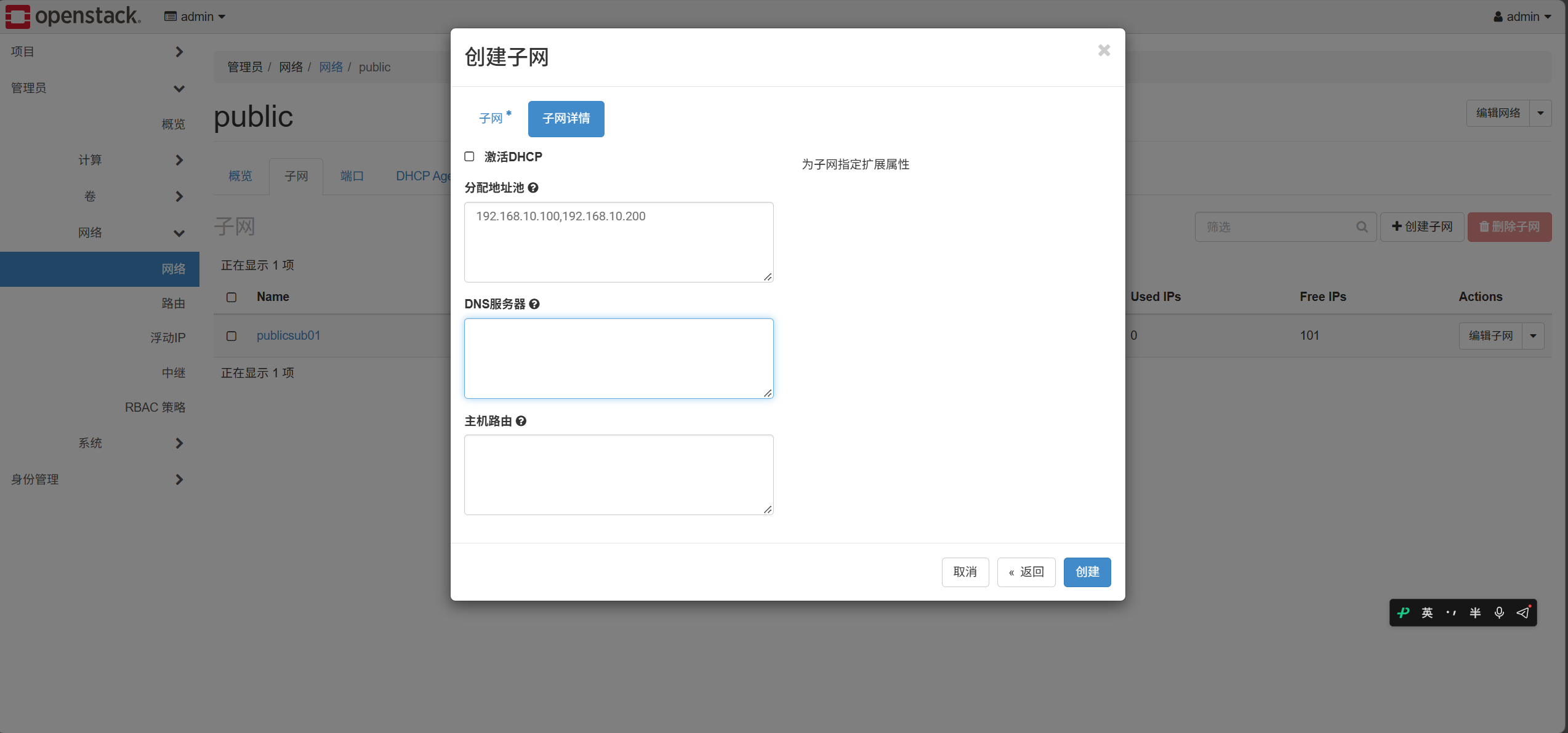
- Create an external network
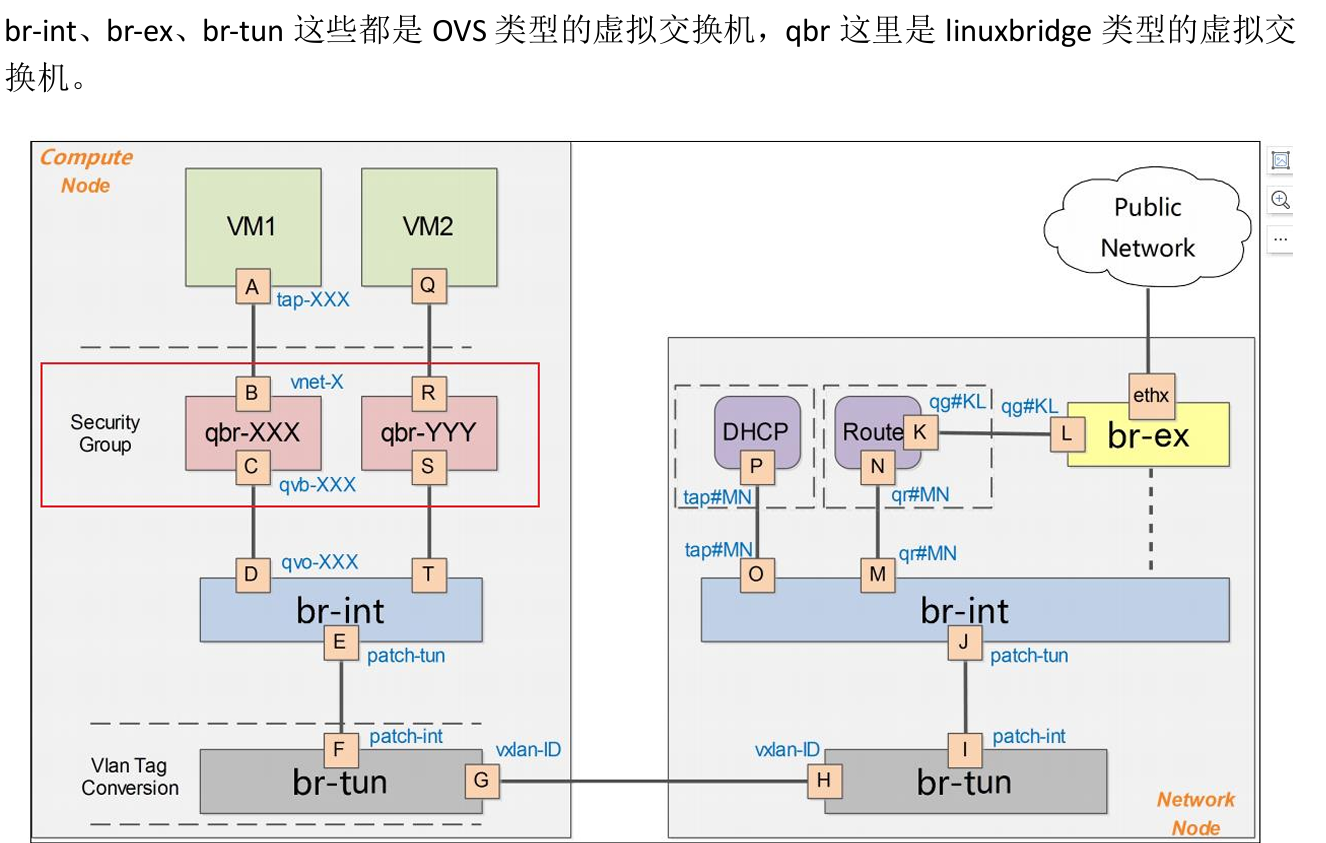
Whichever node the L3 agent is deployed on becomes the network node
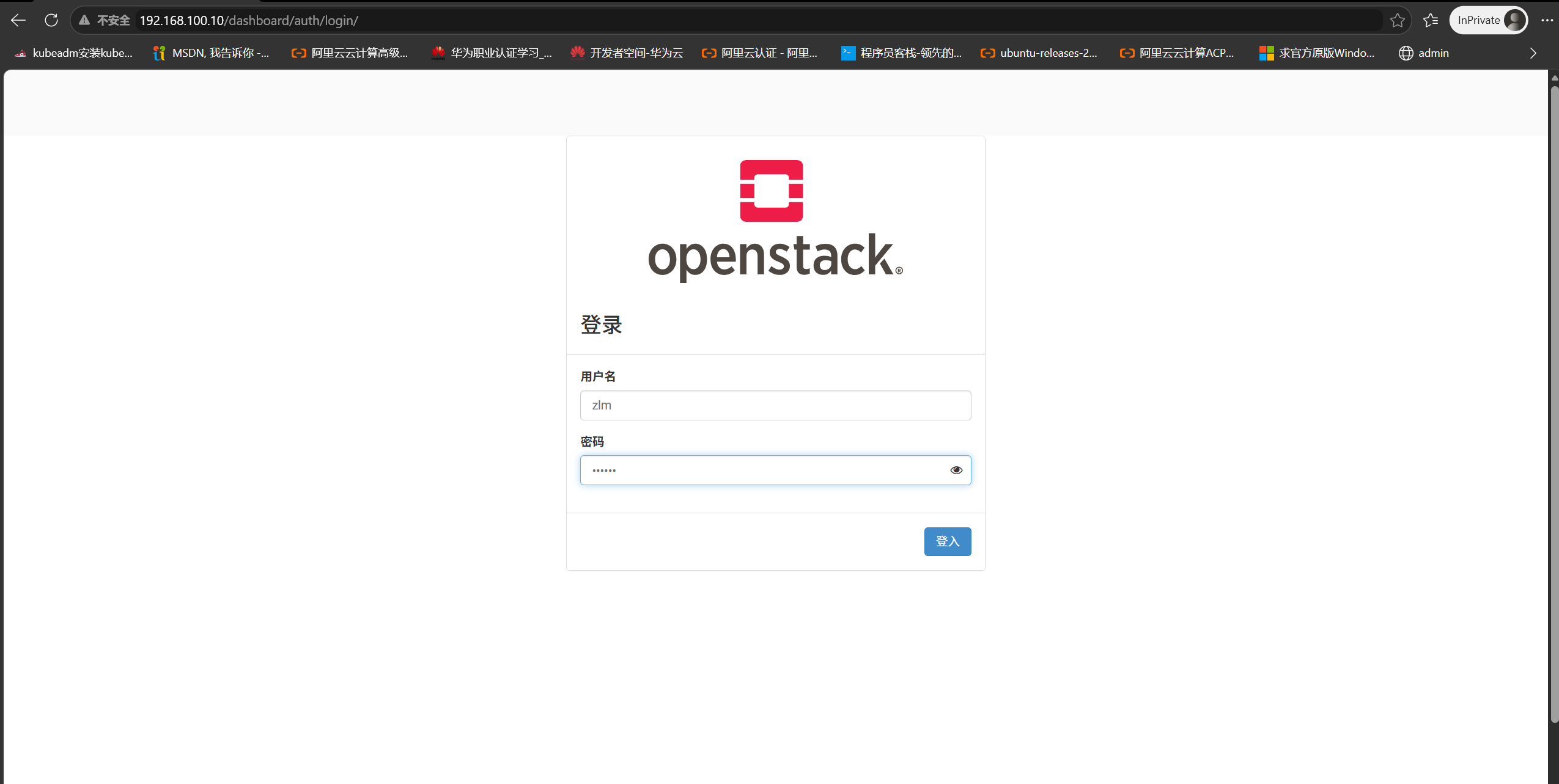
Log in as a tenant
- Log in with the tenant identity
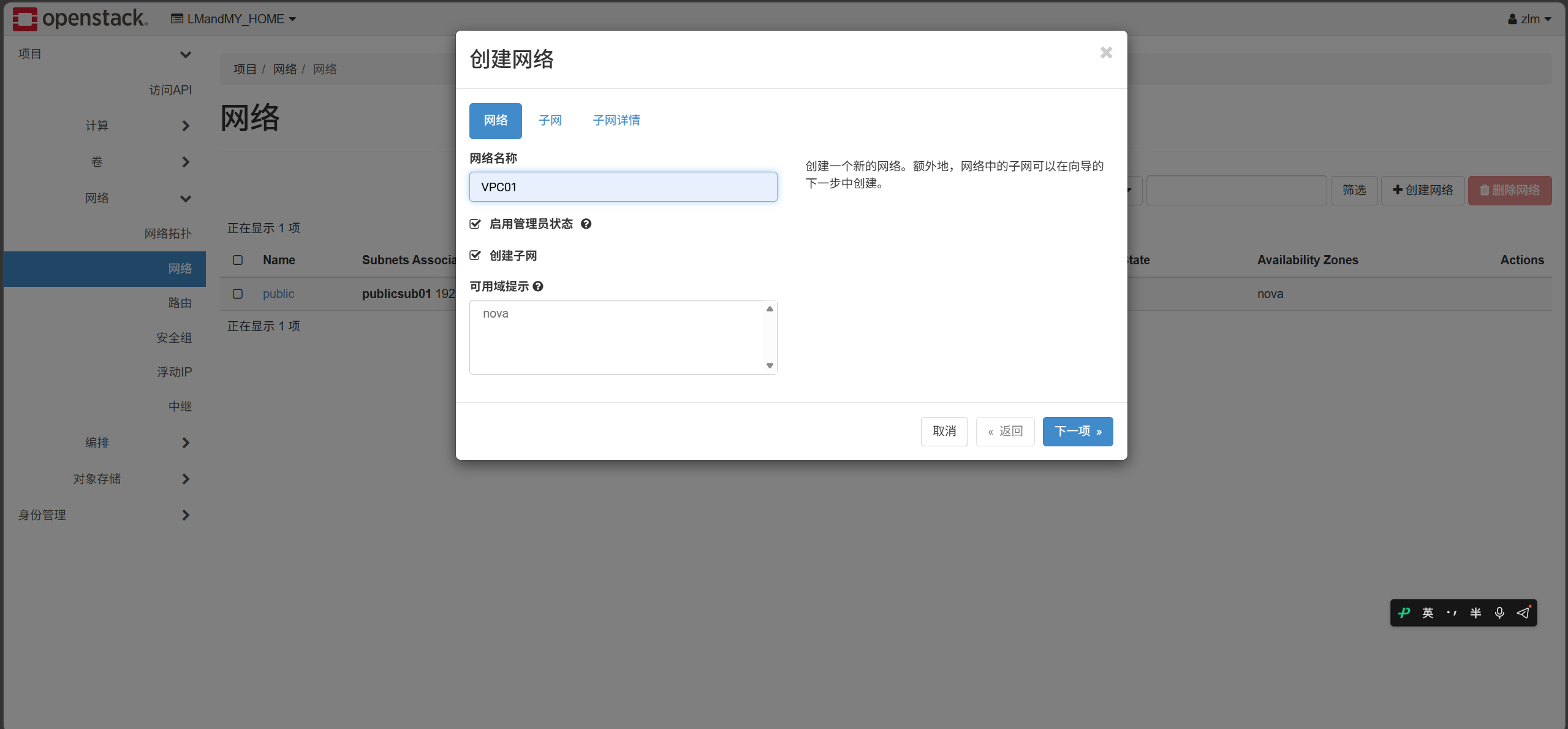
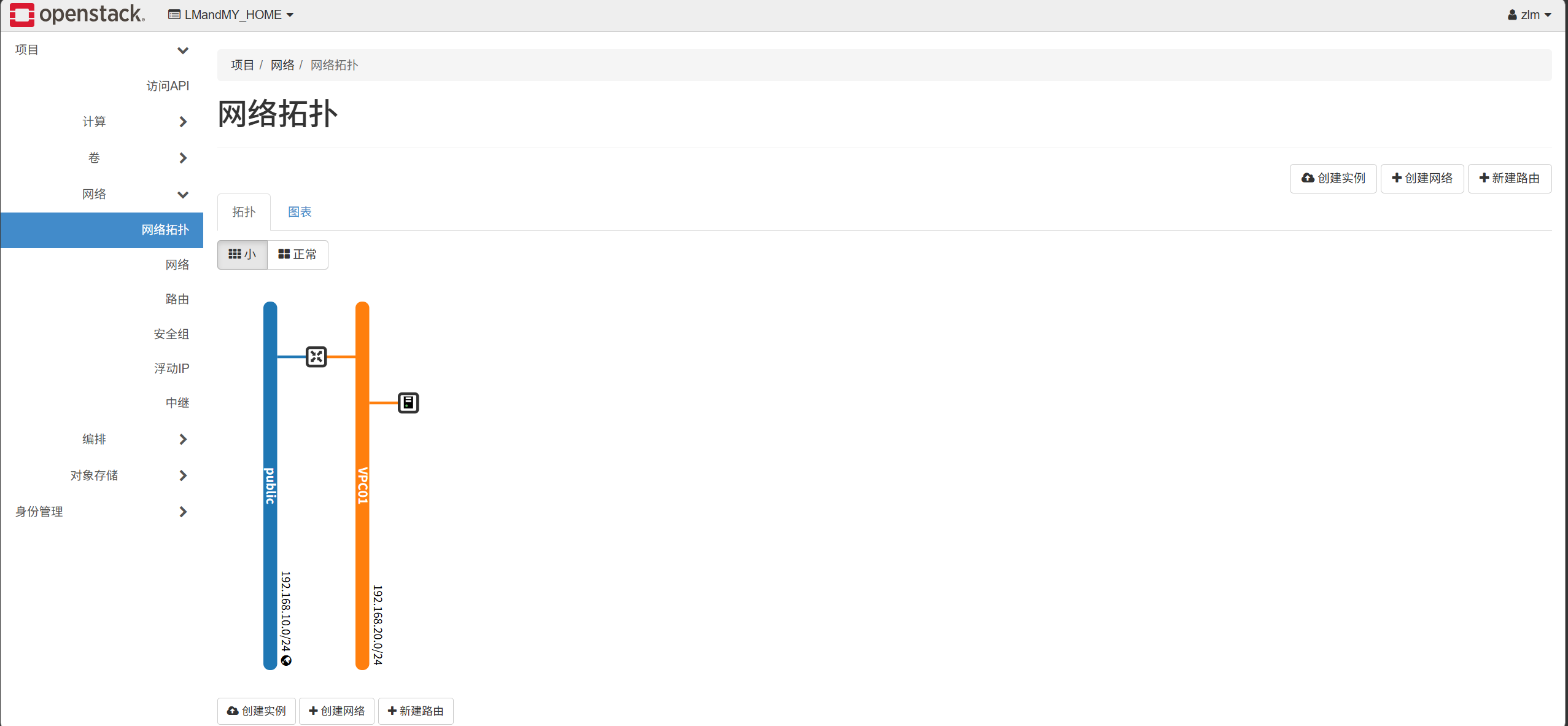
- Create a private network and subnet (VPC)
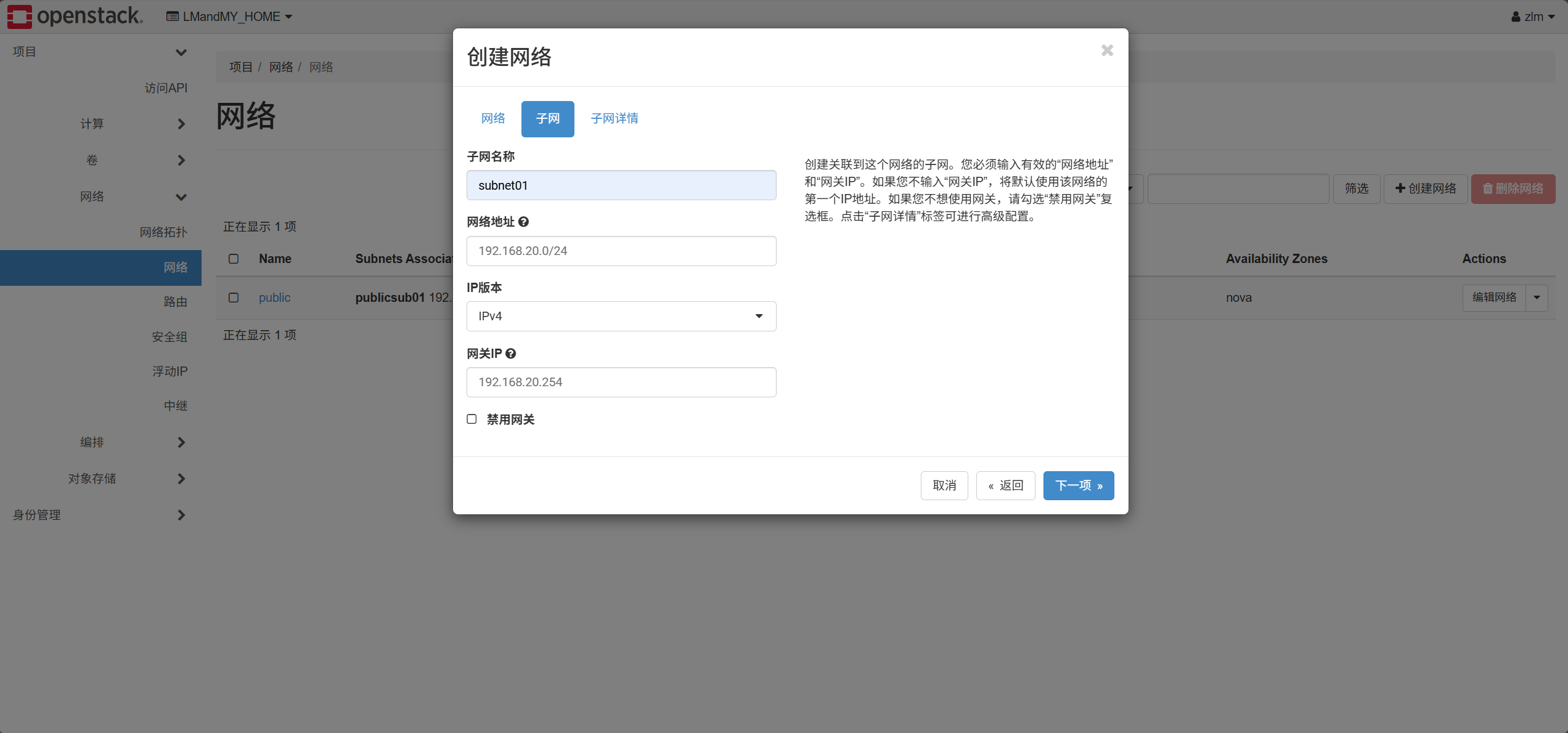
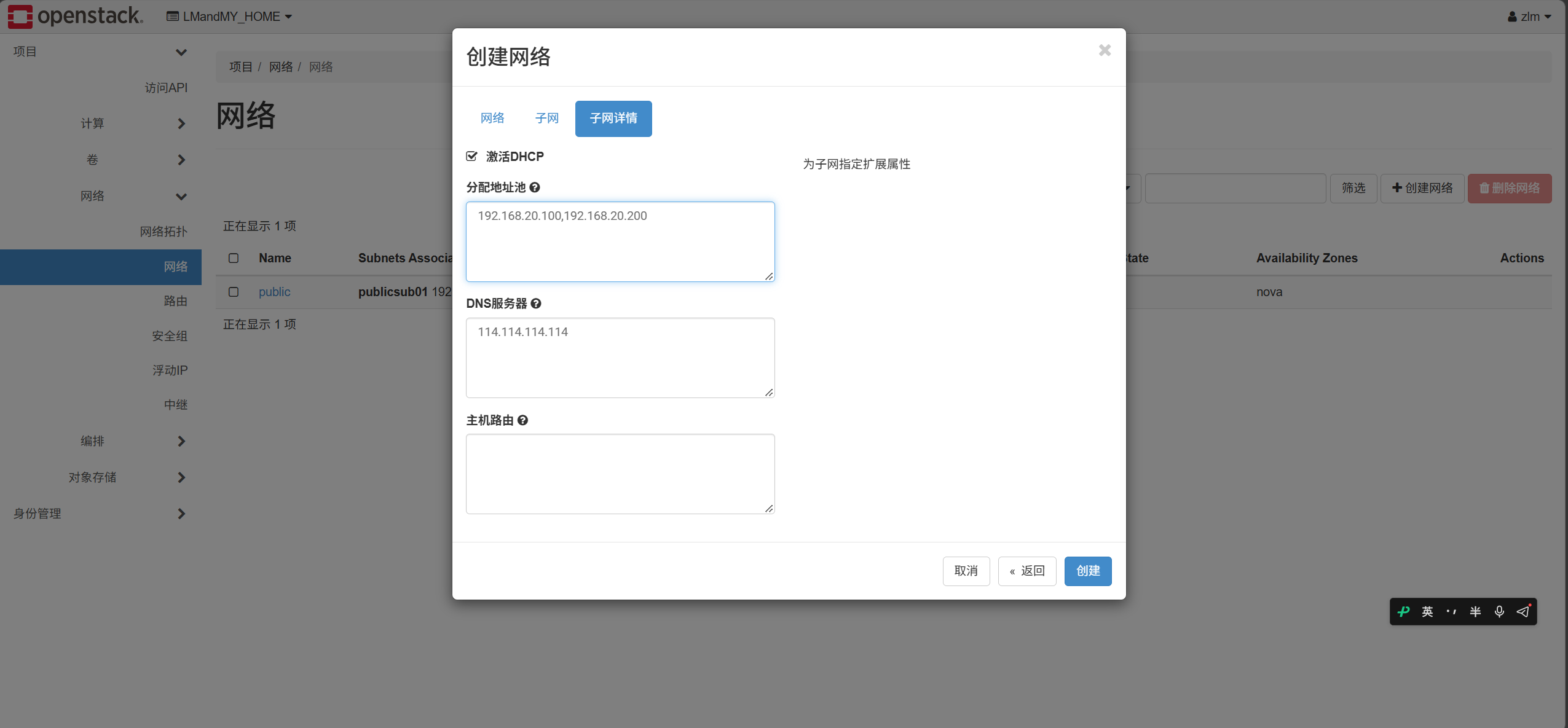
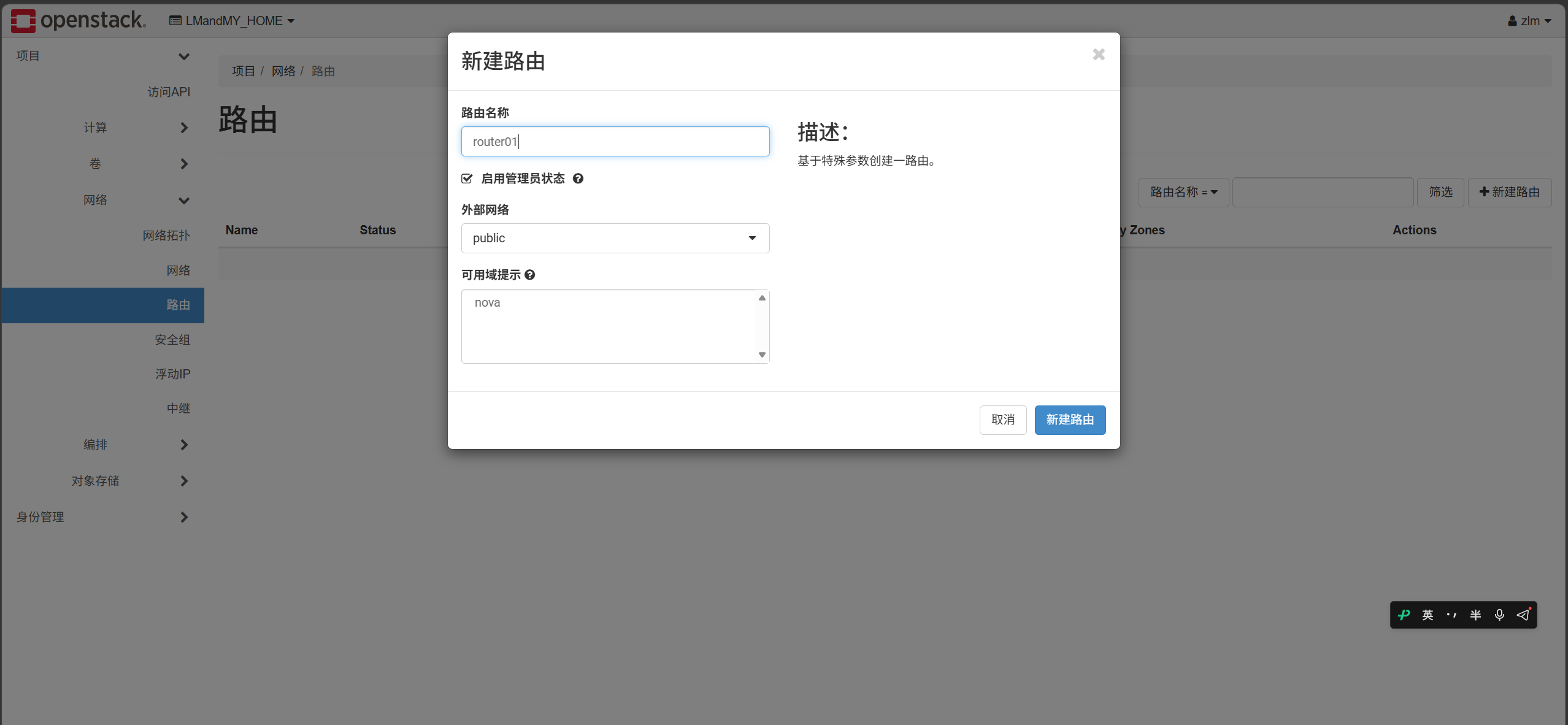
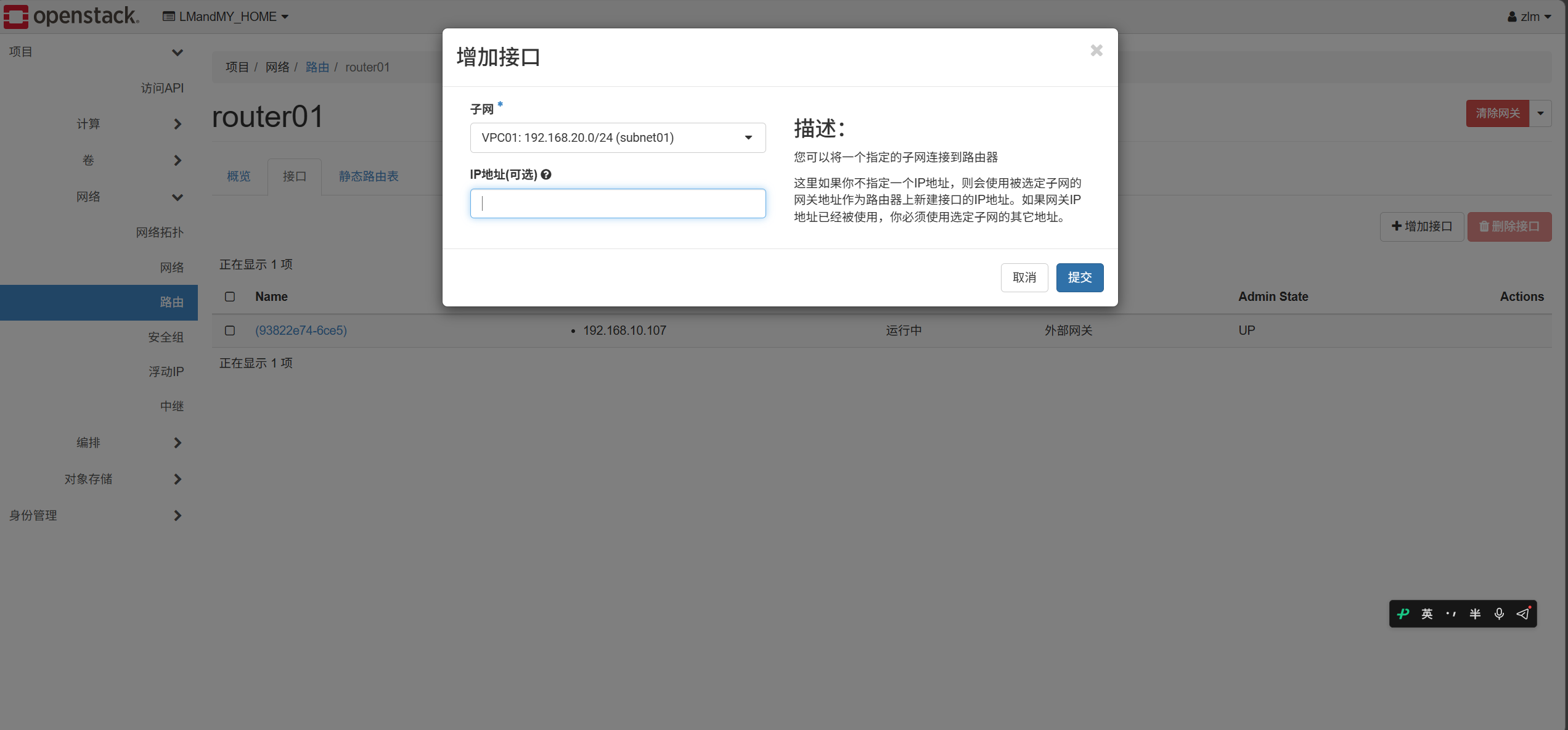
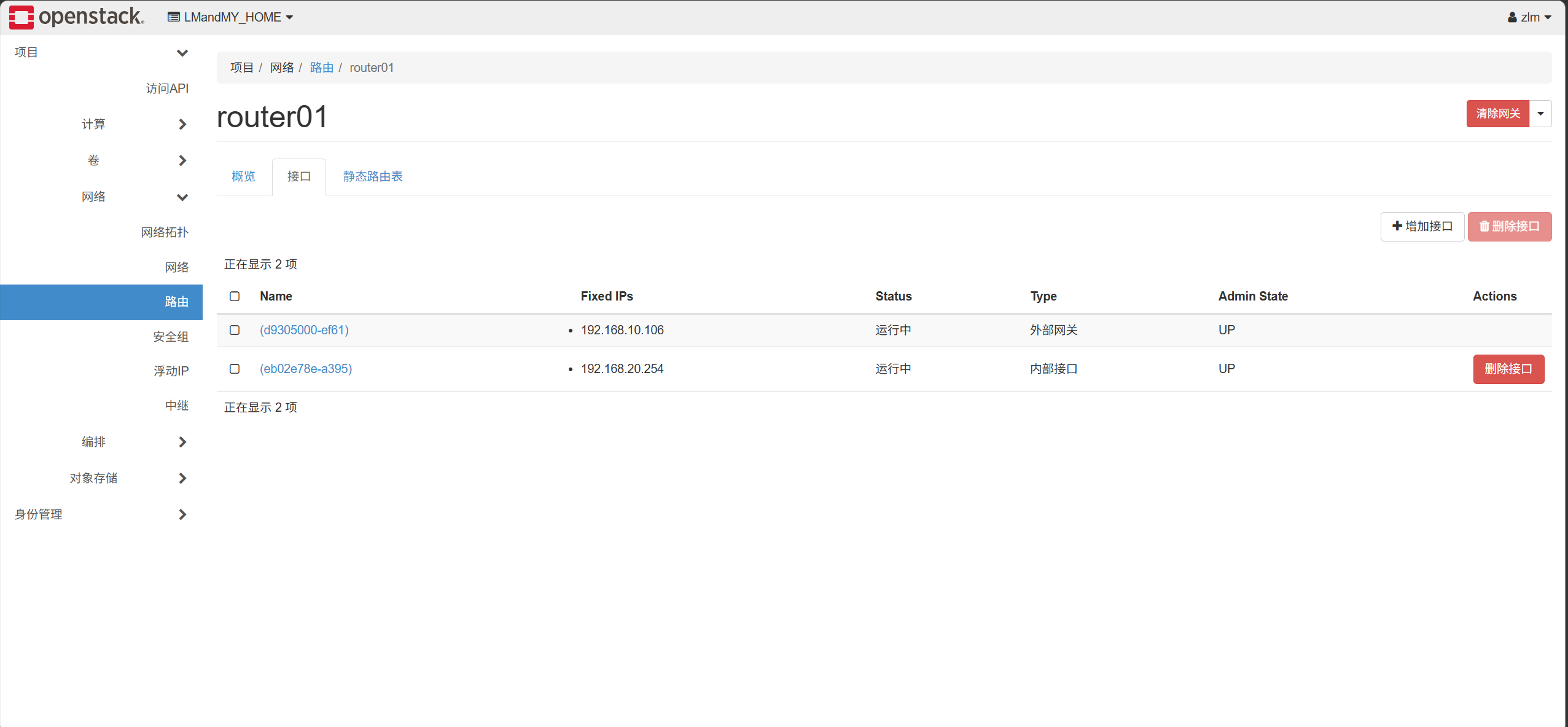
- Create a router and attach the external and private networks
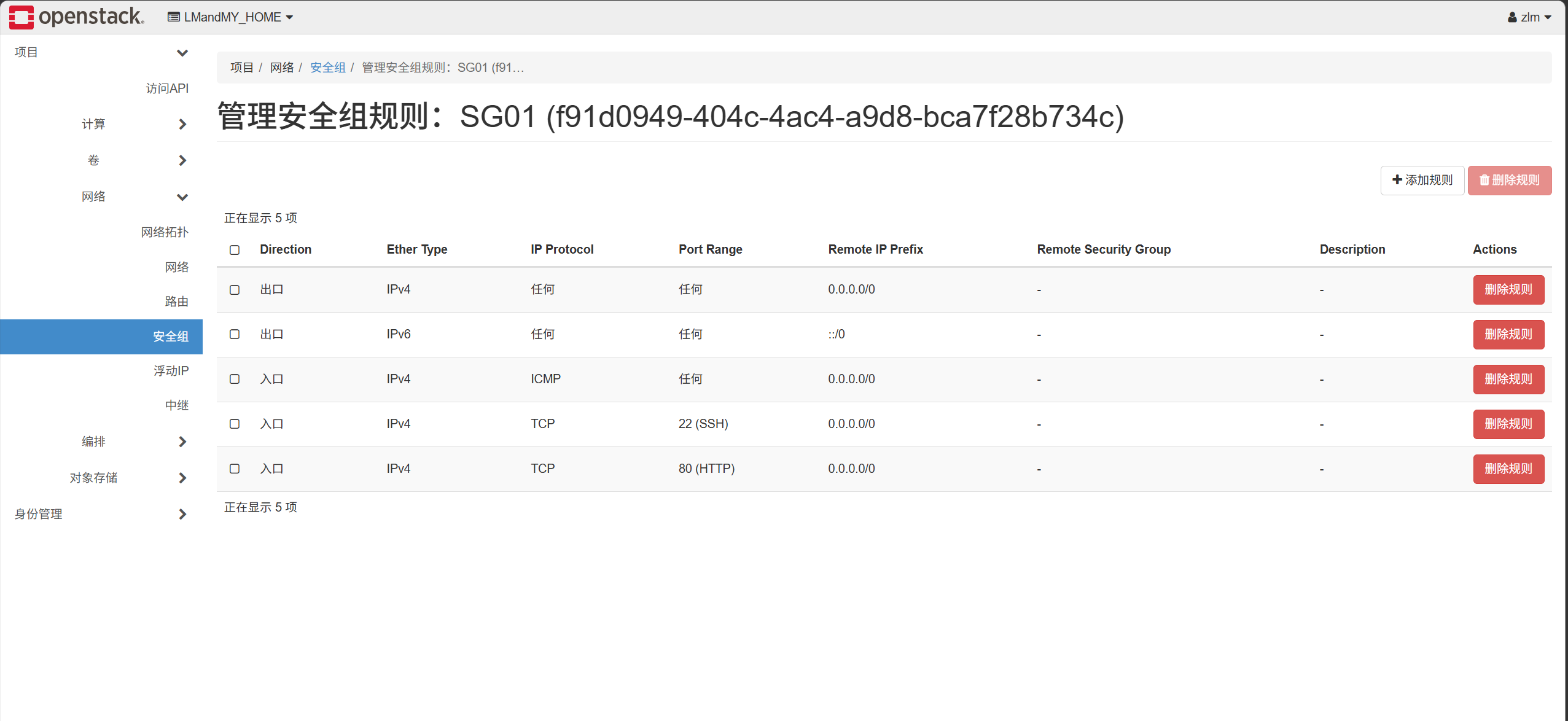
- Create a security group and rules
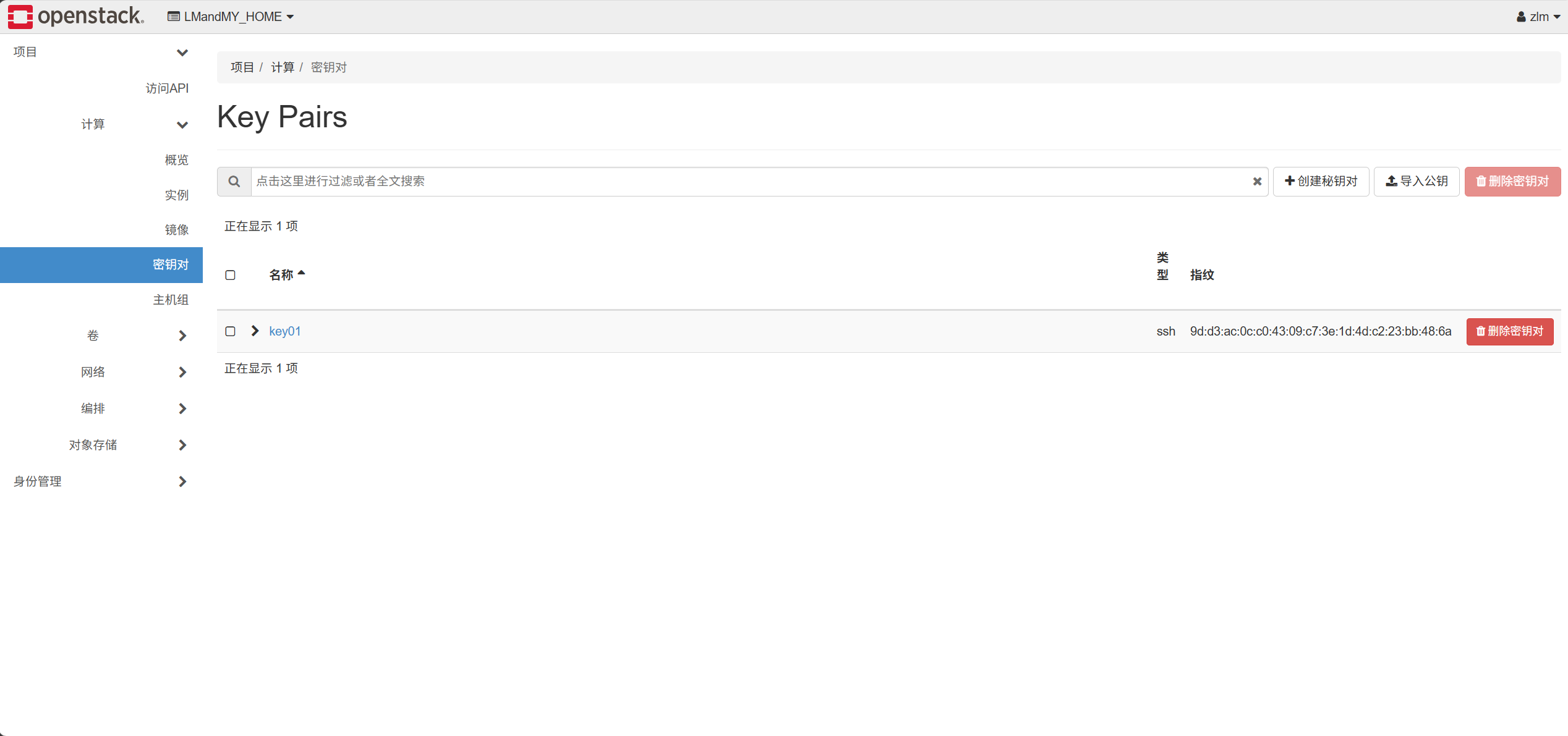
- Create a key pair
- Provision the cloud server and associate a floating IP
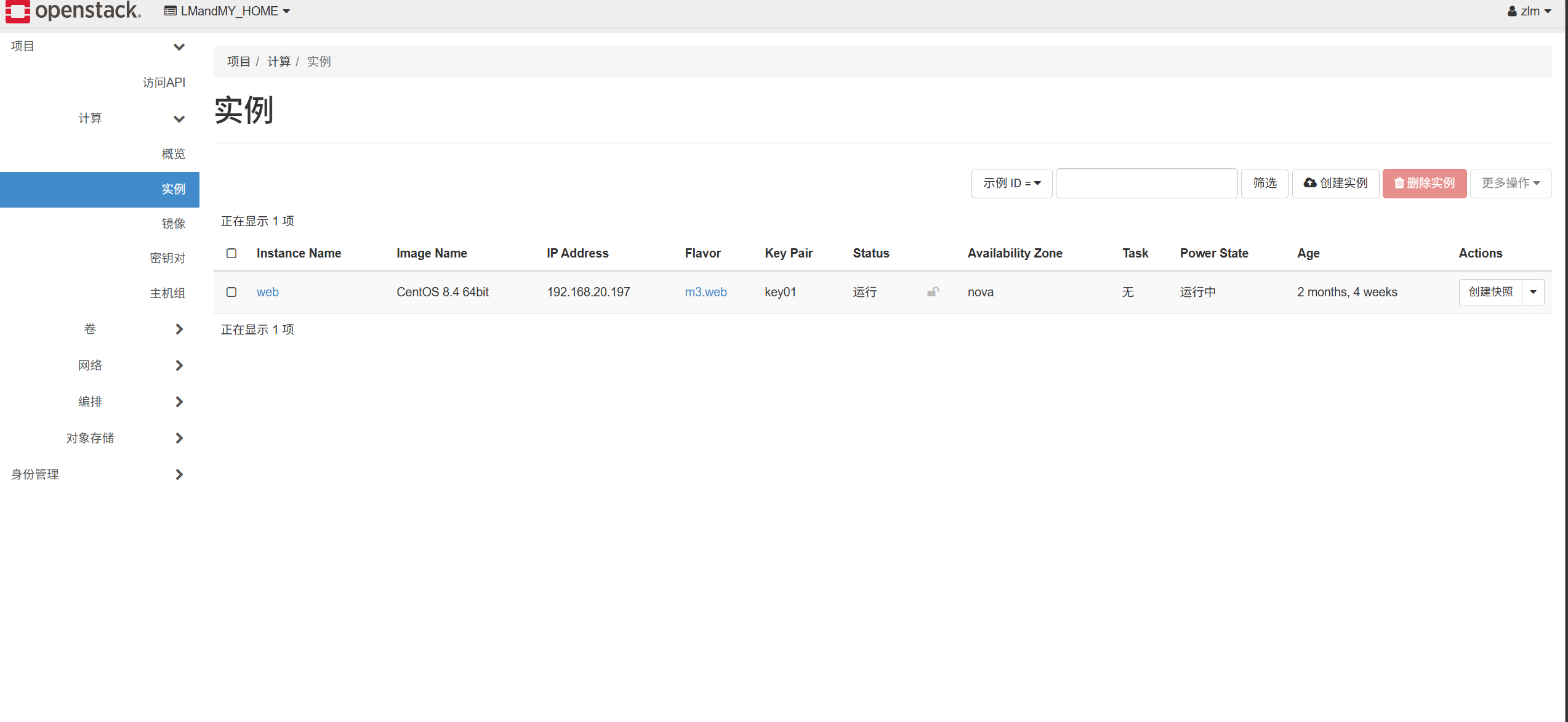
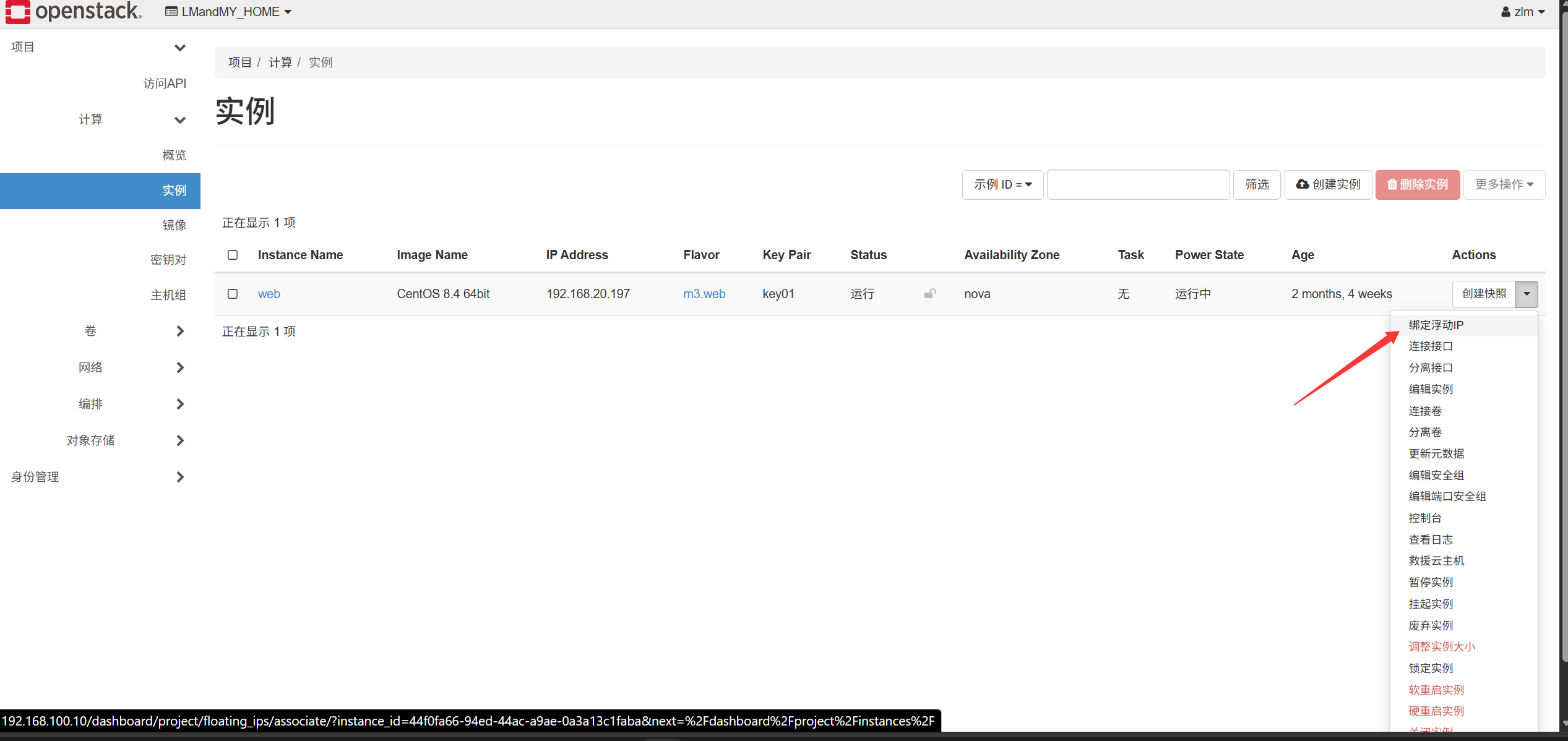
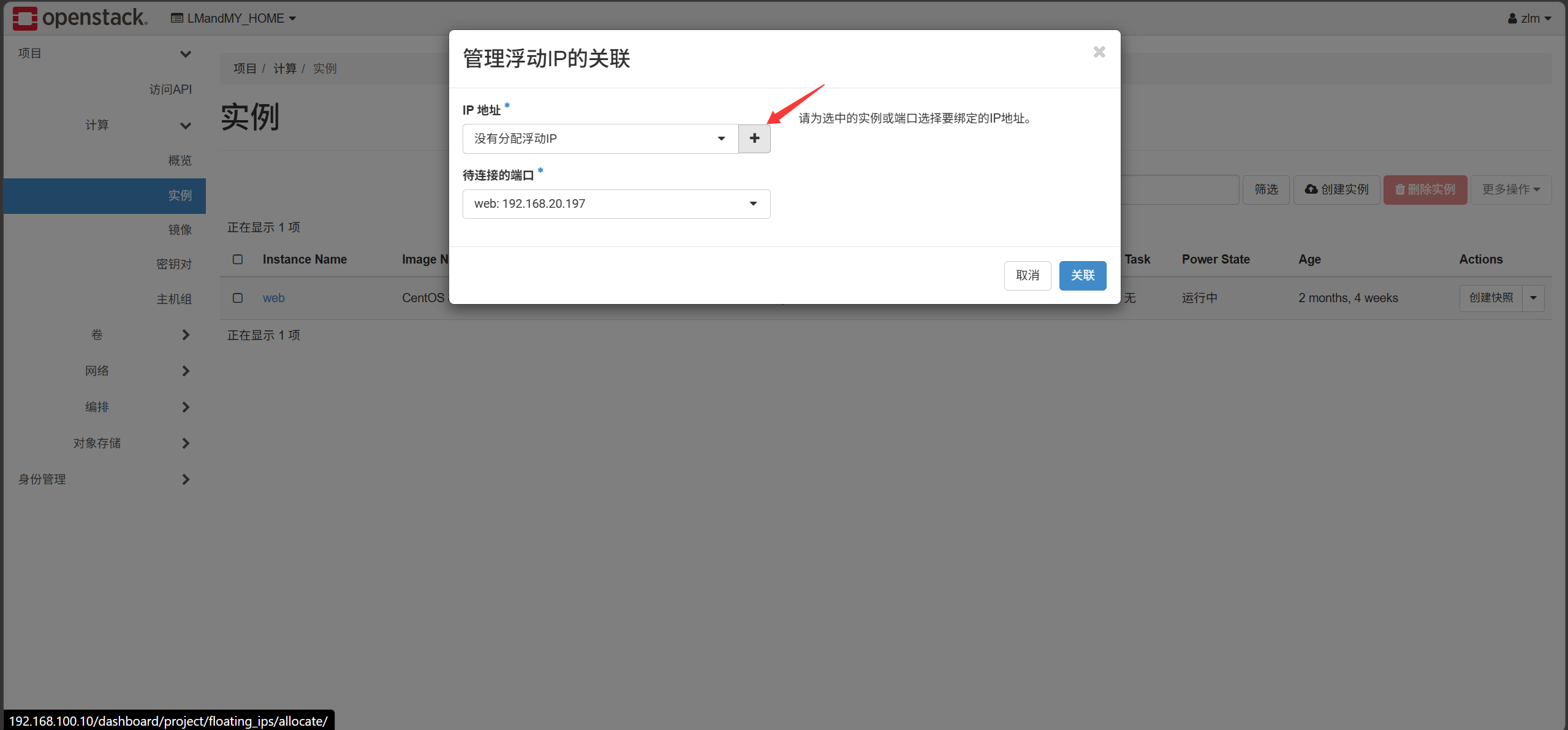
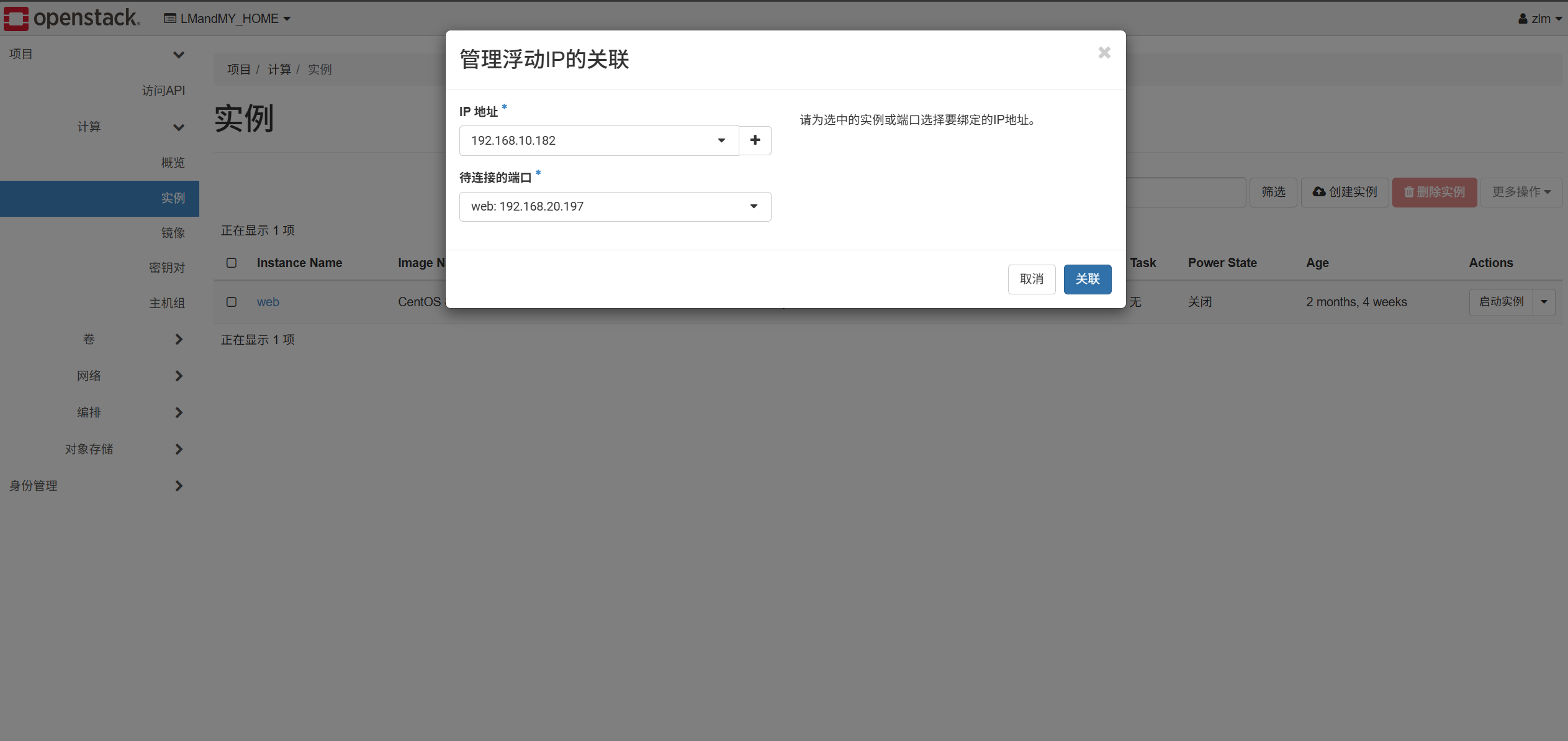
- Testing (login, hostname, network)
cloud-init initializes custom information such as hostname and password

Suppose I create an image whose content is very large—about 20 GB of disk and requiring at least 4 GB of RAM to run smoothly. But the tenant doesn’t know this; when provisioning a server they pick a flavor with only 10 GB disk and 2 GB RAM, causing the provisioning to fail without understanding why. Therefore, when uploading the image I specify a minimum disk of 20 GB and minimum RAM of 4 GB, so that later, when choosing a flavor, any flavor smaller than that cannot be selected—only flavors meeting the requirement can be chosen.
The following is the key command in OpenStack Nova used to discover and map newly added compute nodes into their owning Cell database. Under the Cells v2 architecture, every compute node must complete this registration step; otherwise the scheduler cannot deploy instances on it and the API will not list that host.
1
|
[root@Controller ~(keystone_admin)]# nova-manage cell_v2 discover_hosts --verbose
|
A cloud server can reach the Internet through the router. The point of configuring a floating IP is to expose services to the outside—e.g., a web server can go out via SNAT, but remote users cannot come in to access that service. The following shows how to inspect the iptables rules OpenStack uses under the hood.
 1
 2
 3
 4
 5
 6
 7
 8
 9
10
11
12
13
14
15
16
17
18
19
20
21
22
23
24
25
26
27
28
29
30
31
32
33
34
35
36
37
38
39
40
41
42
43
44
45
46
47
48
49
50
51
52
53
54
55
56
57
58
59
60
61
62
63
64
65
66
67
|
[root@Controller ~(keystone_admin)]# ip netns
qrouter-aa6470e8-9c0e-4a50-9be6-71566d0c3903 (id: 1)
qdhcp-a82a6d9e-26ec-497f-8f71-68d8395386ad (id: 0)
[root@Controller ~(keystone_admin)]# ip netns exec qrouter-aa6470e8-9c0e-4a50-9be6-71566d0c3903 ip addr list
1: lo: <LOOPBACK,UP,LOWER_UP> mtu 65536 qdisc noqueue state UNKNOWN group default qlen 1000
    link/loopback 00:00:00:00:00:00 brd 00:00:00:00:00:00
    inet 127.0.0.1/8 scope host lo
       valid_lft forever preferred_lft forever
    inet6 ::1/128 scope host
       valid_lft forever preferred_lft forever
33: qg-d9305000-ef: <BROADCAST,MULTICAST,UP,LOWER_UP> mtu 1500 qdisc noqueue state UNKNOWN group default qlen 1000
    link/ether fa:16:3e:18:37:69 brd ff:ff:ff:ff:ff:ff
    inet 192.168.10.106/24 brd 192.168.10.255 scope global qg-d9305000-ef
       valid_lft forever preferred_lft forever
    inet 192.168.10.182/32 brd 192.168.10.182 scope global qg-d9305000-ef
       valid_lft forever preferred_lft forever
    inet6 fe80::f816:3eff:fe18:3769/64 scope link
       valid_lft forever preferred_lft forever
34: qr-eb02e78e-a3: <BROADCAST,MULTICAST,UP,LOWER_UP> mtu 1450 qdisc noqueue state UNKNOWN group default qlen 1000
    link/ether fa:16:3e:18:b8:5f brd ff:ff:ff:ff:ff:ff
    inet 192.168.20.254/24 brd 192.168.20.255 scope global qr-eb02e78e-a3
       valid_lft forever preferred_lft forever
    inet6 fe80::f816:3eff:fe18:b85f/64 scope link
       valid_lft forever preferred_lft forever
[root@Controller ~(keystone_admin)]# ip netns exec qrouter-aa6470e8-9c0e-4a50-9be6-71566d0c3903 iptables -t nat -nL
Chain PREROUTING (policy ACCEPT)
target     prot opt source               destination
neutron-l3-agent-PREROUTING  all  --  0.0.0.0/0            0.0.0.0/0

Chain INPUT (policy ACCEPT)
target     prot opt source               destination

Chain POSTROUTING (policy ACCEPT)
target     prot opt source               destination
neutron-l3-agent-POSTROUTING  all  --  0.0.0.0/0            0.0.0.0/0
neutron-postrouting-bottom  all  --  0.0.0.0/0            0.0.0.0/0

Chain OUTPUT (policy ACCEPT)
target     prot opt source               destination
neutron-l3-agent-OUTPUT  all  --  0.0.0.0/0            0.0.0.0/0

Chain neutron-l3-agent-OUTPUT (1 references)
target     prot opt source               destination
DNAT       all  --  0.0.0.0/0            192.168.10.182       to:192.168.20.197

Chain neutron-l3-agent-POSTROUTING (1 references)
target     prot opt source               destination
ACCEPT     all  --  0.0.0.0/0            0.0.0.0/0            ! ctstate DNAT

Chain neutron-l3-agent-PREROUTING (1 references)
target     prot opt source               destination
REDIRECT   tcp  --  0.0.0.0/0            169.254.169.254      tcp dpt:80 redir ports 9697
DNAT       all  --  0.0.0.0/0            192.168.10.182       to:192.168.20.197

Chain neutron-l3-agent-float-snat (1 references)
target     prot opt source               destination
SNAT       all  --  192.168.20.197       0.0.0.0/0            to:192.168.10.182 random-fully

Chain neutron-l3-agent-snat (1 references)
target     prot opt source               destination
neutron-l3-agent-float-snat  all  --  0.0.0.0/0            0.0.0.0/0
SNAT       all  --  0.0.0.0/0            0.0.0.0/0            to:192.168.10.106 random-fully
SNAT       all  --  0.0.0.0/0            0.0.0.0/0            mark match ! 0x2/0xffff ctstate DNAT to:192.168.10.106 random-fully

Chain neutron-postrouting-bottom (1 references)
target     prot opt source               destination
neutron-l3-agent-snat  all  --  0.0.0.0/0            0.0.0.0/0            /* Perform source NAT on outgoing traffic. */
|
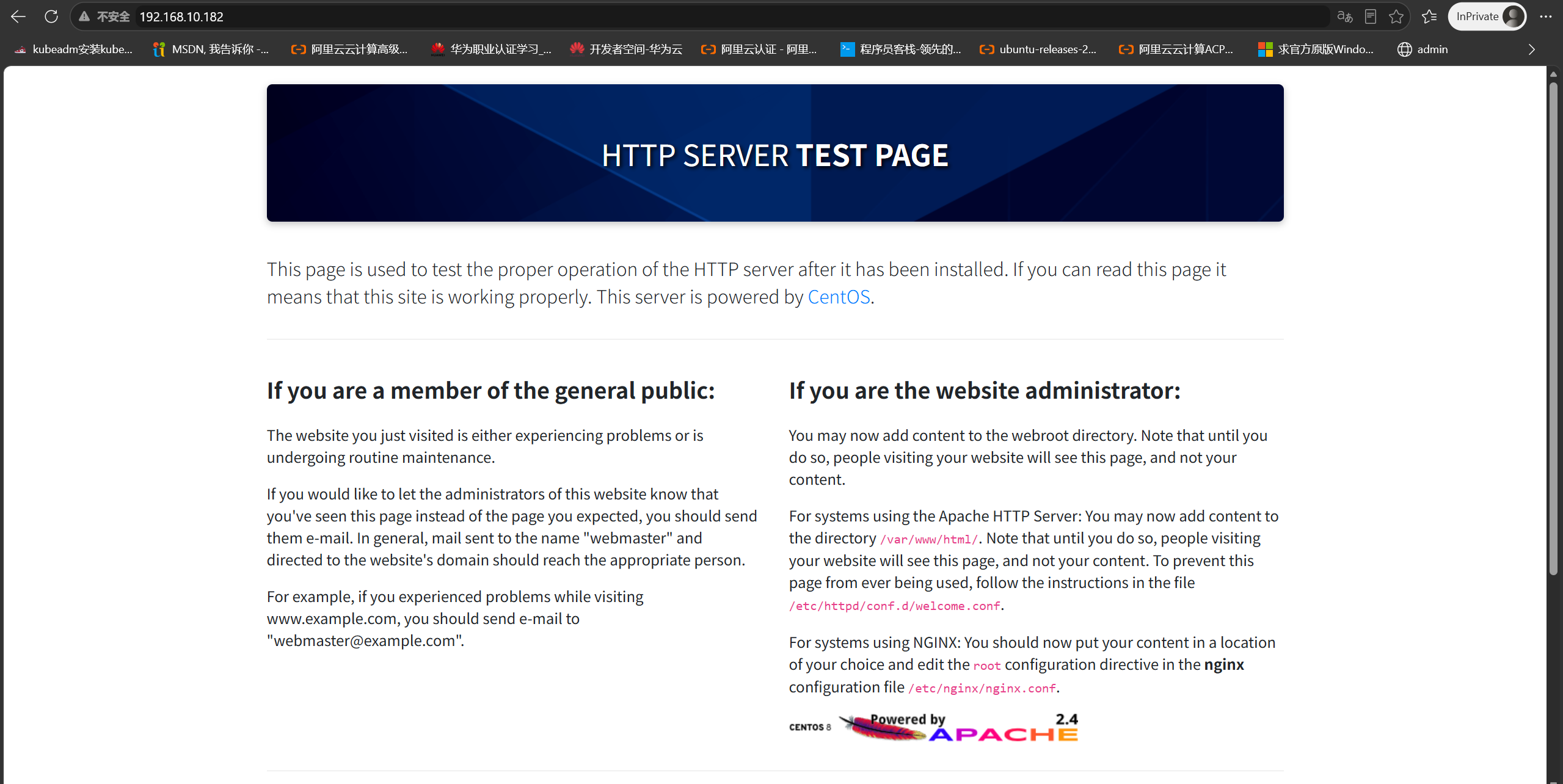
Lab requirement: create a cloud server that can access the Internet, point its yum repository to Alibaba Cloud, install the httpd package, start the service, and access the web page http://192.168.10.182 from an external host.
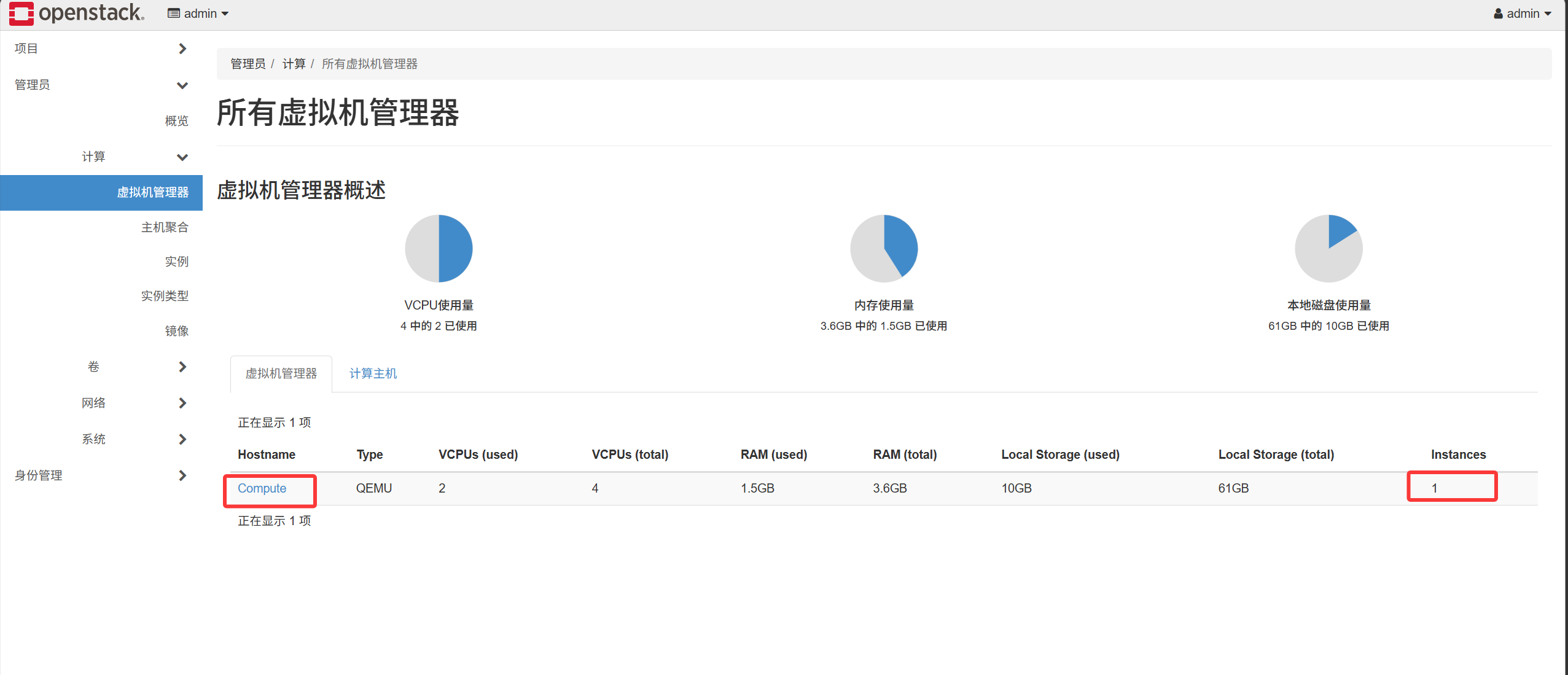
A Compute host is essentially a KVM hypervisor. When OpenStack provisions a cloud server, the scheduler distributes it onto one of the Compute hosts.
II. Provisioning a Cloud Server via the Command Line#
1
|
[root@Controller ~(keystone_admin)]# cp keystonerc_admin keystonerc_zlm
|
Requirement 1: Delete all resources using the CLI
 1
 2
 3
 4
 5
 6
 7
 8
 9
10
11
12
|
[root@Controller ~(keystone_zlm)]# cat keystonerc_zlm
unset OS_SERVICE_TOKEN
export OS_USERNAME=zlm
export OS_PASSWORD='000000'
export OS_REGION_NAME=RegionOne
export OS_AUTH_URL=http://192.168.100.10:5000/v3
export PS1='[\u@\h \W(keystone_zlm)]\$ '
export OS_PROJECT_NAME=LMandMY_HOME
export OS_USER_DOMAIN_NAME=Default
export OS_PROJECT_DOMAIN_NAME=Default
export OS_IDENTITY_API_VERSION=3
[root@Controller ~(keystone_zlm)]# source keystonerc_zlm
|
- Delete the cloud server
1
2
3
4
5
6
7
|
[root@Controller ~(keystone_zlm)]# openstack server list
+--------------------------------------+------+--------+--------------------------------------+------------------+--------+
| ID                                   | Name | Status | Networks                             | Image            | Flavor |
+--------------------------------------+------+--------+--------------------------------------+------------------+--------+
| 44f0fa66-94ed-44ac-a9ae-0a3a13c1faba | web  | ACTIVE | VPC01=192.168.20.197, 192.168.10.182 | CentOS 8.4 64bit | m3.web |
+--------------------------------------+------+--------+--------------------------------------+------------------+--------+
[root@Controller ~(keystone_zlm)]# openstack server delete 44f0fa66-94ed-44ac-a9ae-0a3a13c1faba
|
- Delete the volume
1
2
|
[root@Controller ~(keystone_zlm)]# openstack volume list
[root@Controller ~(keystone_zlm)]# openstack volume delete data01
|
- Delete the router
1
2
3
4
5
|
[root@Controller ~(keystone_zlm)]# openstack router list
[root@Controller ~(keystone_zlm)]# openstack router show router01
[root@Controller ~(keystone_zlm)]# openstack subnet list
[root@Controller ~(keystone_zlm)]# openstack router remove subnet router01  subnet01
[root@Controller ~(keystone_zlm)]# openstack router delete router01
|
- Delete the security group
1
2
|
[root@Controller ~(keystone_zlm)]# openstack security group list
[root@Controller ~(keystone_zlm)]# openstack security group delete SG01
|
- Delete the network
1
2
|
[root@Controller ~(keystone_zlm)]# openstack network list
[root@Controller ~(keystone_zlm)]# openstack network delete VPC01
|
Switch to the admin identity to delete the public network, images, flavors, tenants, users, etc.
1
|
[root@Controller ~(keystone_zlm)]# source keystonerc_admin
|
- Delete the public network
1
2
|
[root@Controller ~(keystone_admin)]# openstack network list
[root@Controller ~(keystone_admin)]# openstack network delete public
|
- Delete the image
1
2
3
4
|
[root@Controller ~(keystone_admin)]# openstack image list
[root@Controller ~(keystone_admin)]# openstack image delete e3336d90-e673-4b1b-82ec-69b70fd6402c
[root@Controller ~(keystone_admin)]# openstack image delete cec813dd-8141-4a99-8883-805ac6e3ec17
[root@Controller ~(keystone_admin)]# openstack image delete c6ffe7db-ccb0-4df4-8715-e8ce0fd5dc7d
|
- Delete the flavor
1
2
|
[root@Controller ~(keystone_admin)]# openstack flavor list
[root@Controller ~(keystone_admin)]# openstack flavor delete m3.web
|
- Delete the tenant and user
1
2
3
4
|
[root@Controller ~(keystone_admin)]# openstack project list
[root@Controller ~(keystone_admin)]# openstack project delete LMandMY_HOME
[root@Controller ~(keystone_admin)]# openstack user list
[root@Controller ~(keystone_admin)]# openstack user delete zlm
|
Requirement 2: Create all resources via the CLI—provision a server, add a floating IP, access the server, and create networks
1
|
[root@Controller ~(keystone_admin)]# source keystonerc_admin
|
- Create a project and user, and associate the user with the project
 1
 2
 3
 4
 5
 6
 7
 8
 9
10
11
12
13
14
15
16
|
[root@Controller ~(keystone_admin)]# openstack project create LMandMY_HOME
[root@Controller ~(keystone_admin)]# openstack user create --project LMandMY_HOME --project-domain Default --password-prompt  zlm
[root@Controller ~(keystone_admin)]# openstack role list
+----------------------------------+------------------+
| ID                               | Name             |
+----------------------------------+------------------+
| 0adc17230a5a434195d5995863280b3d | heat_stack_owner |
| 2e5abdde67bb4f23bbf15454616af53e | ResellerAdmin    |
| 46d49fecd6f4411bbd72d0b9f575bcae | admin            |
| 5f5bf78c40b143bbb2df74fc855ea204 | reader           |
| 84ebb81407f644b18e1a529e0c317f16 | member           |
| b83f4c27c83445489554e988fb9af5a1 | heat_stack_user  |
| b8f8cd45891240bfa0f80e93f0e37ab9 | _member_         |
| ebc22a15458c4712bf0dd4f4de09e0bf | SwiftOperator    |
+----------------------------------+------------------+
[root@Controller ~(keystone_admin)]# openstack role add --user zlm --project LMandMY_HOME  b8f8cd45891240bfa0f80e93f0e37ab9
|
- Upload an image
1
|
[root@Controller ~(keystone_admin)]# openstack image create --file /data/cirros-0.3.5-x86_64-disk.img --disk-format qcow2 --container-format bare --public cirros
|
- Create a flavor
1
|
[root@Controller ~(keystone_admin)]# openstack flavor create --ram 1024 --disk 10 --public m3.web
|
- Create the public network and subnet
1
|
[root@Controller ~(keystone_admin)]# openstack network create --external --share --provider-network-type flat --provider-physical-network extnet --project LMandMY_HOME public
|
Create the subnet
1
|
[root@Controller ~(keystone_admin)]# openstack subnet create --no-dhcp --subnet-range 192.168.10.0/24 --allocation-pool start=192.168.10.100,end=192.168.10.200 --gateway 192.168.10.1 --network public publicsub01
|
Switch to the tenant identity
1
|
[root@Controller ~(keystone_admin)]# source keystonerc_zlm
|
- Create the network and subnet
1
|
[root@Controller ~(keystone_zlm)]# openstack network create VPC01
|
Create the subnet
1
|
[root@Controller ~(keystone_zlm)]# openstack subnet create --network VPC01 --subnet-range 192.168.20.0/24 --dhcp --gateway 192.168.20.254 --dns-nameserver 114.114.114.114 subnet01
|
- Create the router
1
2
3
|
[root@Controller ~(keystone_zlm)]# openstack router create router01
[root@Controller ~(keystone_zlm)]# openstack router add subnet router01 subnet01
[root@Controller ~(keystone_zlm)]# openstack router set --external-gateway public router01
|
- Create the security group
1
|
[root@Controller ~(keystone_zlm)]# openstack security group create SG01
|
Allow the ICMP protocol
1
|
[root@Controller ~(keystone_zlm)]# openstack security group rule create --ingress --protocol icmp --remote-ip 0.0.0.0/0 SG01
|
Allow the SSH service
1
|
[root@Controller ~(keystone_zlm)]# openstack security group rule create --ingress --protocol tcp --dst-port 22 --remote-ip 0.0.0.0/0 SG01
|
Allow port 80
1
|
[root@Controller ~(keystone_zlm)]# openstack security group rule create --ingress --protocol tcp --dst-port 80 --remote-ip 0.0.0.0/0 SG01
|
- Create a floating IP
1
|
[root@Controller ~(keystone_zlm)]# openstack floating ip create public
|
- Create a key pair
1
|
[root@Controller ~(keystone_zlm)]# openstack key create key01 > key01.pem
|
- Create the cloud server
1
2
3
4
5
6
7
8
|
[root@Controller ~(keystone_zlm)]# openstack network list
+--------------------------------------+--------+--------------------------------------+
| ID                                   | Name   | Subnets                              |
+--------------------------------------+--------+--------------------------------------+
| a82a6d9e-26ec-497f-8f71-68d8395386ad | VPC01  | 40bd75e0-3d22-4e7b-8659-8a6c0a44e3aa |
| d99ba601-05e3-4f1f-88b8-f0587c6a5f6e | public | 5d39db23-8359-4e33-bde7-0f9ac6a0f7c7 |
+--------------------------------------+--------+--------------------------------------+
[root@Controller ~(keystone_zlm)]# openstack server create --image cirros --security-group SG01 --key-name key01 --flavor m3.web  --nic net-id=a82a6d9e-26ec-497f-8f71-68d8395386ad web
|
Associate the floating IP with the cloud server
1
2
|
[root@Controller ~(keystone_zlm)]# openstack port list
[root@Controller ~(keystone_zlm)]# openstack floating ip set --port=46ba21d5-6f14-4693-a215-5a6fc8781adf  192.168.10.182
|
Access the cloud server
1
2
|
[root@Controller ~(keystone_zlm)]# chmod 400 key01.pem
[root@Controller ~(keystone_zlm)]# ssh -i key01.pem cirros@192.168.10.182
|
If the external NIC cannot communicate
1
|
[root@Controller ~(keystone_zlm)]# ifup br-ex ; ifup ens224
|